Screens
Under «Screens» you manage all displays in your account. At a glance you see which screen is online and what it is currently showing, pair new displays and open a detail page for each screen with preview, location, statistics and settings.
Sidebar on the left → «Screens»
The screen list
At the top right you find the magnifier for searching, the sorting, the «Neuer Screen» (New screen) button and the ⋮ menu. Via «Neuer Screen» you pair a new display, and in the ⋮ menu you create groups, sync groups and display walls.
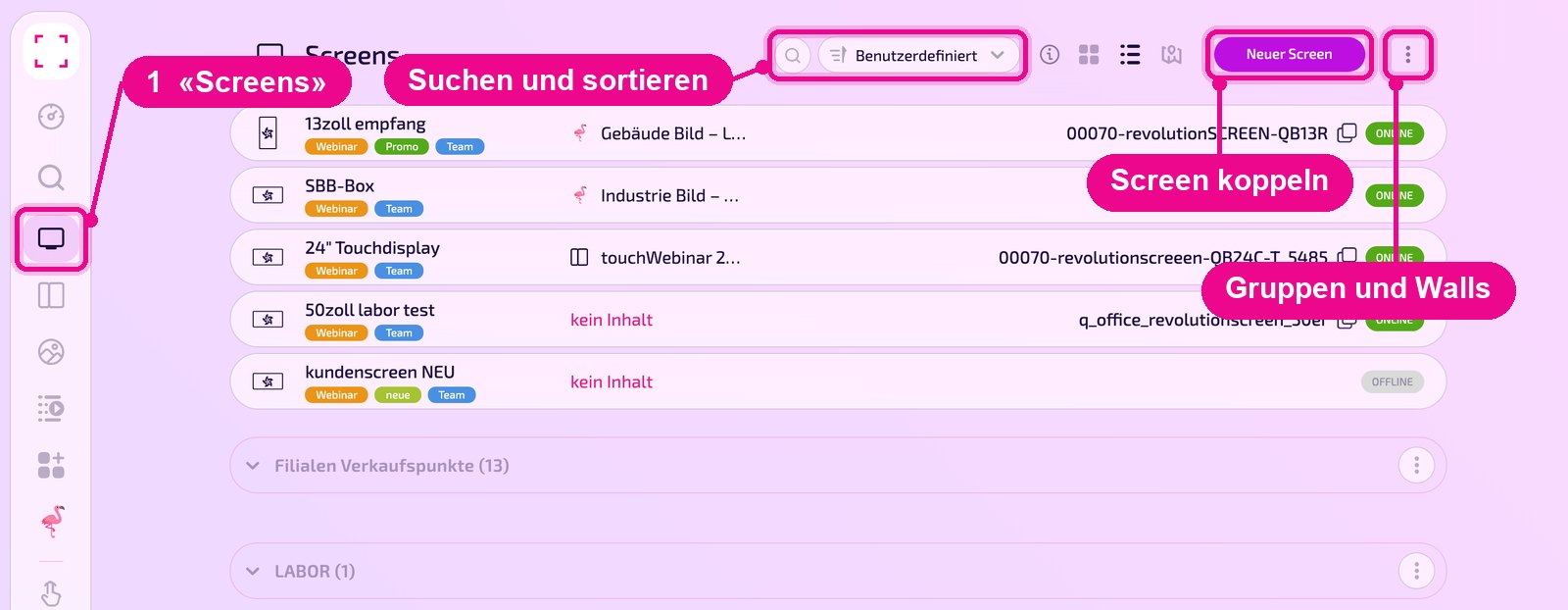
The icons next to the sorting switch the view between tiles, list and map. On the map only screens with a stored address appear. The info icon reminds you that by holding CMD (Mac) or Ctrl (Windows) you can select several screens at once.
Change the order
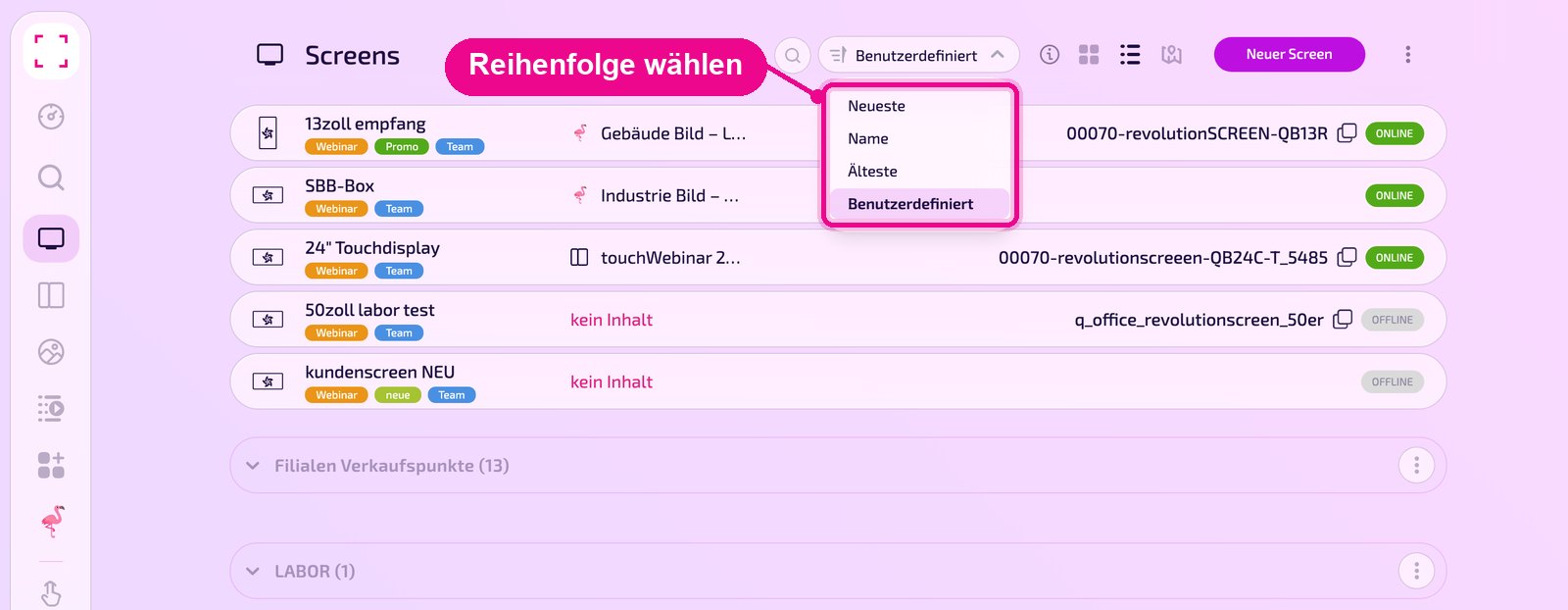
Click the sorting and choose «Neueste» (Newest), «Name», «Älteste» (Oldest) or «Benutzerdefiniert» (Custom).
What a row shows
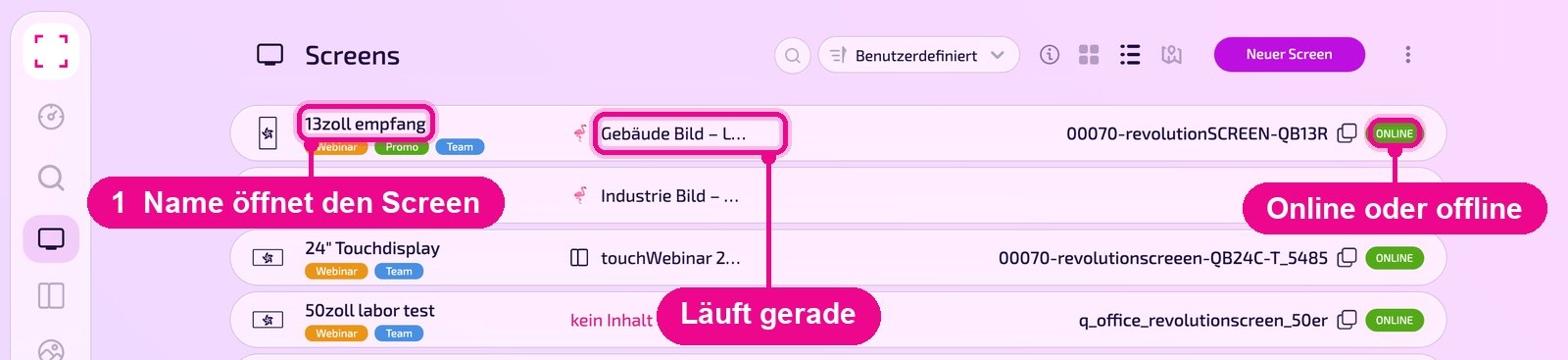
Each row lists the name of the screen with its tags, the content currently running («kein Inhalt», i.e. no content, if nothing is assigned), the serial number with a copy icon and the status «ONLINE» or «OFFLINE». Clicking the name opens the detail page.
The detail page at a glance
At the top are the name, the tags and the line «Wird jetzt ausgespielt» (Currently playing). Below, «Vorschau» (Preview) shows the screen's image («Klicke für Live-Ansicht», i.e. click for live view). On the right in the «GERÄT» (Device) box you see status, model, operating system, resolution and since when the display has been connected.
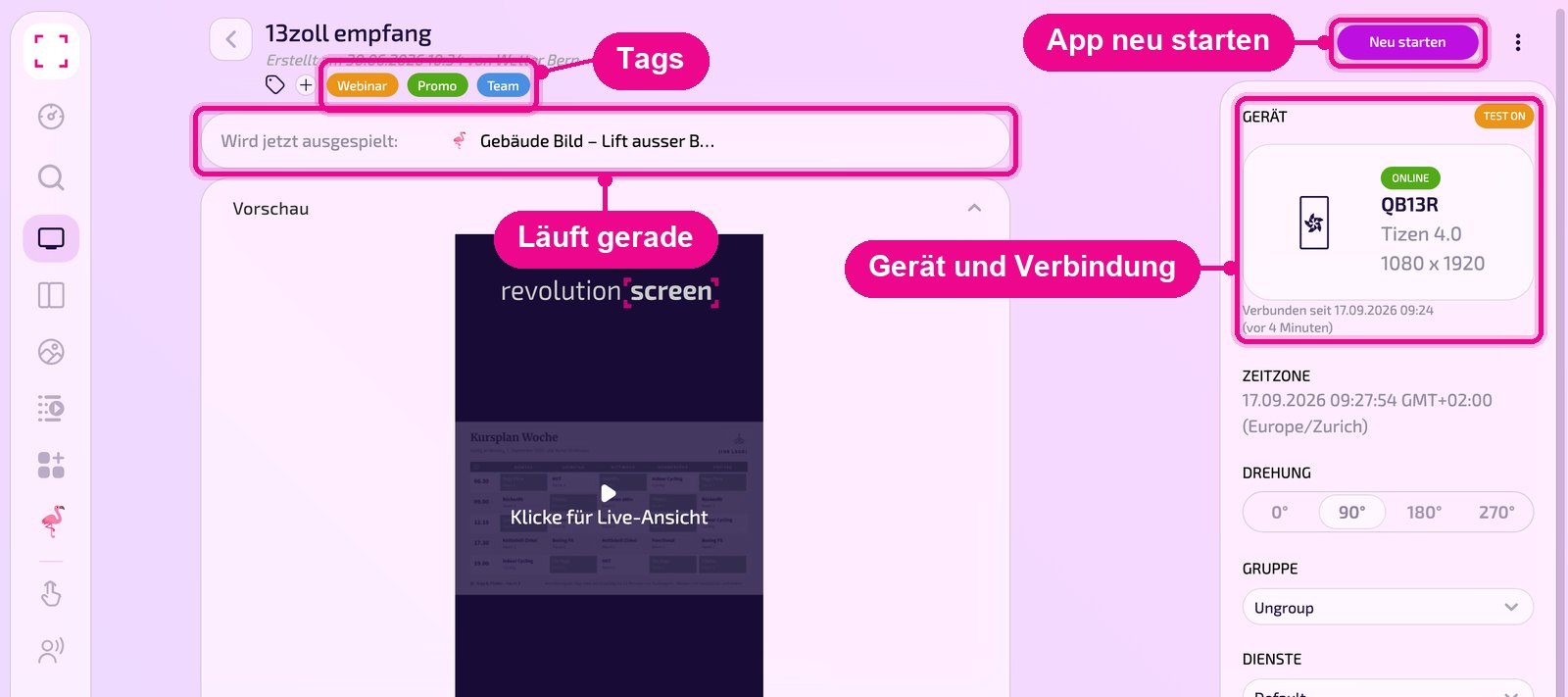
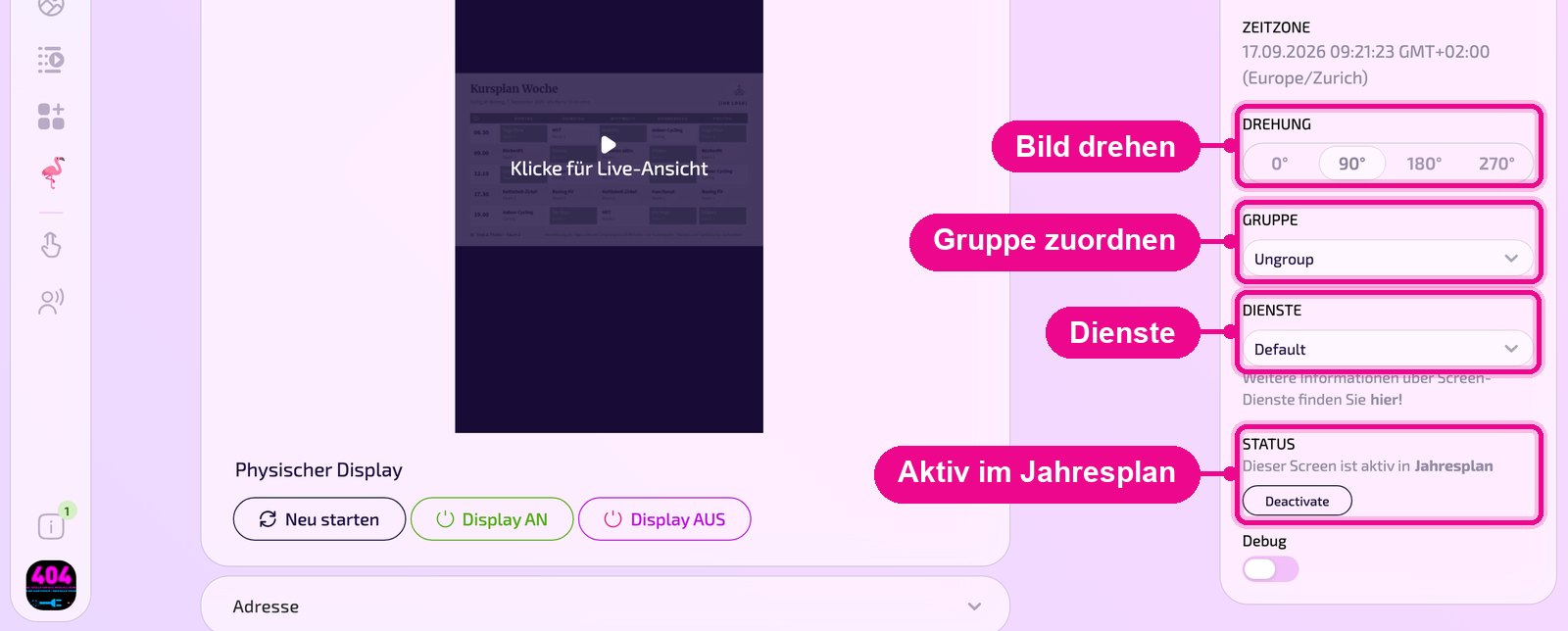
The «Neu starten» (Restart) button at the top right restarts the revolutionSCREEN application on the device. Under «Physischer Display» (Physical display) you control the display itself: restart, switch on and off.
Via the ⋮ menu at the top right you assign content to the screen with «Auf den Screen» (To the screen) or remove it with «Löschen» (Delete).
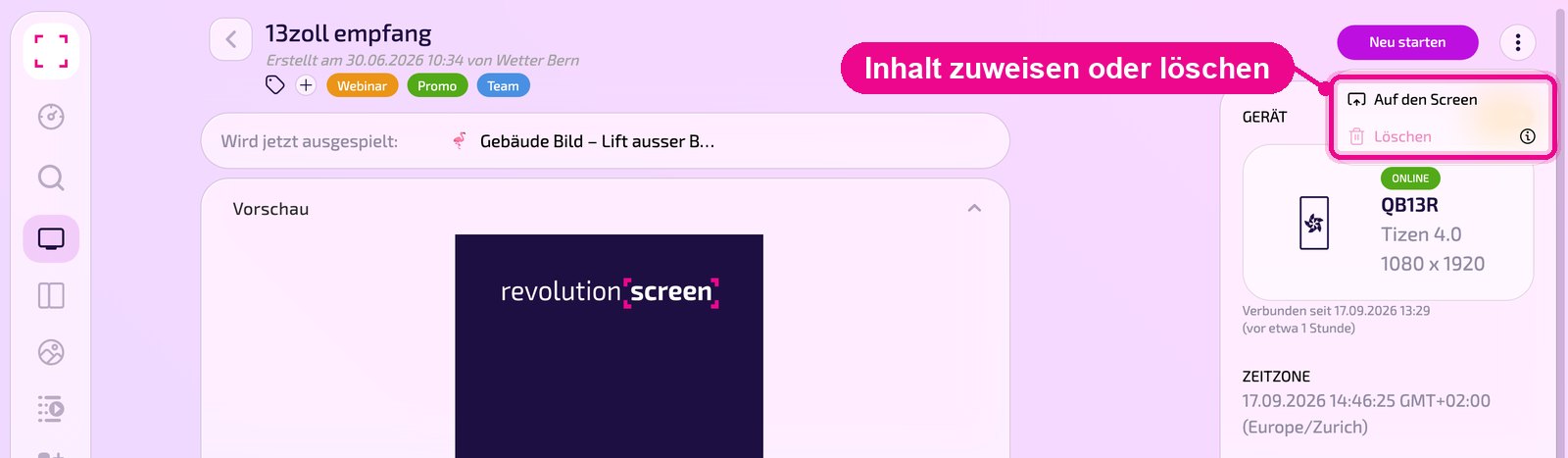
«Löschen» (Delete) removes the screen from your account. How to take a screen out of the subscription is described in «Screen entfernen».
Settings of the screen
In the right column you define how the screen works:
- ZEITZONE: current time and time zone of the device.
- DREHUNG: rotates the image by 0°, 90°, 180° or 270°, e.g. for a display in portrait mode.
- GRUPPE: assigns the screen to a group. «Ungroup» means: no group.
- DIENSTE: normally «Default». More on this via the «hier!» (here!) link.
- STATUS: shows whether the screen is active in the yearly plan.
- Debug: switch for troubleshooting.
Address & remote management
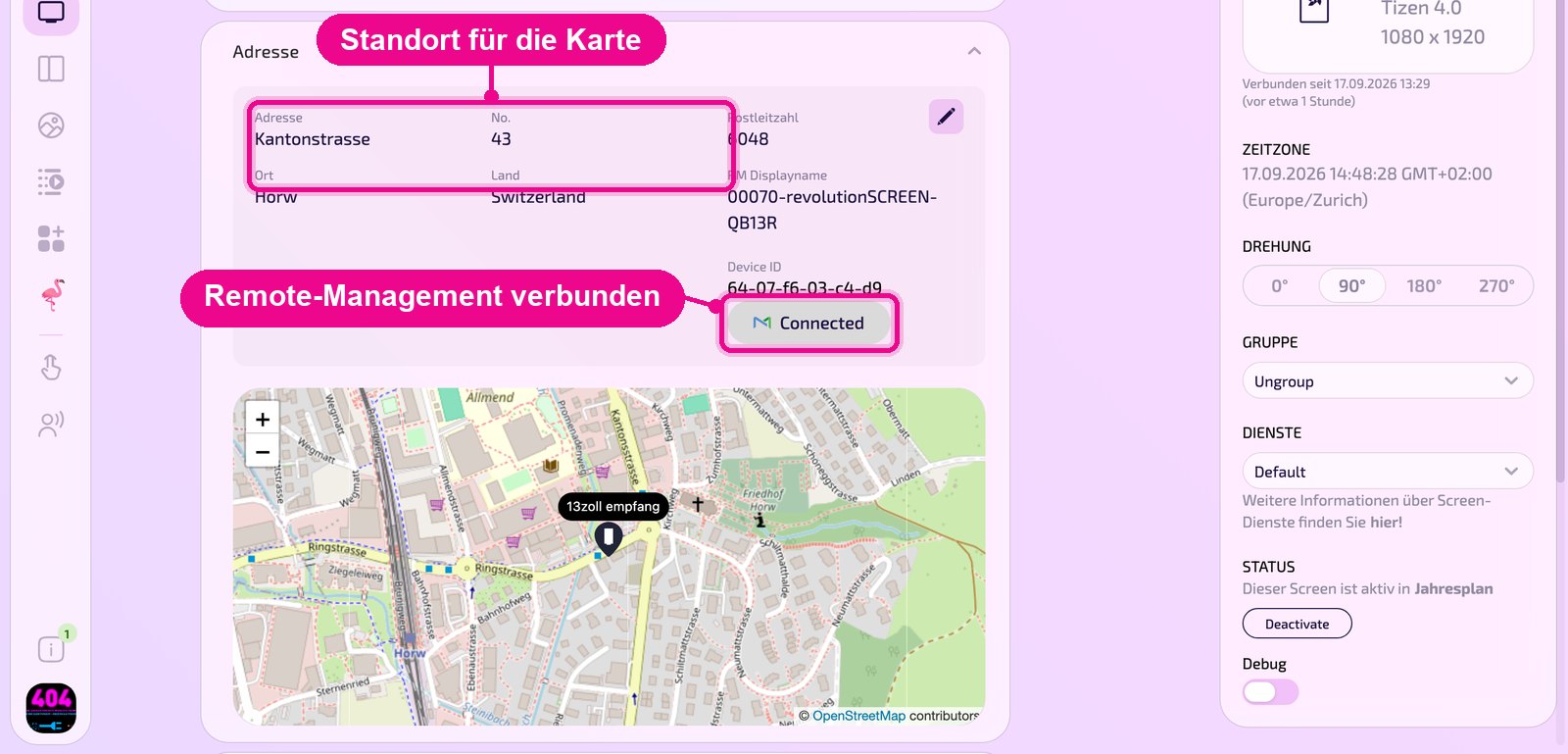
Click «Adresse» (Address) to expand the section. On the left are address, No., postal code, town and country. Use the pencil at the top right to change them. The address determines where the screen appears on the map.
On the right are «RM Displayname» and «Device ID» for remote management. «Connected» means: the display is connected to remote management, and you can control it remotely via the buttons under «Physischer Display» (Physical display).
If a detail is missing, a red «!» appears next to the field and the section. If the display is not connected, it shows «Not Connected» with the «Connect» button.
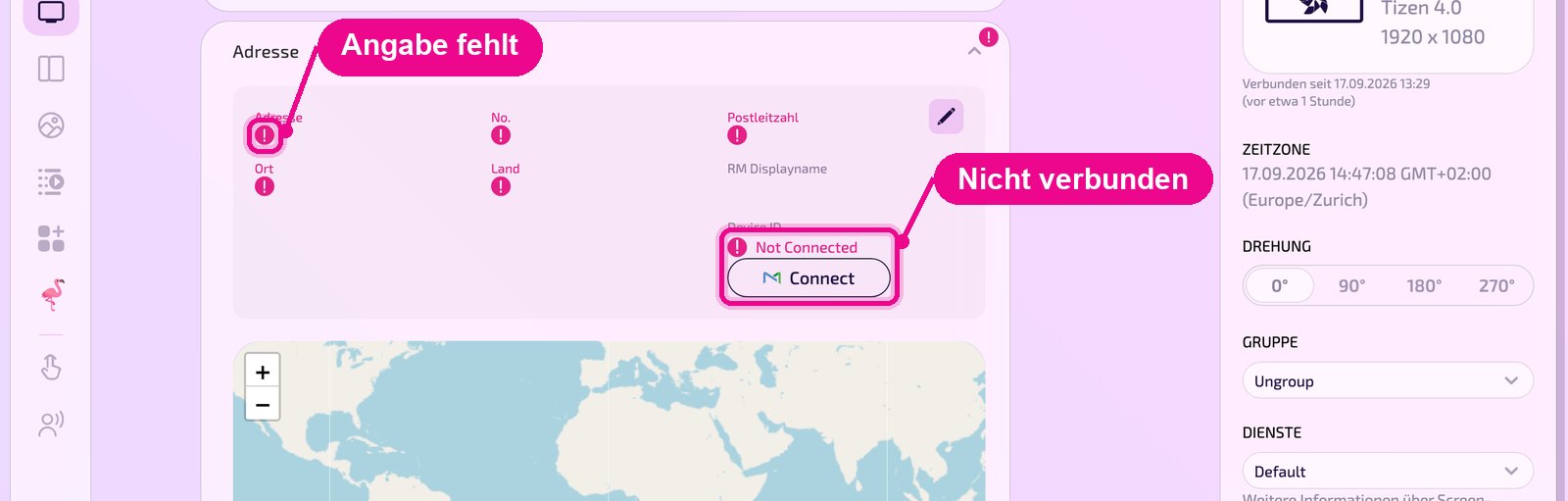
Screens without a complete address are missing from the map view of the screen list.
Statistics
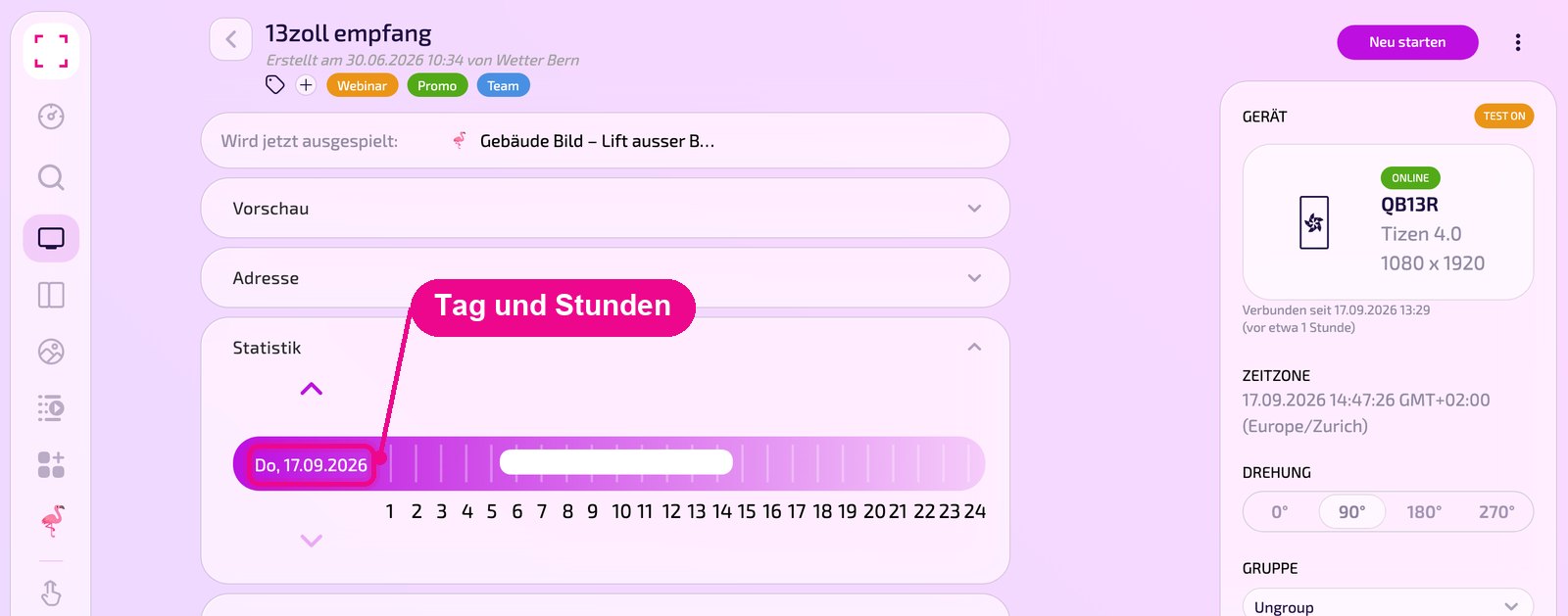
Under «Statistik» (Statistics) you see for one day over 24 hours when the screen has been running. Use the arrows above and below the bar to change the day.
Report
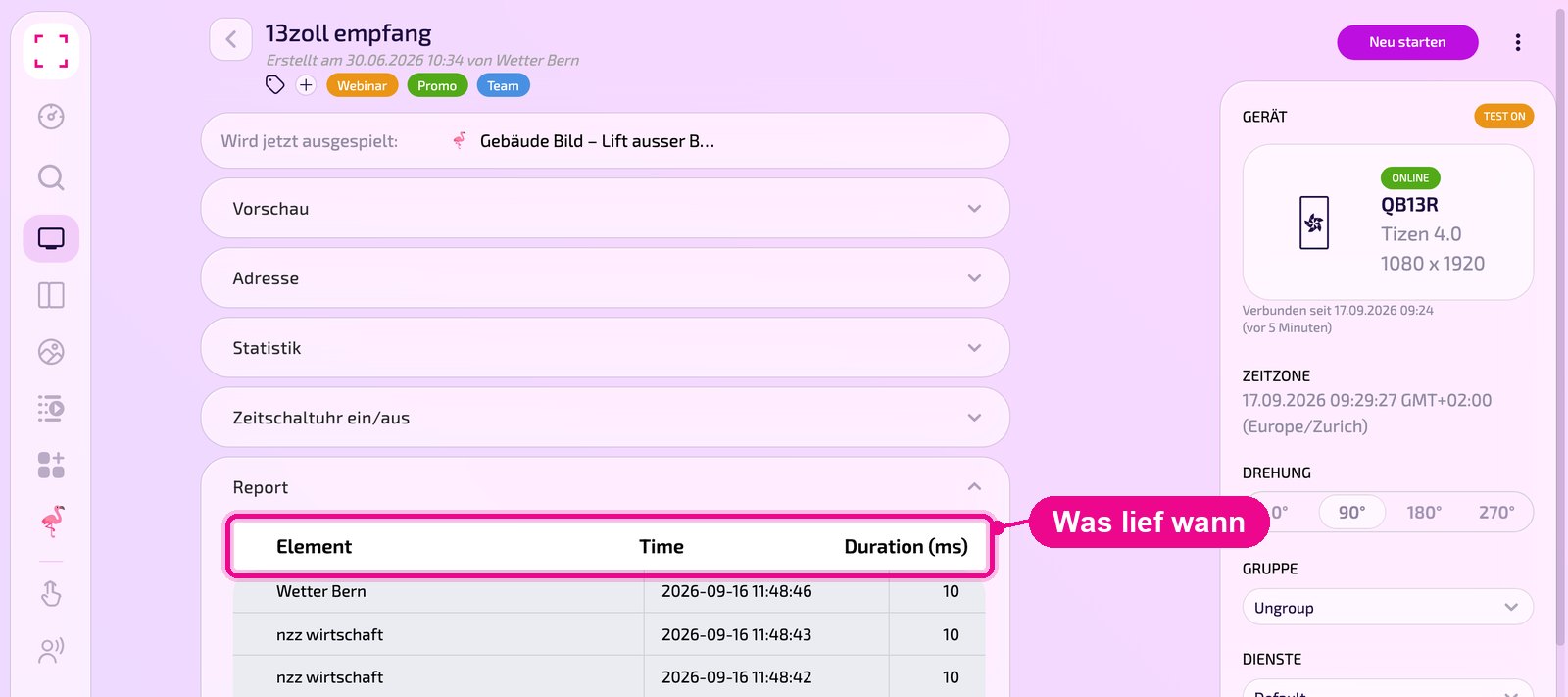
«Report» lists which content the screen last showed: «Element» (name), «Time» (time) and «Duration (ms)» (duration in milliseconds). This lets you check whether content actually ran.
Fallback apps and emergency channel
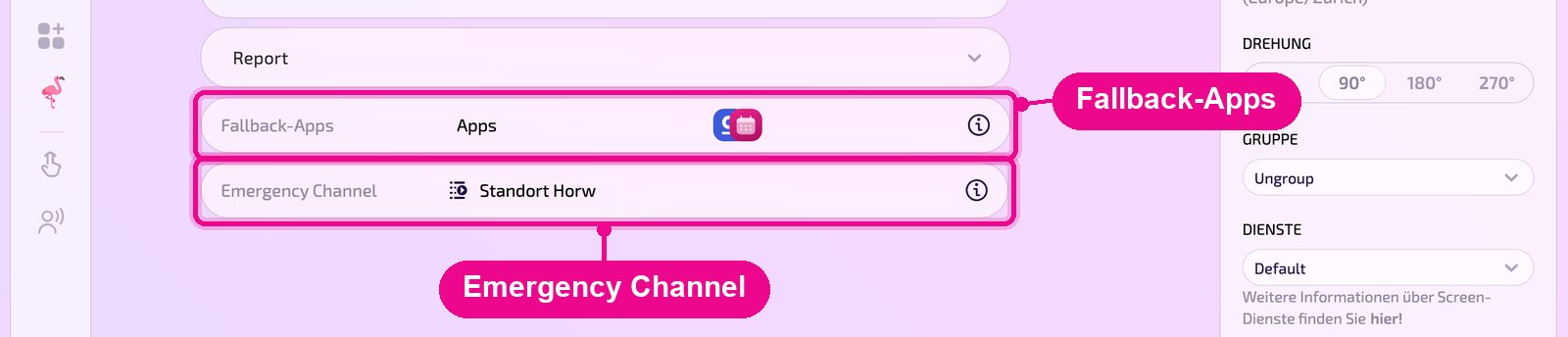
At the very bottom are two lines. Under «Fallback-Apps» you define apps that are shown even without data instead of being skipped. The «Emergency Channel» contains the content that runs when no scheduled content is available. The info icon at the end of each line explains the respective function.
In this section
- Create Display Wall ›
- Pairing a new Screen ›
- Screen groups & sync groups ›
- Emergency Channel ›
- Fallback apps ›
- Turning the display on and off ›
- Restart the Player ›