Create Display Wall
With a Display Wall, you combine up to 16 displays in portrait or landscape orientation into one large surface. A single piece of content then spans across all displays, and you fine-tune the gap between the displays.
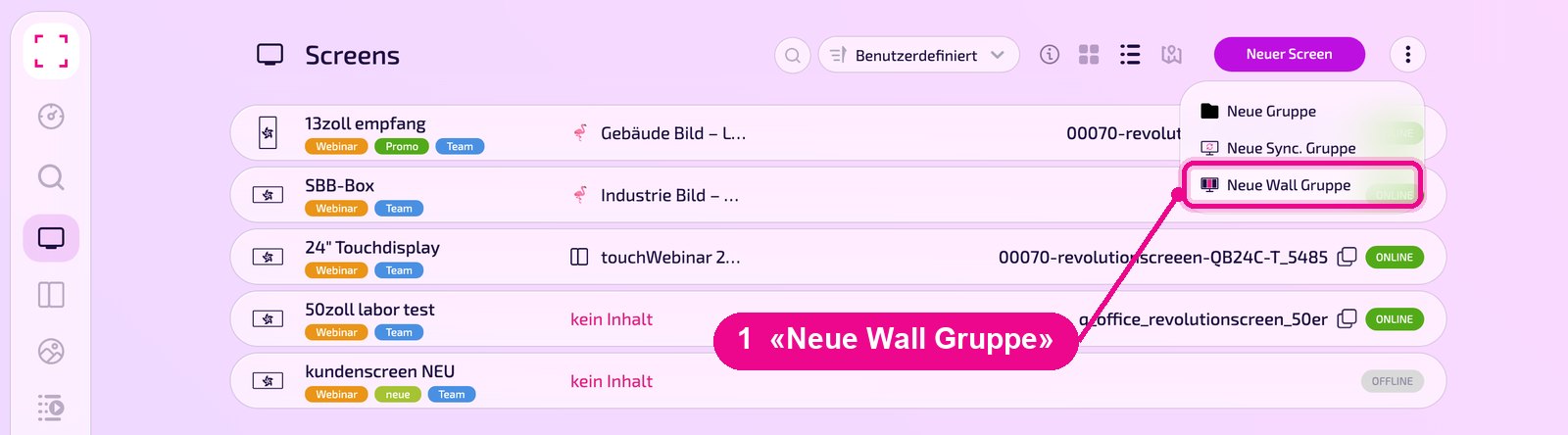
Left sidebar «Screens» → menu ⋮ top right → «Neue Wall Gruppe» (New Wall group)
Create a Wall
In the Screen list, click the menu ⋮ at the top right and select «Neue Wall Gruppe» (New Wall group).
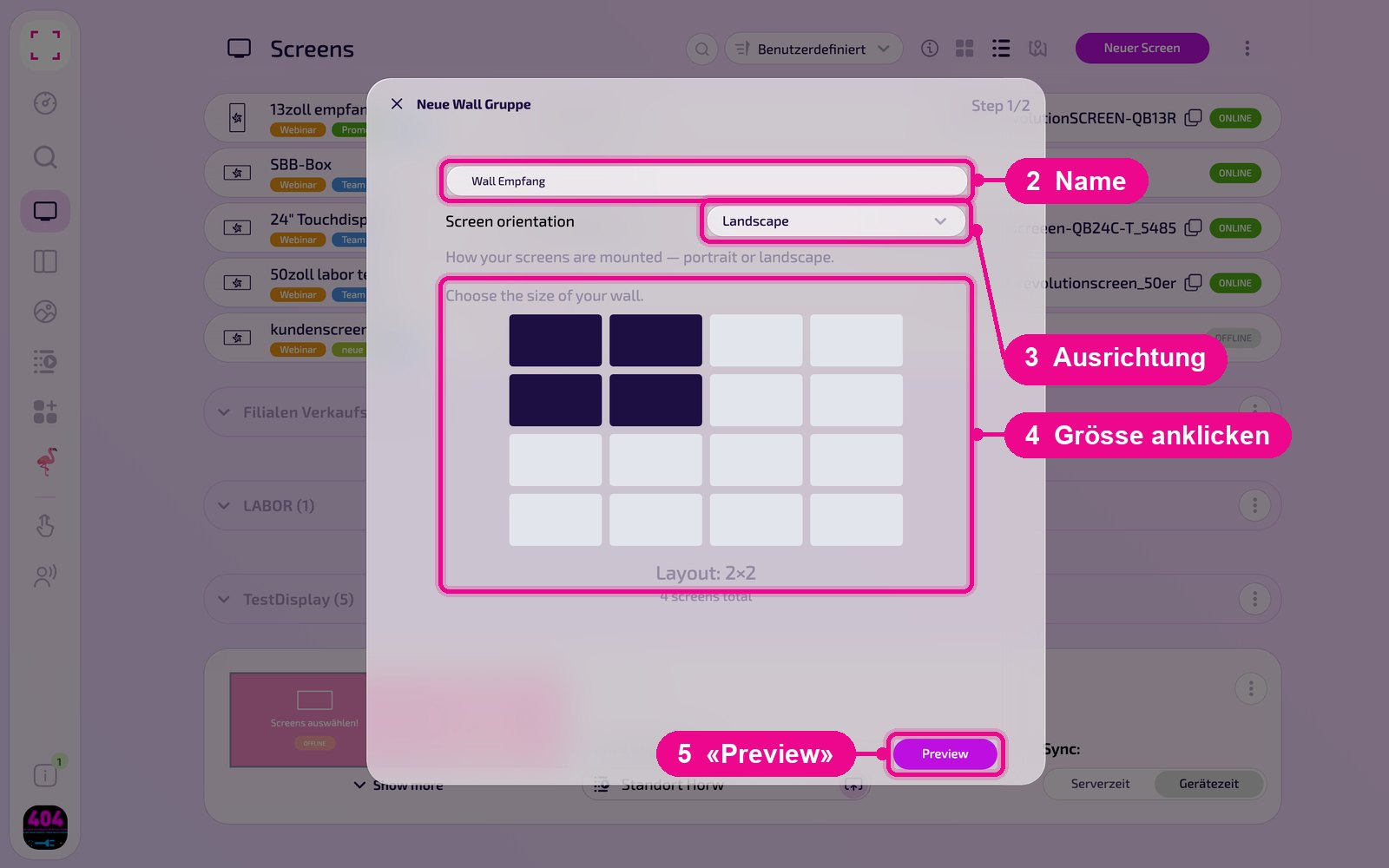
The wizard has two steps. In «Step 1/2» you give the Wall a name, choose the orientation of the displays under «Screen orientation» (e.g. «Landscape»), and click the size in the grid, e.g. 2 × 2. Below, it shows how many displays the Wall needs. Then click «Preview».
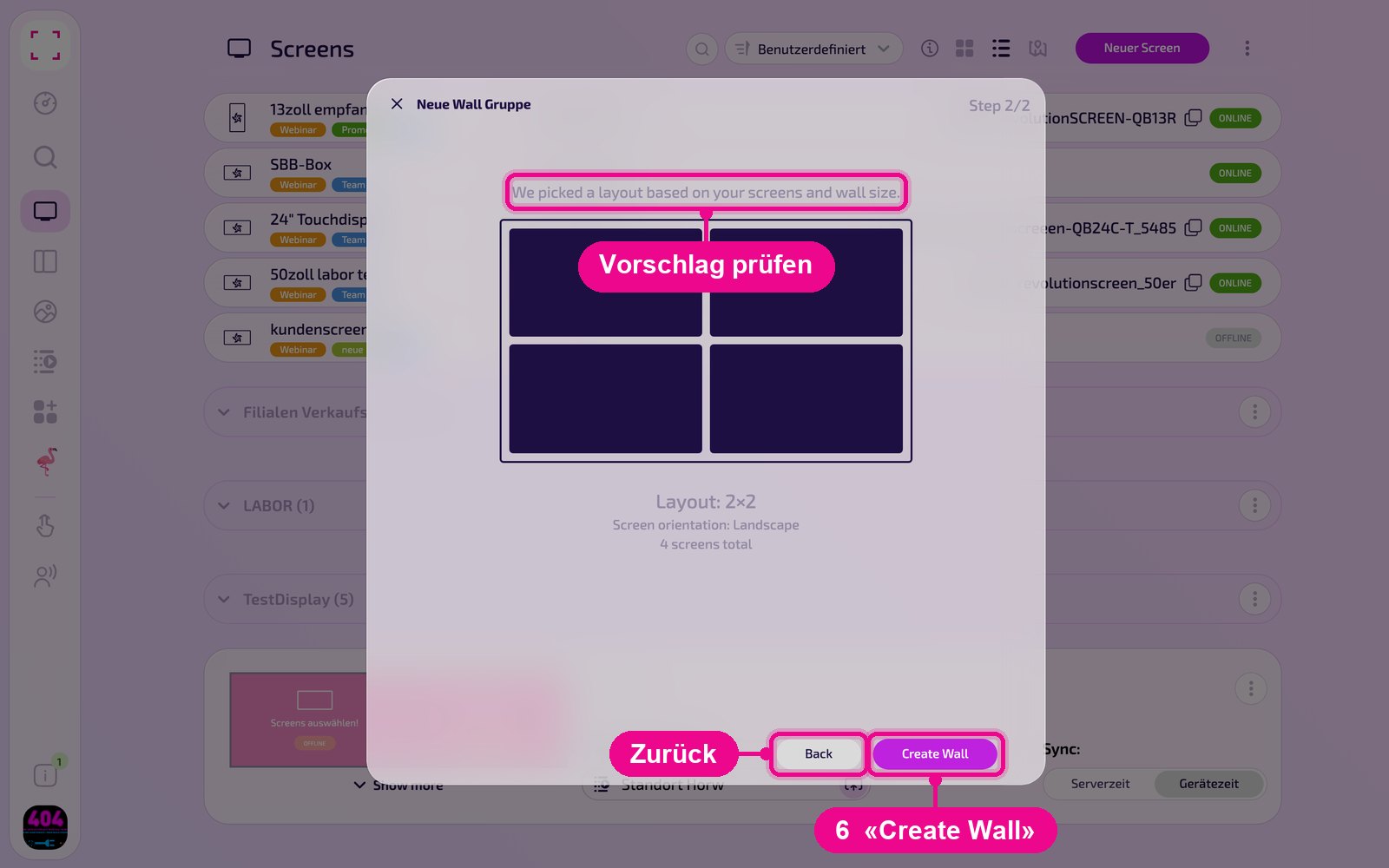
In «Step 2/2» the wizard shows you the proposed Layout. If it fits, click «Create Wall». Use «Back» to go back and change the orientation or size.
The Wall in the Screen list
Each Wall appears as its own card in the Screen list. On the left you see the Wall's displays («Show more» shows all of them), in the middle under «Wird abgespielt» (Now playing) the content, and on the right the time synchronization.

Via the card's menu ⋮, you open the Wall's settings with «bearbeiten» (edit). «Gruppe löschen» (Delete group) removes the Wall.

Assign displays and set the gap
On the Wall's page you set everything else. The page saves changes itself («auto saved»).
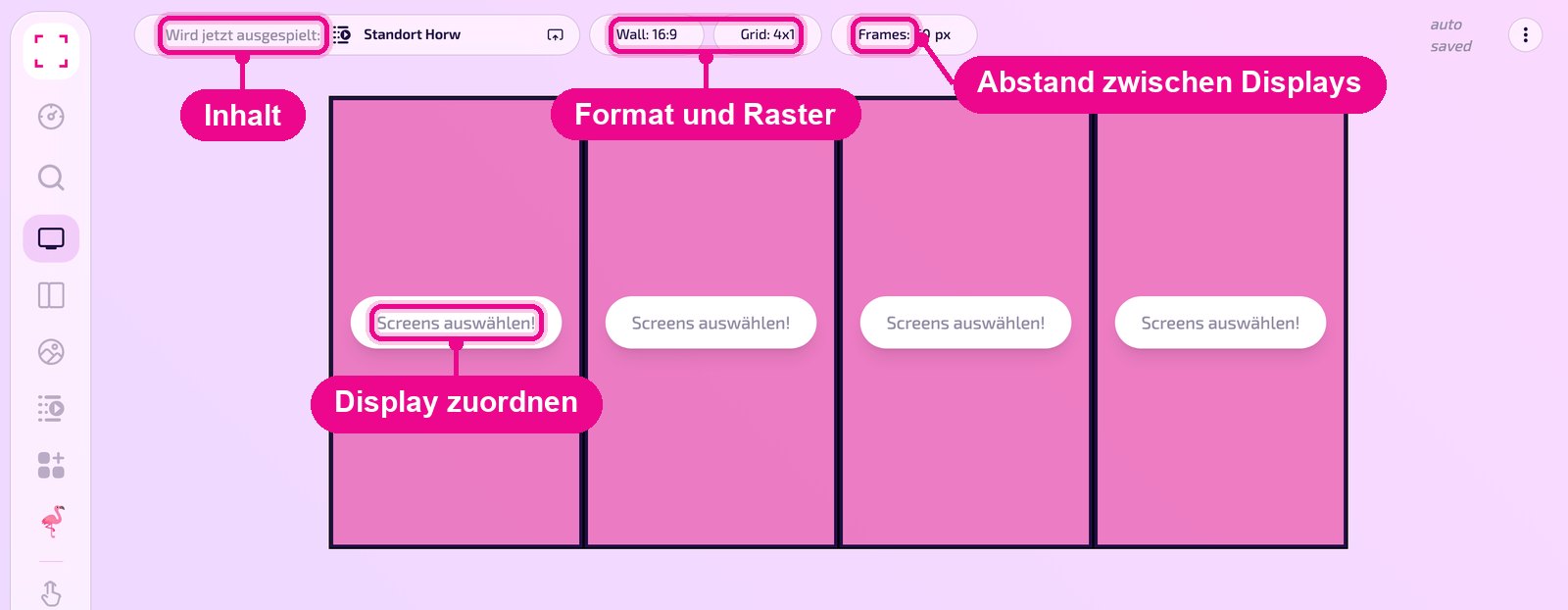
- Screens auswählen!: Click a surface and choose the display mounted at that position.
- Wird jetzt ausgespielt: The Wall's content, e.g. a Playlist or a design.
- Wall / Grid: Aspect ratio and grid of the Wall.
- Frames: Gap between the displays in pixels. This compensates for the display bezels so your image runs seamlessly from display to display.
Time synchronization: server time or device time
So that all displays of the Wall run in sync, choose the time source on the card under «Sync:»:
- Server time: The displays follow the server's time. Depending on each device's internet connection, delays may occur.
- Device time: the best choice for a synchronous, time-controlled playback. The time is fetched centrally from pool.ntp.org, passed to the displays, and the displays sync with each other.
Good to know
- The Wall needs as many paired displays as the grid has surfaces.
- If each display should show the same content in full and at the same time, instead of one image distributed across all displays, a Sync group is the better choice.