Restart the Player
If a display isn't showing what it should, a restart often helps. On a screen's detail page there are two «Neu starten» (Restart) buttons for this: one restarts only the revolutionSCREEN application on the device, the other the entire display.
Sidebar on the left «Screens» → open the screen
Restart the app
The «Neu starten» (Restart) button at the top right of the detail page restarts the revolutionSCREEN application on the device. The display itself stays switched on.

Restart the display
Expand the «Vorschau» (Preview) section. The «Neu starten» (Restart) button under «Physischer Display» (Physical display) restarts the display itself, that is, the hardware. This remote control is only available for displays with connected remote management.
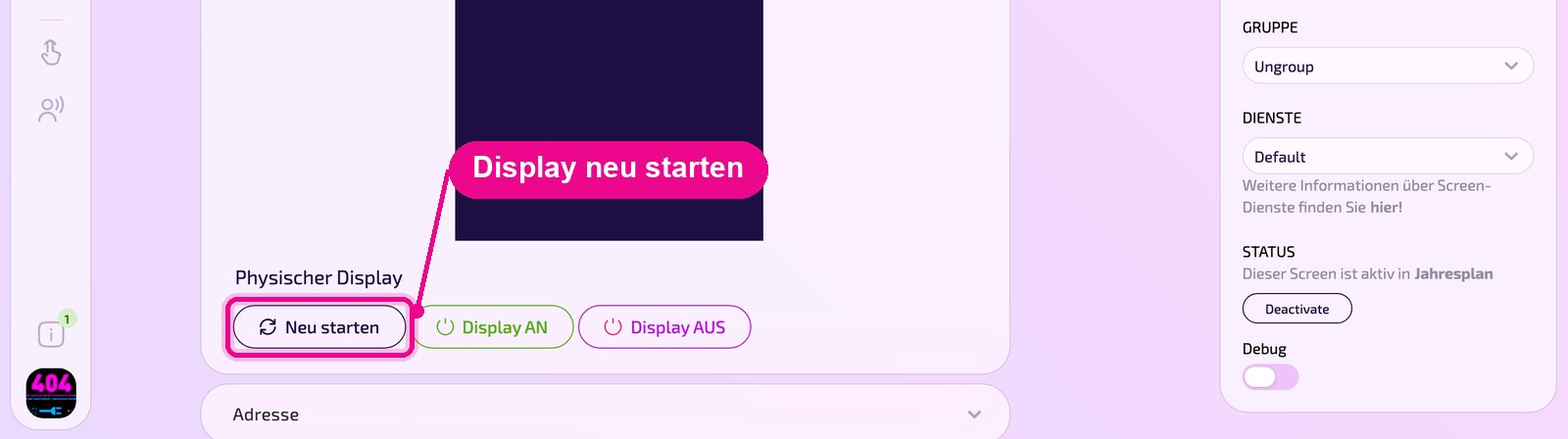
During the restart the display is briefly black. Where possible, restart displays in customer areas outside opening hours, and first check that you have opened the correct screen.
Good to know
- Try restarting the app first, it's faster.
- After the restart, the «GERÄT» (Device) box on the right should show «ONLINE» again after a short time.
- If the screen stays «OFFLINE», check the power and internet connection on site.