Turning the display on and off
If a display is connected to the remote management, you turn it on and off directly from my.rstv.app without being on site. You can see fixed on and off times in the «Zeitschaltuhr ein/aus» (timer on/off) section.
Left sidebar «Screens» → open the Screen → «Vorschau» (preview) section → «Physischer Display» (physical display)
Requirement: remote management connected
The remote control only appears for displays connected to the remote management. You can check this in the «Adresse» (address) section: it then shows «Connected». For more, see «Screens» under «Adresse & Remote-Management».
Turn the display on or off
Open the Screen and expand «Vorschau» (preview). Under «Physischer Display» (physical display) you'll find the device buttons: «Display AN» (display on) turns the display on, «Display AUS» (display off) turns it off. If a display is offline, only «Display AN» is shown.
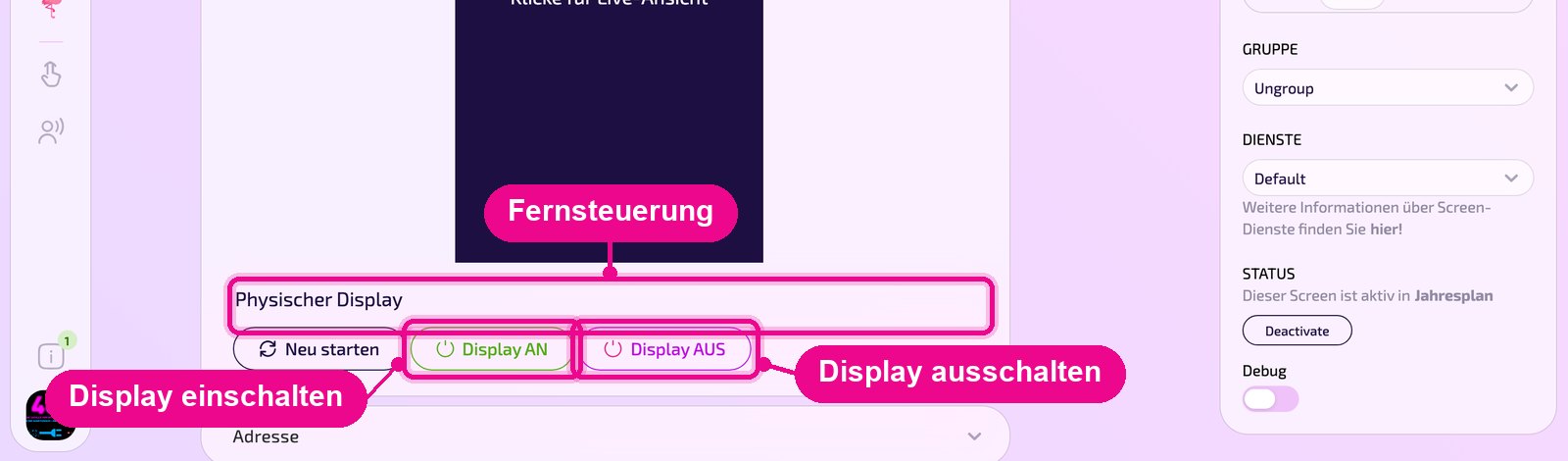
The buttons control the actual display. Before clicking, check that you have opened the right Screen, especially for displays in customer areas.
The third button «Neu starten» (restart) restarts the display itself. See «Player neu starten».
Timer and holiday planning
Expand the «Zeitschaltuhr ein/aus» (timer on/off) section. The table shows up to seven timers with the columns «Zeitschaltuhr ein» (timer on), «Zeitschaltuhr aus» (timer off), «Lautstärke» (volume) and «Quelle» (source), e.g. «Timer 1» switching on at 5:30 Monday to Friday and switching off at 23:00 daily.
Under «Ferienplanung» (holiday planning) you select a period with day and month and add it with «Einfügen» (insert). The period may be at most 15 days long.
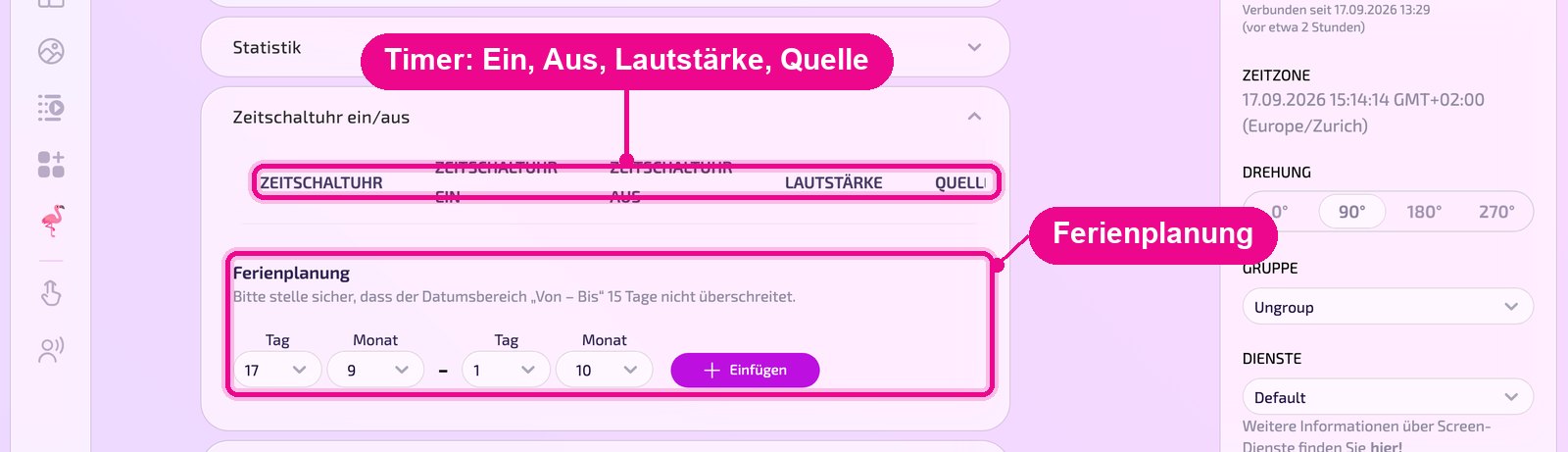
The timer rows come from the display itself. If they are empty, reload the page again later. The section only appears for displays that support it.
Good to know
- Turning off via «Display AUS» (display off) only affects the device. Content, playlists and schedules in my.rstv.app remain unchanged.
- After turning on, the display needs a moment before the revolutionSCREEN app shows content again.