Branding
Under «Branding», you adapt my.rstv.app to your company's appearance: logos for light and dark mode, an accent color, a background image and custom fonts. The settings apply to your entire company.
Profile picture at the bottom left → «Konto-Einstellungen» → «Branding» on the left
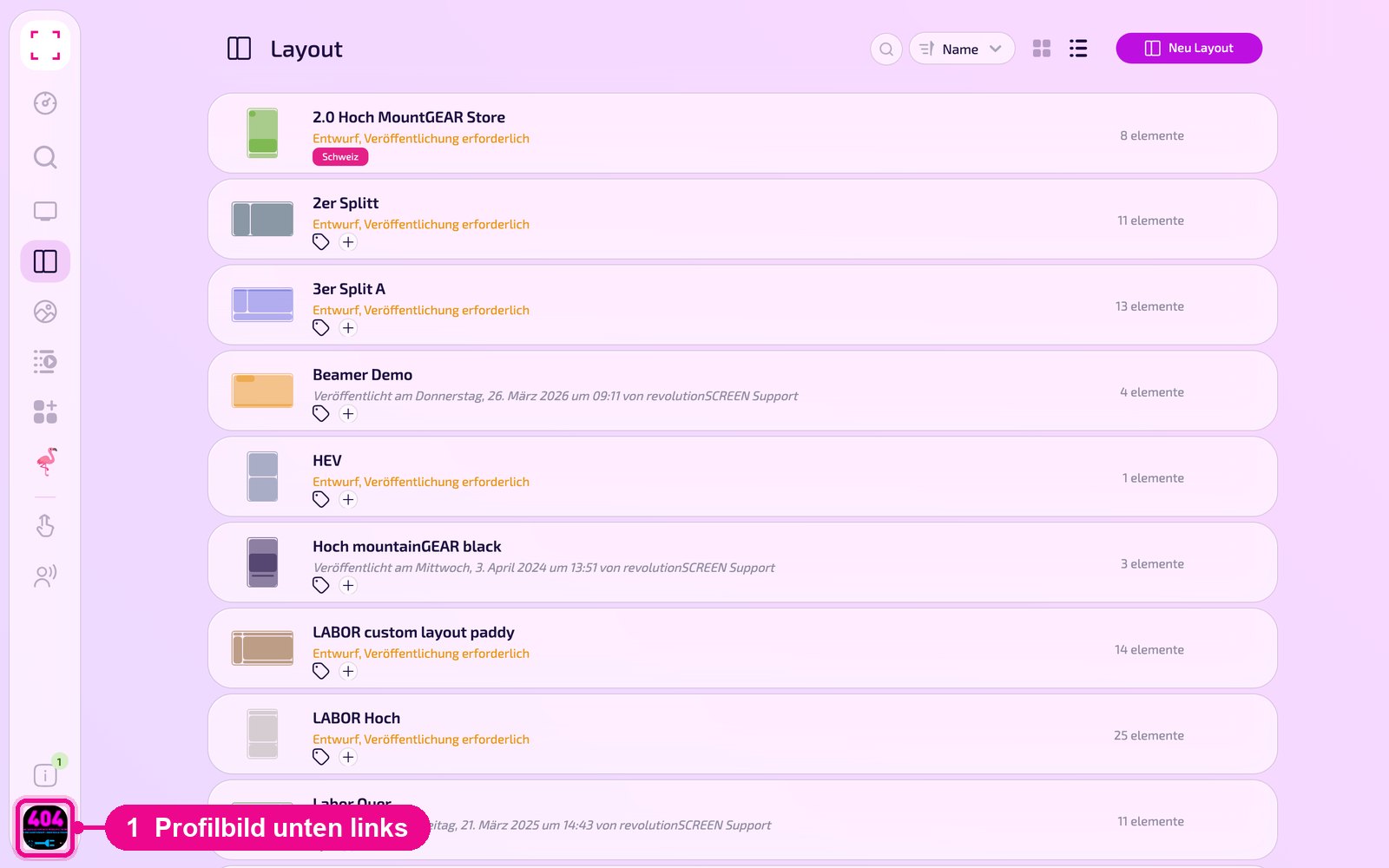
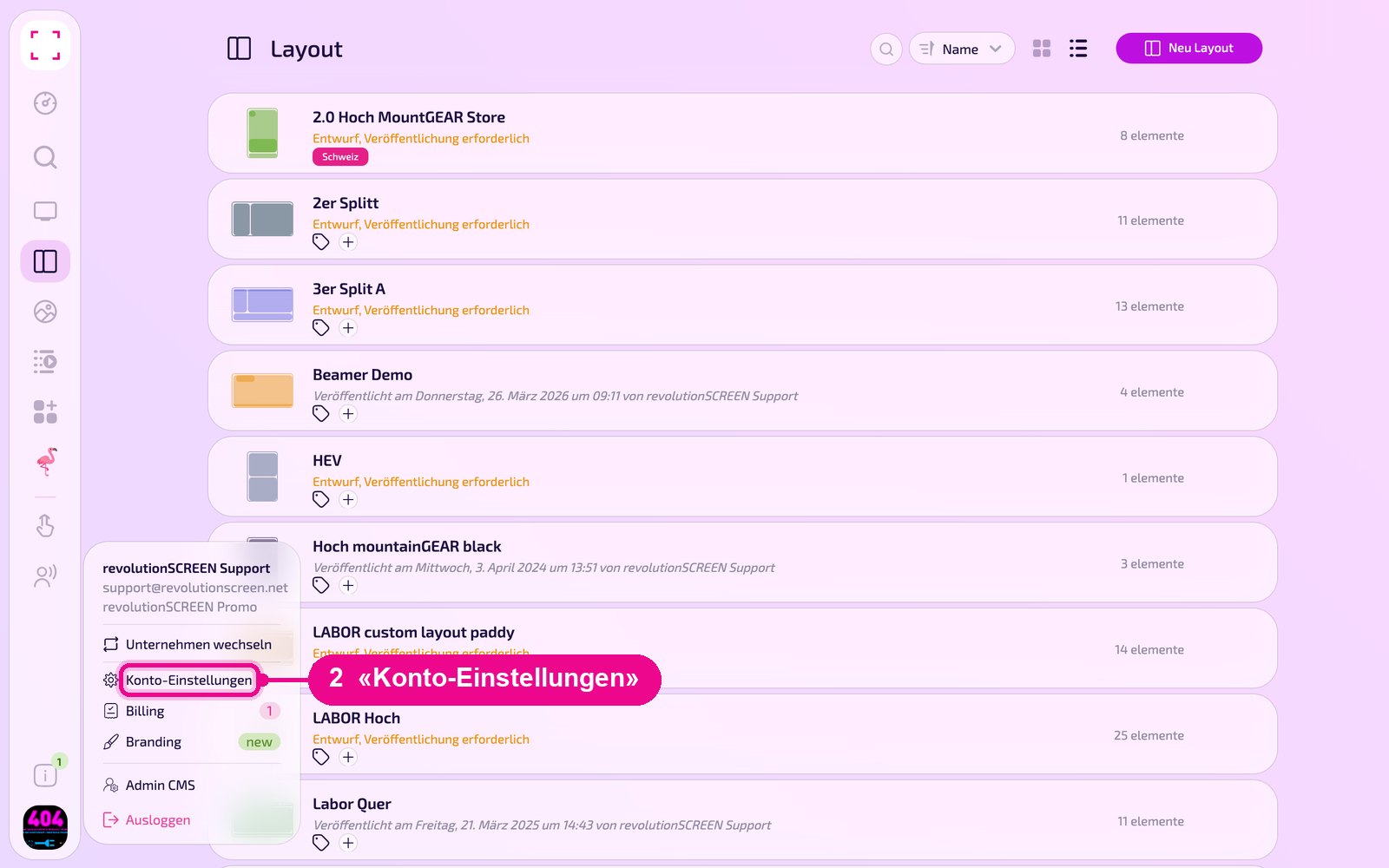
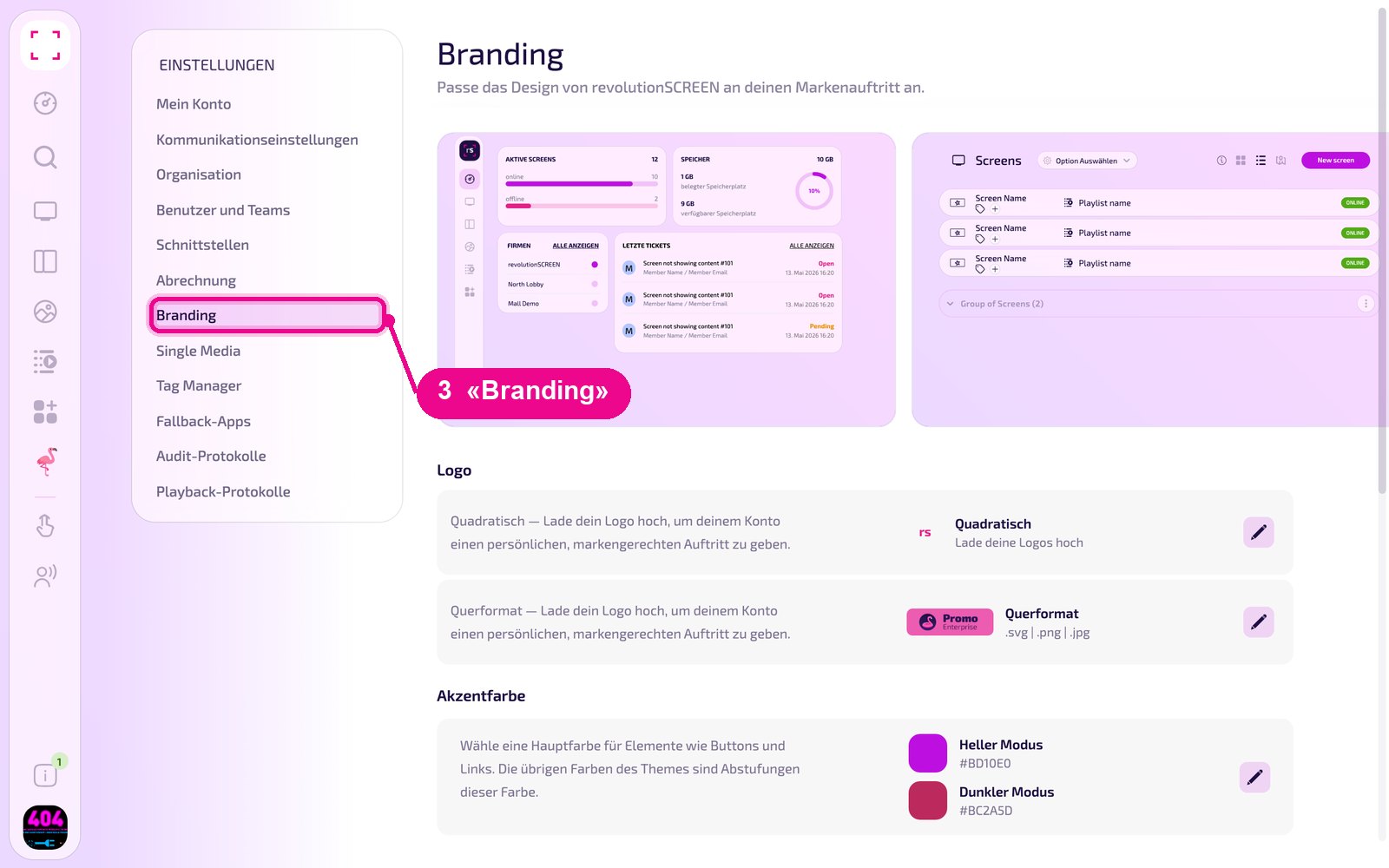
It's faster directly via the account menu: profile picture at the bottom left → «Branding».
Live preview
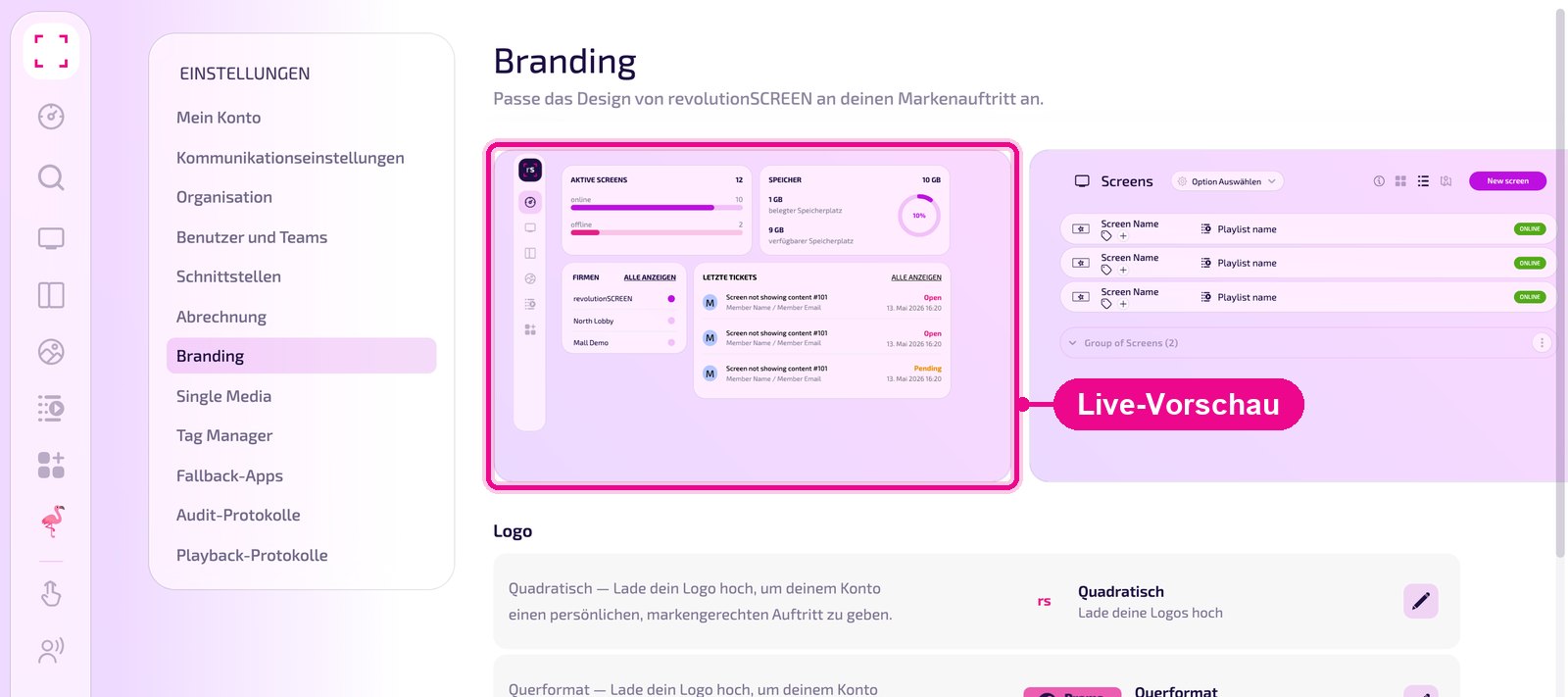
At the very top, the page shows a preview of the Dashboard and Screen list. In it you immediately see how your logos and colors look in the interface.
Upload logo
There are two logo formats: «Quadratisch» (square) for a compact signet and «Querformat» (landscape) for the wide logo with lettering. The landscape format accepts files in .svg, .png or .jpg format. Click the pencil next to the desired format on the right.
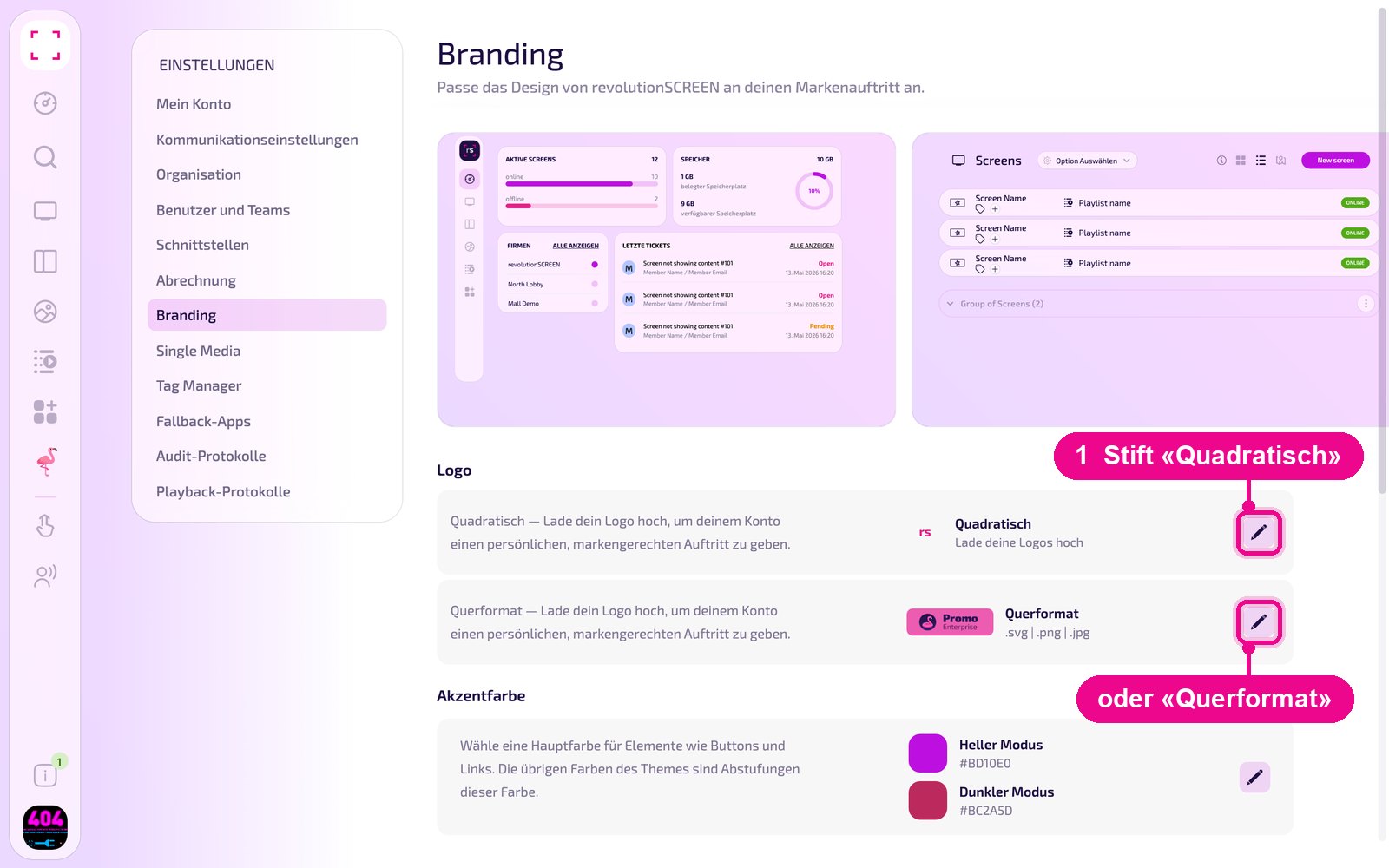
In the window you upload one logo each for «Hell» (light) and «Dunkel» (dark), i.e. for the light and dark mode of the interface. Use the arrow icon to upload a file, use the trash can to remove a logo. «Abbrechen» (cancel) closes the window.
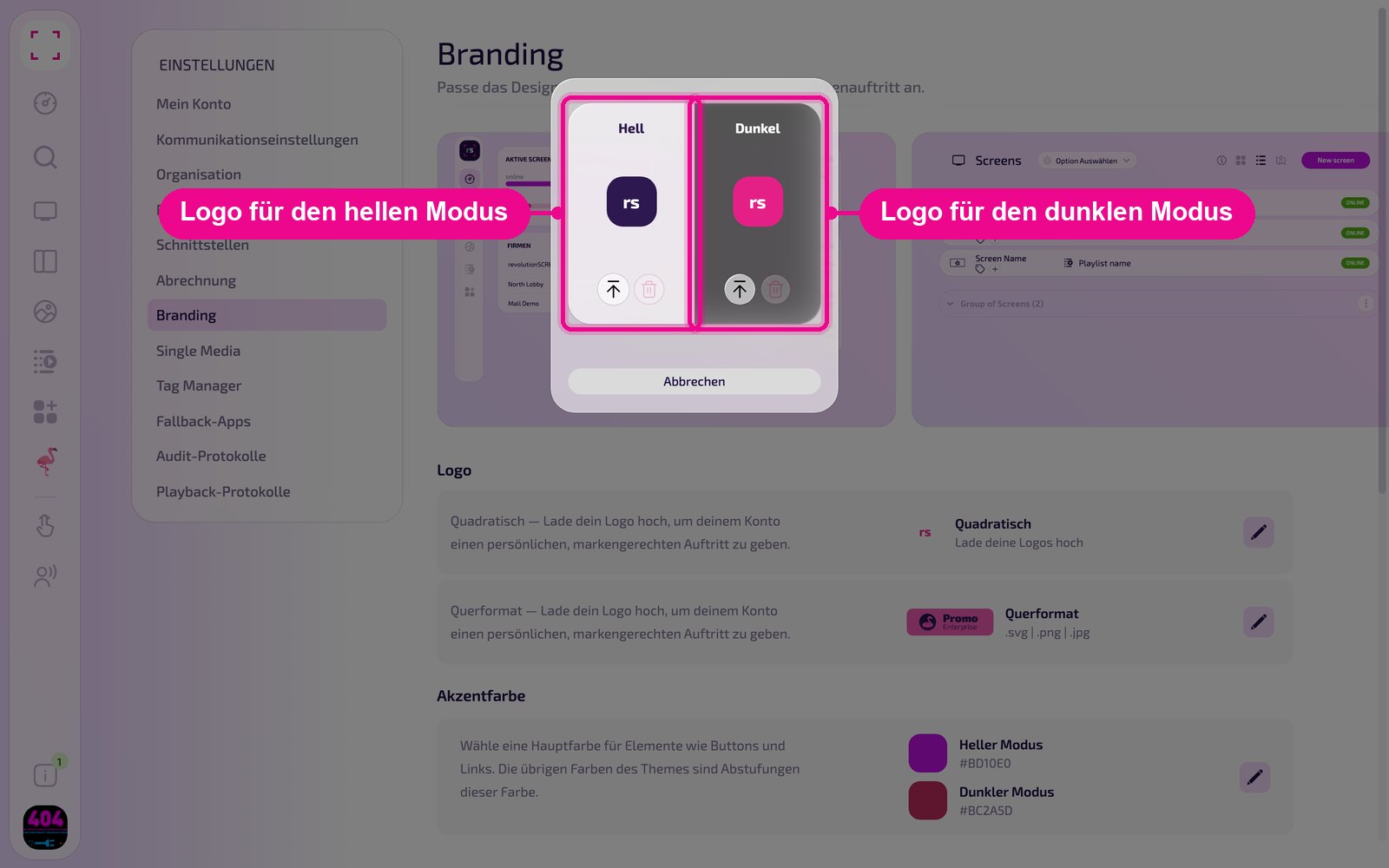
For dark mode, use a light logo variant, otherwise your logo will disappear on the dark background.
Set accent color
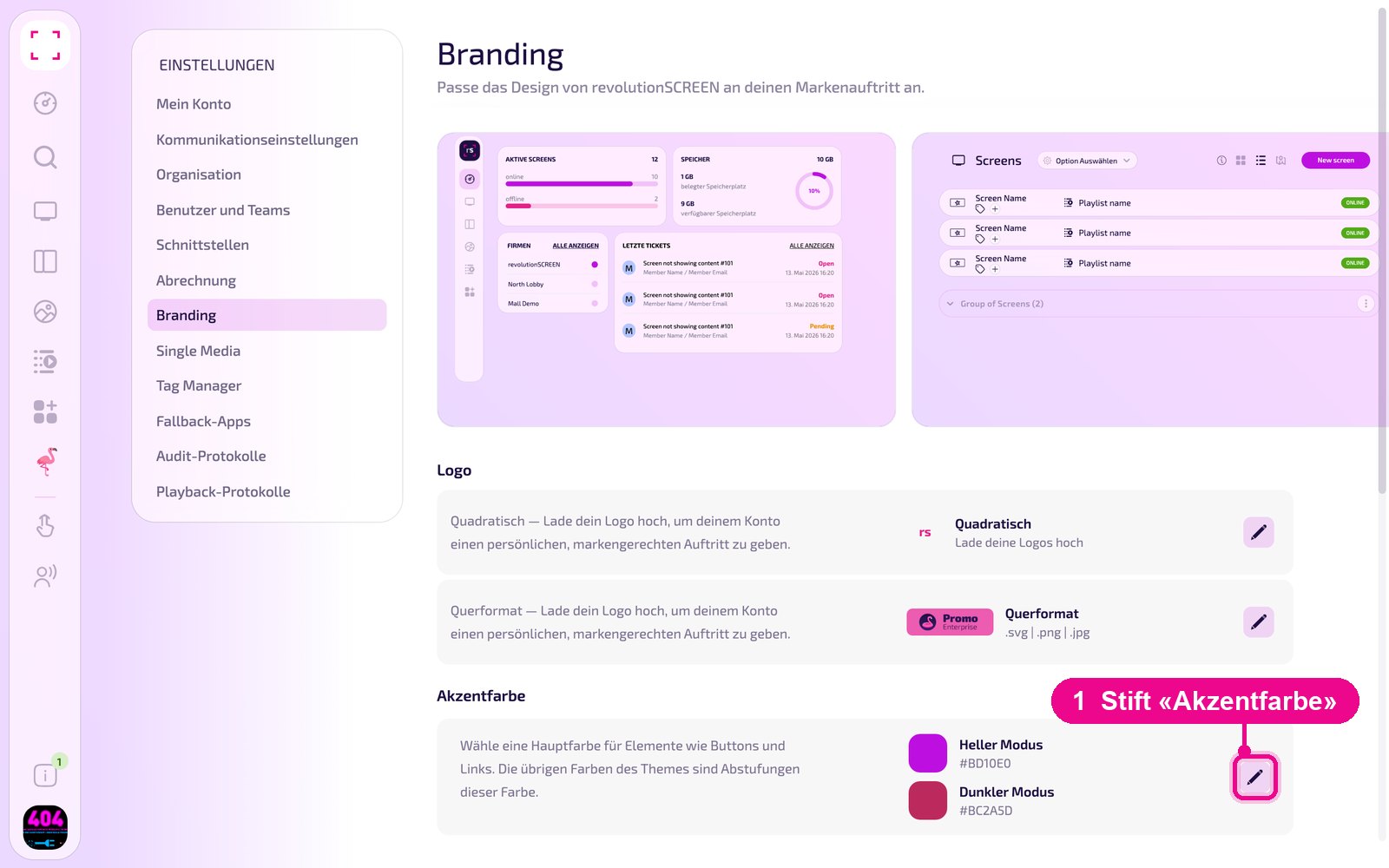
The accent color is the main color for elements such as buttons and links. The other colors of the theme are shades of this color. In the «Akzentfarbe» (accent color) section, click the pencil.
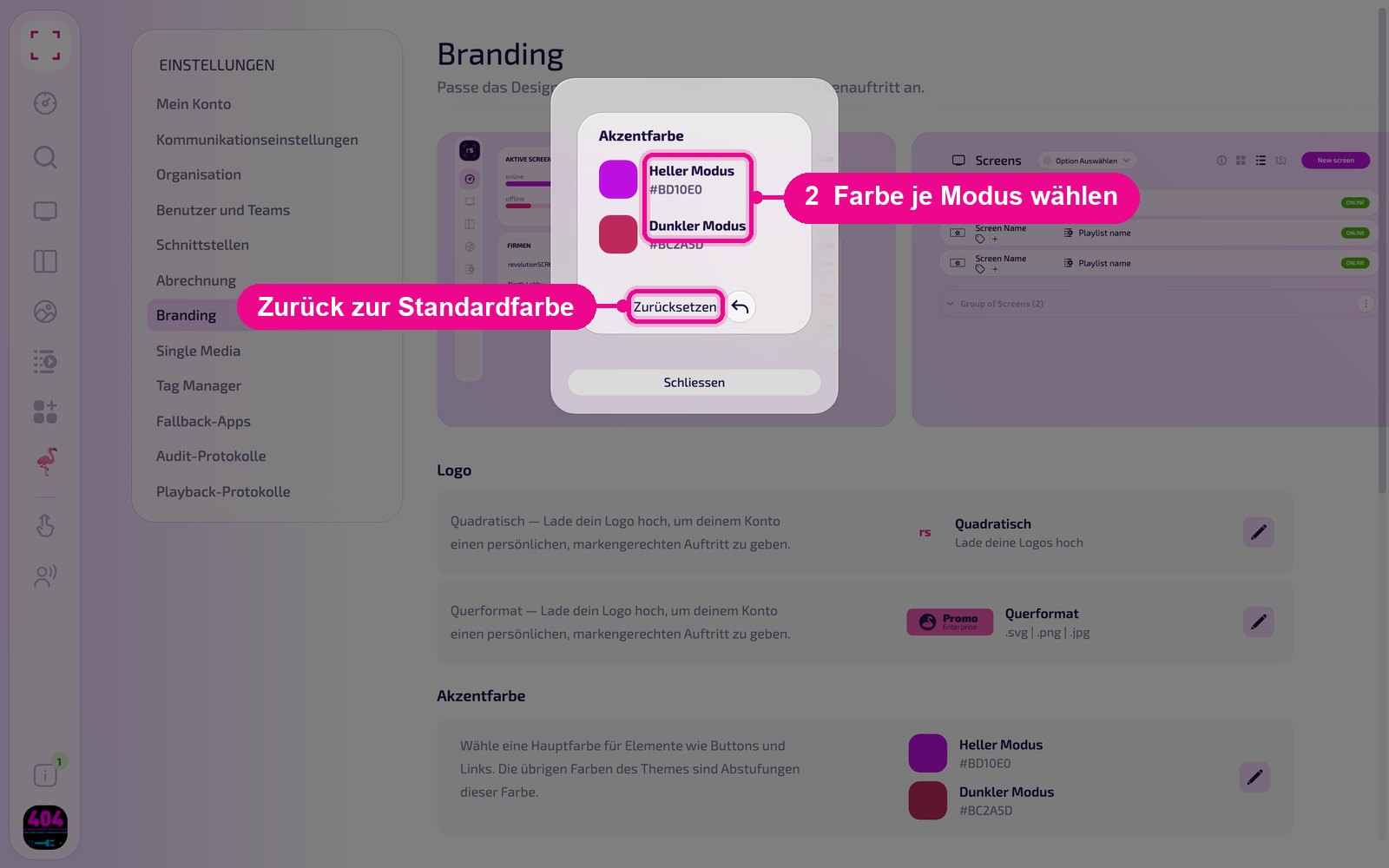
Choose one color each for «Heller Modus» (light mode) and «Dunkler Modus» (dark mode). Use «Zurücksetzen» (reset) to return to the default colors, «Schliessen» (close) closes the window.
Choose background image
As the background of the interface, you upload your own image, choose one from your media library, or opt for a color or gradient. In the «Hintergrundbild» (background image) section, click the pencil.
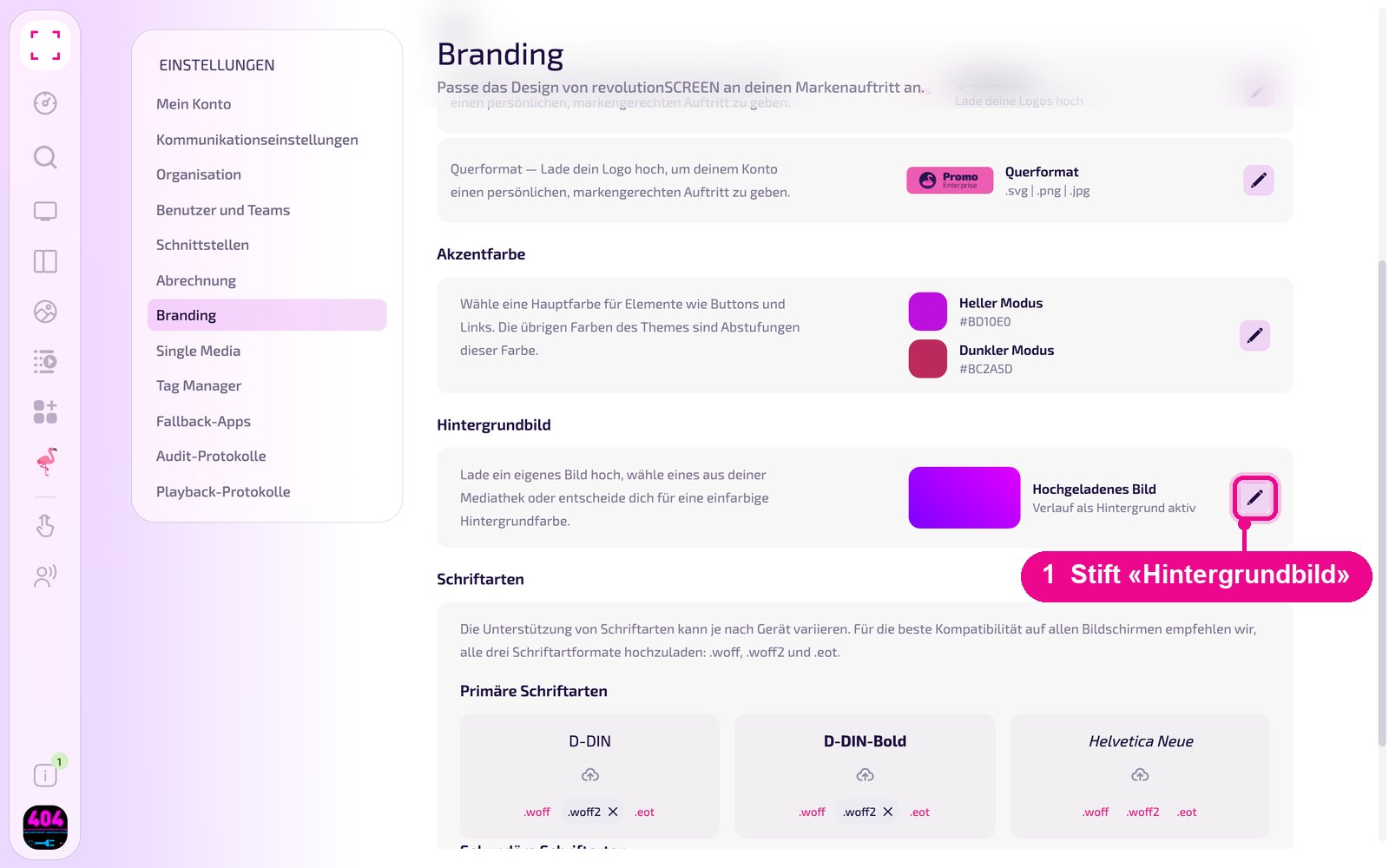
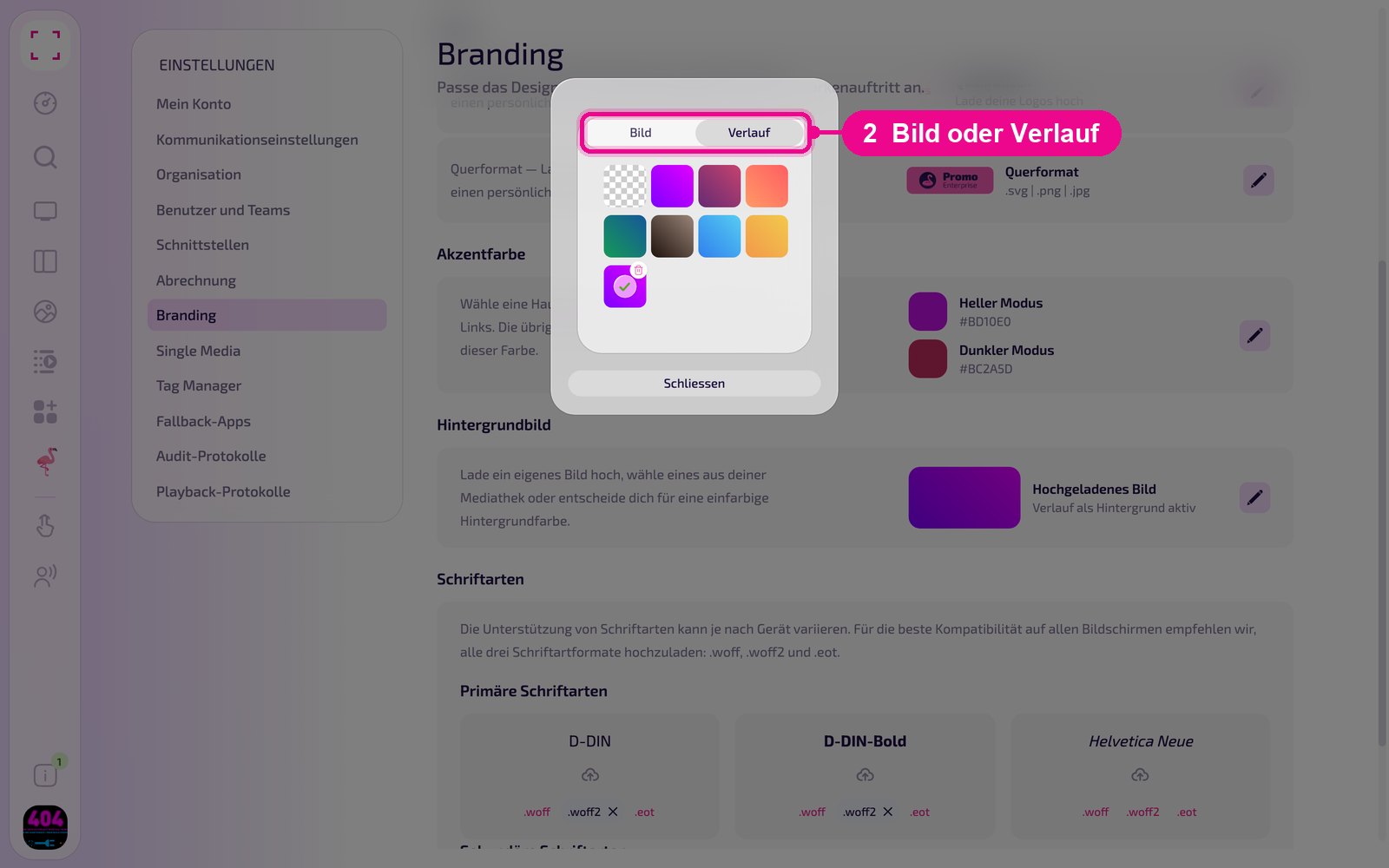
In the window, switch at the top between «Bild» (image) and «Verlauf» (gradient) and choose one of the templates. On the right of the section you then see which background is active, for example «Verlauf als Hintergrund aktiv» (gradient active as background).
Upload custom fonts
Under «Schriftarten» (fonts) you upload your company's fonts, separated into «Primäre Schriftarten» (primary fonts) and «Sekundäre Schriftarten» (secondary fonts). Each tile represents a font weight. Click the cloud icon to upload the files. Formats that have already been uploaded appear gray with an ×.
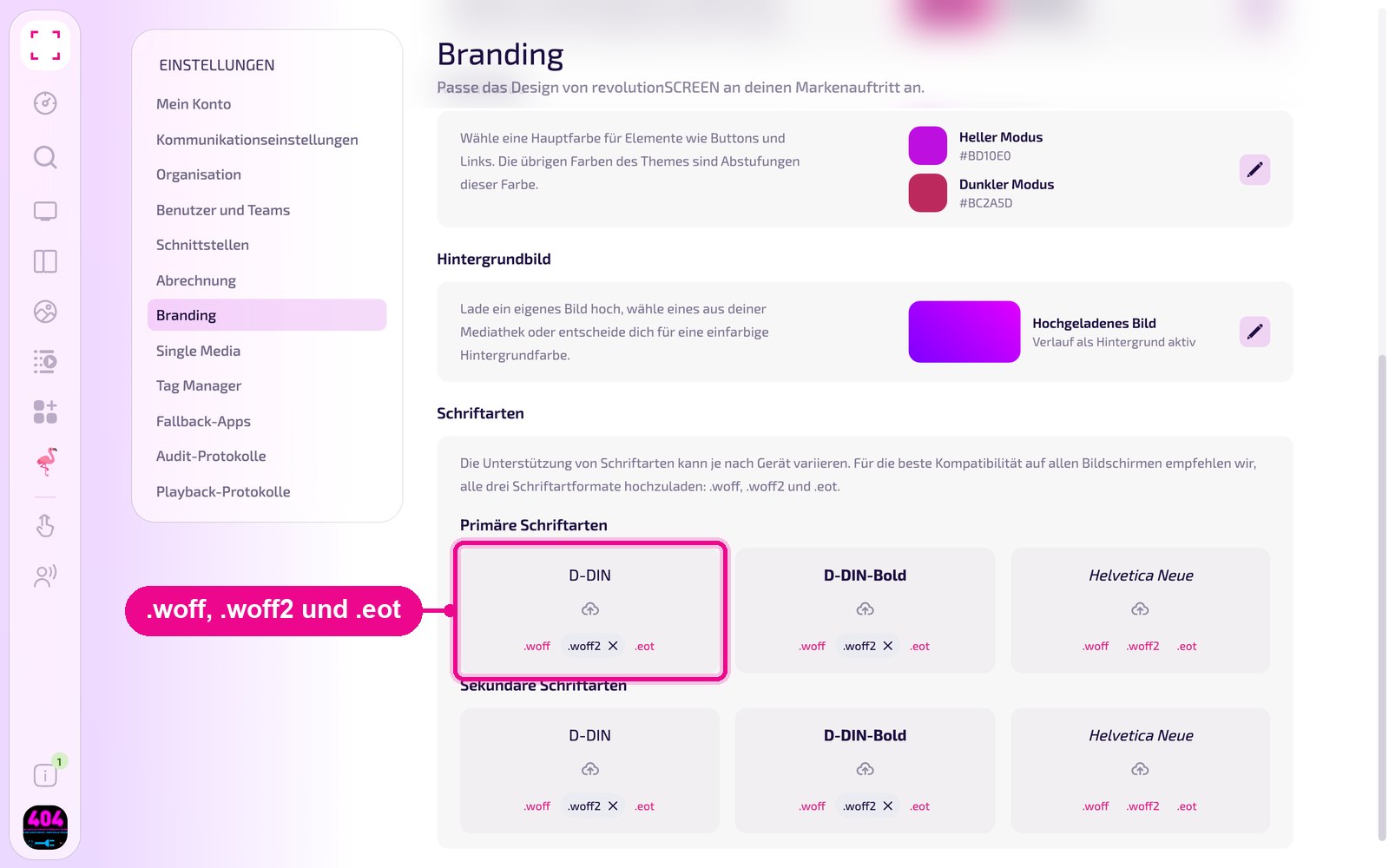
Not every device supports every font format. Therefore upload each font in all three formats: .woff, .woff2 and .eot. Files in .ttf or .otf format are not accepted; you must convert them first.
Convert fonts
The font formats differ as follows:
- .ttf (TrueType Font): very widely used, for desktop and web
- .otf (OpenType Font): more modern, with more features
- .woff (Web Open Font Format): compressed, optimized for the web
- .woff2: even more compressed than .woff
- .eot (Embedded OpenType): for older browsers
If you only have your font as .ttf or .otf, convert it with one of these online tools:
- Transfonter: returns all web formats (.woff, .woff2, .eot). transfonter.org
- Font Squirrel Webfont Generator: including license check. fontsquirrel.com
- Everything Fonts: converts between .ttf, .otf, .woff, .eot and .svg. everythingfonts.com
- CloudConvert: universal tool, also for fonts. cloudconvert.com
Good to know
- Mind the license: Only upload fonts that you are allowed to use on digital displays. You can find free fonts, for example, at Google Fonts, Font Library or Open Foundry. At DaFont and 1001 Fonts, each font has its own license.
- Light and dark: Whether you see my.rstv.app in light or dark mode is set individually by each person under «Mein Konto» → «Darstellung». Therefore maintain the logo and accent color for both modes.