IDX Real Estate
With the «IDX Real Estate» app you automatically display your property listings on the screen via the IDX interface. Most Swiss real estate platforms such as newhome or Pepsimmo support IDX.
Purpose
Your platform exports the property data automatically to your FTP server every day, and the app shows it live in the shop window, at reception or during viewings. You can adjust the logo, layout and fonts, and show or hide individual details such as price or area. The number of properties is not limited.
Requirements
- An active revolutionSCREEN account with access to my.rstv.app.
- A customer account with newhome, Pepsimmo or another platform offering IDX export. Check with your provider in advance whether it supports IDX.
- Your own FTP server, e.g. with your website host. Each customer account requires its own FTP access.
- At least one configured screen.
Prepare the FTP server
On your FTP server, create a folder for the export, e.g. customerdomain.ch/newhome, and inside it the following subfolders:
- data
- images
- movies
- doc
Send the FTP access details (address, username, password) to your real estate platform. Use a secure password with special characters, upper and lower case letters. The platform will then set up the daily export.
Technical details on placeholders, sections and categories for newhome are available from support: support@revolutionscreen.net.
This guide shows the process with newhome. With Pepsimmo and other providers it works essentially the same way.
Install the app
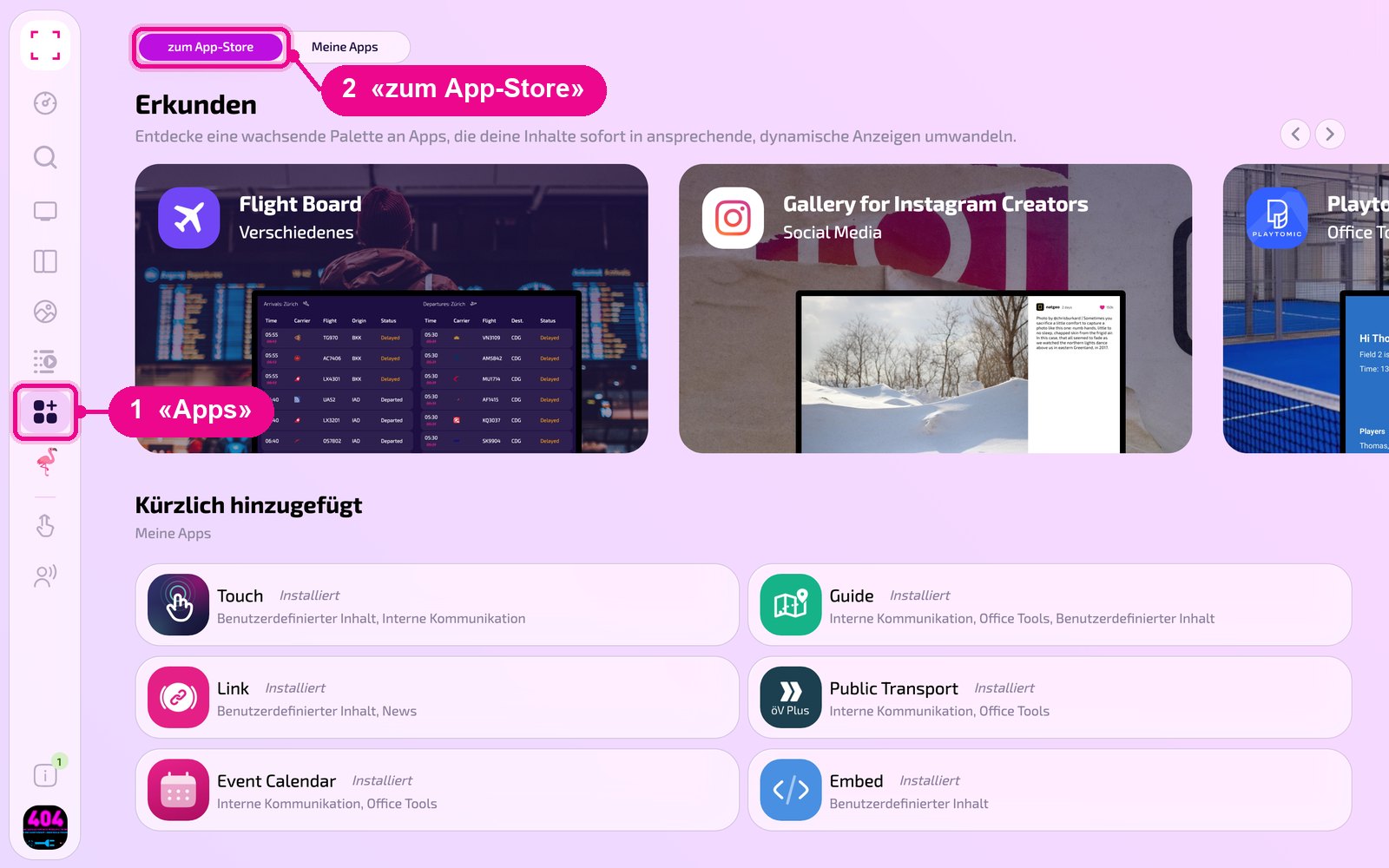
In the sidebar on the left, click «Apps» and at the top «zum App-Store» (to the Appstore).
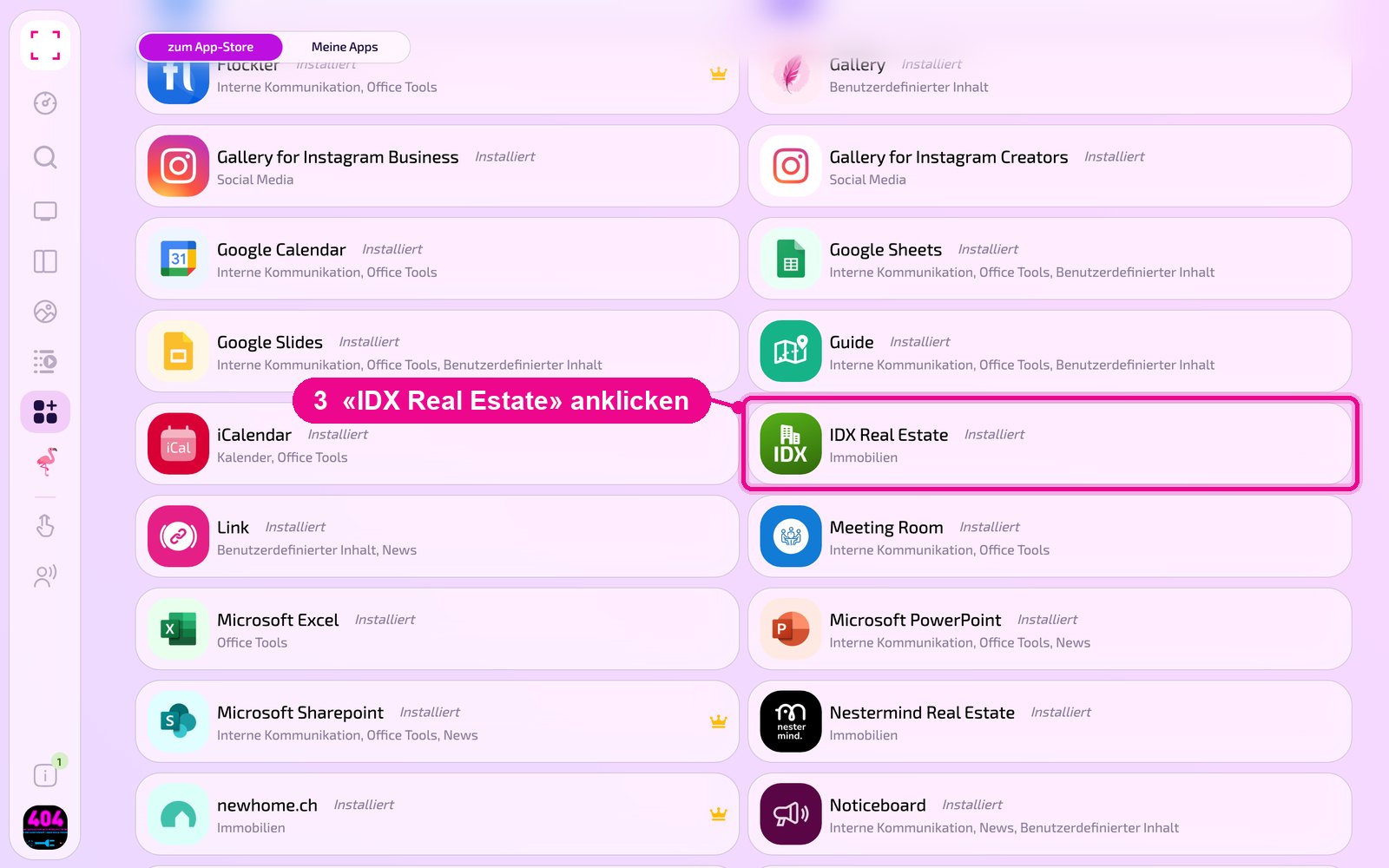
Scroll to the «Alle» (All) list and click the «IDX Real Estate» tile. Use the category buttons to narrow down the list.
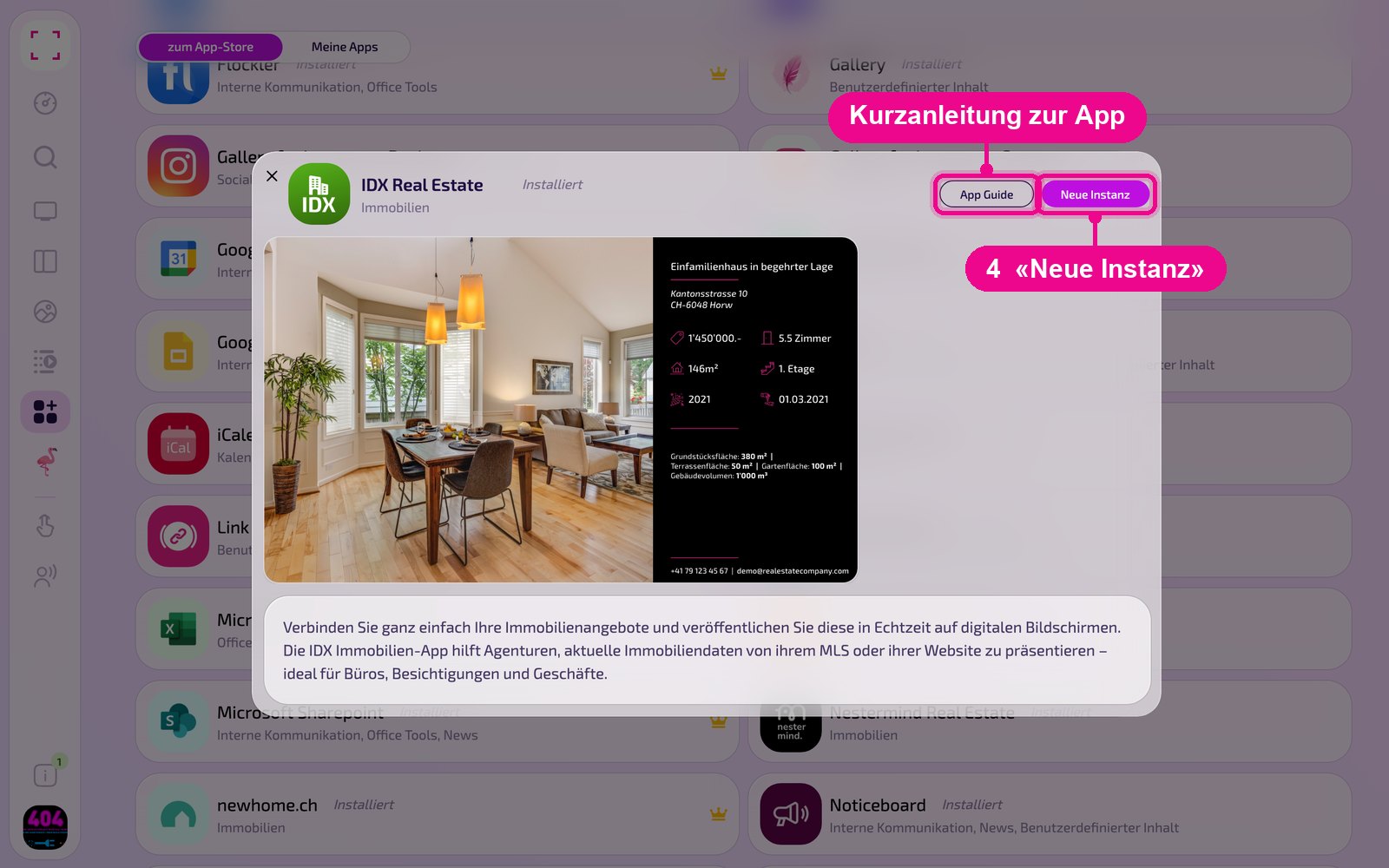
The app's detail view opens. If it is not yet installed, first click «Installiere» (Install). Then click «Neue Instanz» (New instance). «App Guide» opens a quick guide.
An instance is a separate configuration of the app, e.g. one gallery for reception and another for the canteen. You can create as many instances as you like and use each one individually on screens, in playlists or layouts.
Create a new instance
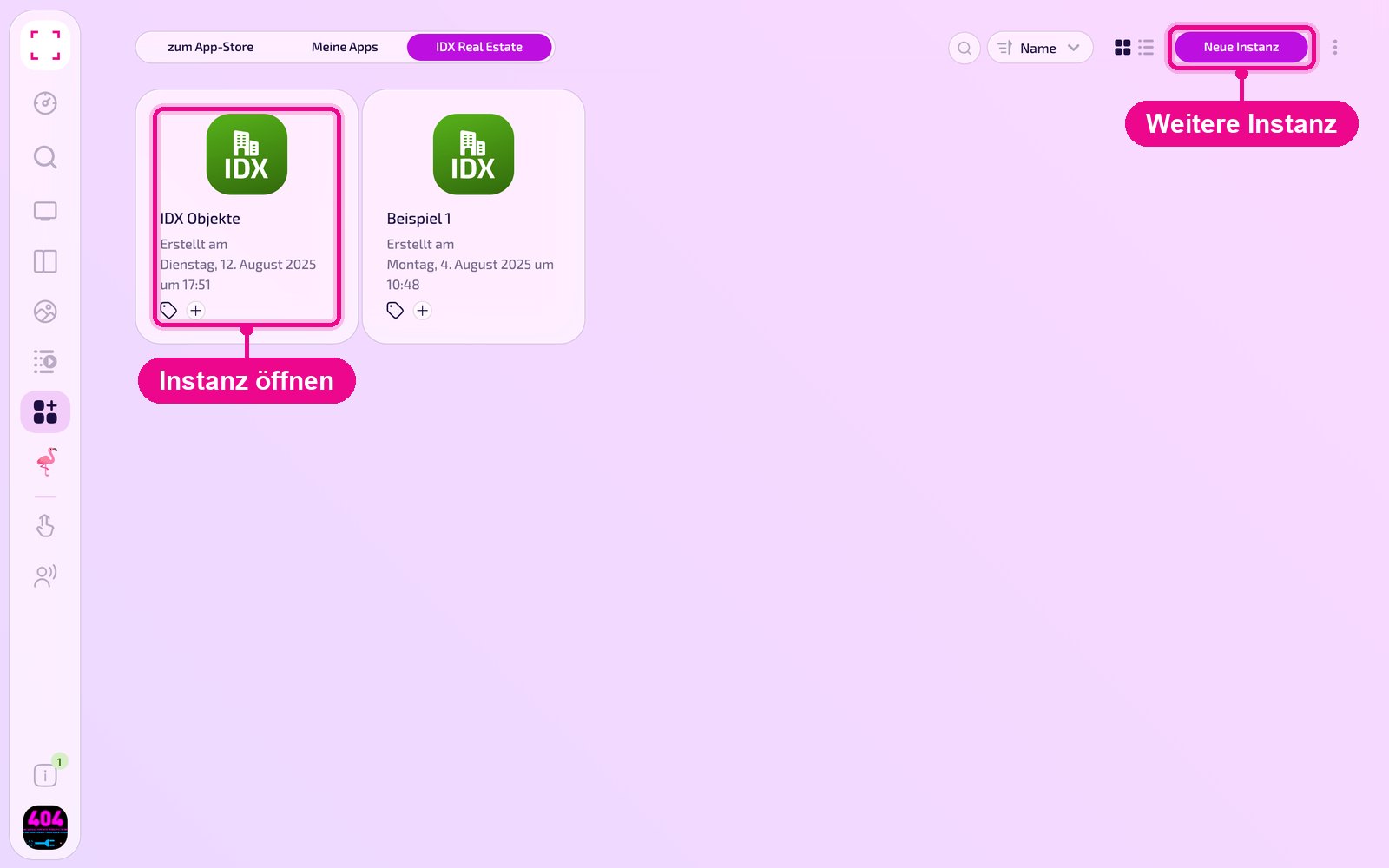
Under «Apps › Meine Apps» (My Apps) you see all instances of the app as tiles. With «Neue Instanz» (New instance) at the top right you create another one, and by clicking a tile you open an existing one.
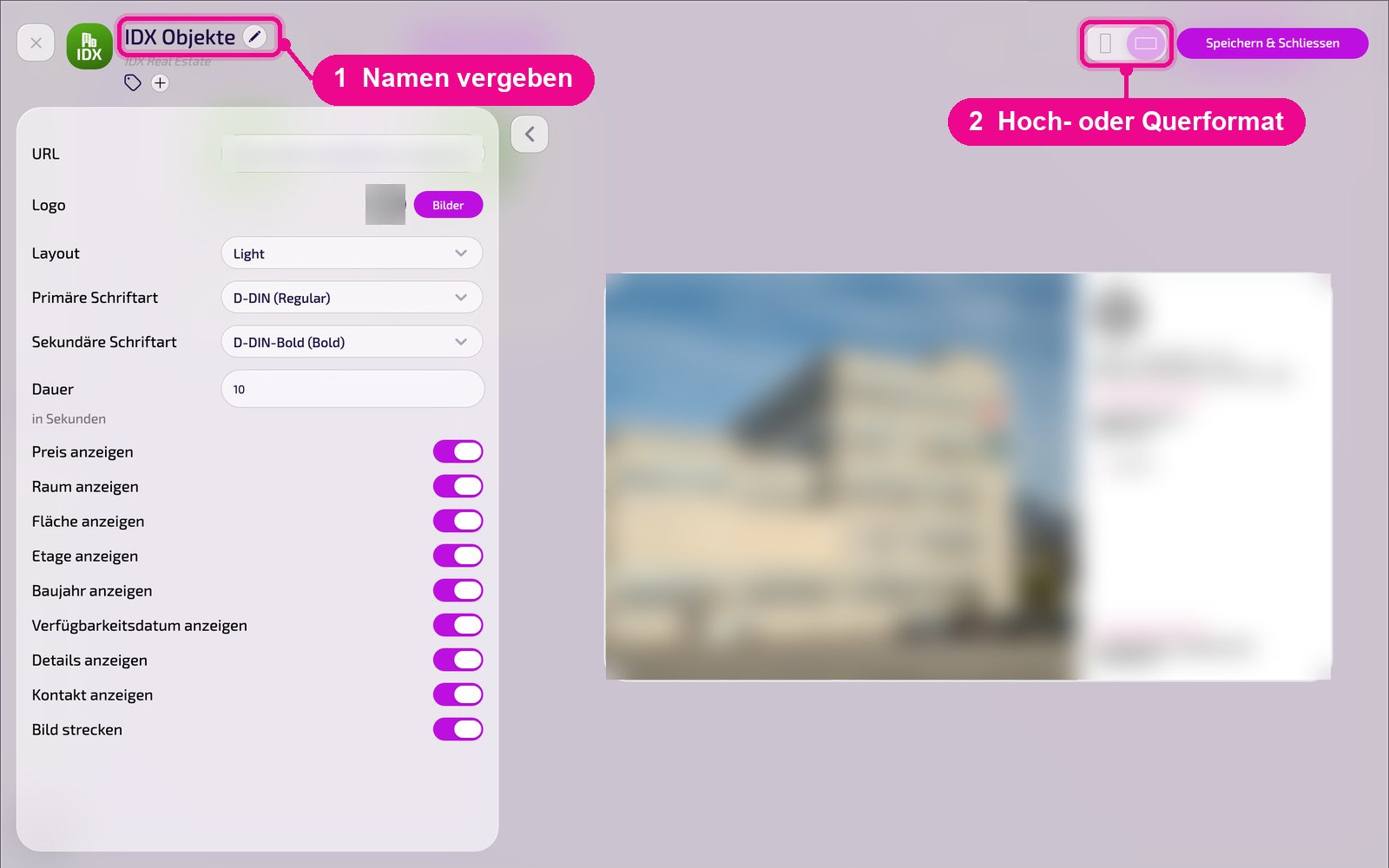
In the editor, hover over the title and click the pencil to give the instance a name. A new instance shows «Kein Name angegeben» (No name specified) in red until then. At the top right you choose whether the preview appears in portrait or landscape format.
Connect the feed
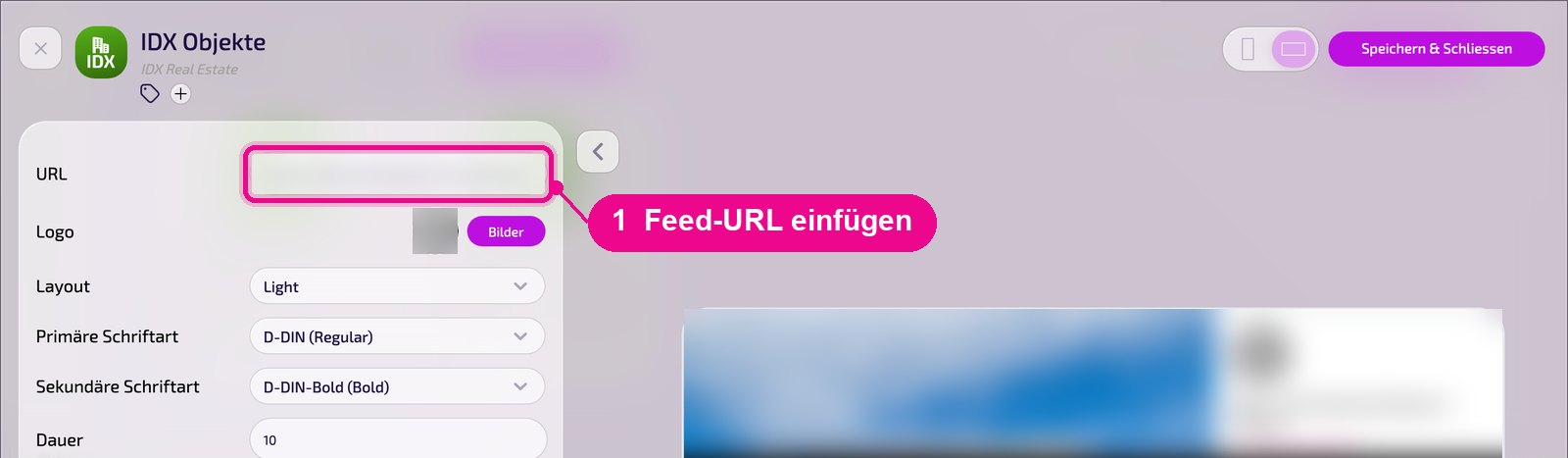
In the «URL» field, enter the address of your export on the FTP server. The live preview will then show the properties.
Configuration in detail
All settings are on the left, and on the right the live preview shows immediately how the instance looks on the screen. Use the arrow next to the card to collapse the settings.
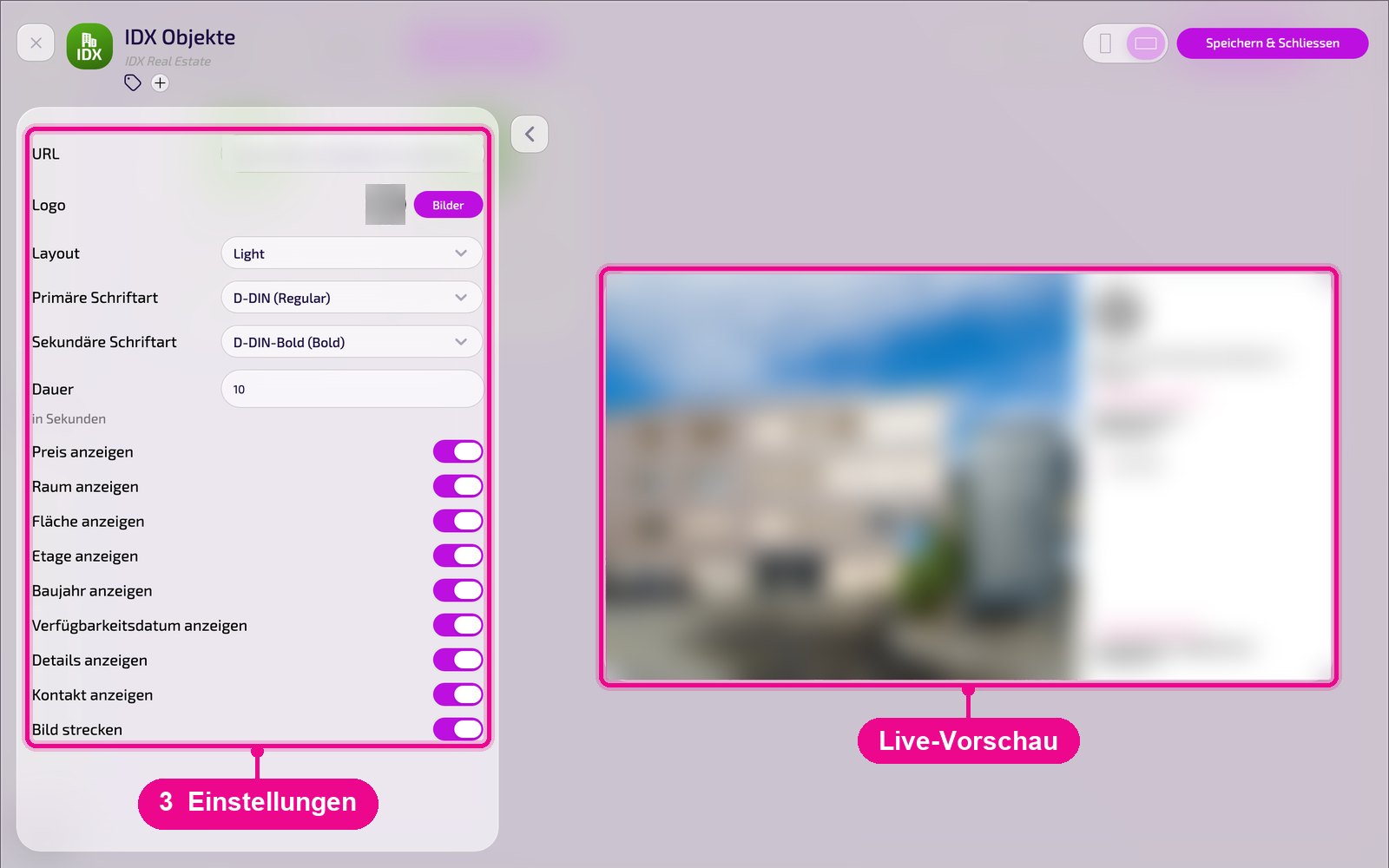
- URL: address of the IDX export on your FTP server.
- Logo: select your own logo via «Bilder» (Images).
- Layout: display template, e.g. «Light». On request we can create a layout in your branding.
- Primary / secondary font: fonts for title and text.
- Duration: display time per property in seconds.
- Show price / room / area / floor / year of construction: show or hide individual key details of the property.
- Show availability date / details / contact: show or hide further information.
- Stretch image: fills the image area completely; when off, images appear in their original format.
Save & display on the screen
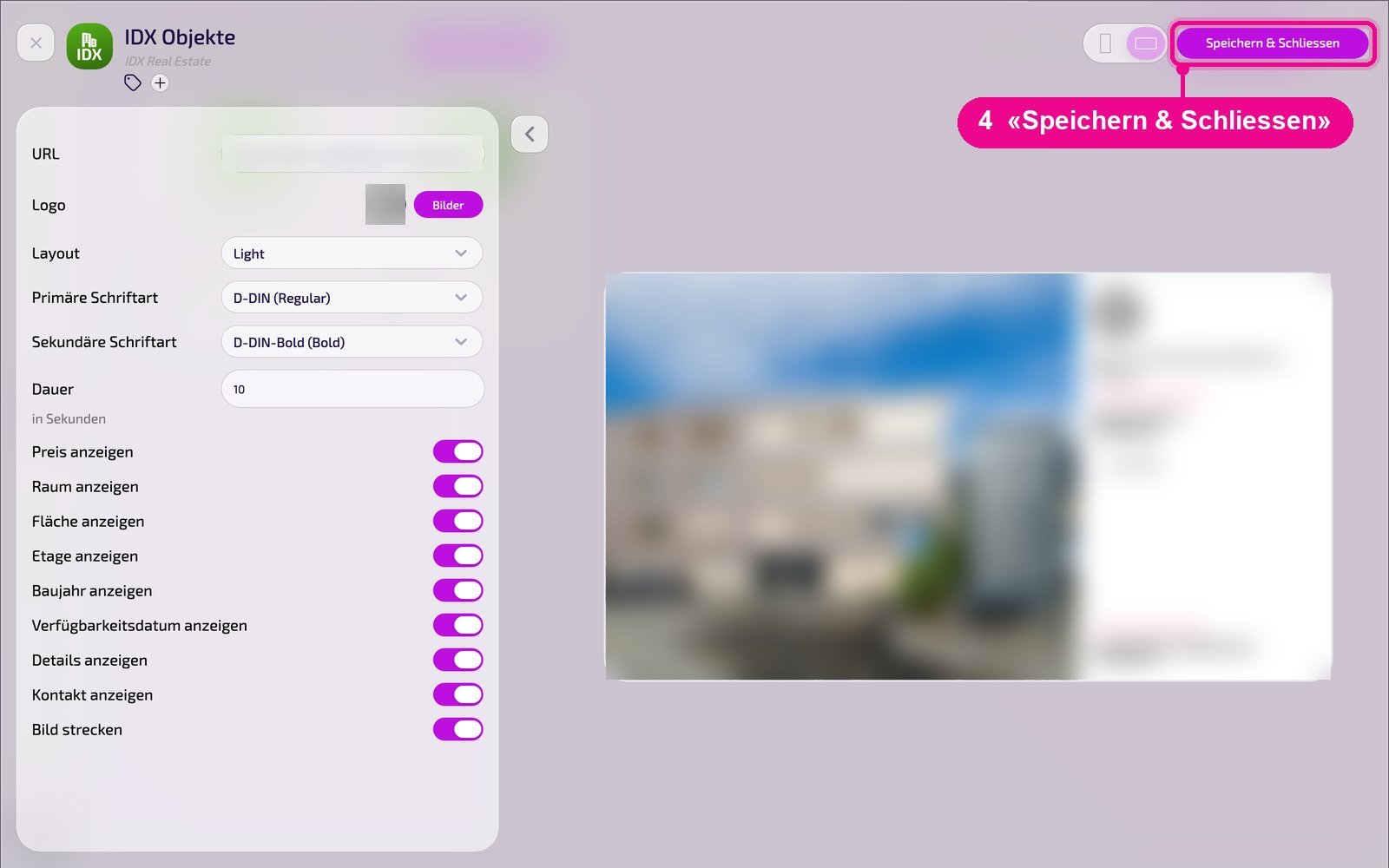
Save the instance at the top right with «Speichern & Schliessen» (Save & close).
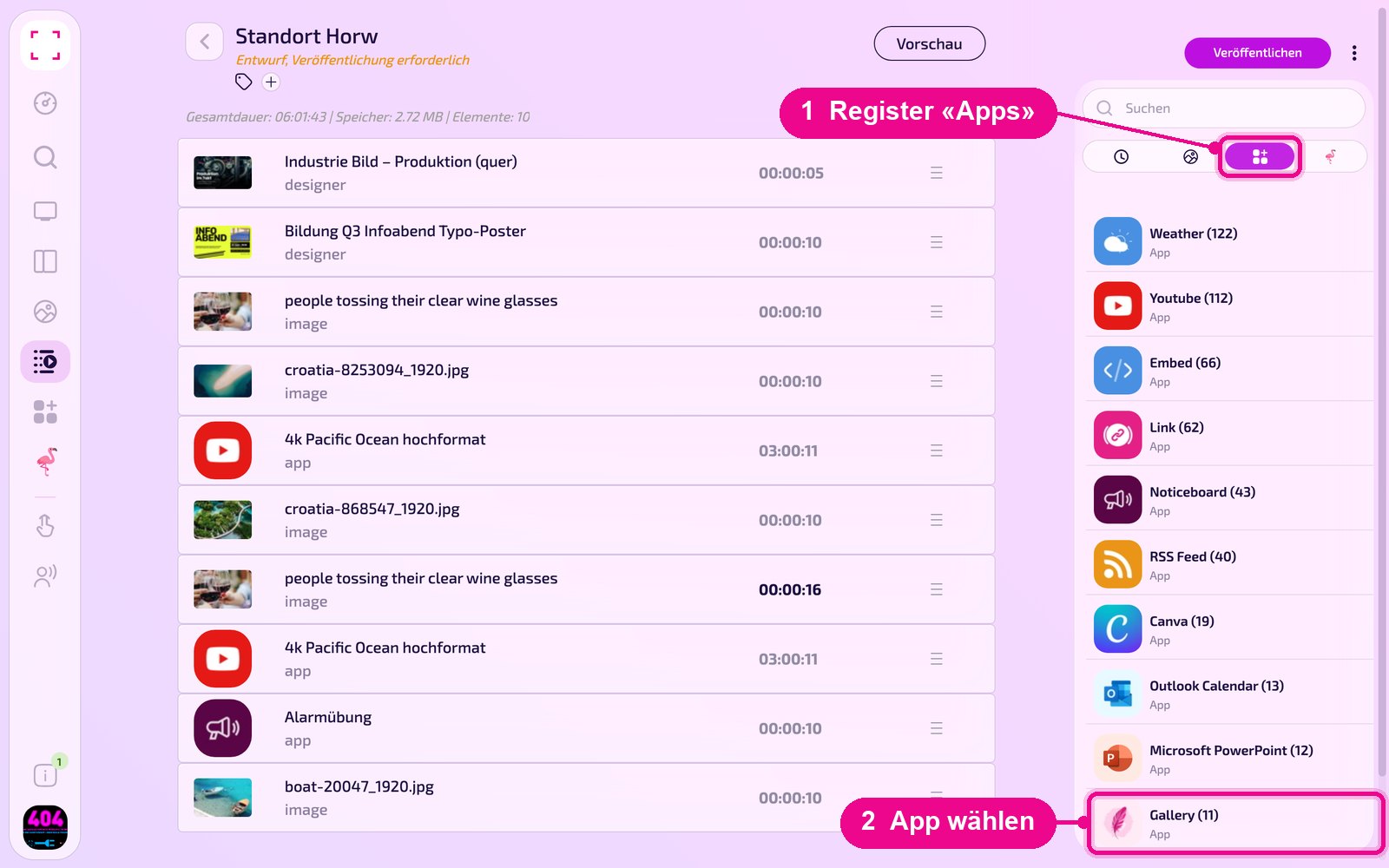
Add to a playlist: Open the playlist, select the «Apps» tab on the right, click the app and then the instance. The instance is added immediately.
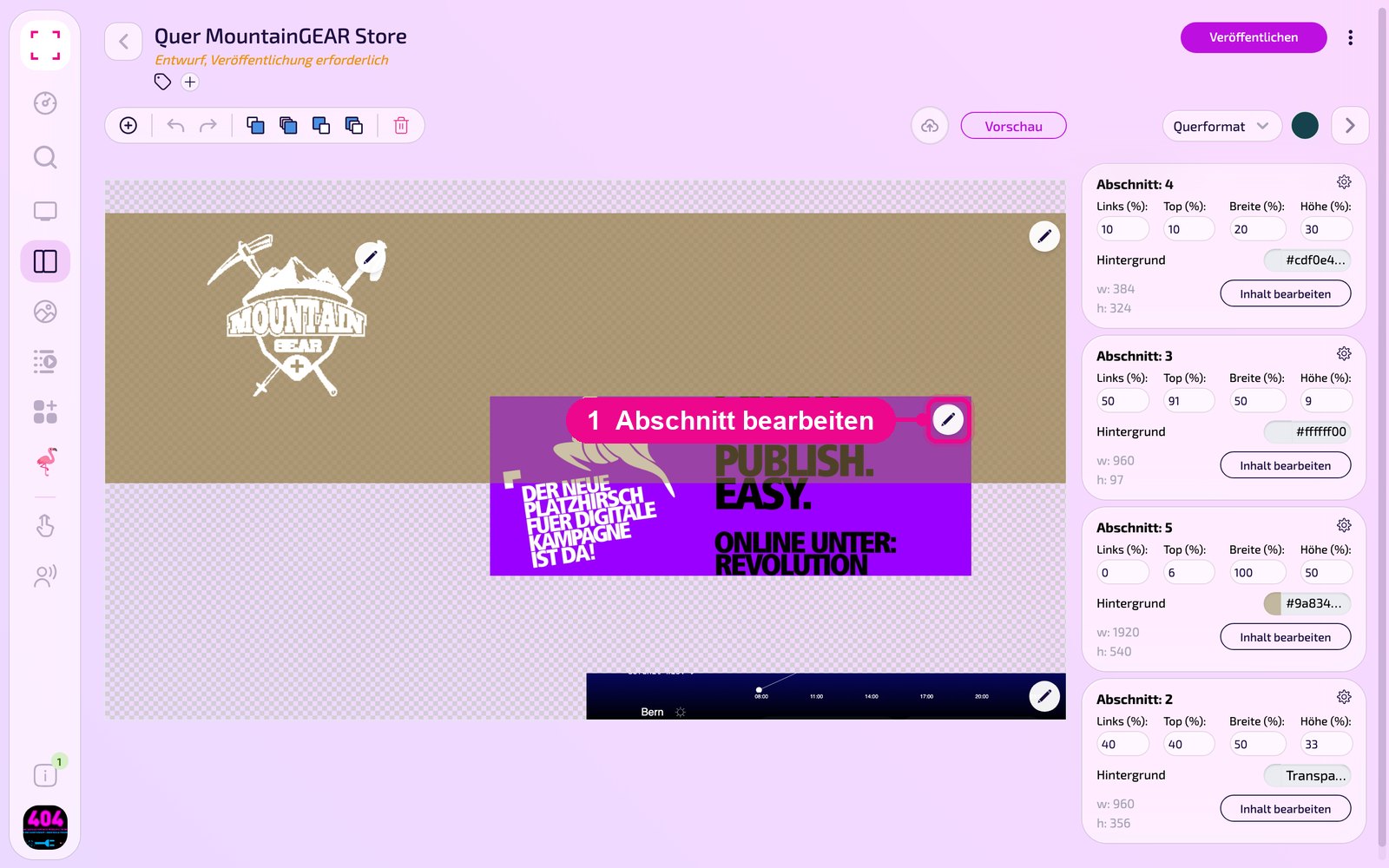
Add to a layout: Open the layout and click the pencil on the desired section.
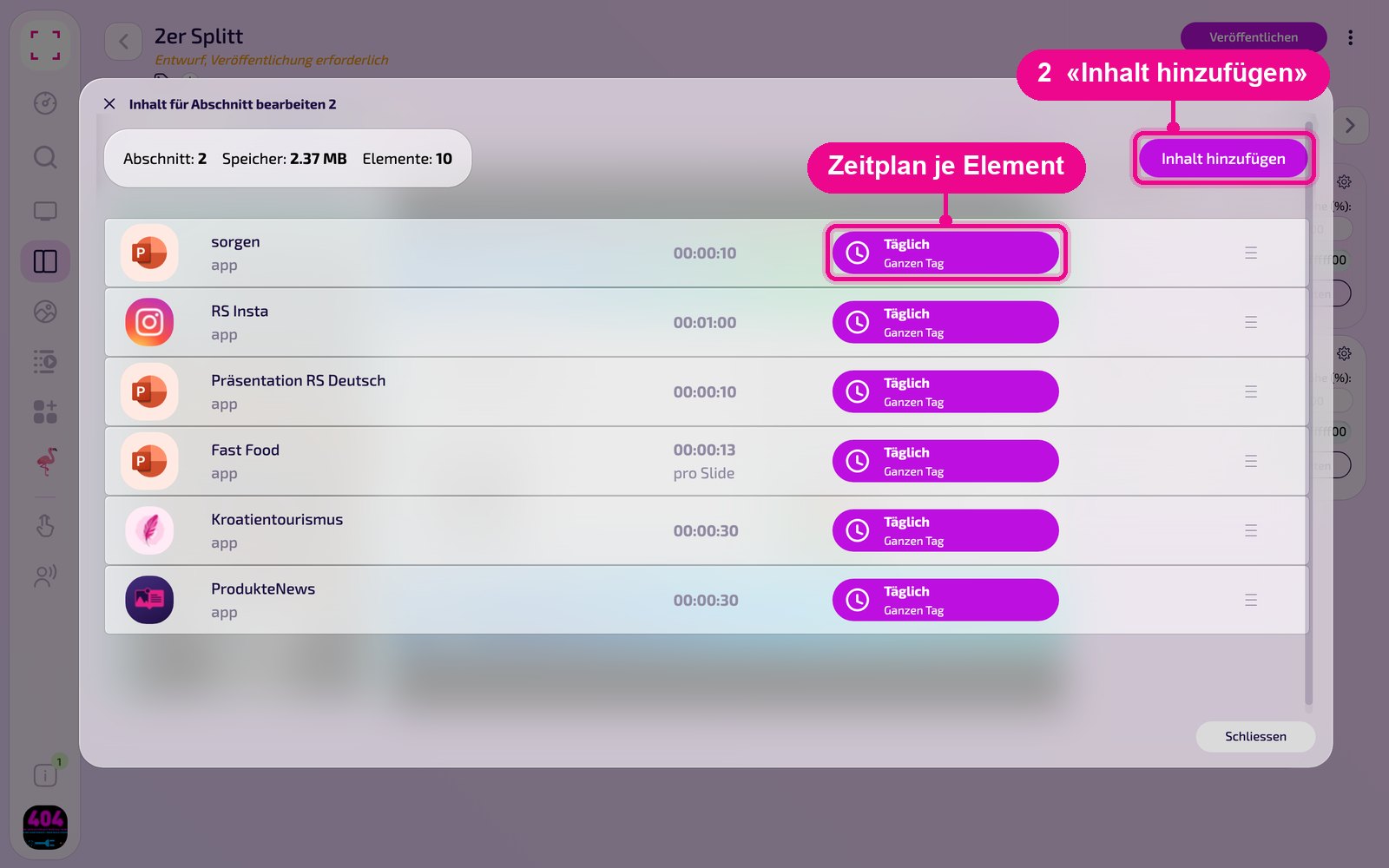
In the «Inhalt für Abschnitt bearbeiten» (Edit content for section) window, add the instance with «Inhalt hinzufügen» (Add content). On the right, for each element, set the schedule via «Täglich» (Daily).
Then click «Veröffentlichen» (Publish) in the playlist or layout. As long as it shows «Entwurf, Veröffentlichung erforderlich» (Draft, publishing required), the screen still shows the old version.
Tips & troubleshooting
No properties
Check the URL and verify whether the platform has already written the export to the «data» folder.
Images missing
Check whether the «images» folder exists on the FTP server and contains images.
Two customer accounts
Create a separate FTP access and a separate instance for each customer account.
Content does not appear
Check whether the Playlist or Layout is published and assigned to the correct Screen, and that the Player is online.