Solar Manager
With the «Solar Manager» app you display real-time data from your solar system, such as production, self-consumption and self-sufficiency, on the screen.
Purpose
The integration connects revolutionSCREEN with your Solar Manager system. This lets you visualize the system's performance, promote energy awareness and make usage visible through intelligent load management, e.g. in the entrance area, the stairwell or the office.
Requirements
- An active revolutionSCREEN account with access to my.rstv.app.
- A Solar Manager with a supported inverter and the access credentials (user email and password) you receive from the Solar Manager administrator.
- At least one configured screen.
Supported devices and inverters
The list may not be complete and is provided without warranty. We have tested these devices, but changes by the manufacturers may still lead to incompatibilities. The full list is provided by Solar Manager under Supported devices.
- SMA Solar Technology: Sunny Boy, Sunny Tripower, Sunny Island (battery inverter), devices with ennexOS. Interface: Sunny Portal / ennexOS (Cloud), partly Speedwire / Modbus.
- Fronius: Symo, Primo, Eco, GEN24 / GEN24 Plus. Interface: Modbus TCP (local), Solar.web API (Cloud).
- SolarEdge: HD-Wave, StorEdge, 3-phase inverters, Home Hub. Interface: SolarEdge Monitoring API (Cloud), Modbus TCP (local, optional).
- Huawei: SUN2000 (all common series: M, L, K), FusionSolar systems. Interface: FusionSolar Cloud API, Modbus TCP (limited, depending on setup).
- Kostal: PLENTICORE, PLENTICORE Plus, PIKO, PIKO IQ. Interface: Modbus TCP, local HTTP API.
- ABB (limited): UNO, TRIO, PVI. Interface: Modbus (usually only with additional hardware/gateway), partly difficult due to product transition (ABB → FIMER).
Install the app
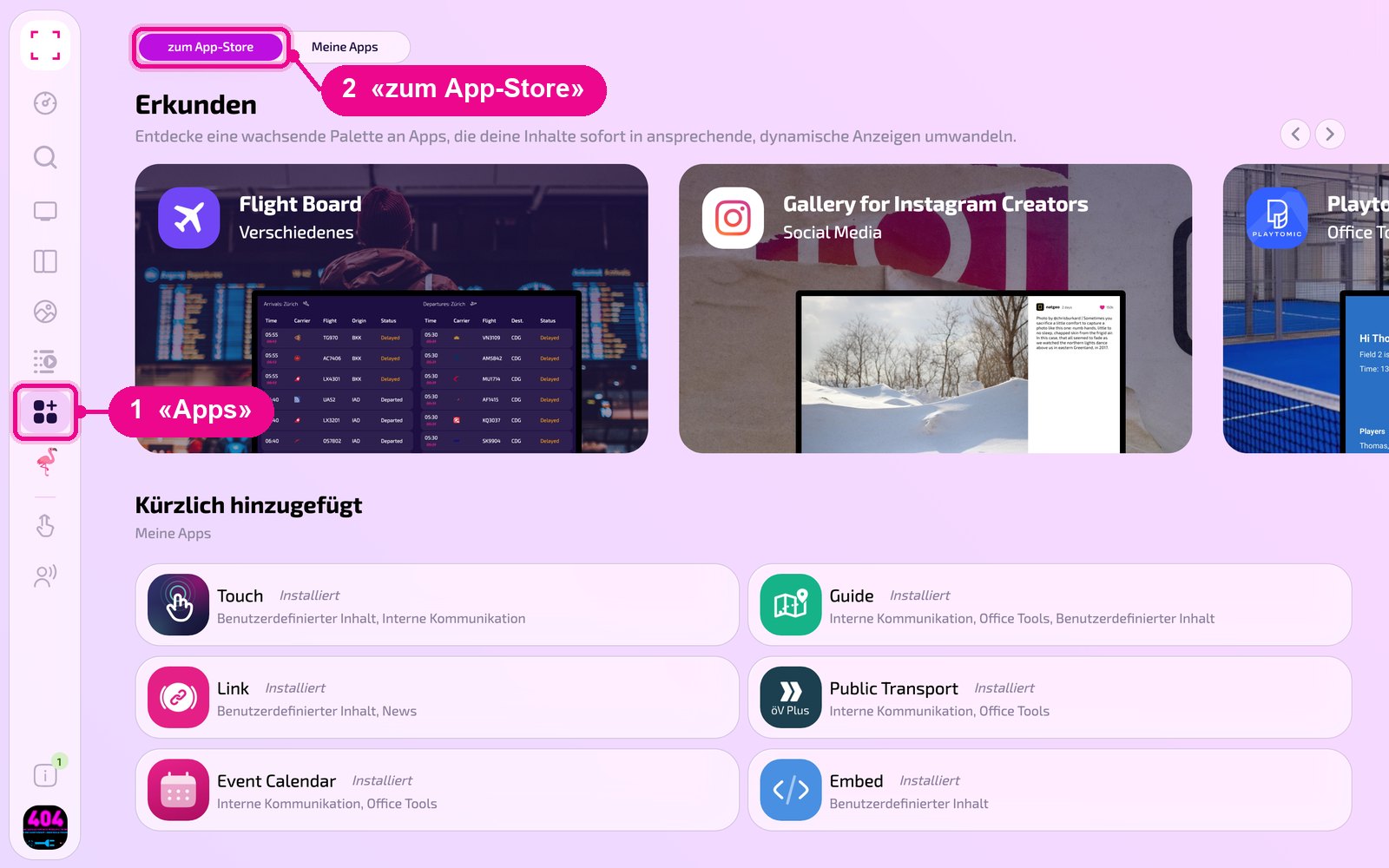
In the sidebar on the left, click «Apps» and then «zum App-Store» (to the app store) at the top.
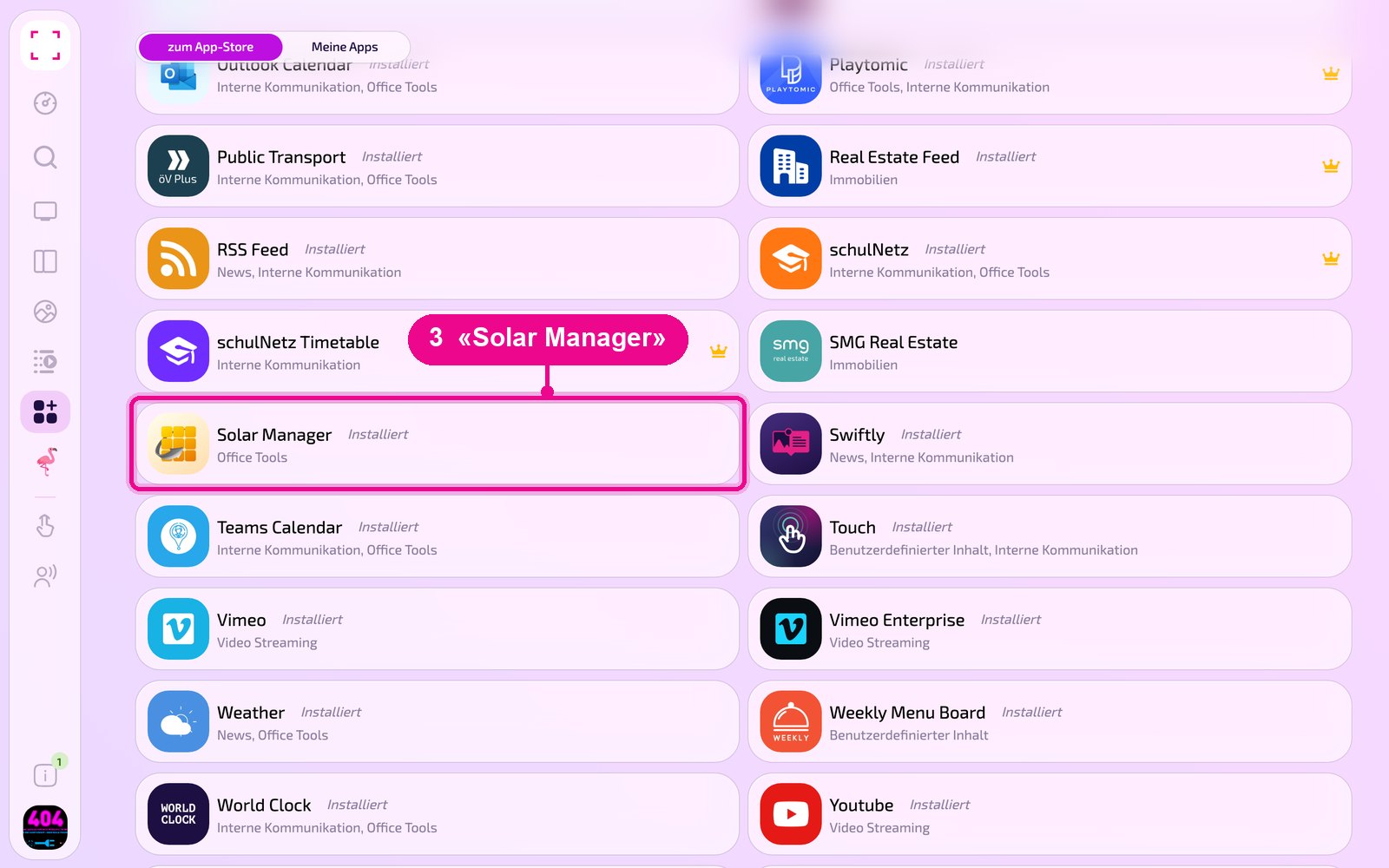
Scroll to the «Alle» (All) list and click the «Solar Manager» tile. Use the category buttons to narrow down the list.
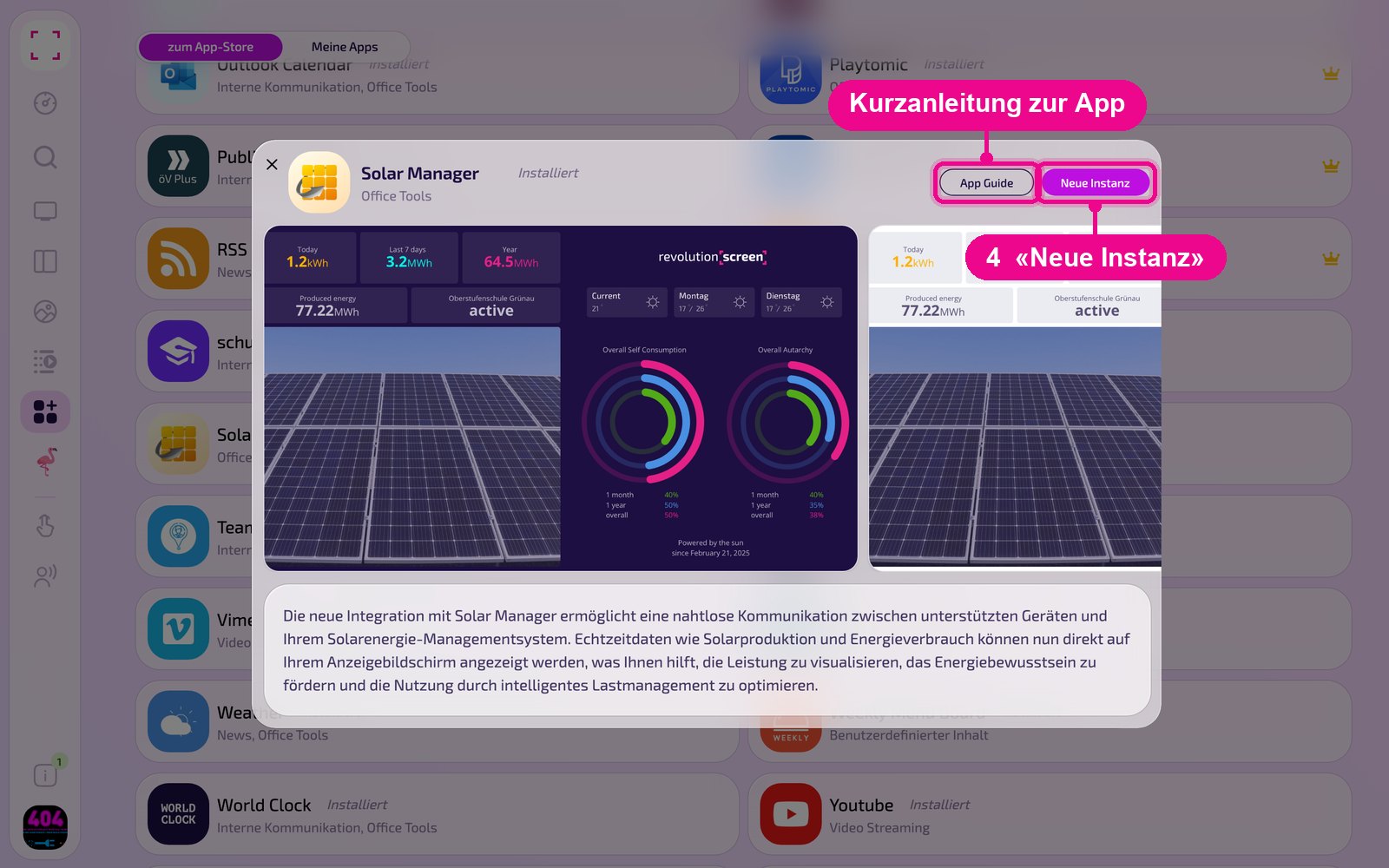
The app's detail view opens. If it is not installed yet, first click «Installiere» (install). Then click «Neue Instanz» (new instance). «App Guide» opens a quick guide.
An instance is a separate configuration of the app, e.g. one gallery for reception and another for the canteen. You can create any number of instances and use each one individually on screens, in playlists or layouts.
Create a new instance
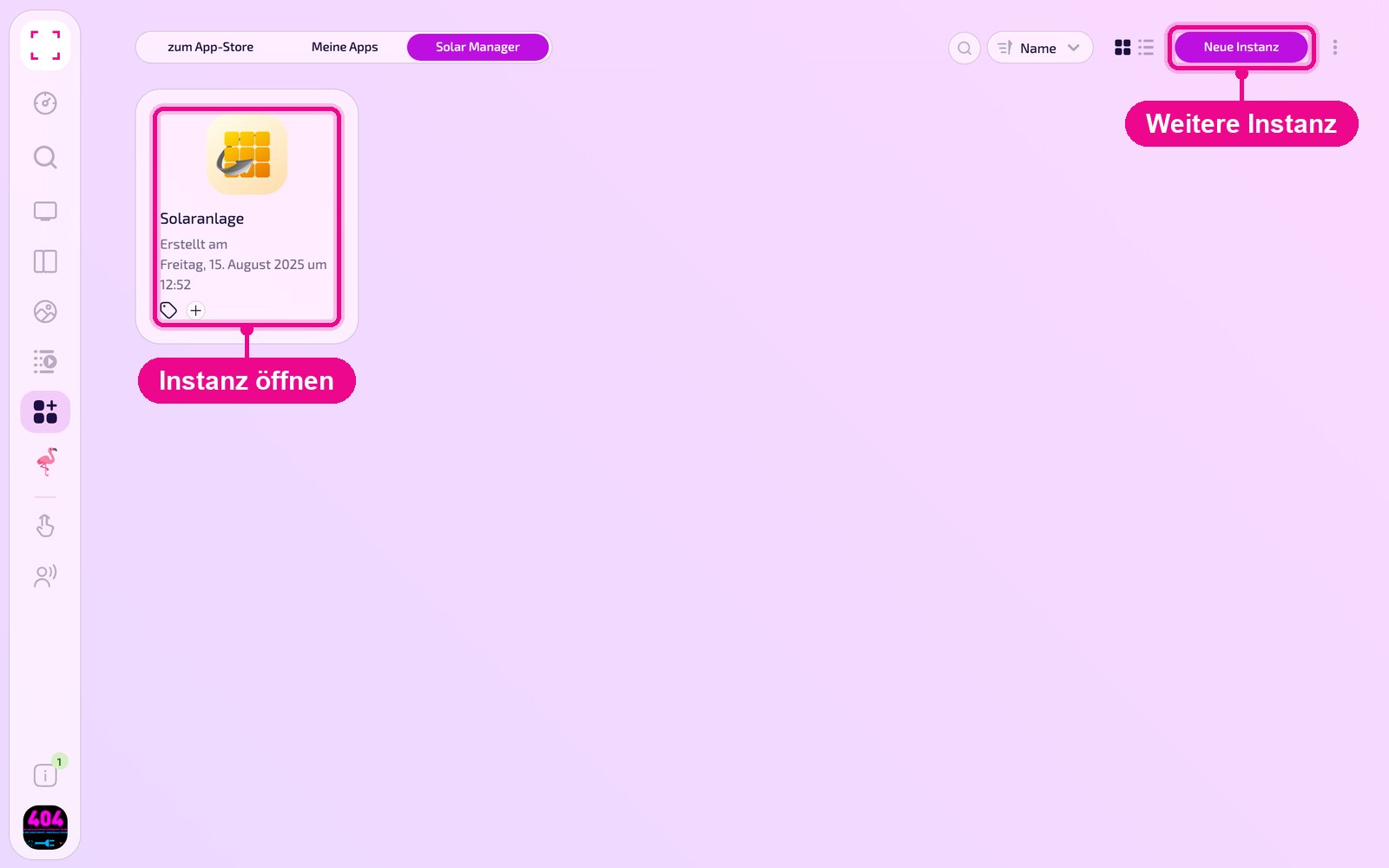
Under «Apps › Meine Apps» (My Apps) you see all instances of the app as tiles. Use «Neue Instanz» (new instance) at the top right to create another one, and click a tile to open an existing one.
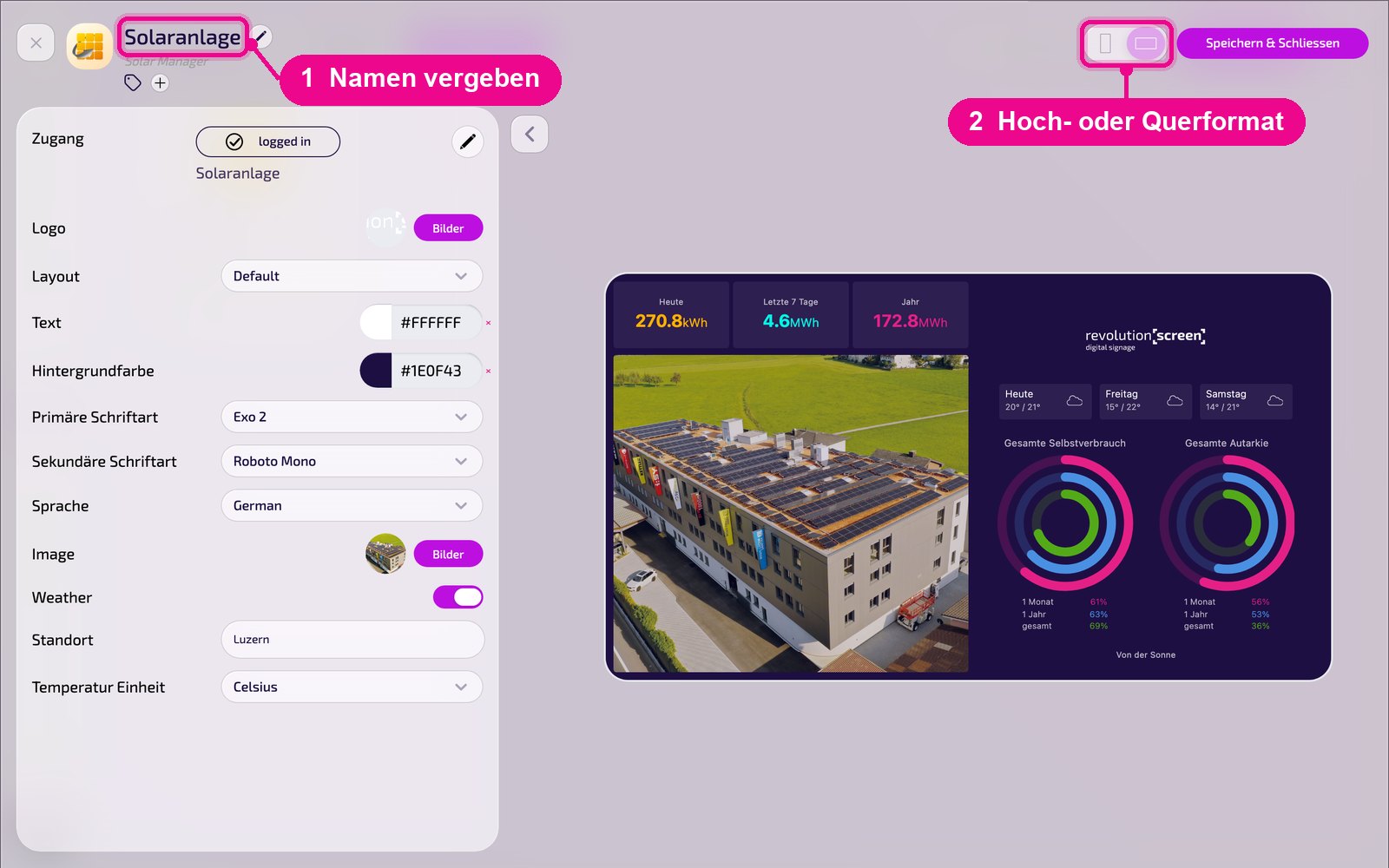
In the editor, hover over the title and click the pencil to give the instance a name. A new instance shows «Kein Name angegeben» (no name specified) in red until then. At the top right, choose whether the preview appears in portrait or landscape format.
Connect Solar Manager
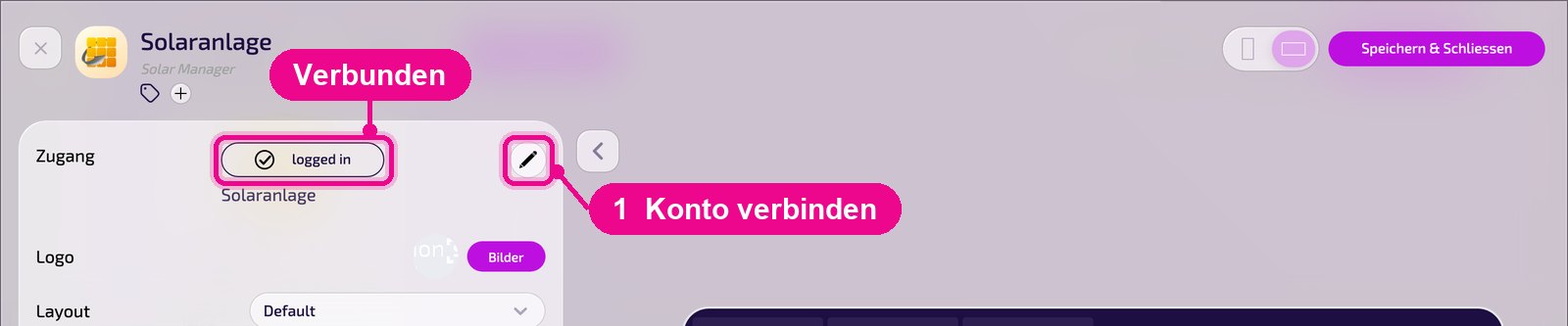
In the «Zugang» (access) section you see whether the instance is connected to the Solar Manager. If it shows «logged in», the connection is active, and the name of the connection is shown below. Use the pencil on the right to connect a system or switch it.
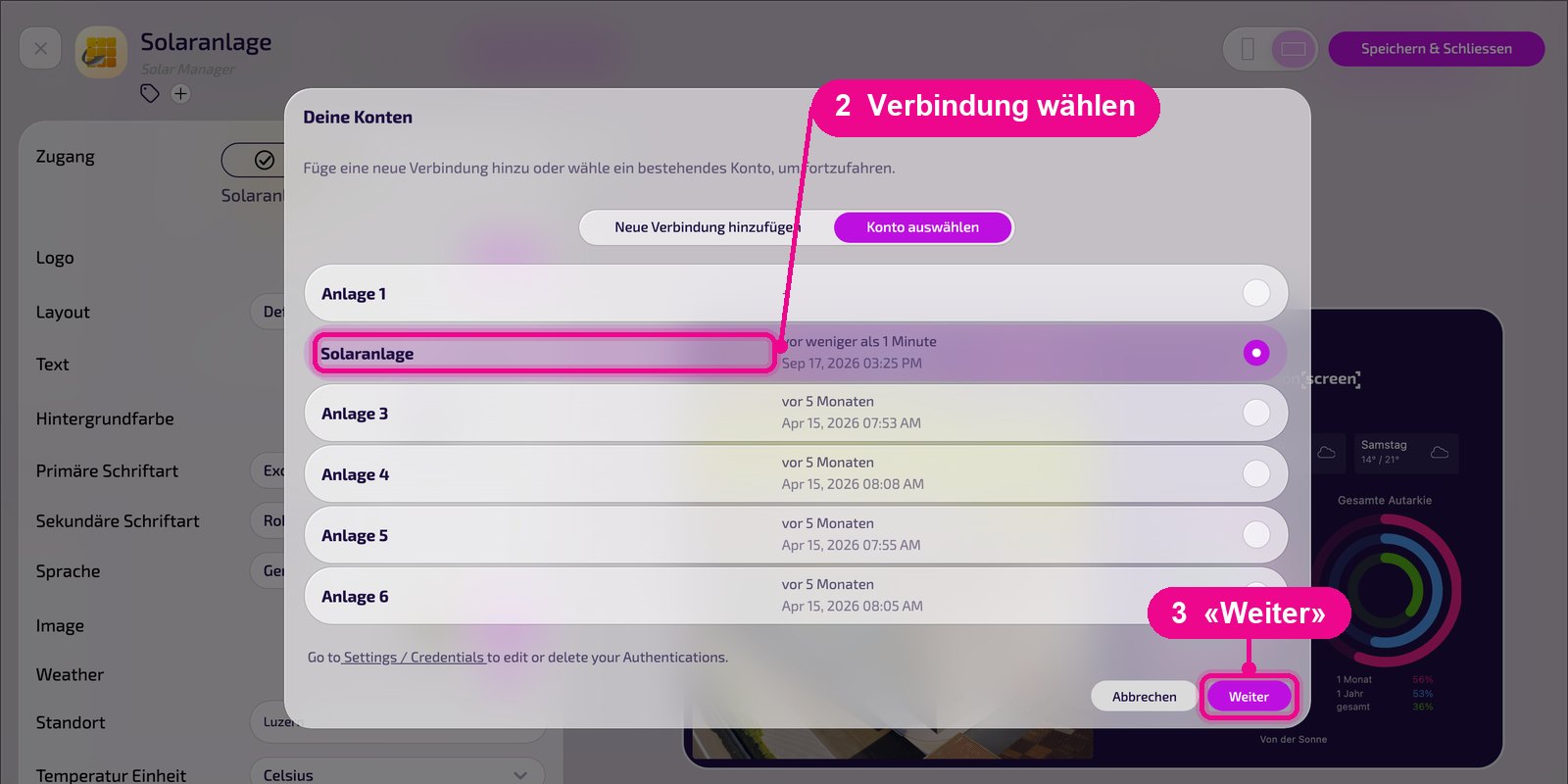
In the «Deine Konten» (your accounts) window, select an existing connection under «Konto auswählen» (select account) and click «Weiter» (continue).
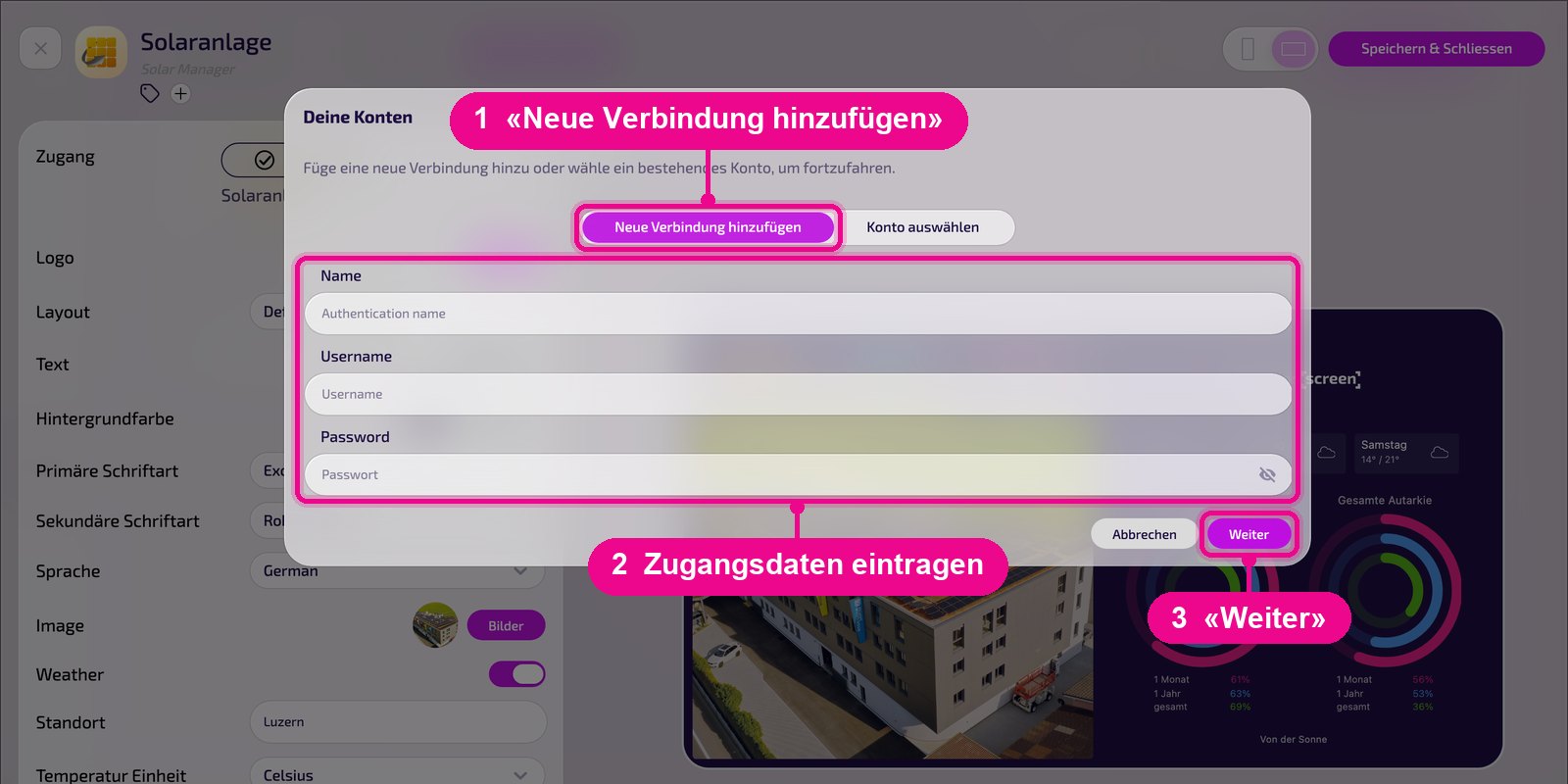
For a new connection, click «Neue Verbindung hinzufügen» (add new connection). Under «Name», give the connection a unique label, e.g. the name of the system. Under «Username», enter the Solar Manager user email, and under «Password» the corresponding password. Click «Weiter» (continue) to connect the system.
You edit or delete stored connections under «Settings / Credentials». The link is right in the «Deine Konten» (your accounts) window.
Configuration in detail
On the left are all settings, and on the right you immediately see in the live preview how the instance looks on the screen. Use the arrow next to the card to collapse the settings.
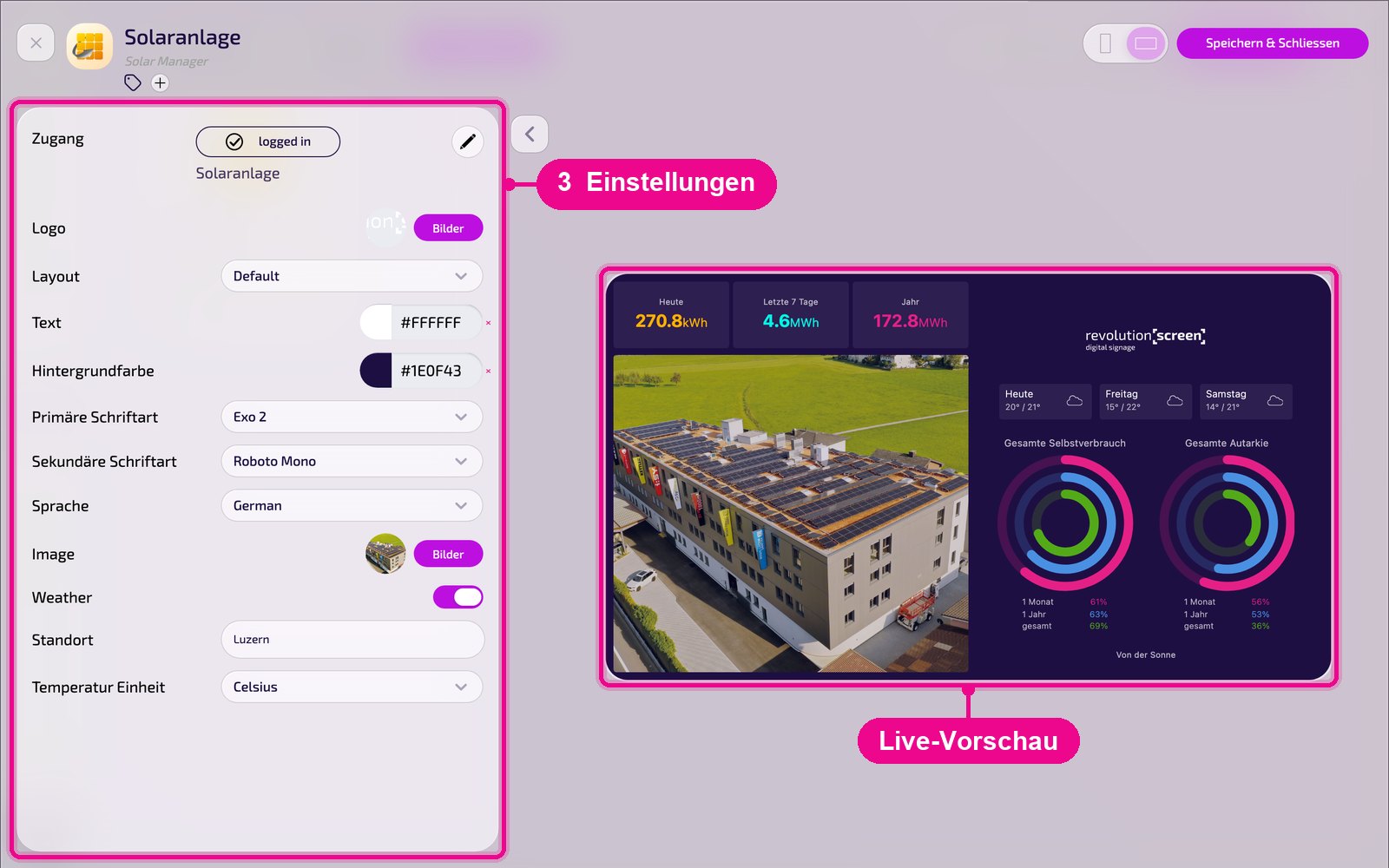
- Zugang (access): connection status («logged in») and connection name. Use the pencil to connect or switch the system.
- Logo: select your own logo via «Bilder» (images).
- Layout: display of the view, e.g. «Default». There are templates in portrait and landscape format, minimal or with extensive information. On request, we adapt them to your brand.
- Text / background color: colors for text and background.
- Primary / secondary font: fonts for title and text. Upload your own fonts under «Marken» (brands).
- Language: display language, e.g. «German».
- Image: background image, e.g. a photo of the system, select via «Bilder» (images).
- Weather: shows the weather forecast.
- Location: the location for which the weather is shown.
- Temperature unit: Celsius or Fahrenheit.
Save & play out on the screen
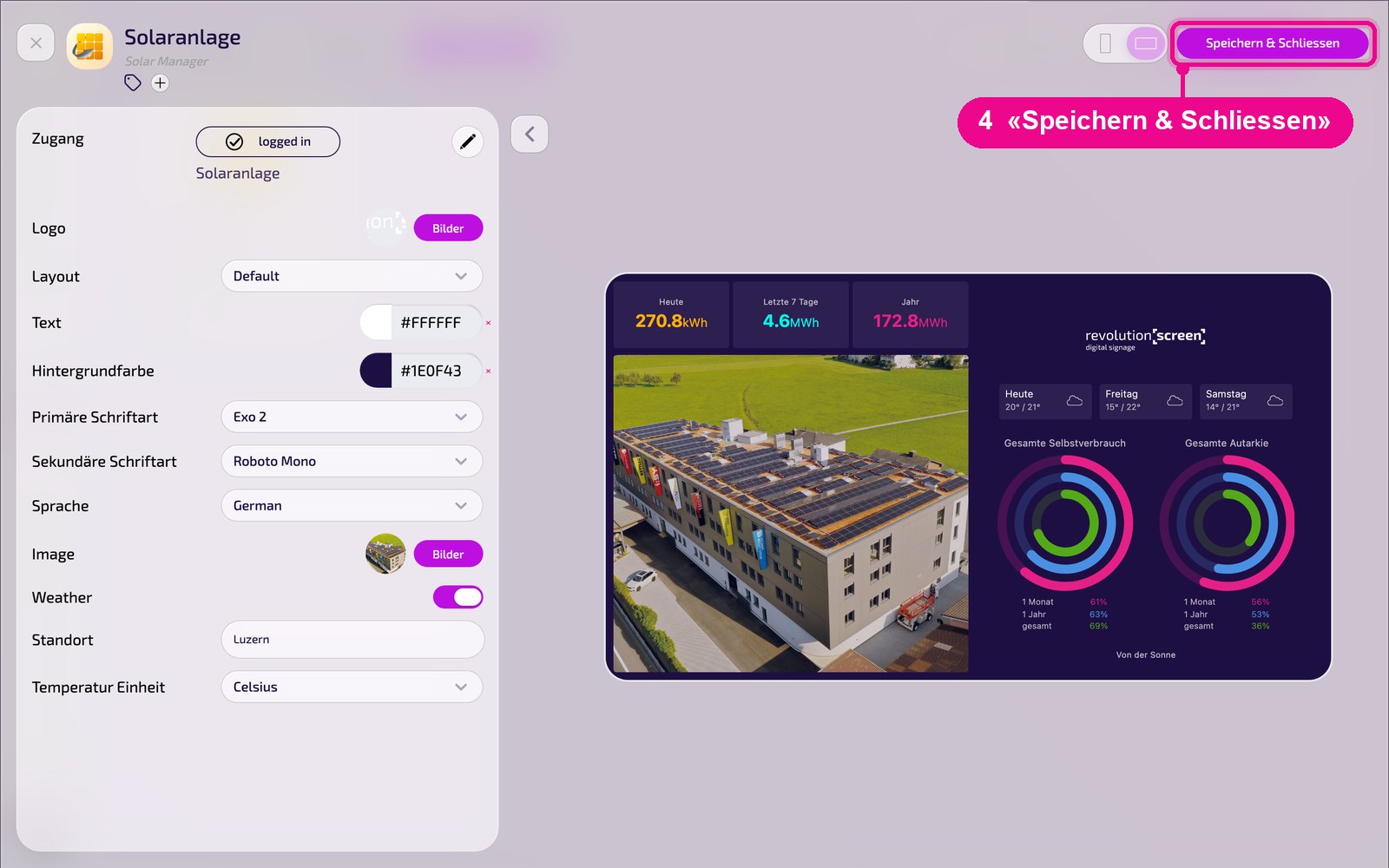
Save the instance at the top right with «Speichern & Schliessen» (save & close).
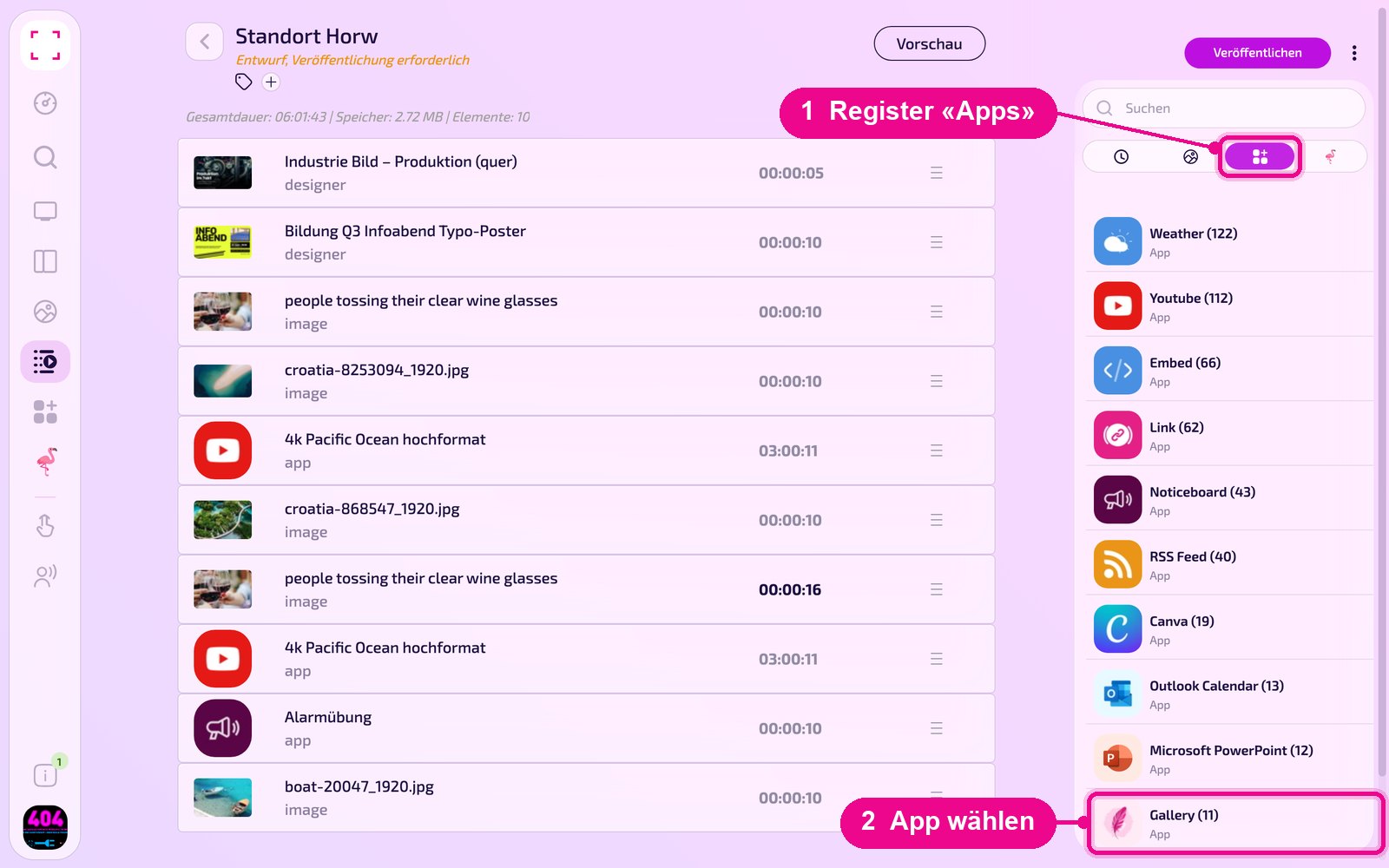
Add to a playlist: Open the playlist, select the «Apps» tab on the right, click the app and then the instance. The instance is added immediately.
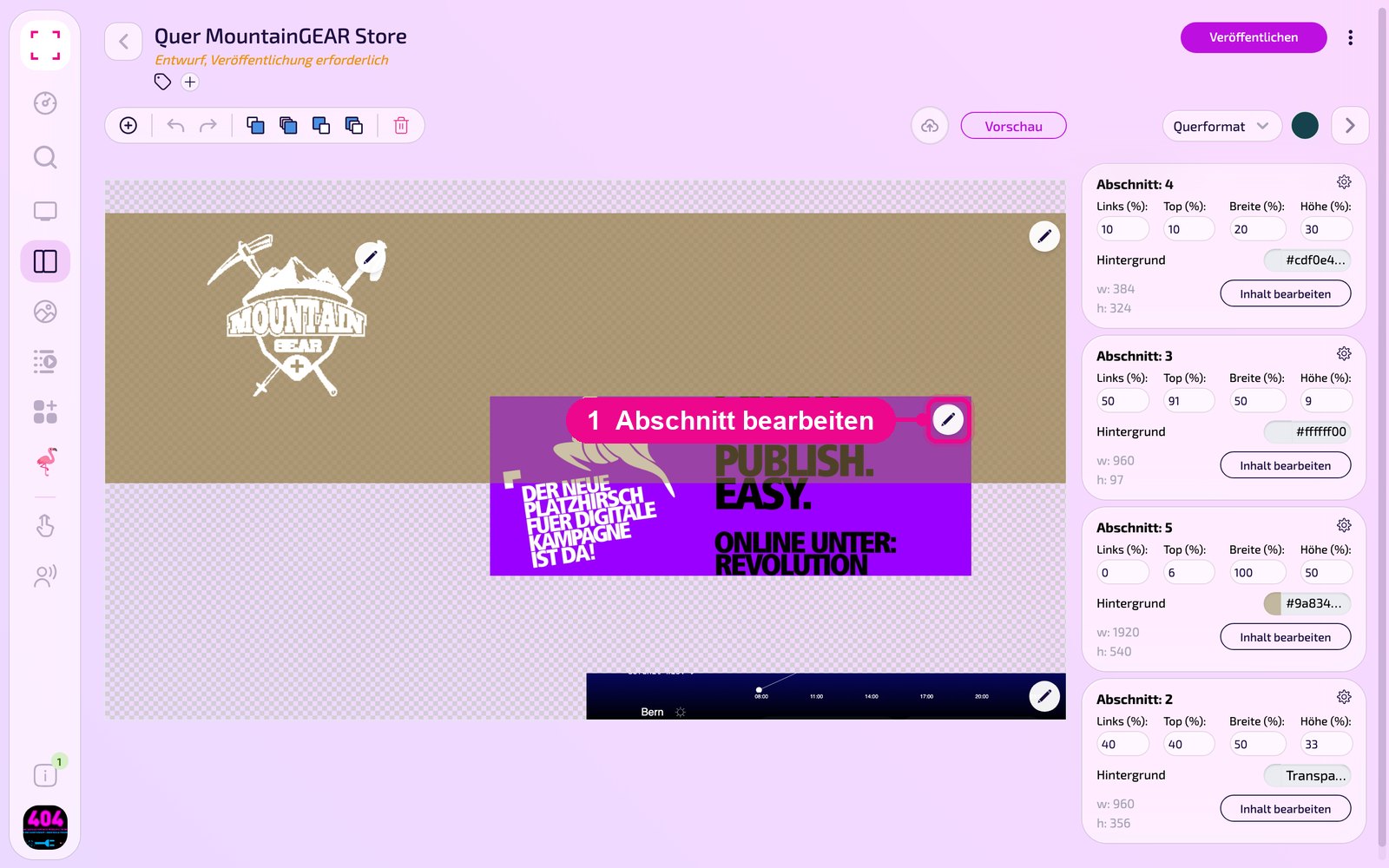
Add to a layout: Open the layout and click the pencil at the desired section.
In the «Inhalt für Abschnitt bearbeiten» (edit content for section) window, add the instance with «Inhalt hinzufügen» (add content). On the right of each element, set the schedule via «Täglich» (daily).
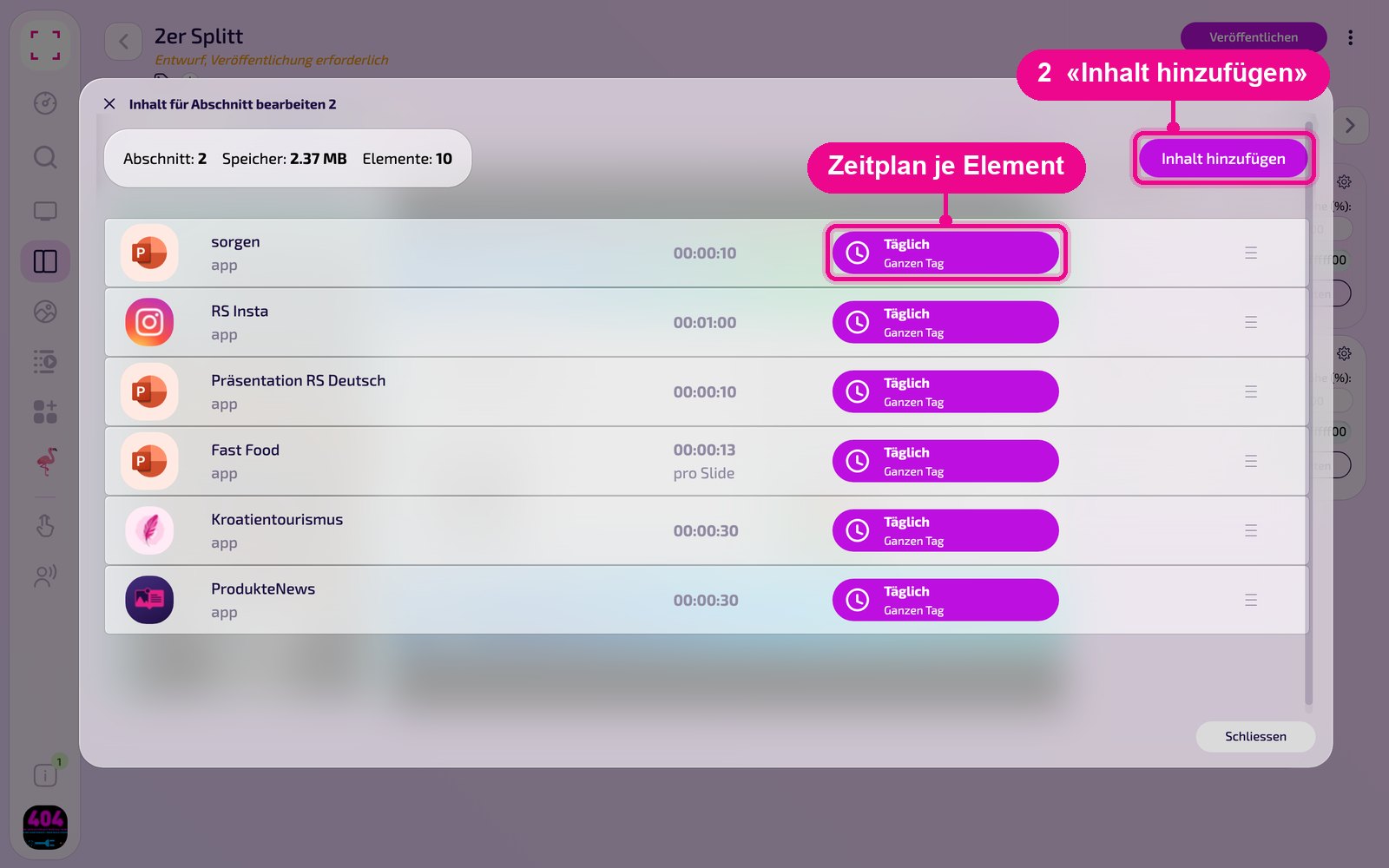
Then click «Veröffentlichen» (publish) in the playlist or layout. As long as it shows «Entwurf, Veröffentlichung erforderlich» (draft, publication required), the screen still displays the old state.
Tips & troubleshooting
No data visible
Check whether «logged in» is shown under «Zugang» (access). Otherwise, add the connection again with the user email and password.
Connection fails
Test the access credentials directly in Solar Manager and check whether your inverter is supported.
Weather missing or incorrect
Enable «Weather» and enter the correct location under «Standort» (location).
Content does not appear
Check whether the Playlist or Layout is published and assigned to the correct Screen, and that the Player is online.