Playback logs
The playback log records to the second which content has played on your screens. You filter by screens, content and time range, and download the result as a CSV file.
Profile picture at the bottom left → «Konto-Einstellungen» → «Playback-Protokolle» on the left
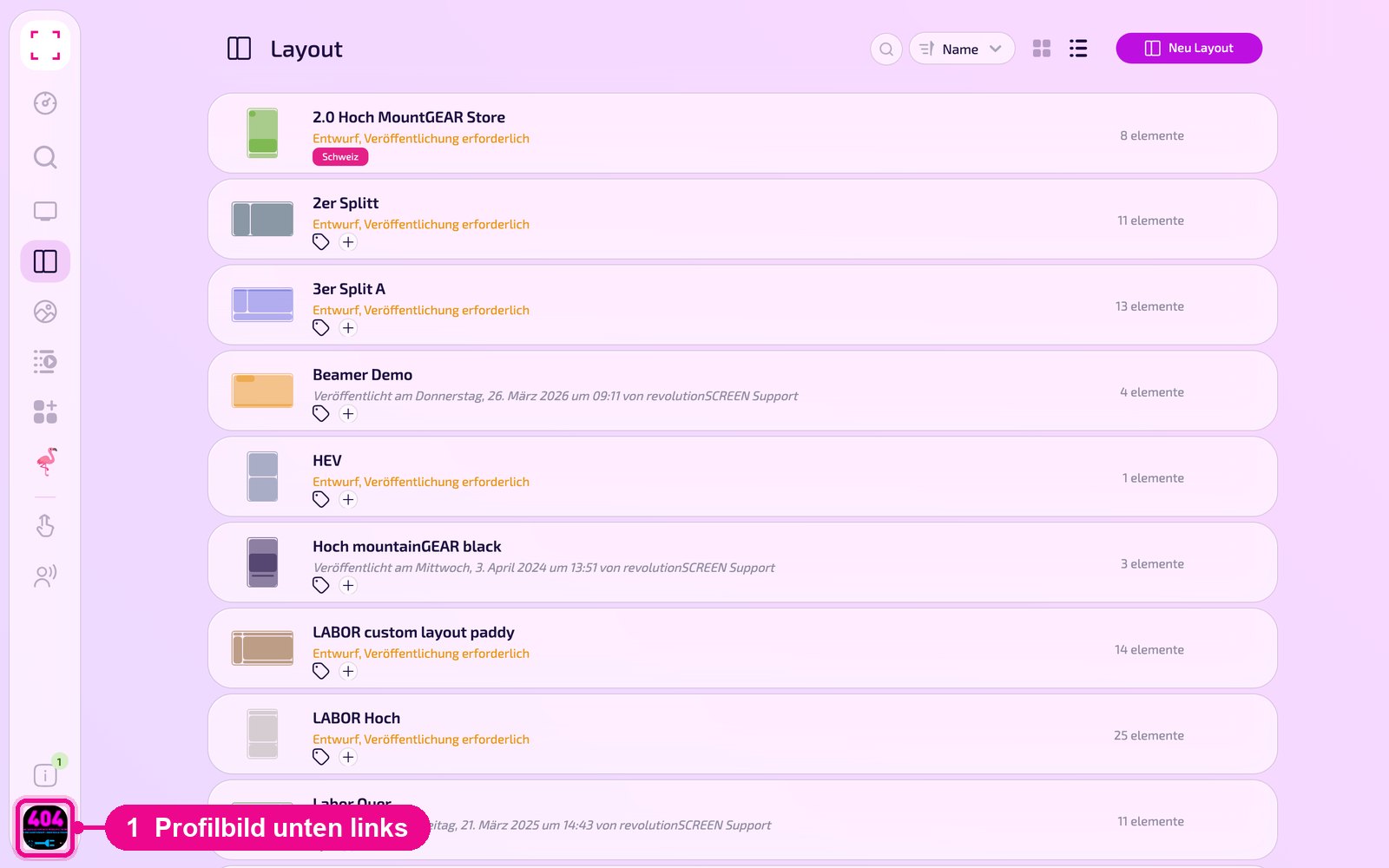
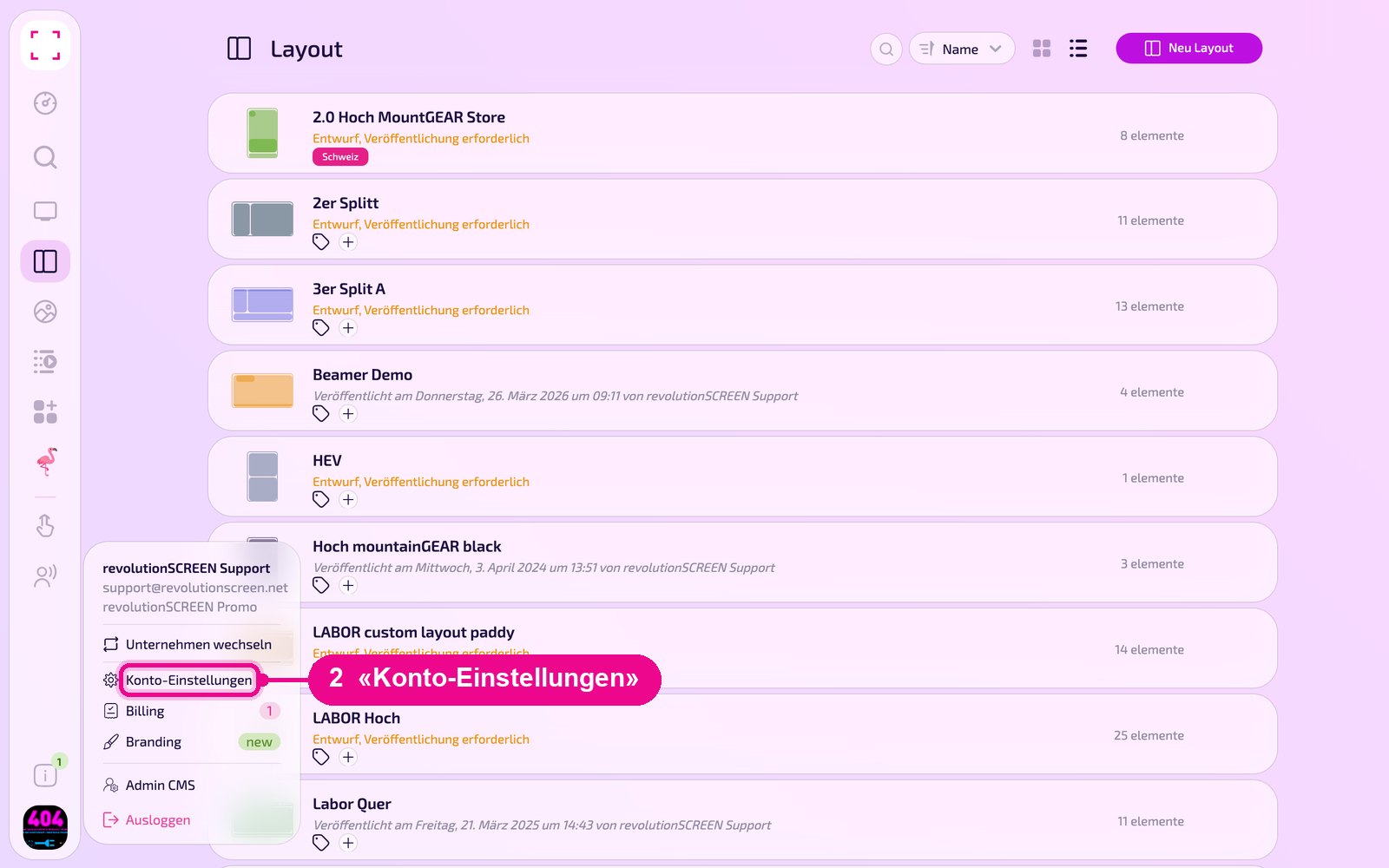
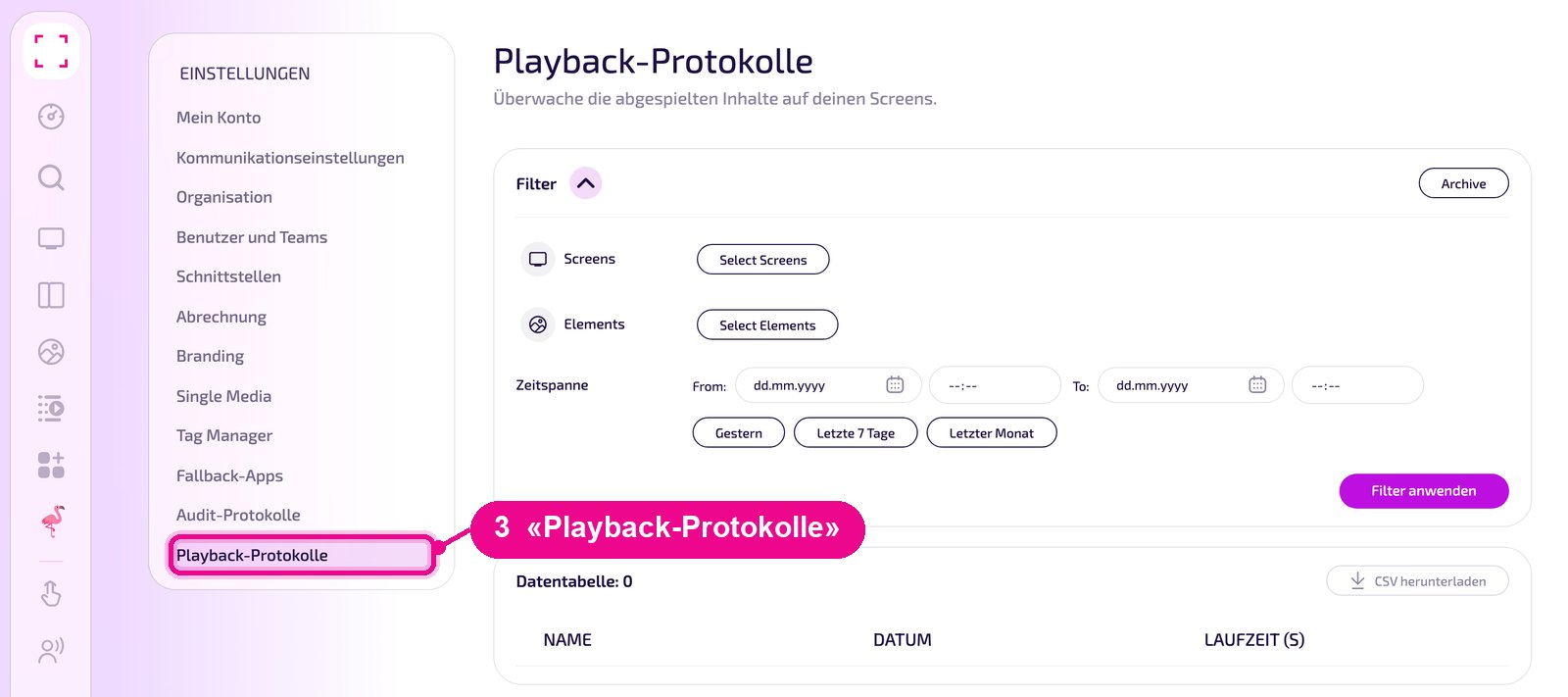
You rent out advertising time on your screens to third parties. With the playback log you prove to your customers when and how long their content played.
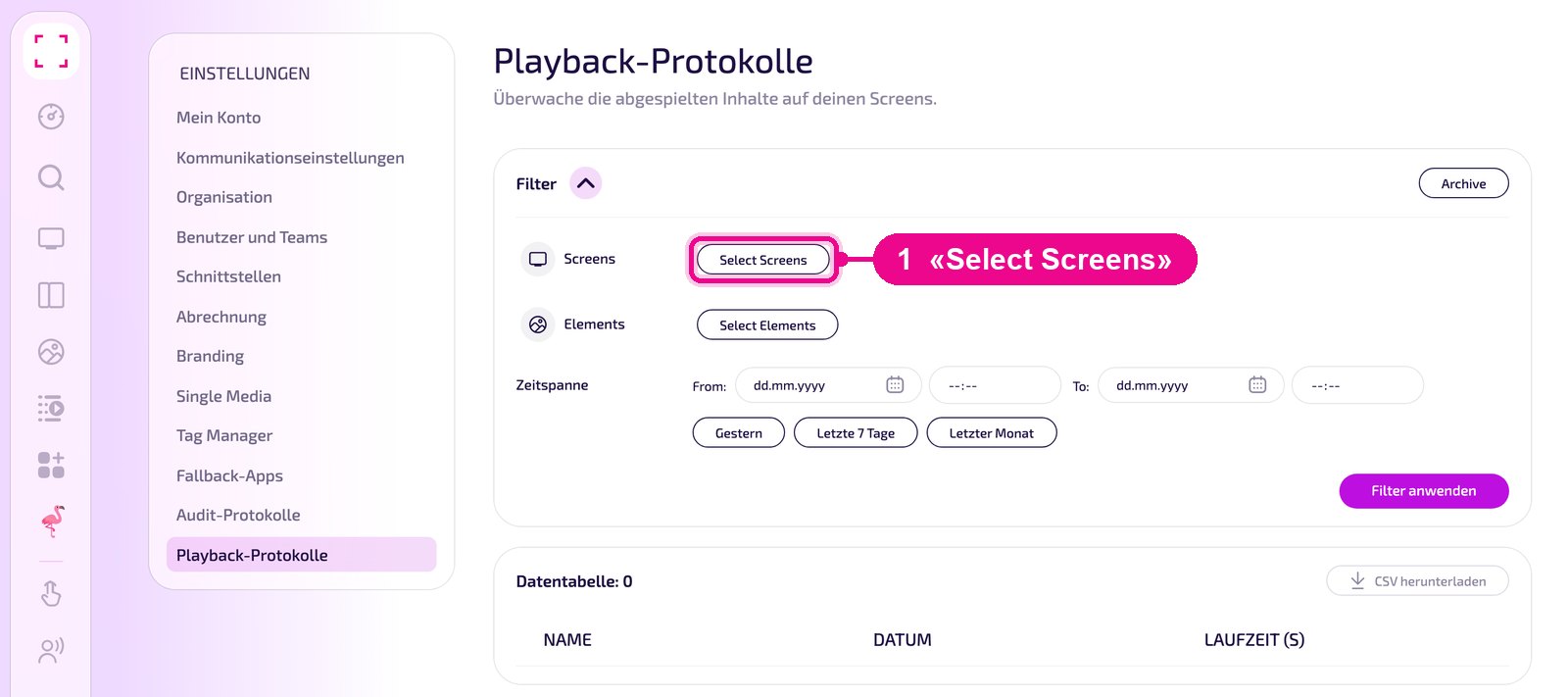
Select screens
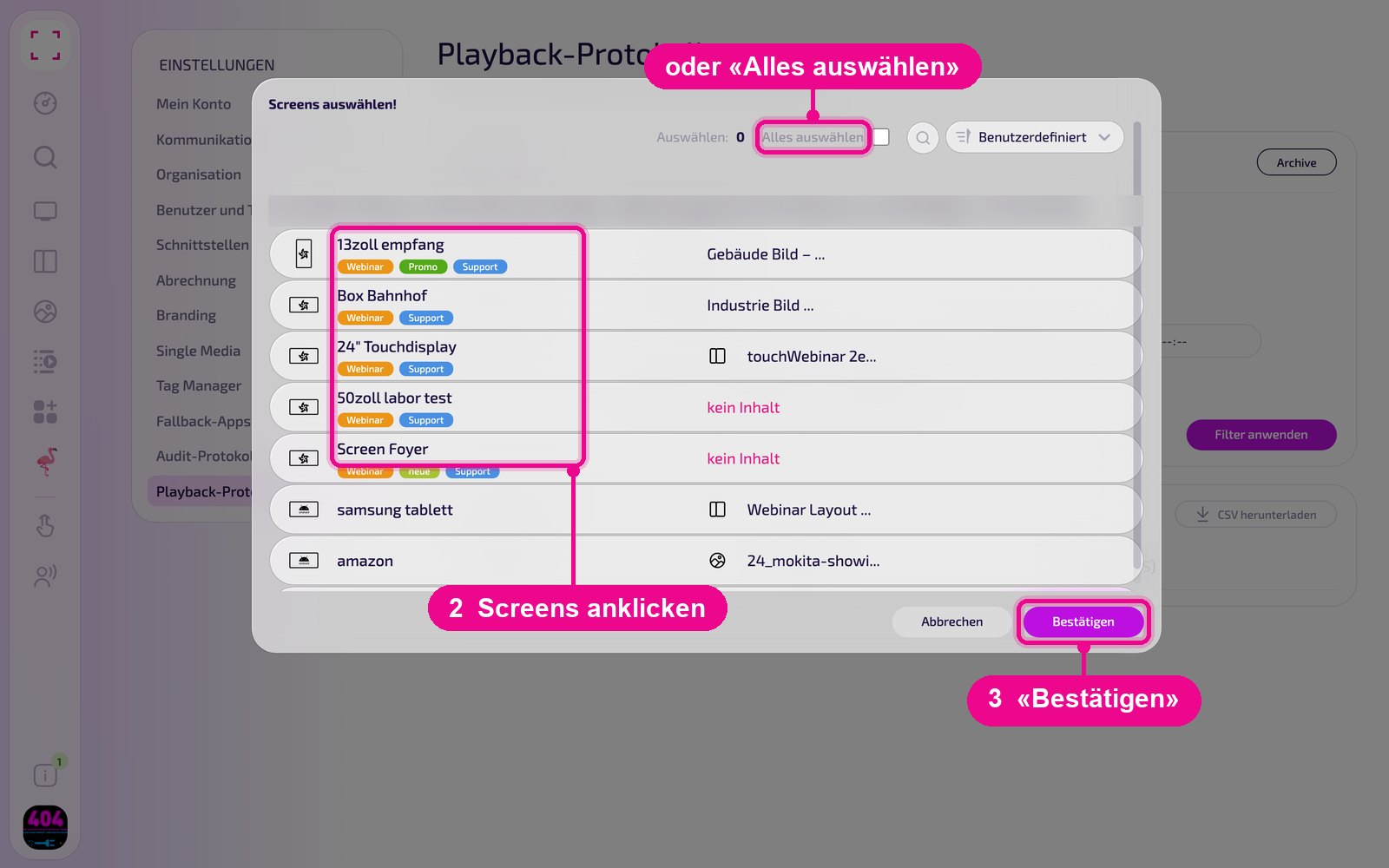
In the «Filter» card, next to «Screens», click «Select Screens».
In the «Screens auswählen!» window, click the screens that should appear in the log, or select them all at once with «Alles auswählen». Apply your selection with «Bestätigen».
Select elements
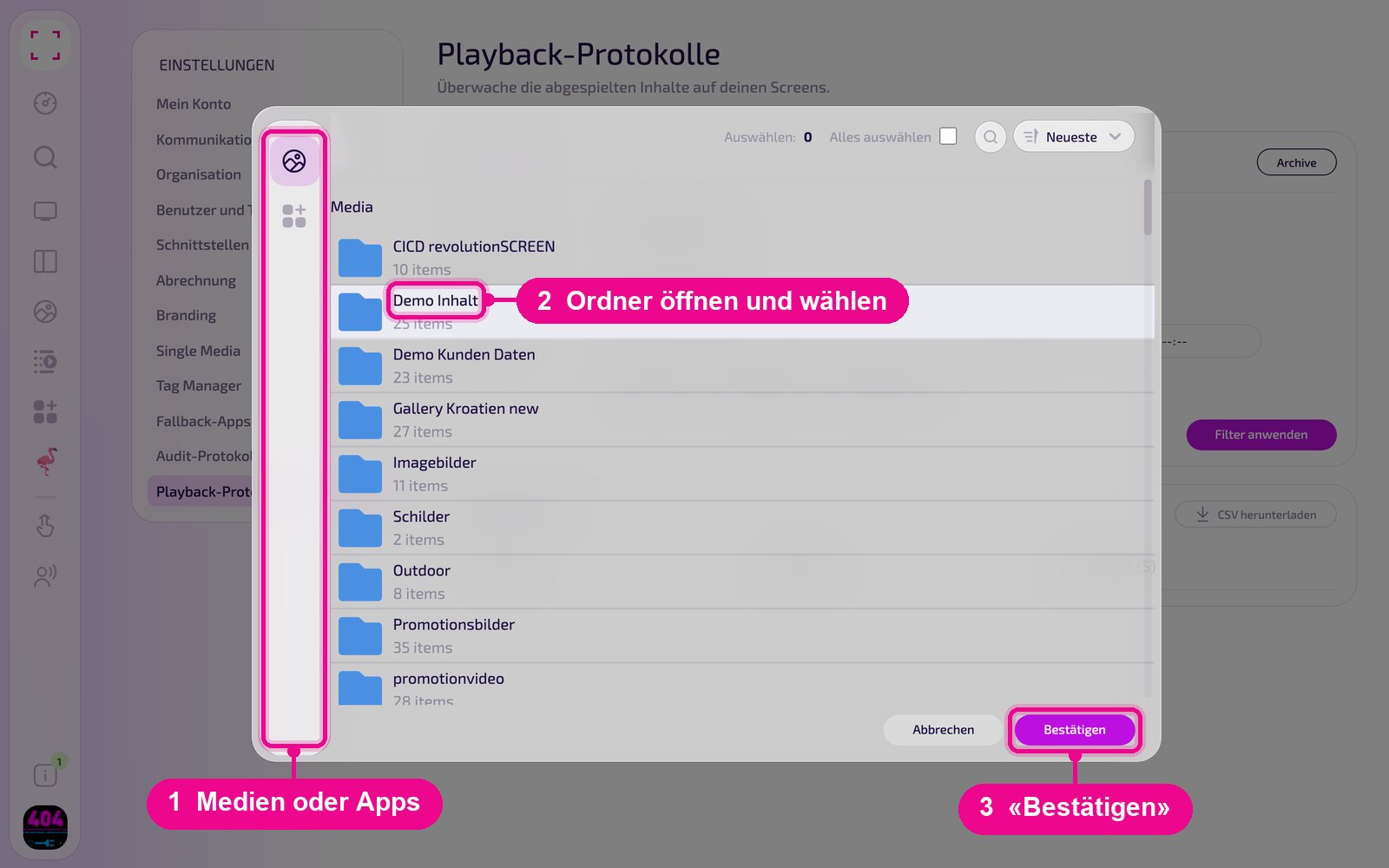
Next to «Elements», click «Select Elements». In the window, choose on the left whether you want to select media or apps. Open a folder, mark the desired images, videos, PDFs or apps and apply your selection with «Bestätigen».
Set the time range and retrieve the log
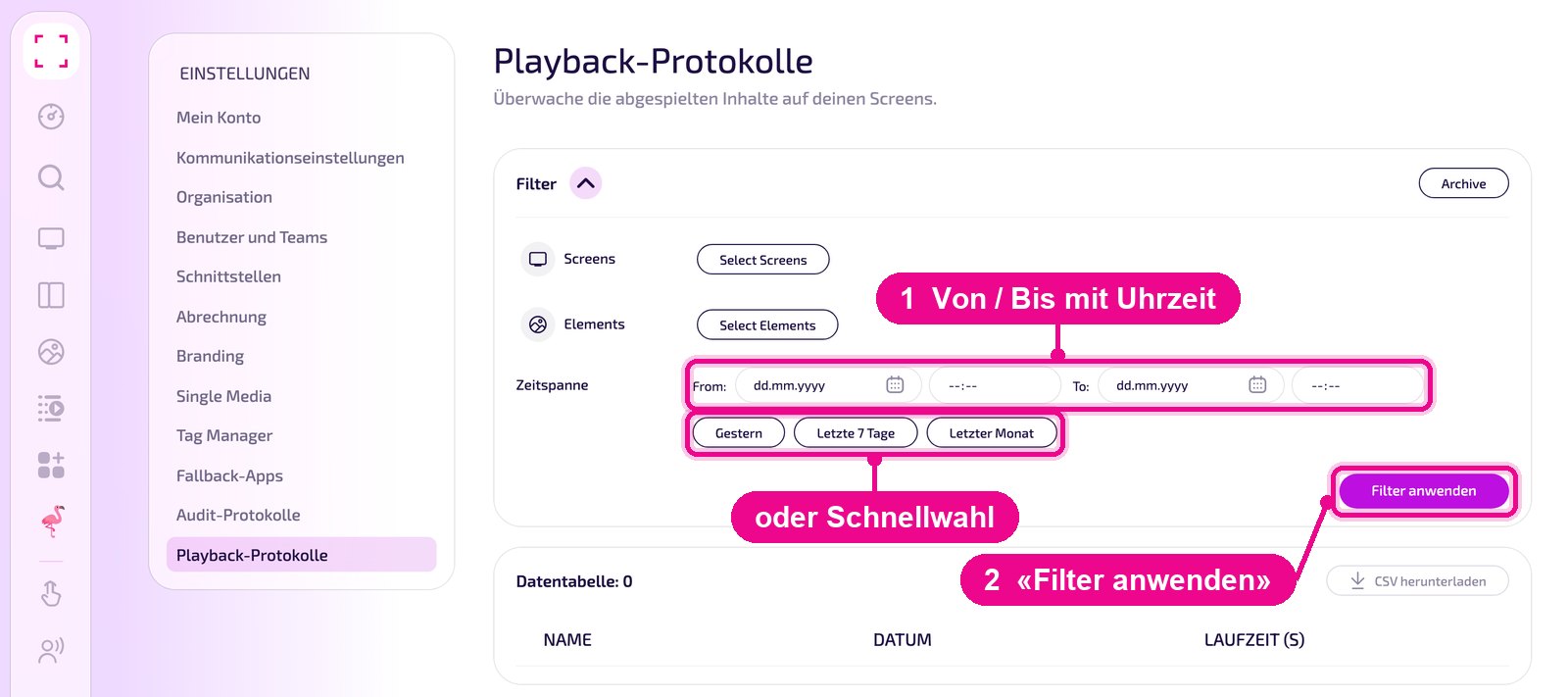
Under «Zeitspanne», set the date and time at «From:» and «To:». It's faster with the buttons «Gestern» (yesterday), «Letzte 7 Tage» (last 7 days) and «Letzter Monat» (last month). Then click «Filter anwenden».
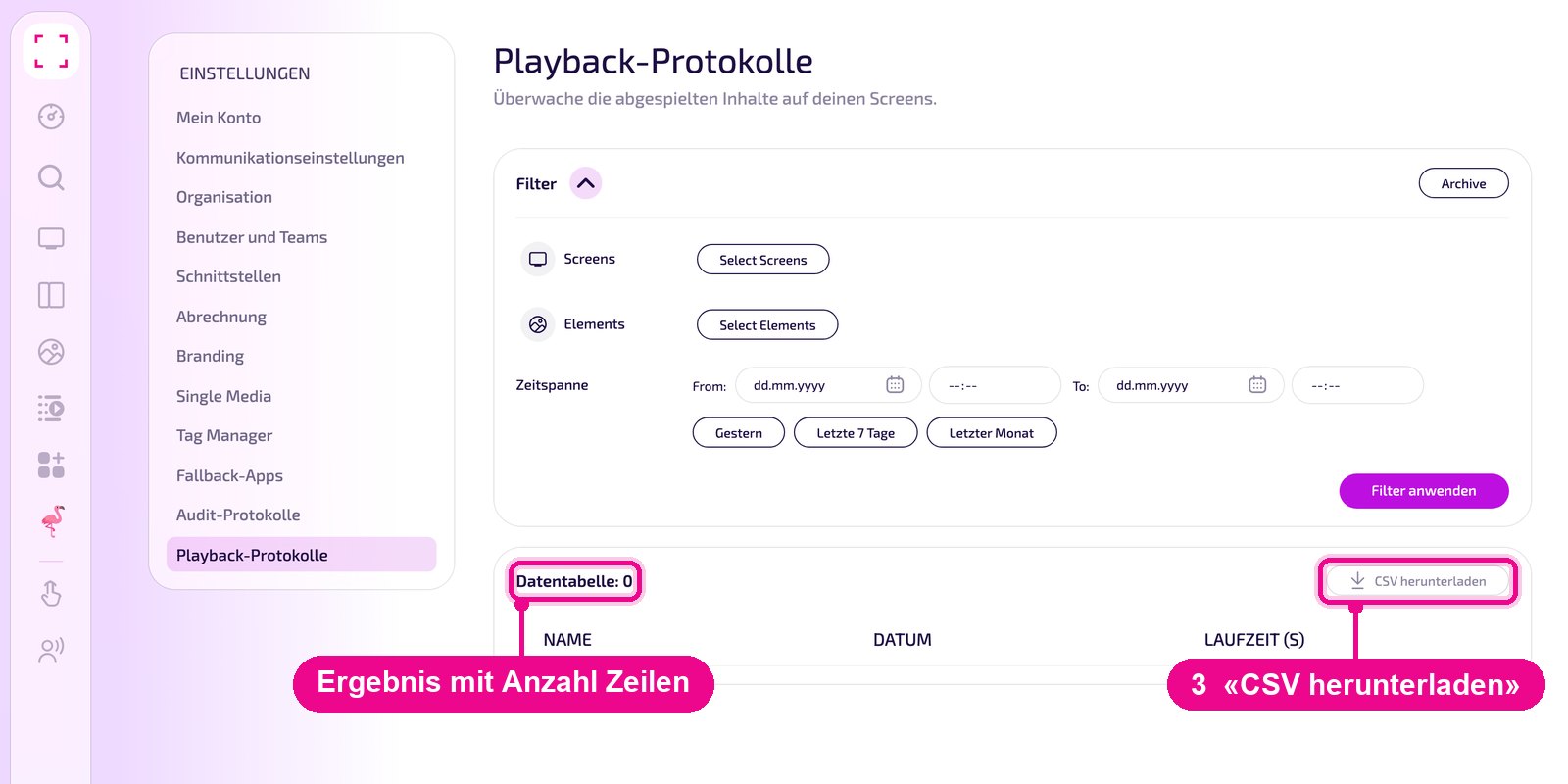
The result appears below in the «Datentabelle» with the columns «NAME», «DATUM» and «LAUFZEIT (S)». The number of rows is shown next to the title. With «CSV herunterladen» you save the table as a CSV file, for example for Excel.
Load older months from the archive
You'll find older data in the archive, split by month. In the «Filter» card, click «Archive» at the top right. In the «CSV herunterladen» window, select the month. Below it you can see how many rows have been recorded for that month. With «Download» you download the whole month as a CSV file.
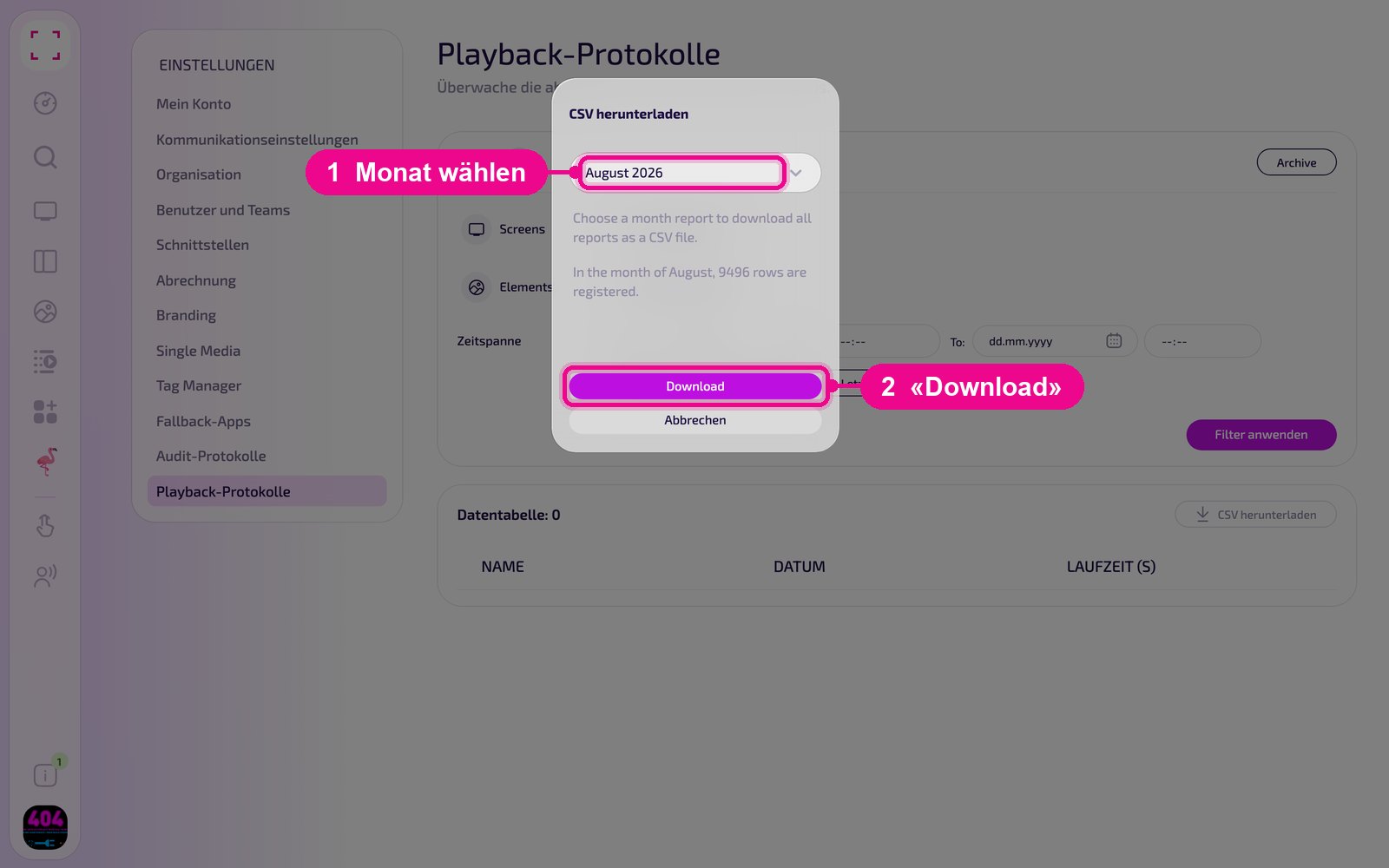
A month can contain a very large number of rows. For a targeted analysis of individual screens or content, it's therefore better to use the filters above.