Designs
Under «Designs» you create your own screen content from ready-made templates, e.g. promotions, menu boards, greetings or notices in the building. You use a finished design in playlists and layouts just like media or apps.
Sidebar on the left «Designs» (flamingo icon). At the top you switch between «Vorlagen» (templates) and «Meine Designs» (my designs).
Find a template
In the «Vorlagen» tab the page asks «Welche Vorlage suchst du?» (which template are you looking for?). Enter a term in the search field and click «Suchen» (search) or choose one of the suggestions below it. Further down you'll find the rows «Empfohlen» (recommended – handpicked, updated weekly) and «Beliebt» (popular). Use «Alle anzeigen» (show all) to see the entire row.
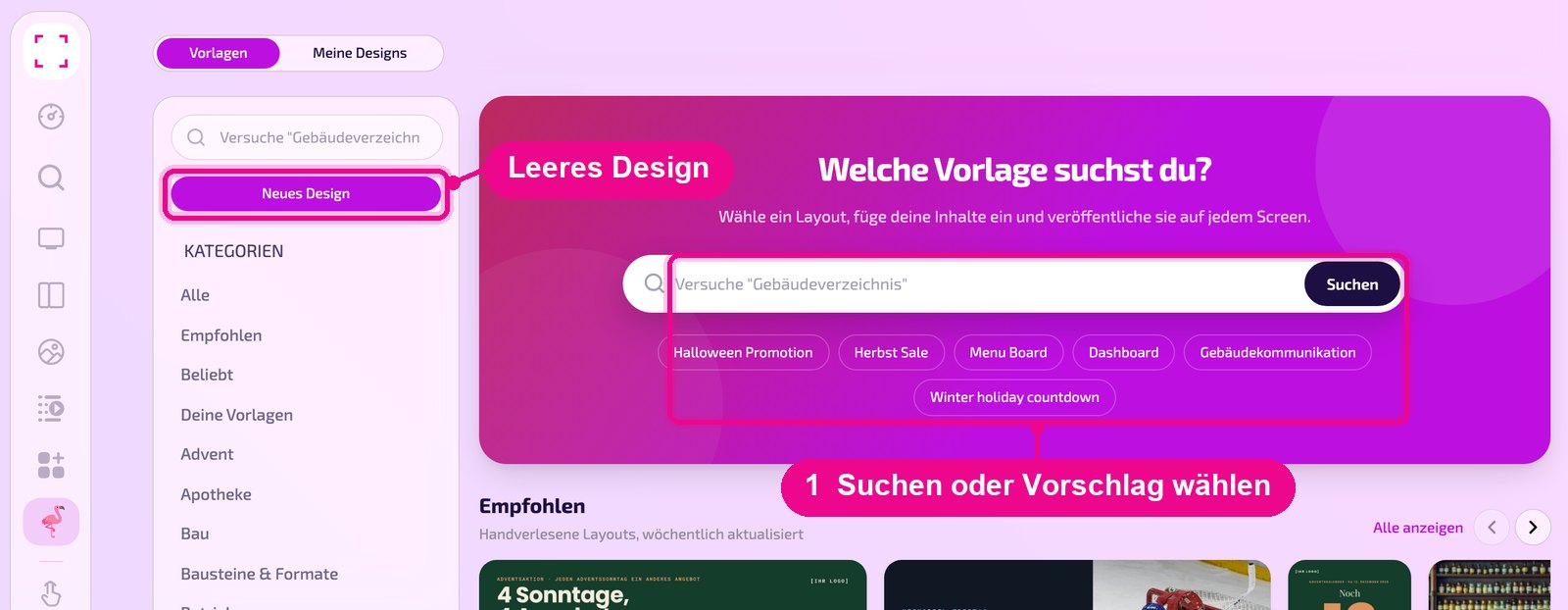
With «Neues Design» (new design) at the top left you create a new design.
Filter templates
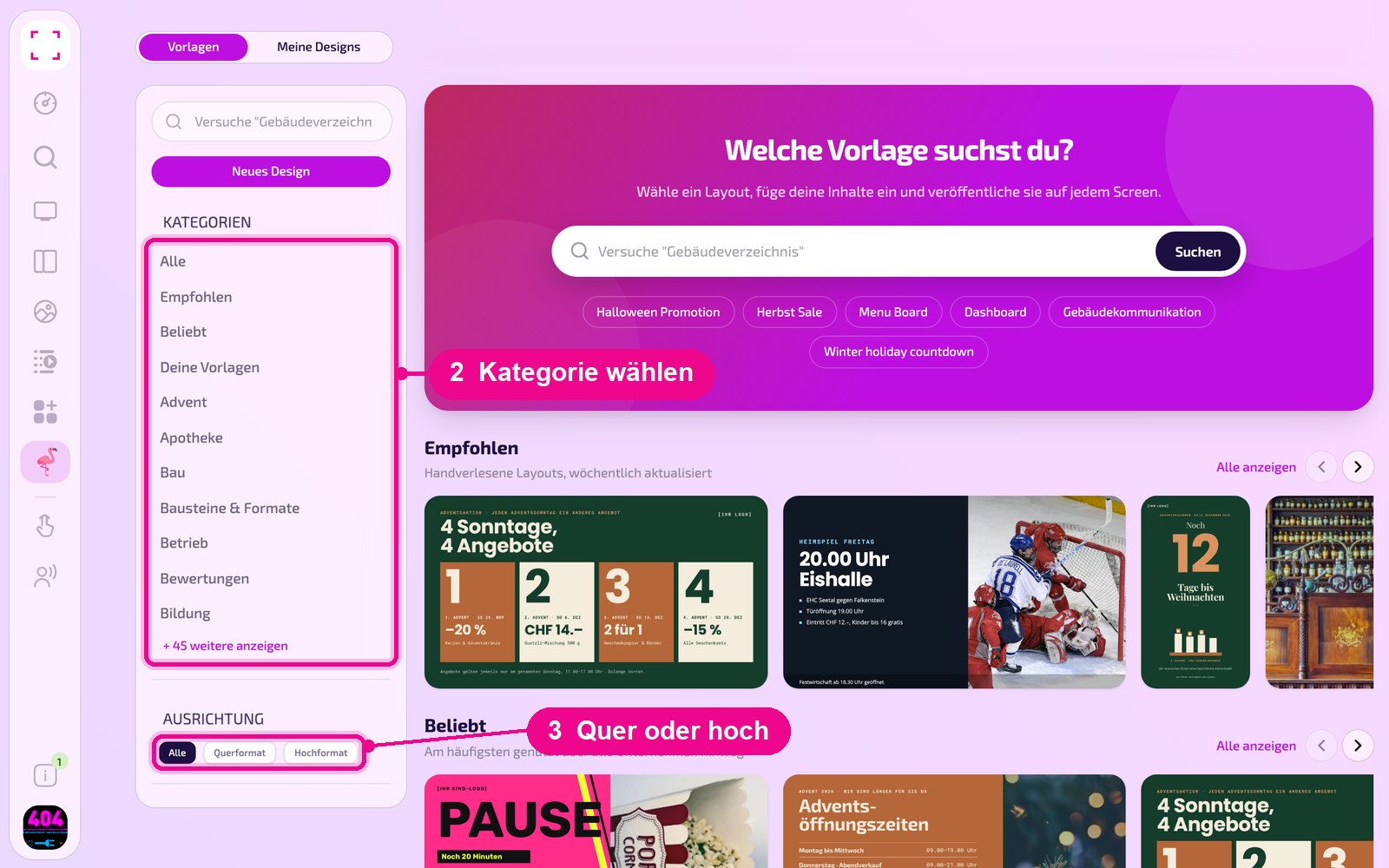
In the left column you narrow down the templates: under «Kategorien» (categories) you choose a topic such as «Advent», «Apotheke» (pharmacy) or «Bildung» (education), and with «+ 45 weitere anzeigen» (show 45 more) you display all categories. Under «Ausrichtung» (orientation) you choose «Querformat» (landscape) or «Hochformat» (portrait) to match your display. Further down you additionally filter by «Tags» such as «Öffnungszeiten» (opening hours) or «Willkommen» (welcome).
Manage your own designs
In the «Meine Designs» tab you see all of your company's designs as tiles with a preview. Below the name the status is shown: «Entwurf, Veröffentlichung erforderlich» (draft, publishing required) or «Veröffentlicht am …» (published on …). Clicking a tile opens the design. With the label and «+» you assign tags; at the top right you sort and search the list.
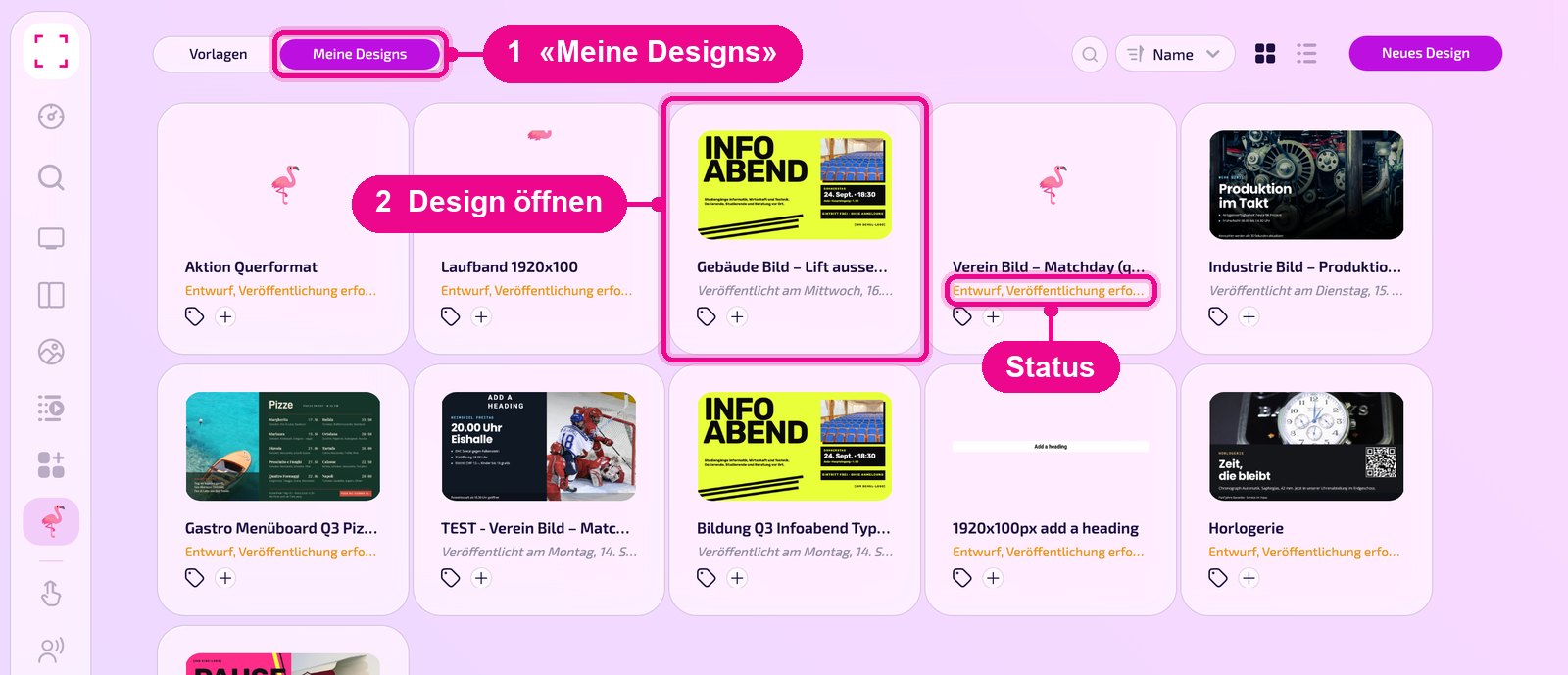
If a design shows «Entwurf, Veröffentlichung erforderlich» (draft, publishing required), the current version has not yet been published.
Show a design on the screen
You use designs everywhere you select content: in playlists and layout sections in the «Designs» tab. In the list they carry the type «designer». For how to do this, see «Playlist erstellen» (create playlist) and «Layout erstellen» (create layout). In the search you'll find designs with the «Designer» filter.