Change subscription
You can switch your subscription to another plan at any time, upgrading or downgrading. In the same window you also choose whether you pay monthly or yearly, and redeem a coupon if needed.
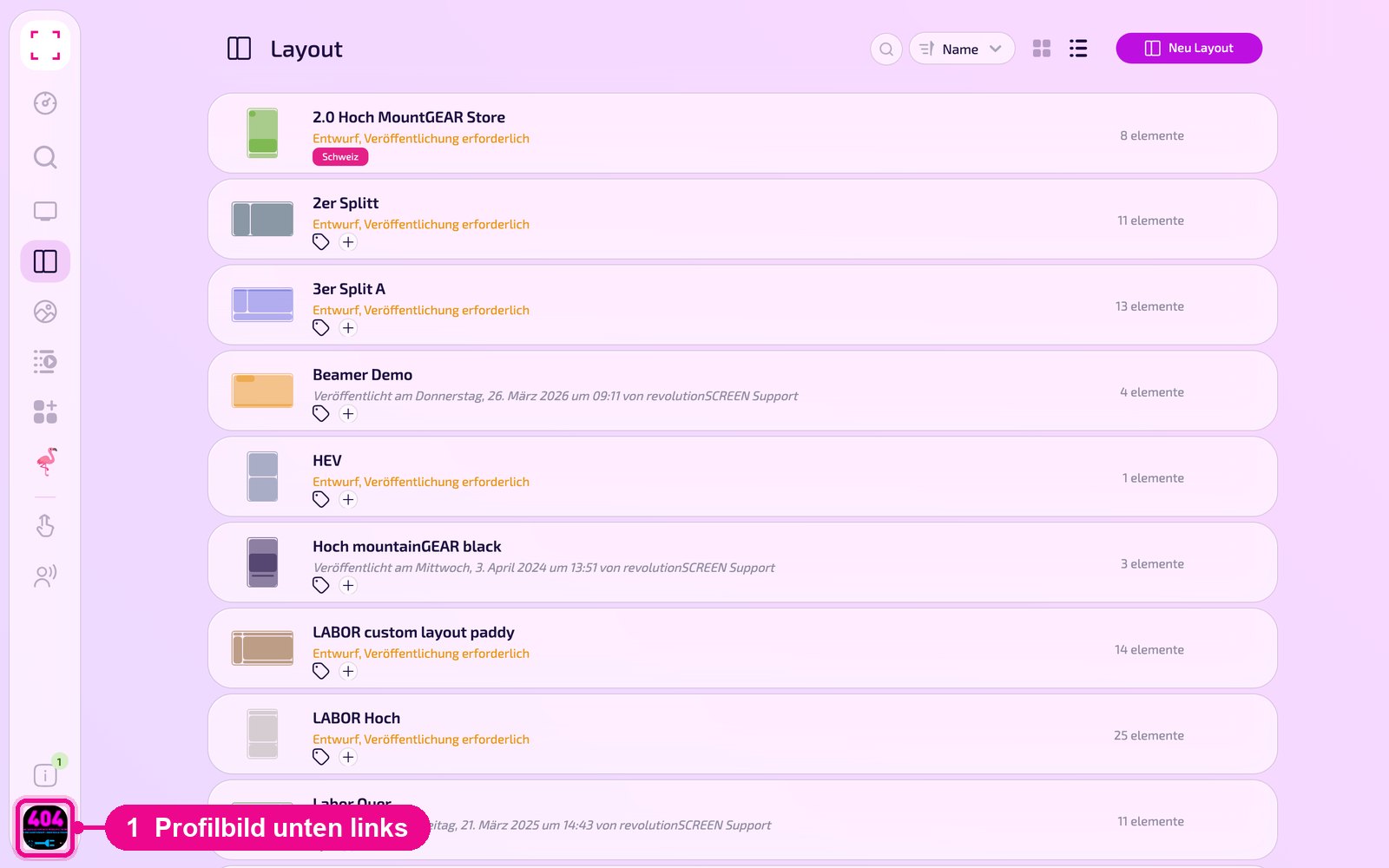
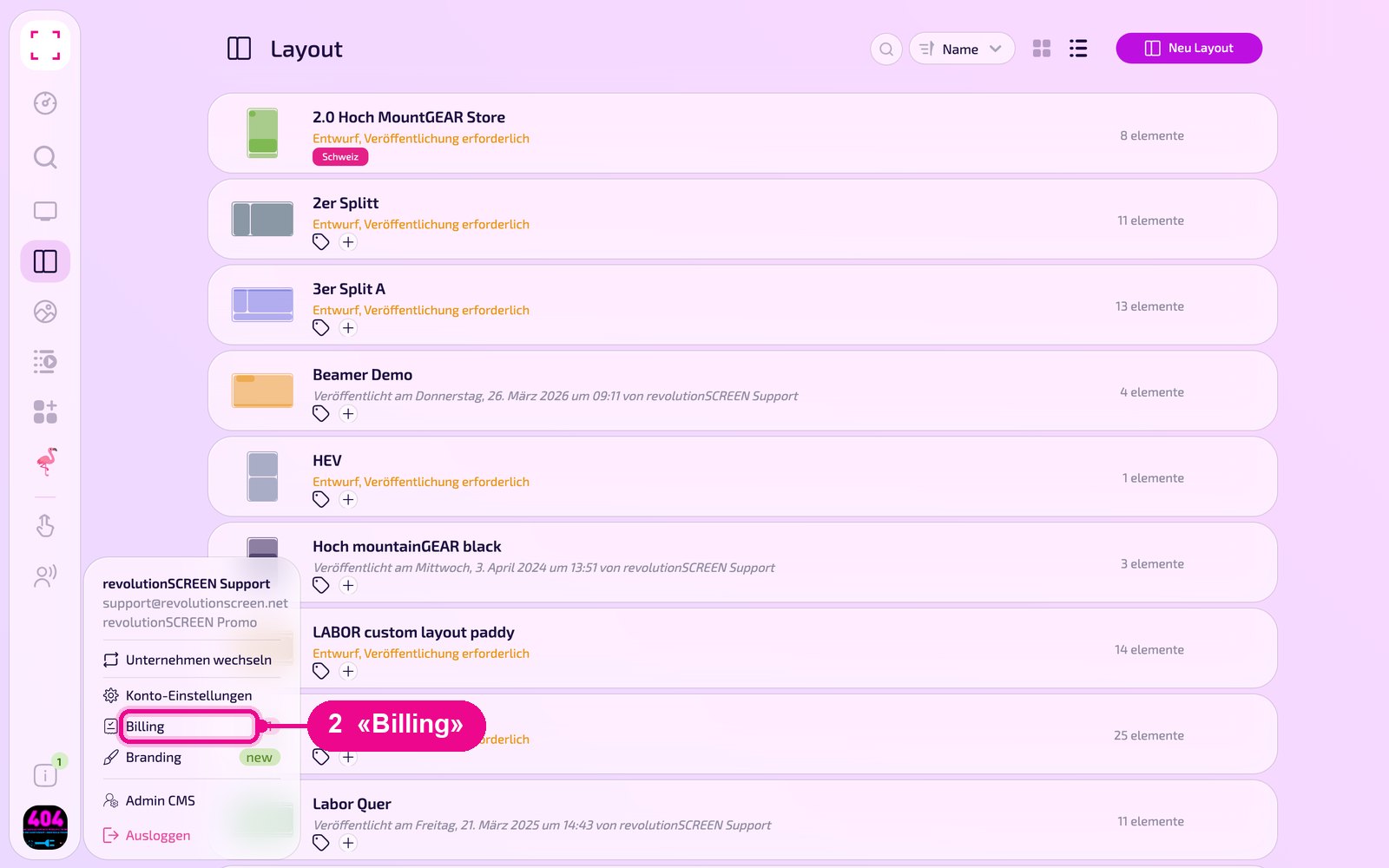
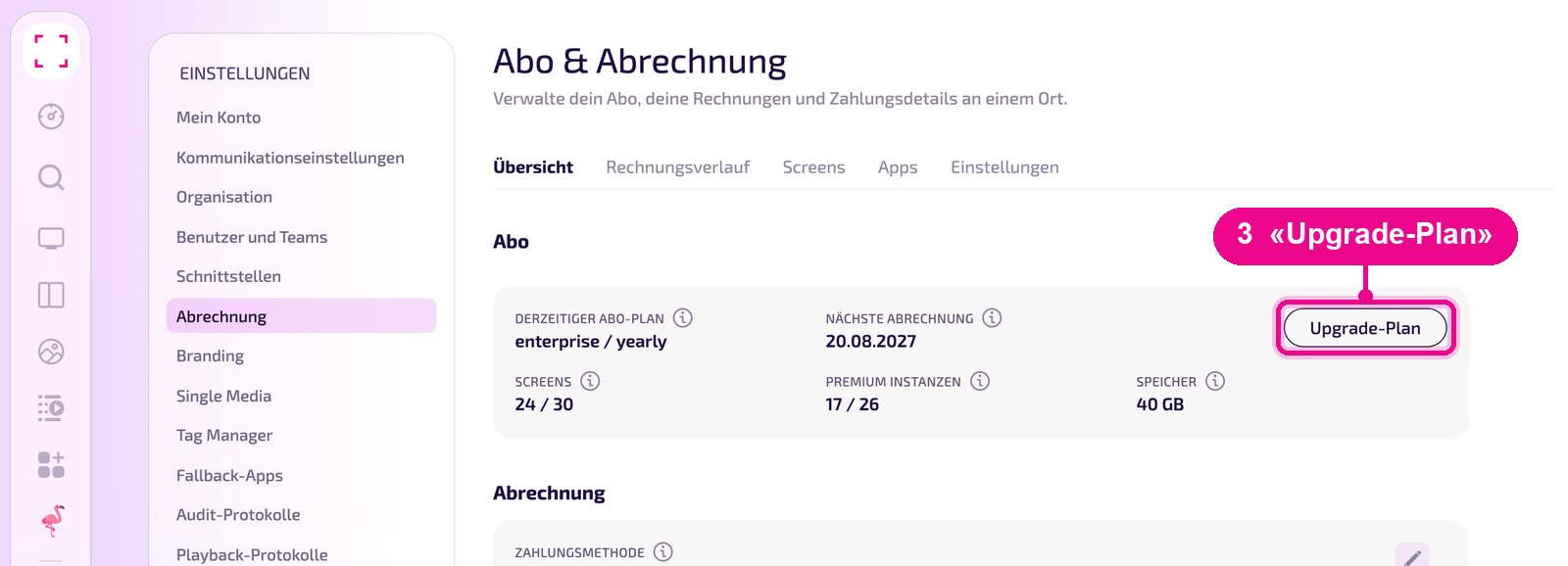
Profile picture at the bottom left → «Billing» → «Übersicht» (Overview) tab → «Upgrade-Plan»
Choose plan and payment method
The «Change Plan» window opens. At the top you see the three plans «STANDARD», «PRO» and «ENTERPRISE». Your current plan is highlighted in colour and labelled «current plan». Use the info icon in a plan to see what it includes.
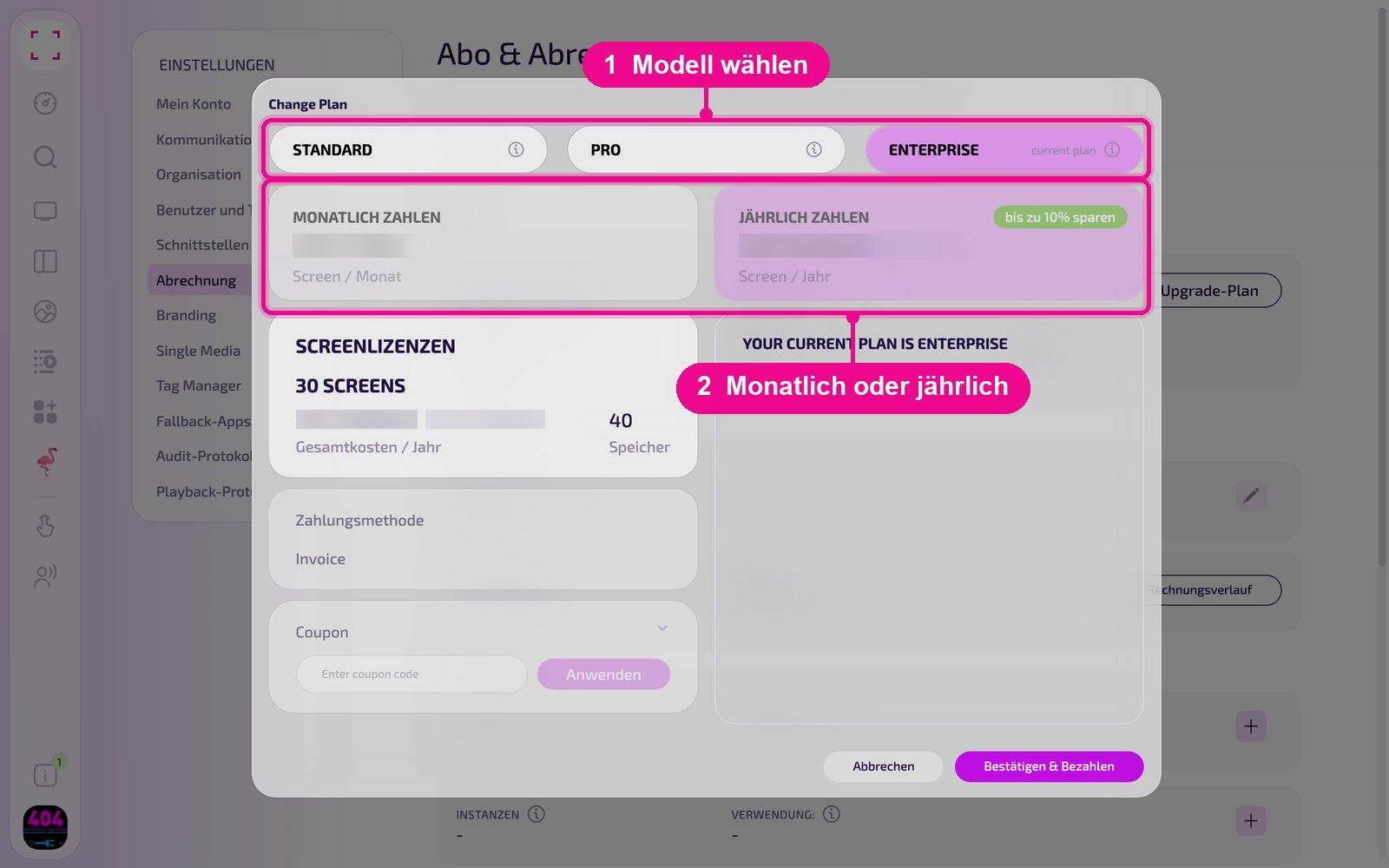
Below that, choose «MONATLICH ZAHLEN» (pay monthly) or «JÄHRLICH ZAHLEN» (pay yearly). With yearly payment you save up to 10 %.
Review and complete
The «SCREENLIZENZEN» card shows how many screens your subscription includes, the total cost and the storage. Below that you see the stored payment method. If you have a voucher code, expand «Coupon», enter the code and click «Anwenden» (Apply). On the right, the window summarises your choice.
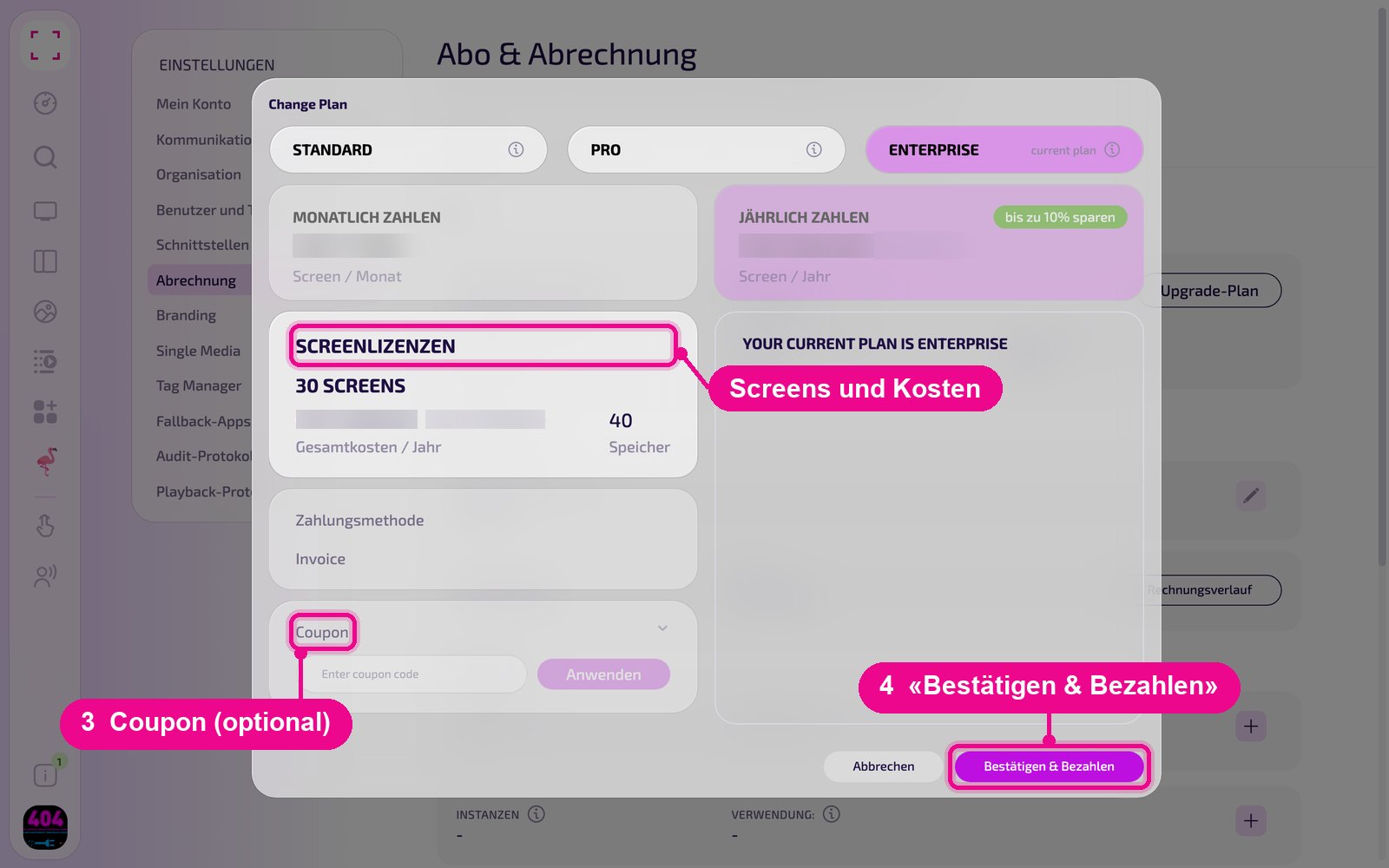
If everything is correct, click «Bestätigen & Bezahlen» (Confirm & Pay). With «Abbrechen» (Cancel) you close the window without changing anything.
With an upgrade, the remaining time of the current period is credited. A downgrade takes effect from the next subscription period.
Good to know
- The payment method cannot be changed here. For that, contact support.
- If you only need fewer displays or instances, you don't have to switch plans. Remove them in the «Screens» or «Apps» tab, see «Abrechnung» (Billing).
- If you want to stop entirely, read «Abo kündigen» (Cancel subscription).