Search (⌘K)
With search you can quickly find screens, layouts, media, playlists, designs, app instances and support tickets in my.rstv.app, no matter which page you are on. Clicking a result opens it directly.
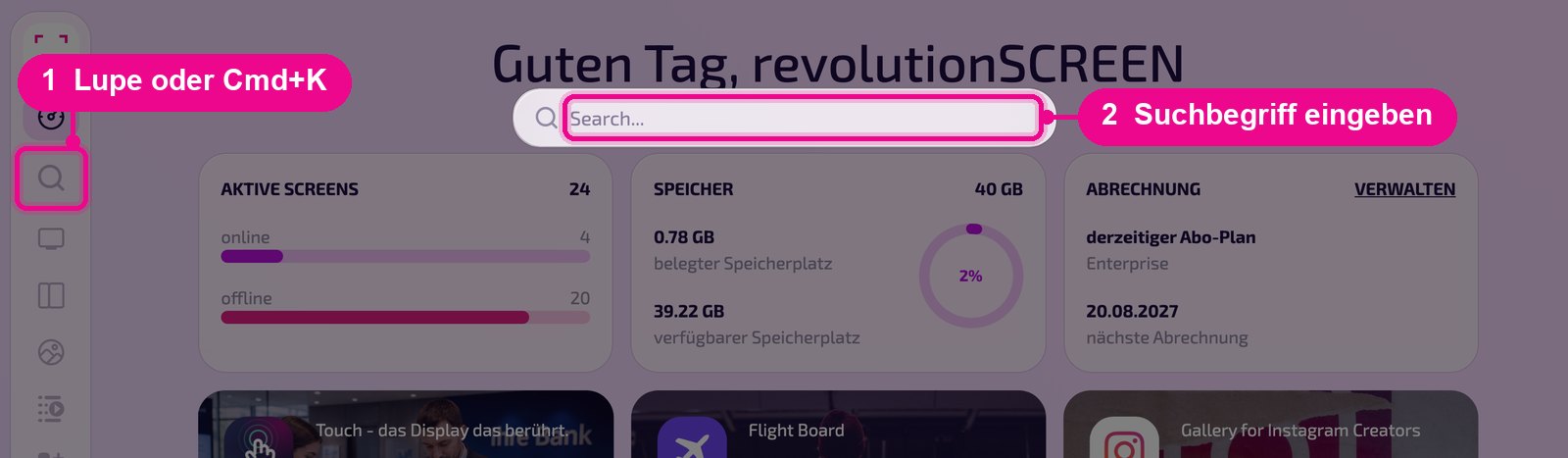
Sidebar on the left, magnifier «Search (⌘K)». It's faster with the keyboard shortcut ⌘ + K on Mac or Ctrl + K on Windows.
Open search and enter a term
Click the magnifier in the sidebar. The search field «Search...» opens at the top. Type part of the name and the results appear instantly.
Narrow down and open results
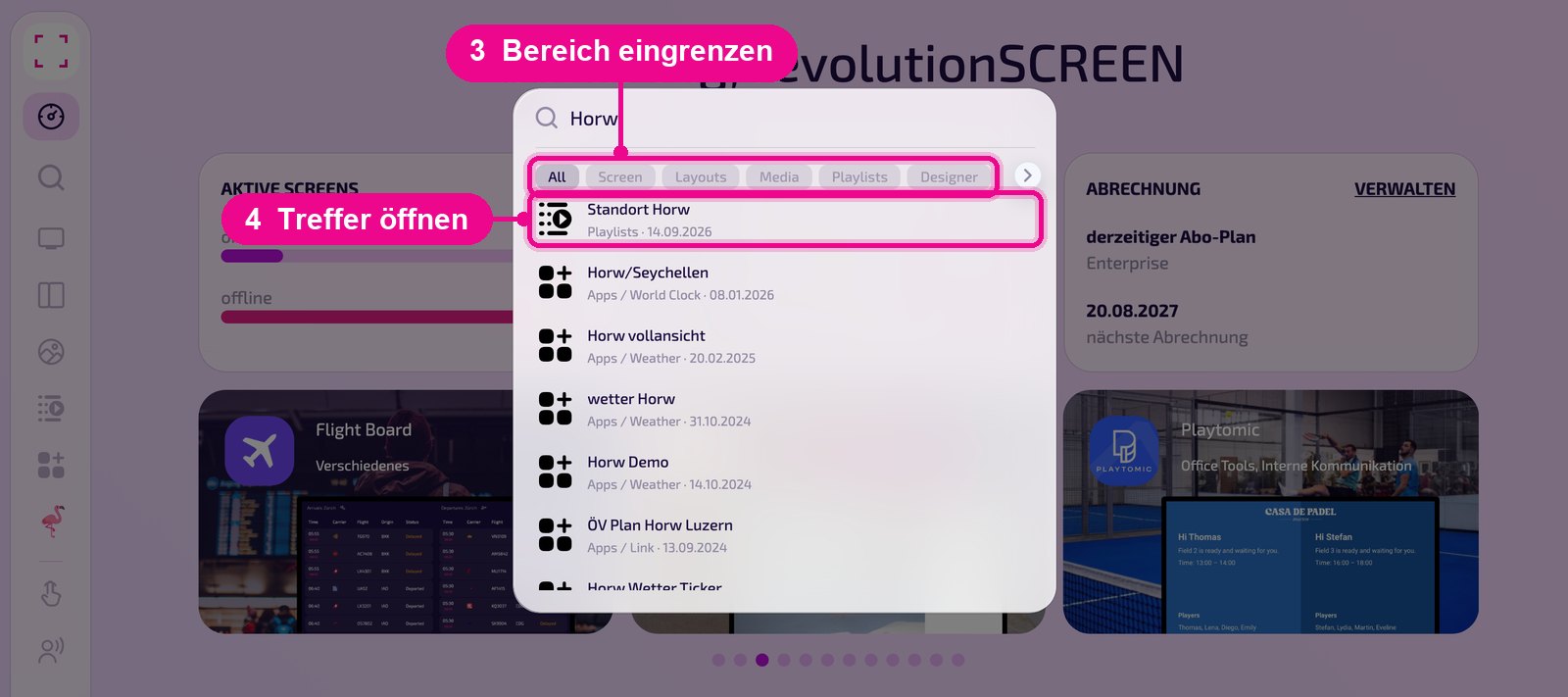
Use the filters below the search field to narrow the results to one area: «All», «Screen», «Layouts», «Media», «Playlists», «Designer», «Apps», «Account Settings» and «Tickets». Use the arrow on the right to scroll to the remaining filters.
Each result shows an icon, name, area and date, and for app instances also the app, e.g. «Apps / Weather». Clicking opens the result.
Good to know
- No apps from the store: The «Apps» filter finds your configured instances, not the apps in the app store. You can find new apps via the categories in the App-Store.
- Parts of names are enough: «Horw» finds, for example, the playlist «Standort Horw» as well as the instance «Horw vollansicht».