Single Media
Under «Single Media» you define how a single medium or a single app is displayed when you place it directly on a screen, that is without a Playlist or Layout. The settings apply to the entire company.
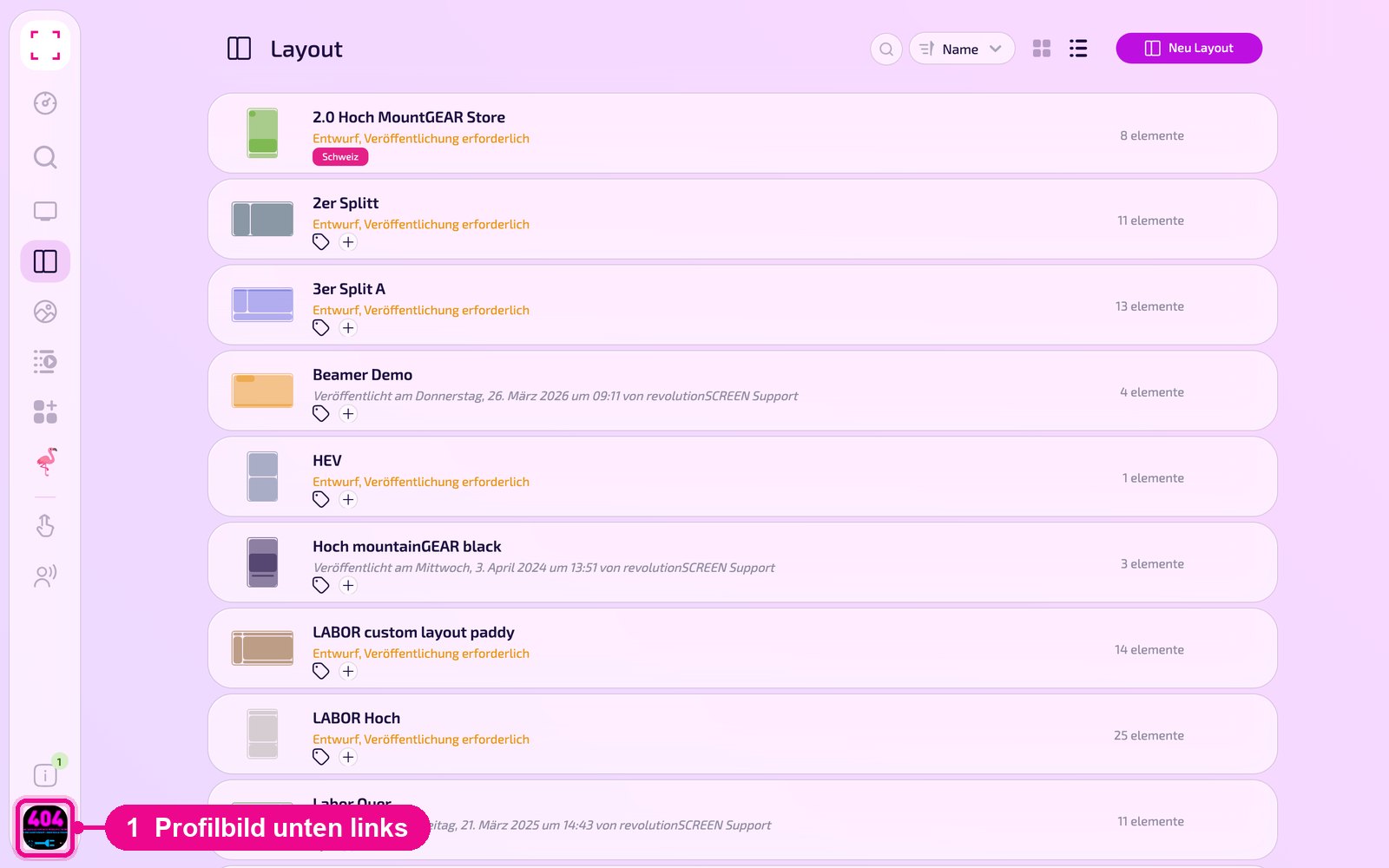
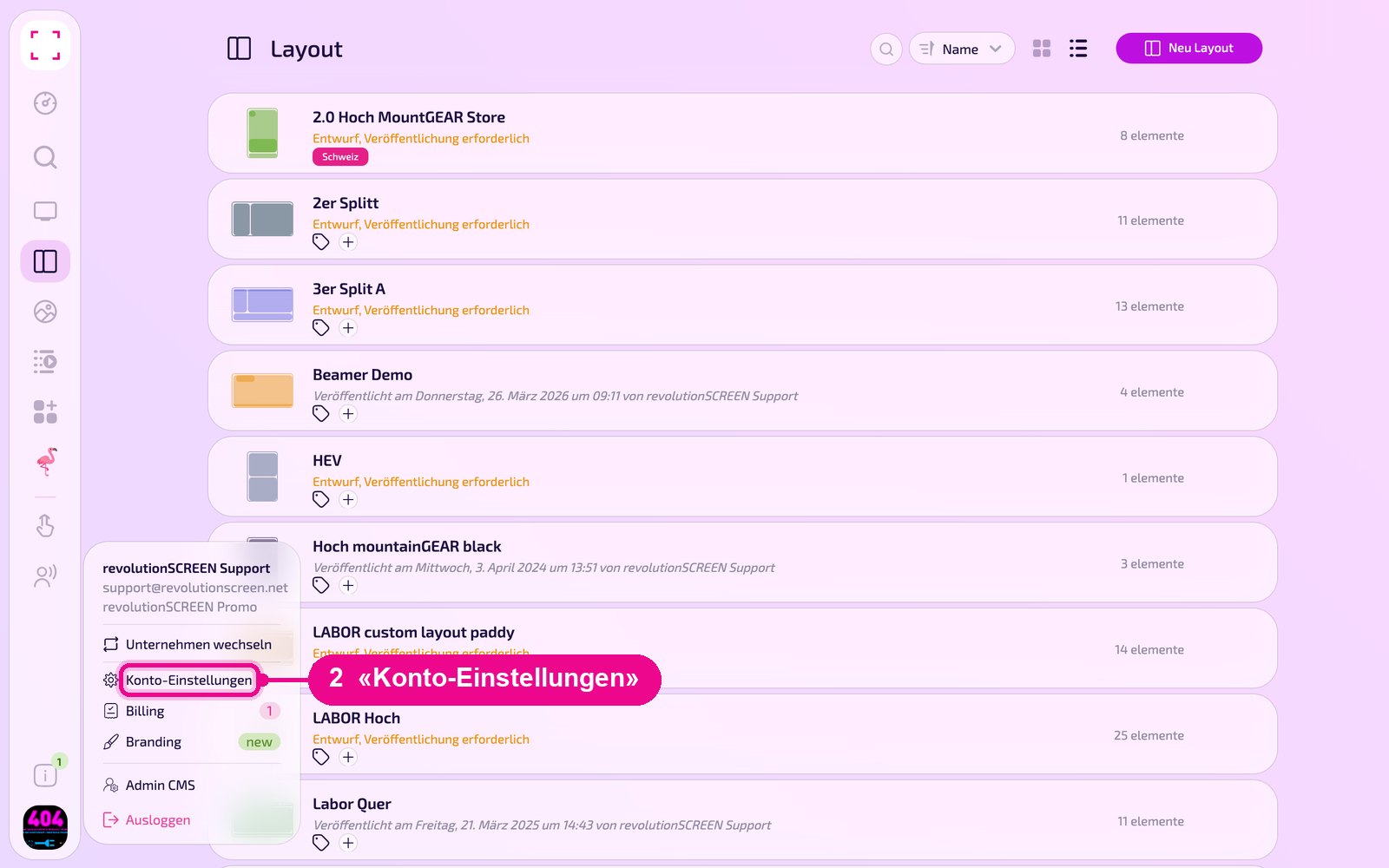
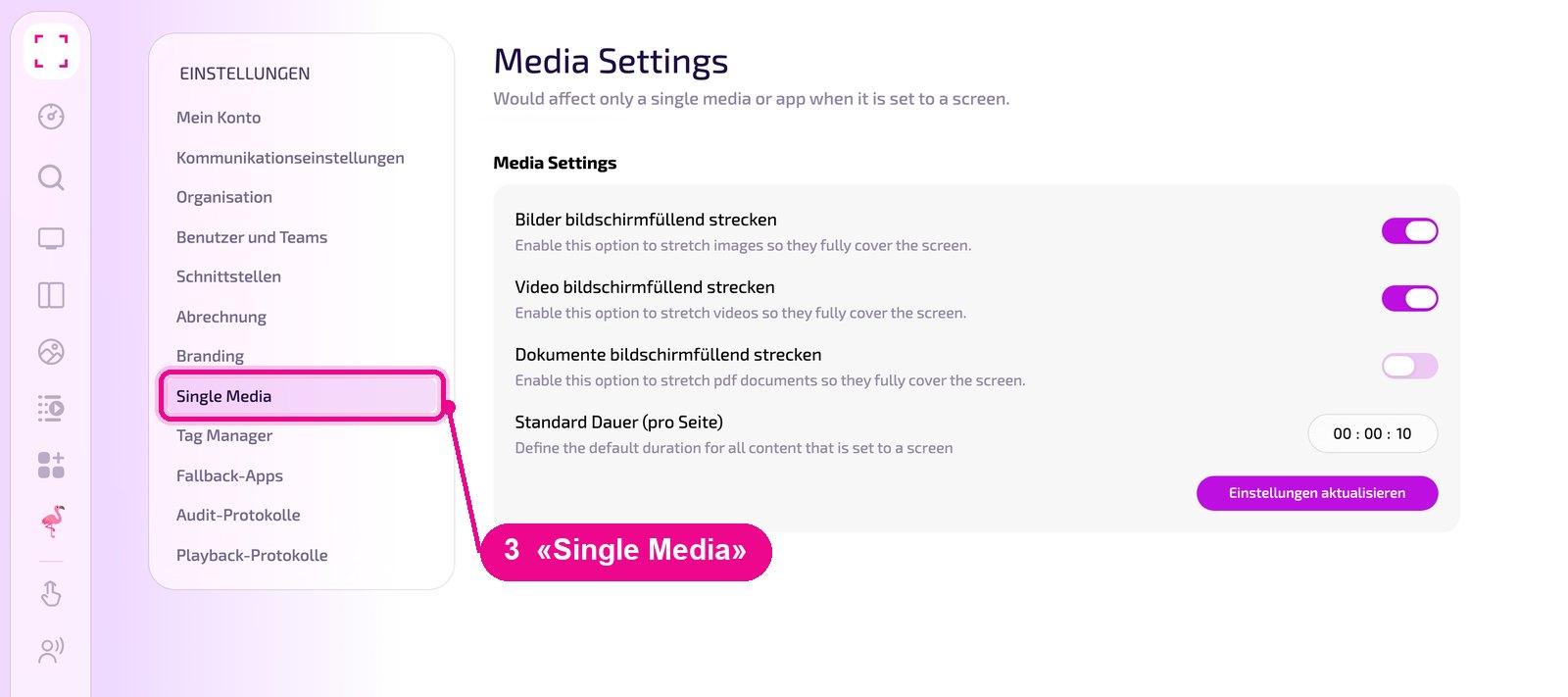
Profile picture at the bottom left → «Konto-Einstellungen» → «Single Media» on the left
When these settings apply
The page is called «Media Settings» and carries the note «Would affect only a single media or app when it is set to a screen». So the settings only take effect when an image, a video, a PDF or an app runs alone on a screen. If the content is in a Playlist or a Layout, the settings of the Playlist or Layout apply.
Stretching images, videos and documents
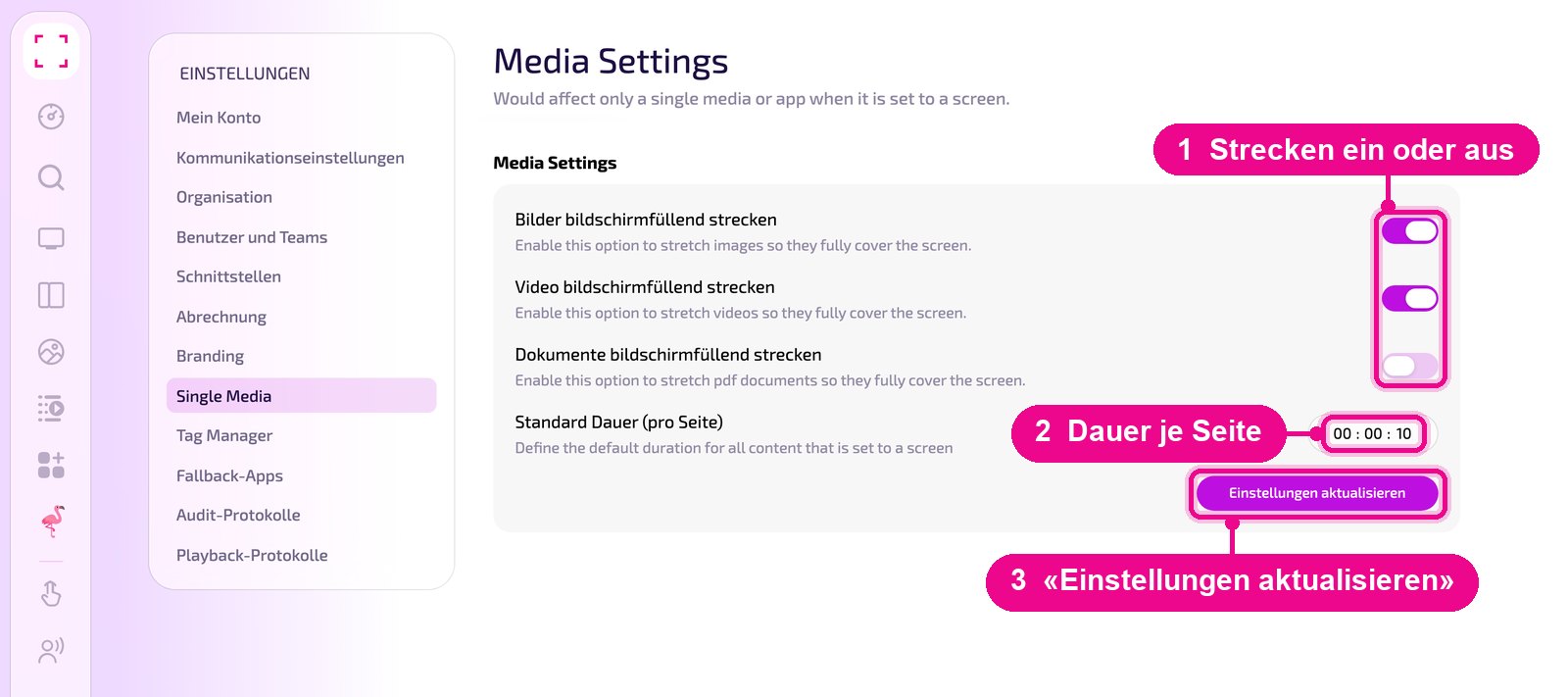
With the three switches you determine, per content type, whether the content is stretched to fill the screen:
- «Bilder bildschirmfüllend strecken» for images
- «Video bildschirmfüllend strecken» for videos
- «Dokumente bildschirmfüllend strecken» for PDF documents
Below, at «Standard Dauer (pro Seite)», you set how long a page is displayed, in the format hours : minutes : seconds. Save your changes with «Einstellungen aktualisieren».
Good to know
- Stretched or not? If the aspect ratio does not match the screen, for example a portrait image on a landscape screen, stretched content is distorted. Without stretching, the aspect ratio is kept, but borders appear.
- Multi-page content: The default duration applies per page, for example for each page of a PDF. At 00 : 00 : 10, a ten-page PDF therefore switches pages every ten seconds.
- Playlists and Layouts: How to set the duration there is shown in «Playlists».
Some texts on this page are still in English. The function stays the same, even if the label is translated later.