schulNetz
With the «schulNetz» app you display timetables, rooms, courses and events from the schulNetz school administration solution (Centerboard) on the screen.
Purpose
The schulNetz software plans rooms, courses, modules and events. The app fetches this data via the interface and shows it to students, teachers and visitors in the school building in real time, e.g. next week's room occupancy.
Requirements
- An active revolutionSCREEN account with access to my.rstv.app.
- schulNetz is a Premium app (crown in the Appstore) and must be enabled for your account.
- Access to your school's schulNetz interface: API domain, username and password as well as at least one shared report. You get these details from your school's schulNetz administration.
- At least one screen set up.
Install the app
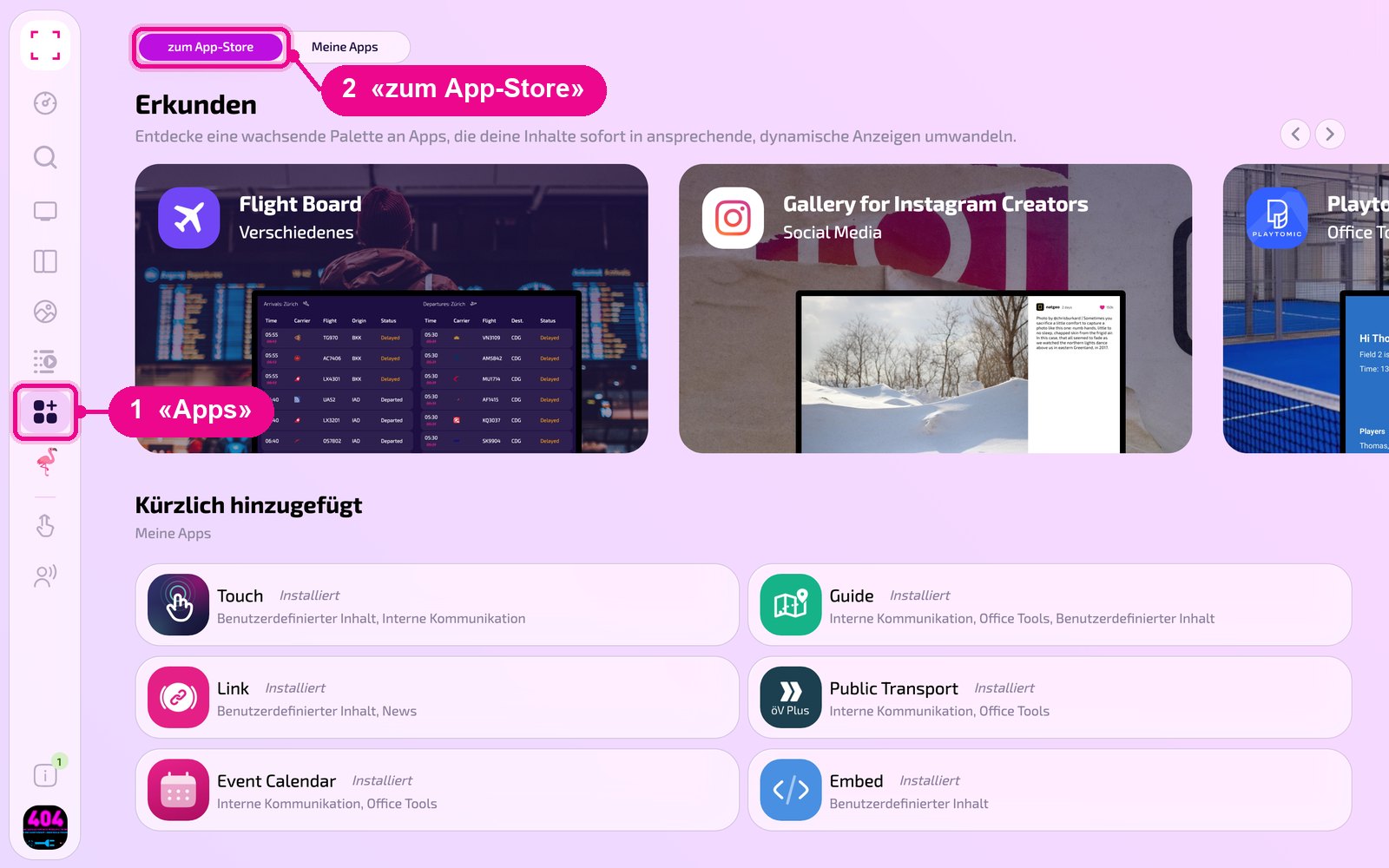
In the left sidebar click «Apps» and then «zum App-Store» (to the Appstore) at the top.
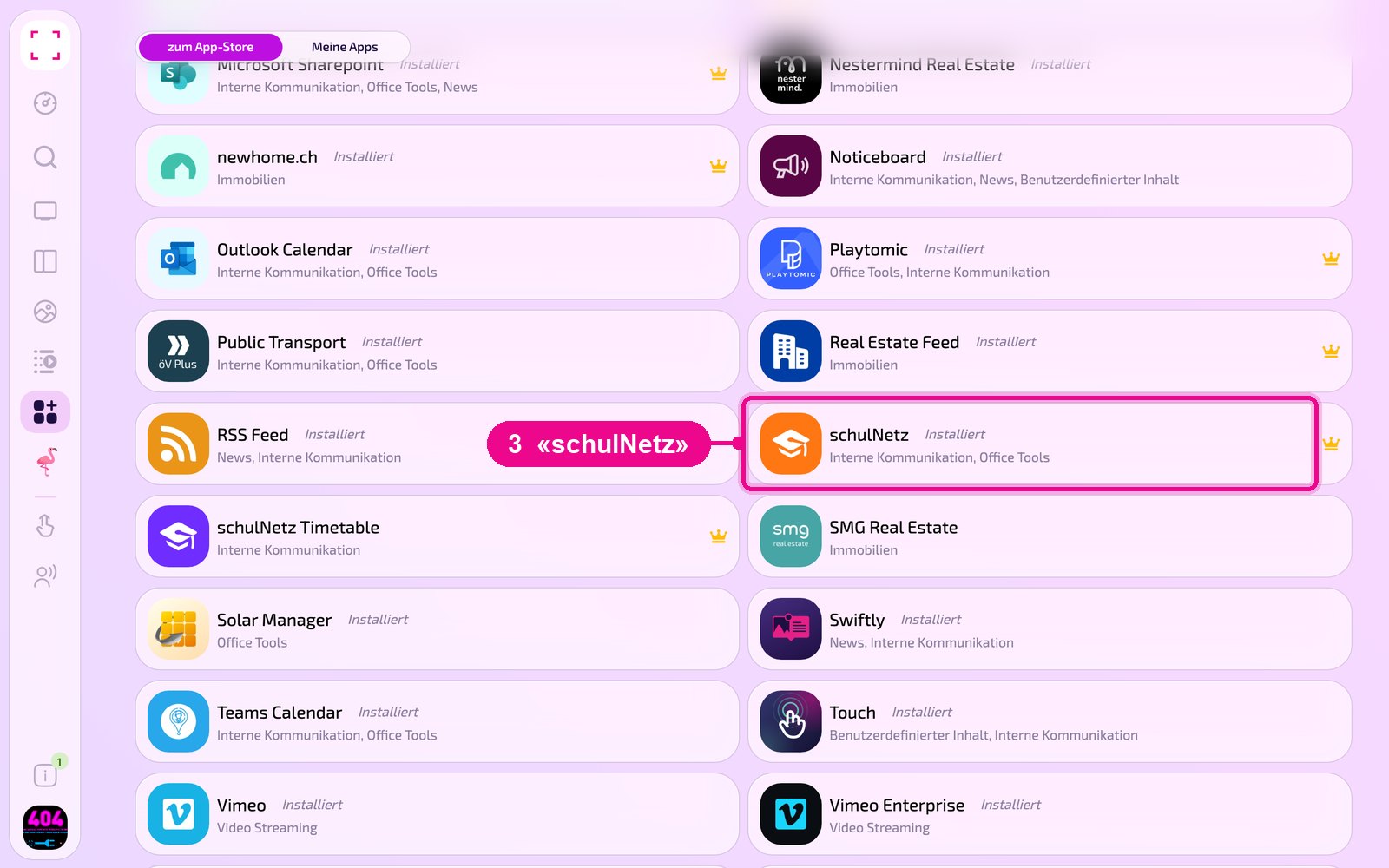
Scroll to the «Alle» (All) list and click the «schulNetz» tile. Use the category buttons to narrow down the list.
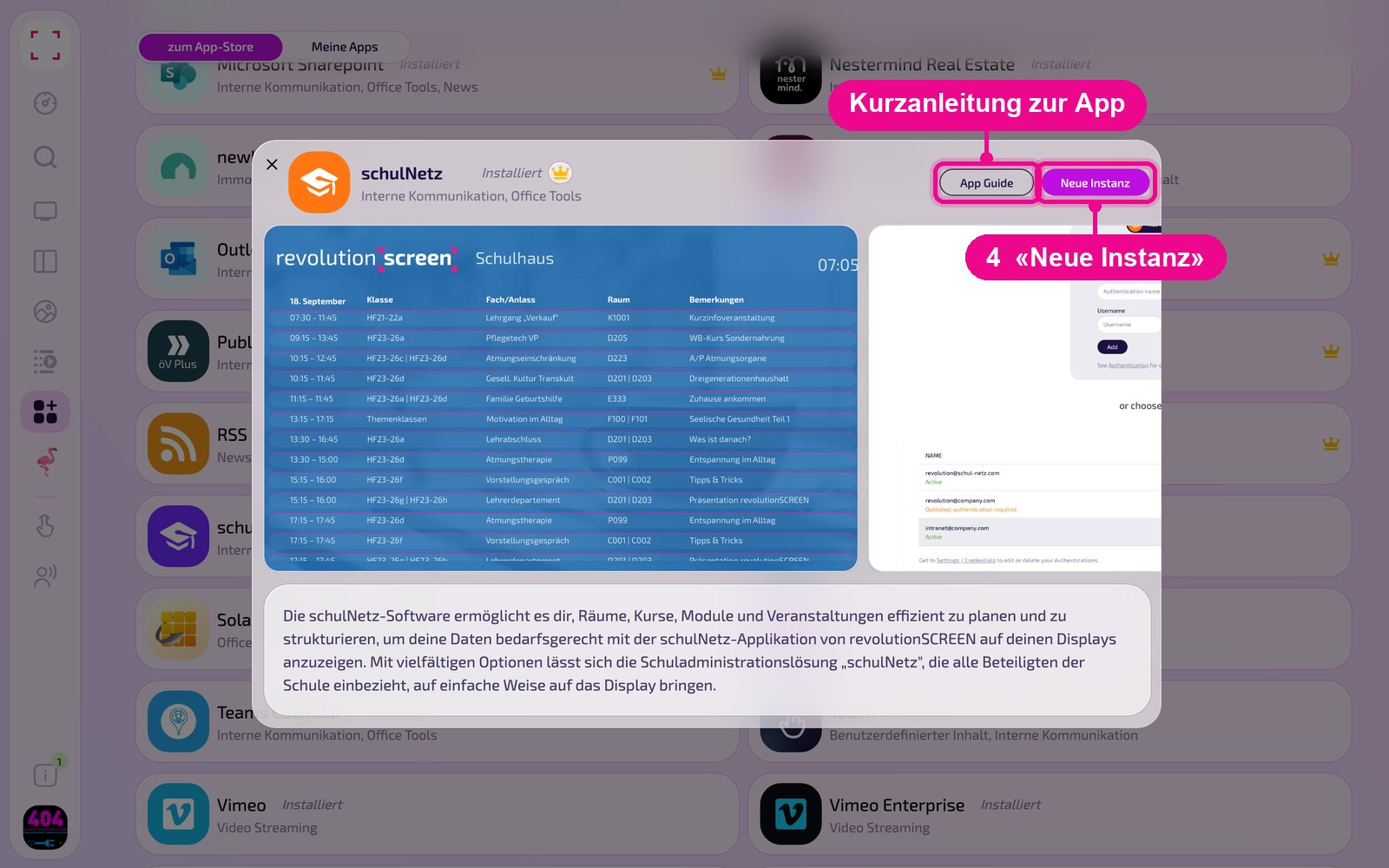
The app's detail view opens. If it is not yet installed, first click «Installiere» (Install). Then click «Neue Instanz» (New instance). «App Guide» opens a short guide.
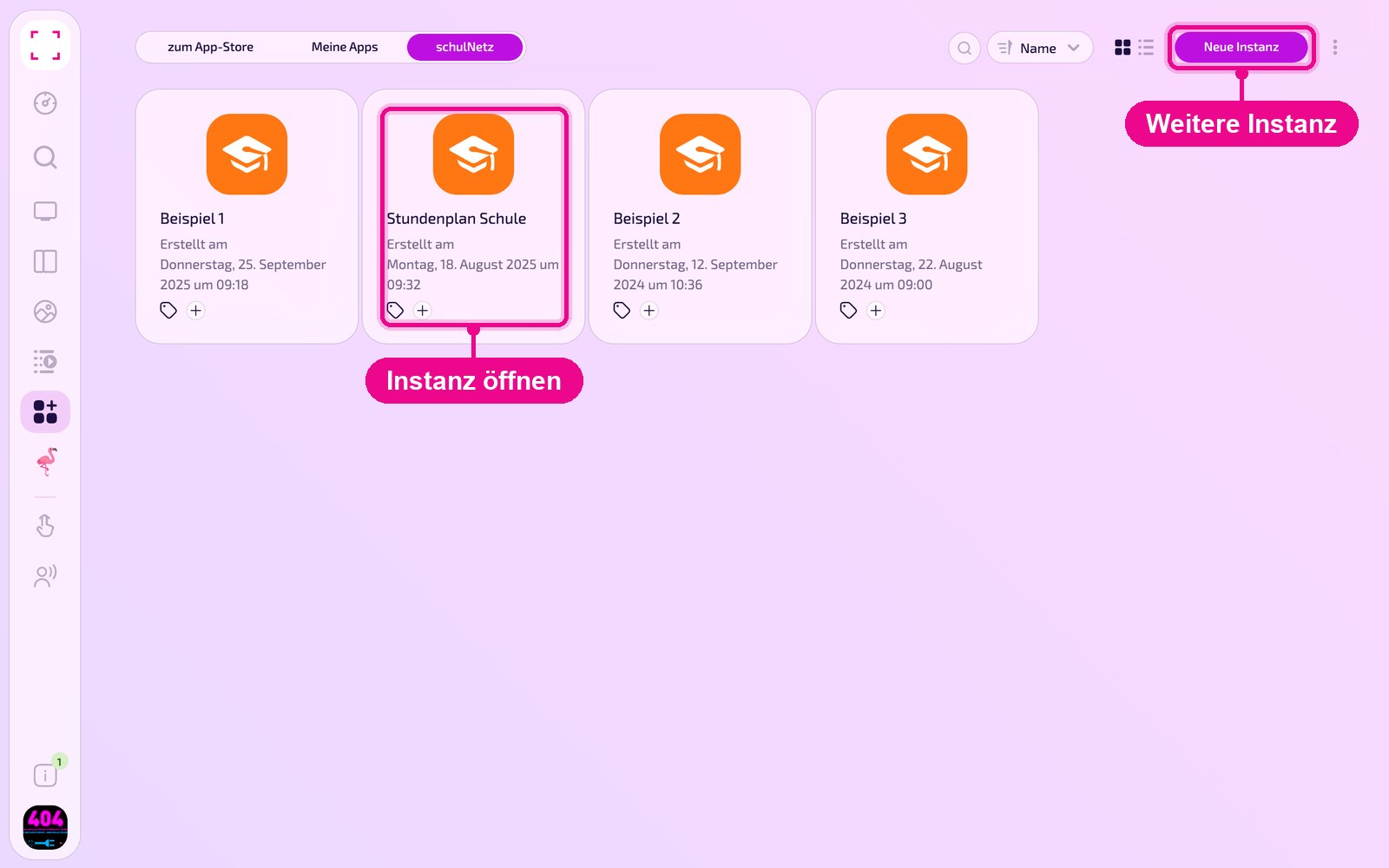
An instance is a separate configuration of the app, e.g. one gallery for the reception and another for the canteen. You can create any number of instances and use each one individually on screens, in Playlists or Layouts.
Create a new instance
Under «Apps › Meine Apps» (My Apps) you see all instances of the app as tiles. Use «Neue Instanz» (New instance) at the top right to add another one, and click a tile to open an existing one.
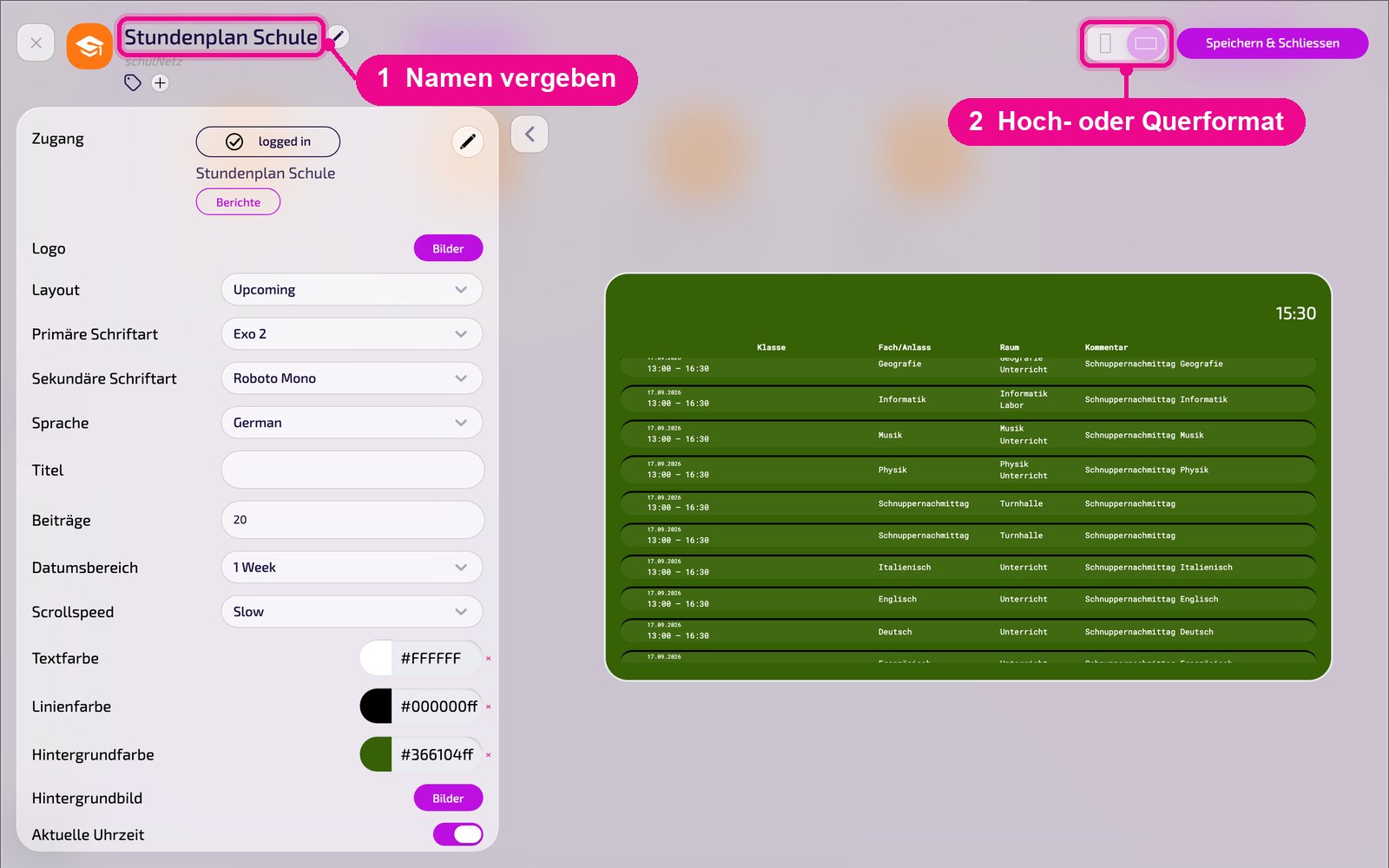
In the editor, hover over the title and click the pencil to give the instance a name. A new instance shows «Kein Name angegeben» (No name specified) in red until then. At the top right you choose whether the preview appears in portrait or landscape format.
Connect schulNetz
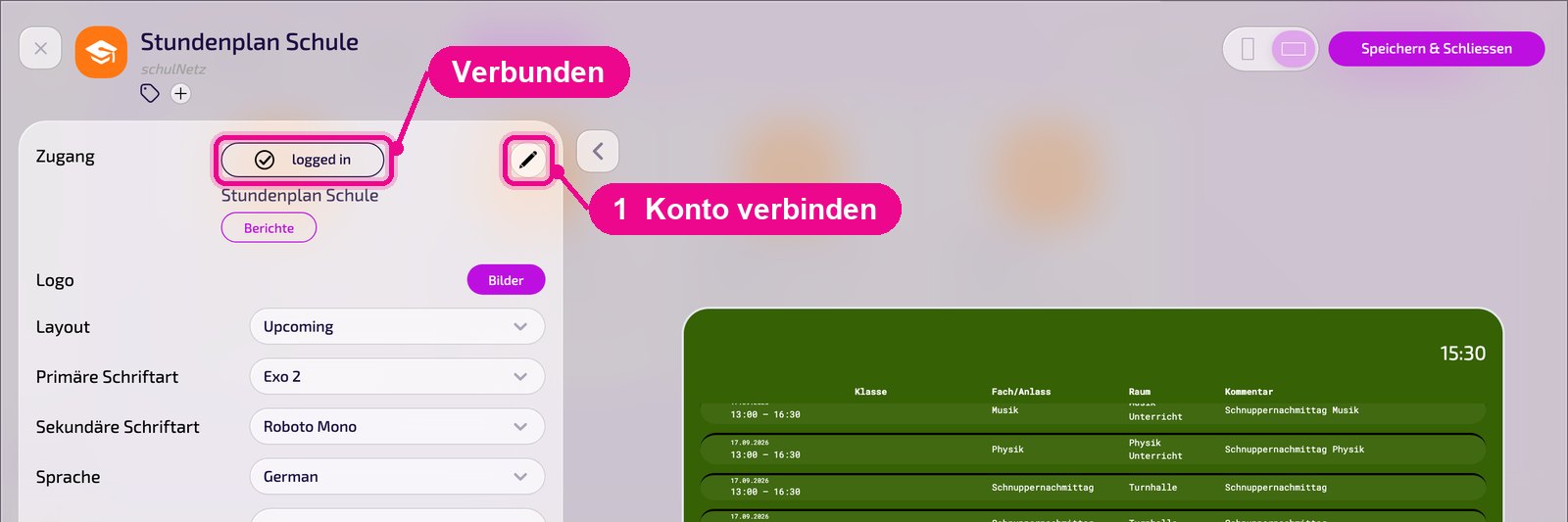
In the «Zugang» (Access) area you see whether the instance is connected to schulNetz. If it says «logged in», the connection is active; below it are the name of the connection and the «Berichte» (Reports) button. Use the pencil on the right to connect a school or switch it.
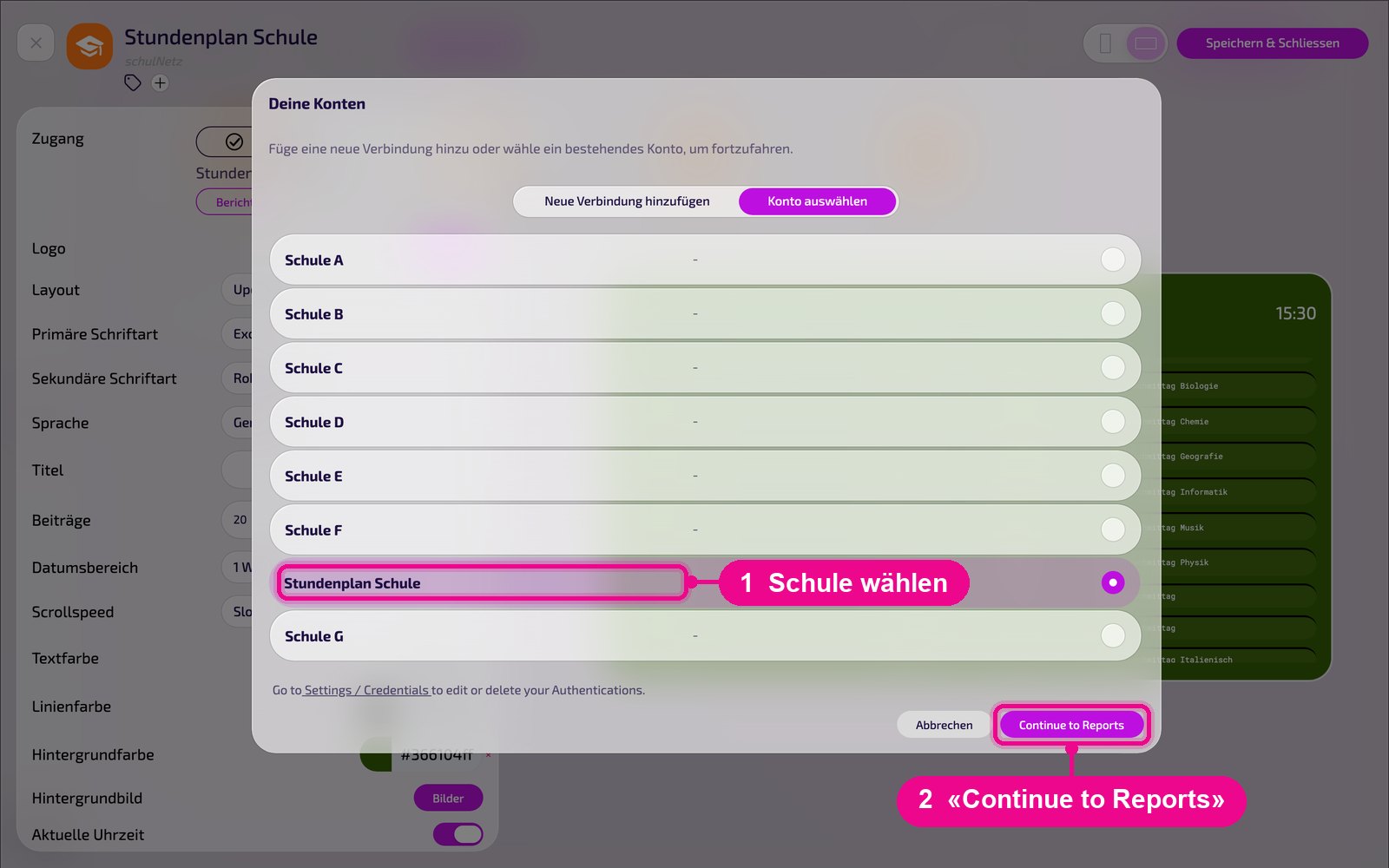
In the «Deine Konten» (Your accounts) window, choose an already stored connection under «Konto auswählen» (Select account) and click «Continue to Reports».
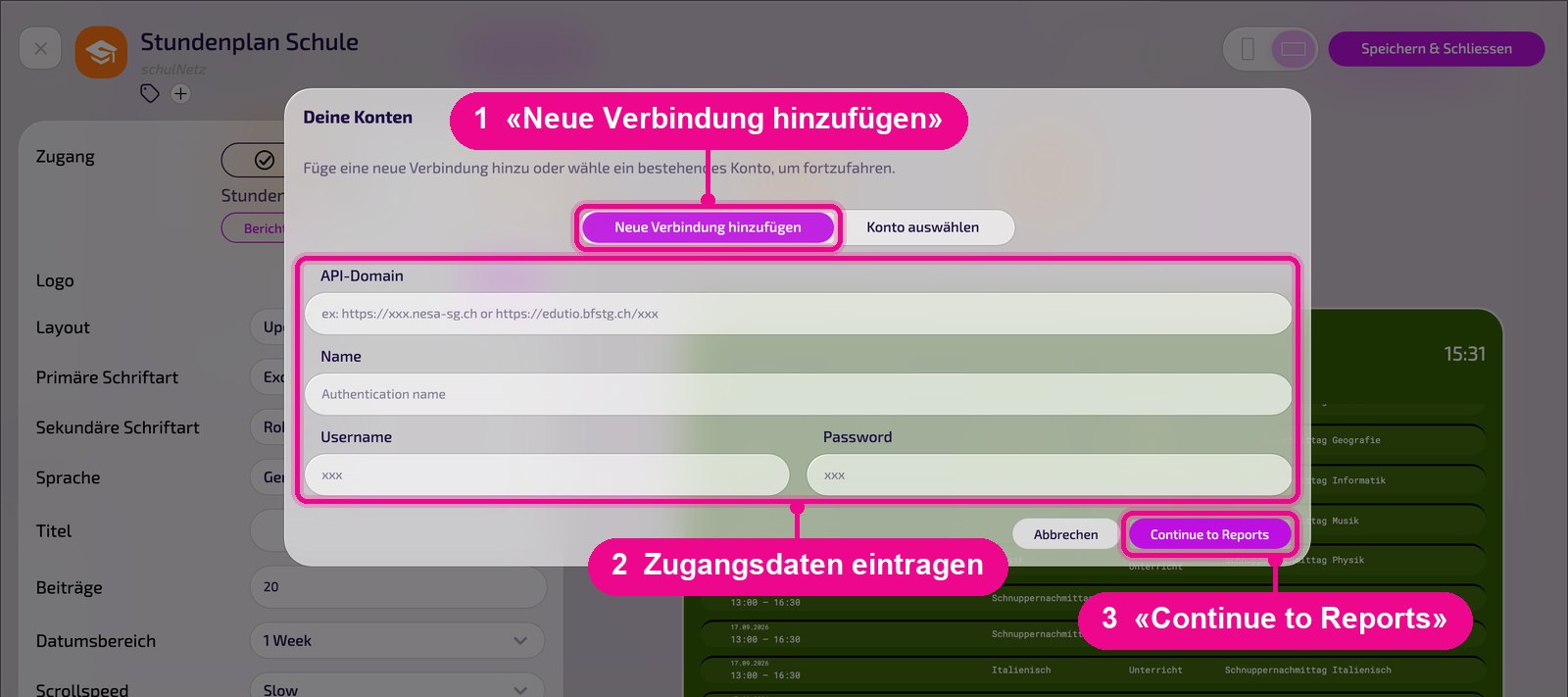
For a new connection, click «Neue Verbindung hinzufügen» (Add new connection). Under «API-Domain» enter the address of the schulNetz interface, e.g. https://xxx.nesa-sg.ch. Under «Name» give the connection a unique label, plus «Username» and «Password». Click «Continue to Reports» to proceed to the report selection.
Select reports
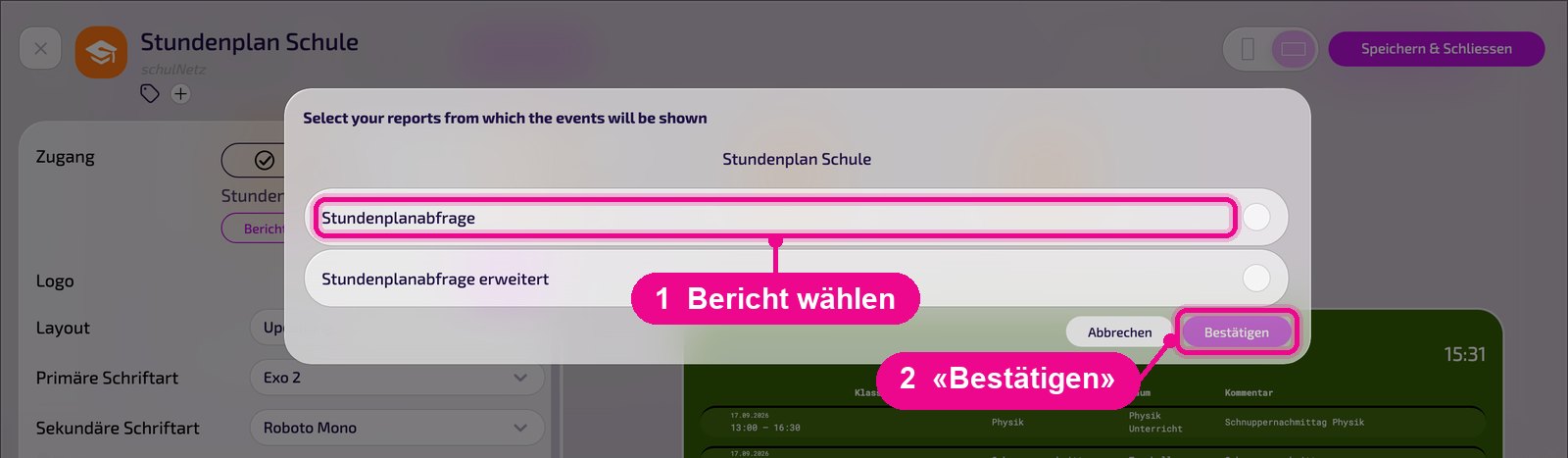
In the «Zugang» (Access) area click «Berichte» (Reports). In the window you choose which of the school's reports the entries are displayed from, e.g. «Stundenplanabfrage» (timetable query). Click «Bestätigen» (Confirm) to apply the selection.
You edit or delete stored connections under «Settings / Credentials». The link is right in the «Deine Konten» (Your accounts) window.
Configuration in detail
On the left are all settings, on the right you see immediately in the live preview how the instance looks on the screen. Use the arrow next to the card to collapse the settings.
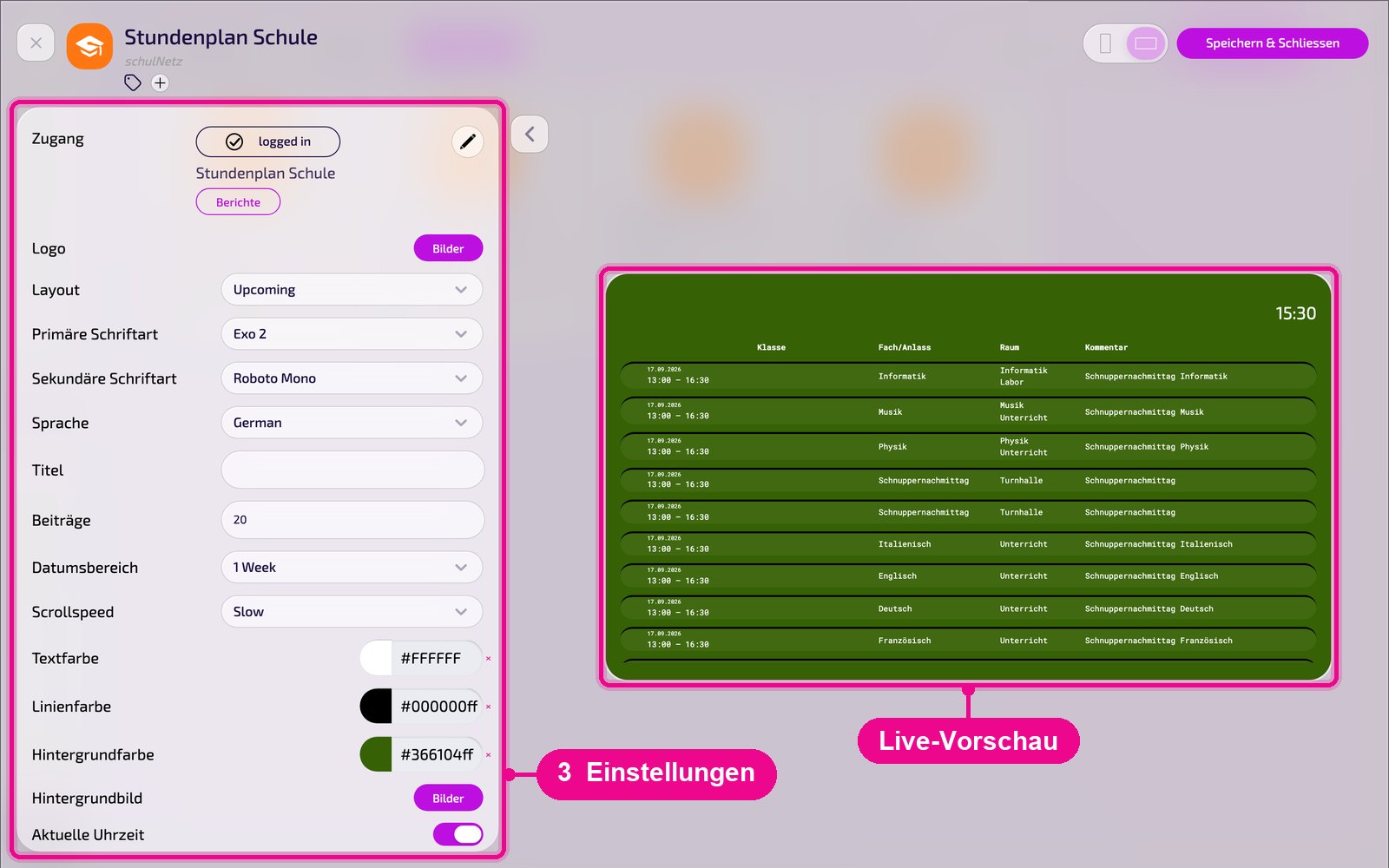
- Zugang (Access): connection status («logged in»), name of the connection and «Berichte» (Reports). Use the pencil to connect or switch the school.
- Logo: choose your own logo via «Bilder» (Images).
- Layout: how the list is displayed, e.g. «Upcoming» (upcoming entries).
- Primäre / Sekundäre Schriftart (Primary / Secondary font): fonts for titles and text. You upload your own fonts under «Marken» (Brands).
- Sprache (Language): display language, e.g. «German».
- Titel (Title): optional heading above the list.
- Beiträge (Entries): maximum number of entries, e.g. 20.
- Datumsbereich (Date range): period from which entries appear, e.g. «1 Week».
- Scrollspeed: speed at which the list scrolls, e.g. «Slow».
- Textfarbe / Linienfarbe / Hintergrundfarbe (Text color / Line color / Background color): colors for text, dividing lines and background.
- Hintergrundbild (Background image): choose an optional background image via «Bilder» (Images).
- Aktuelle Uhrzeit (Current time): shows the time at the top right.
Save & play out on the screen
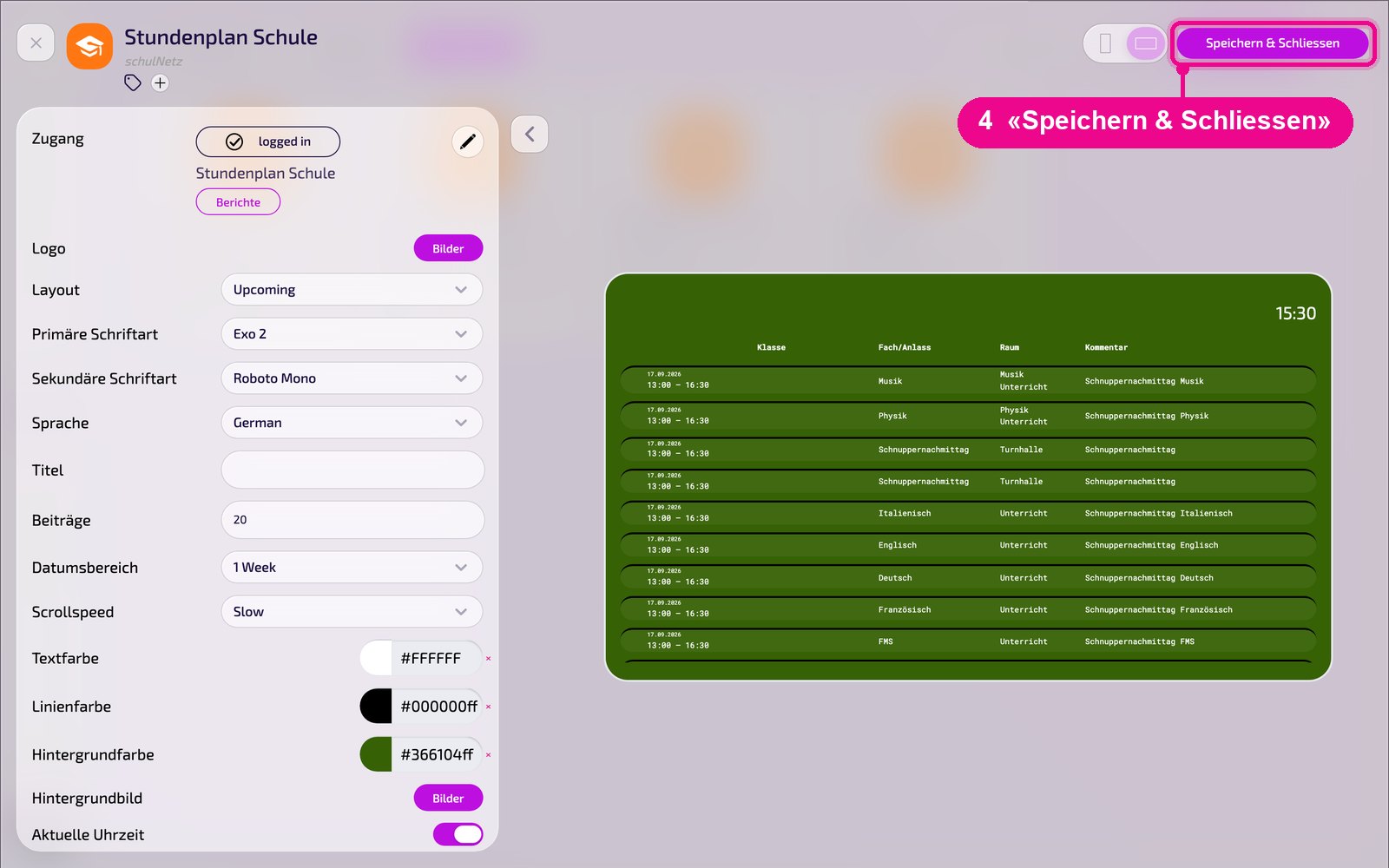
Save the instance at the top right with «Speichern & Schliessen» (Save & Close).
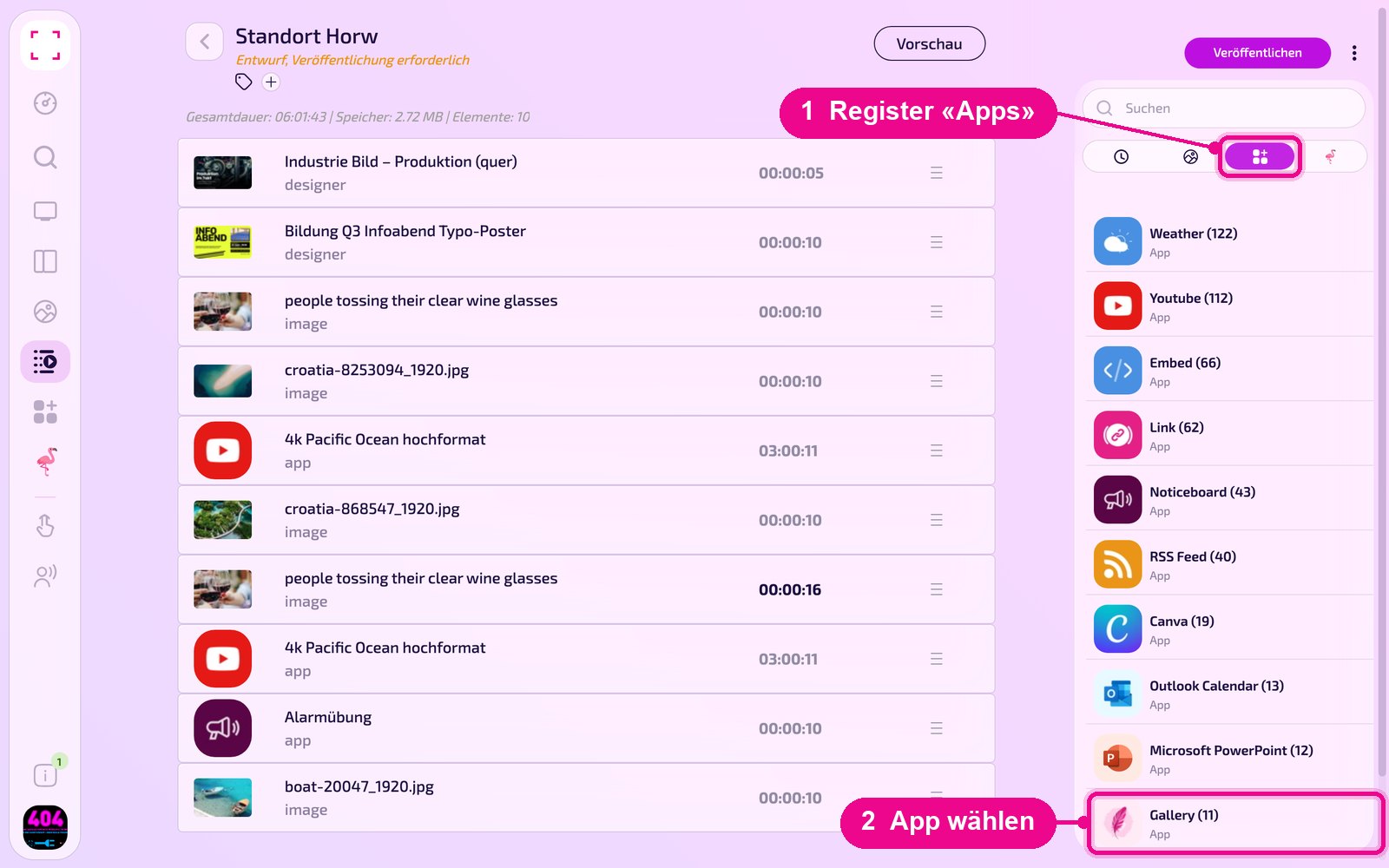
Add to a Playlist: Open the Playlist, select the «Apps» tab on the right, click the app and then the instance. The instance is added immediately.
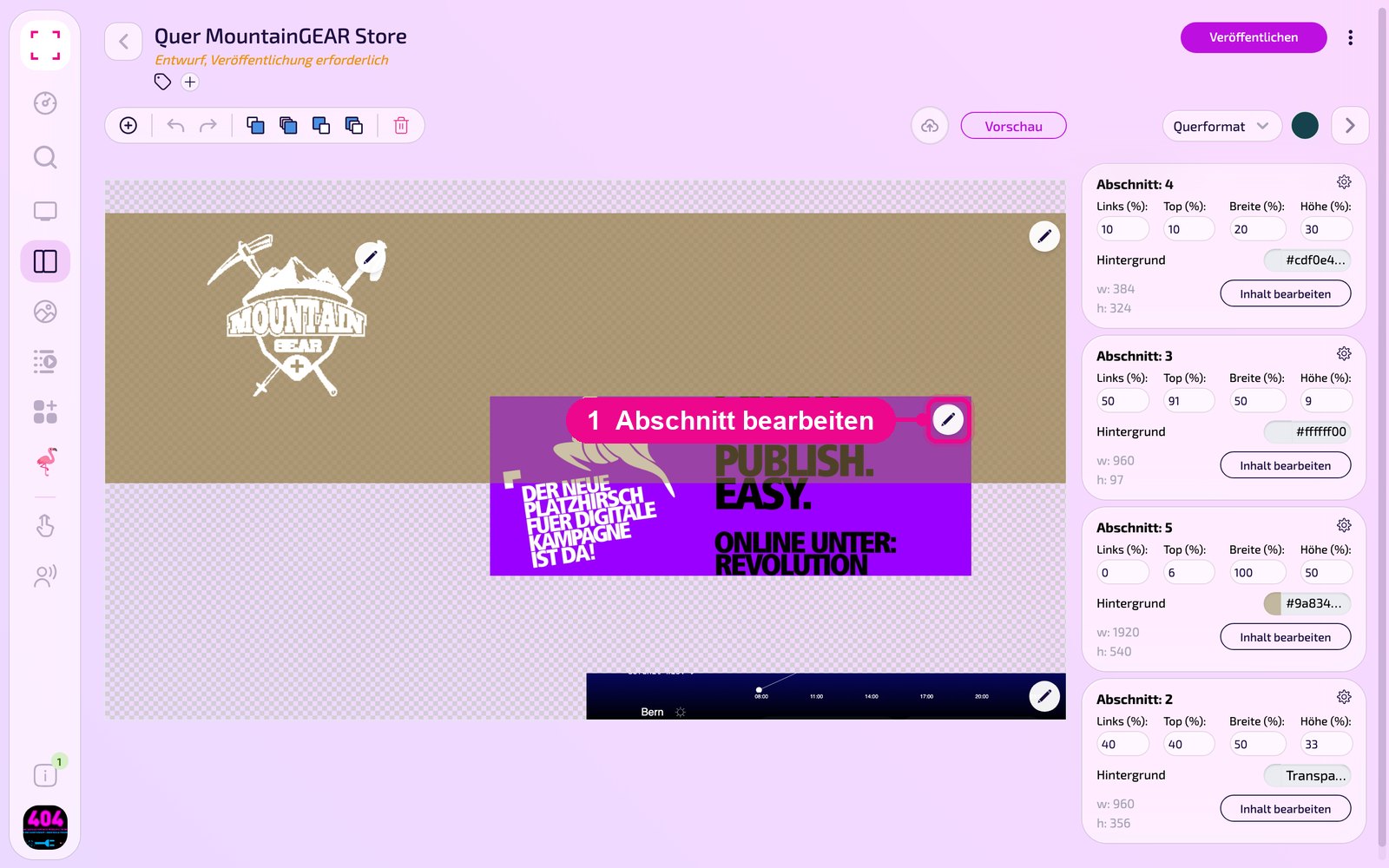
Add to a Layout: Open the Layout and click the pencil on the desired section.
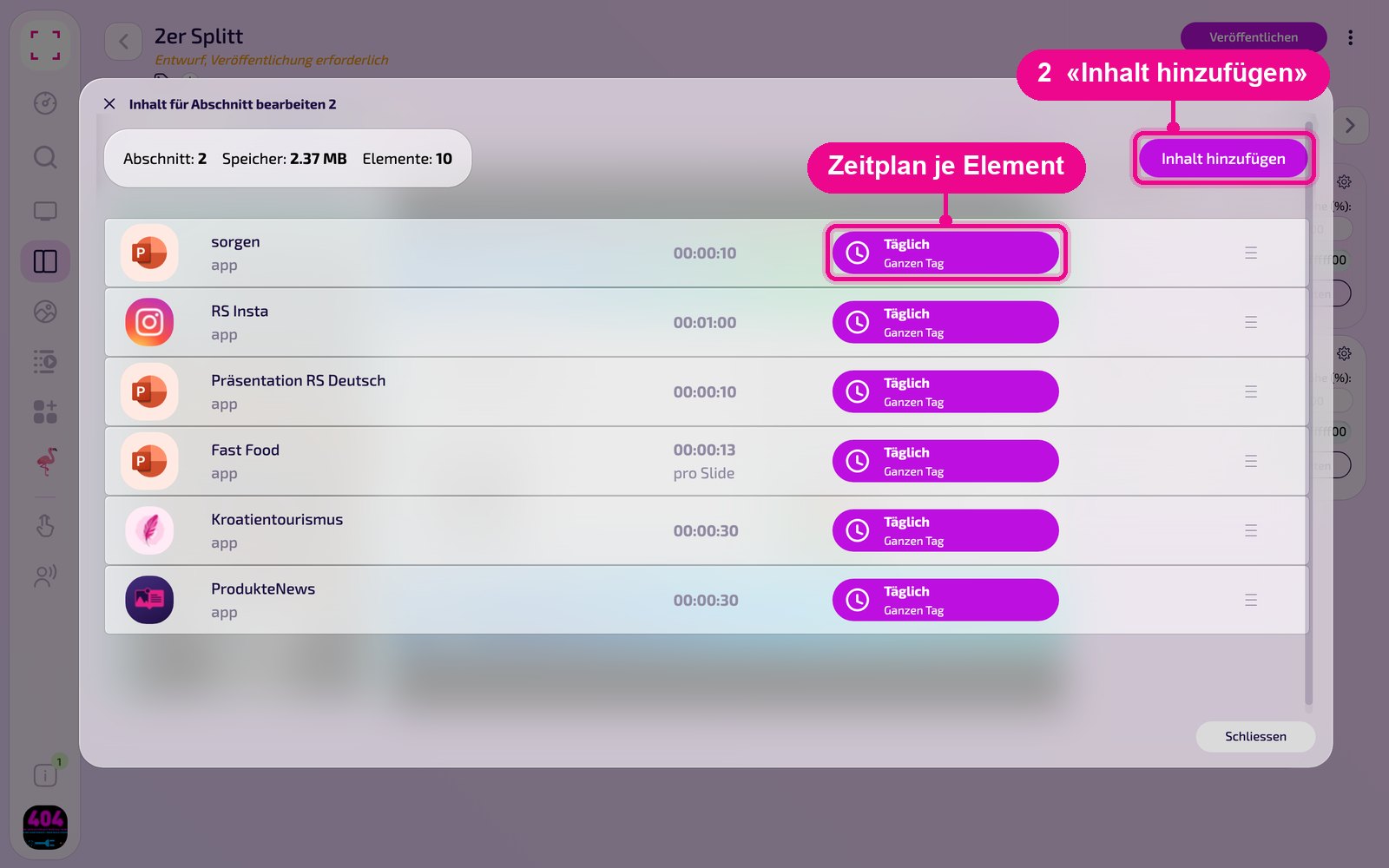
In the «Inhalt für Abschnitt bearbeiten» (Edit content for section) window, add the instance with «Inhalt hinzufügen» (Add content). On the right of each element you set the schedule via «Täglich» (Daily).
Then click «Veröffentlichen» (Publish) in the Playlist or Layout. As long as it says «Entwurf, Veröffentlichung erforderlich» (Draft, publishing required), the screen still shows the old state.
Tips & troubleshooting
No entries visible
Check that it says «logged in», that a report is selected under «Berichte» (Reports) and that the «Datumsbereich» (Date range) is large enough.
Connection does not work
Check the API domain, username and password with your school's schulNetz administration.
List scrolls too fast
Choose a slower level under «Scrollspeed» or display fewer «Beiträge» (Entries).
Content does not appear
Check that the Playlist or Layout is published and assigned to the correct screen and that the Player is online.