Interfaces
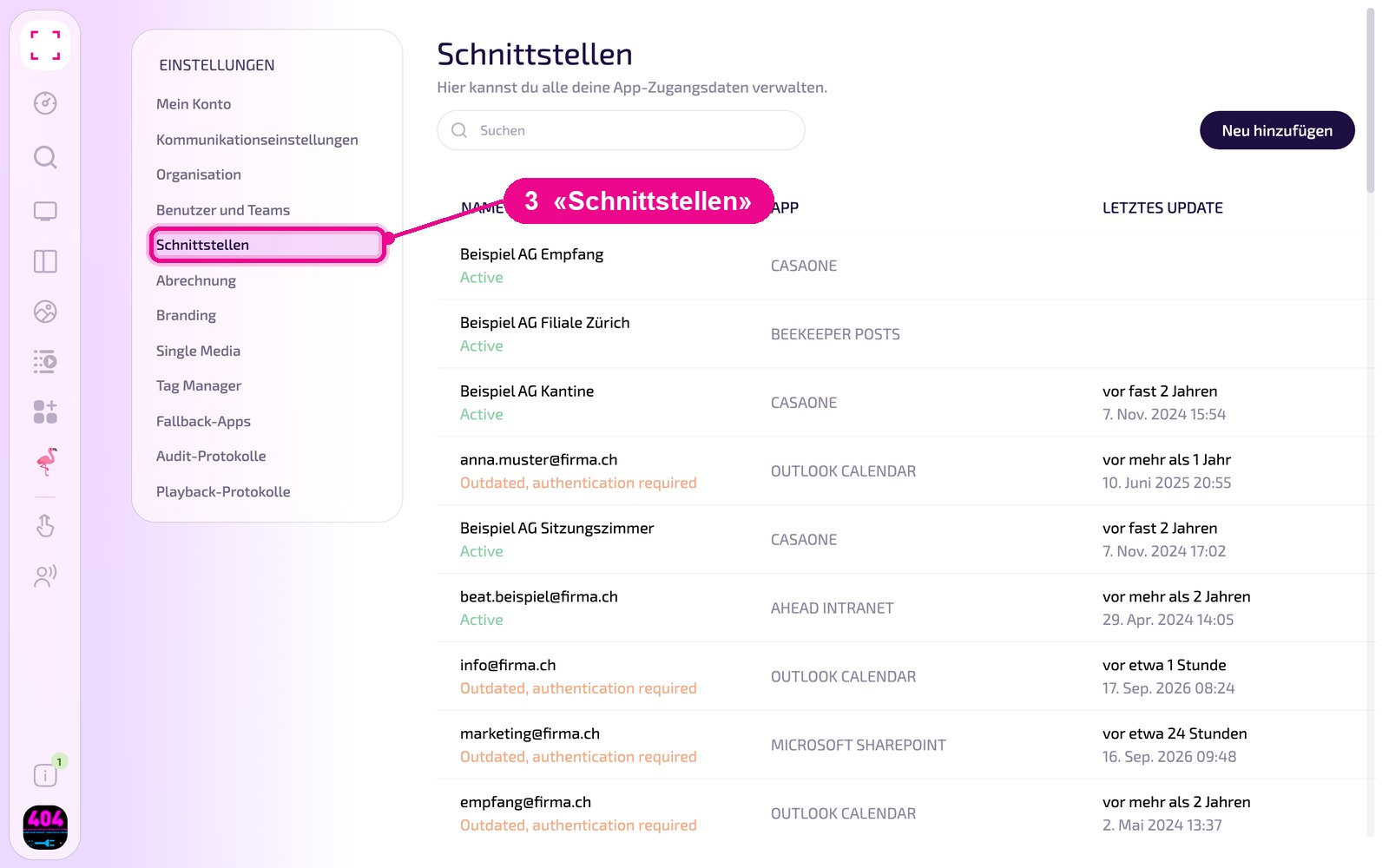
Under «Schnittstellen» you manage the credentials that apps use to access external services, e.g. Outlook Calendar, Microsoft Sharepoint or Casaone. Here you can see which connections work and create new ones.
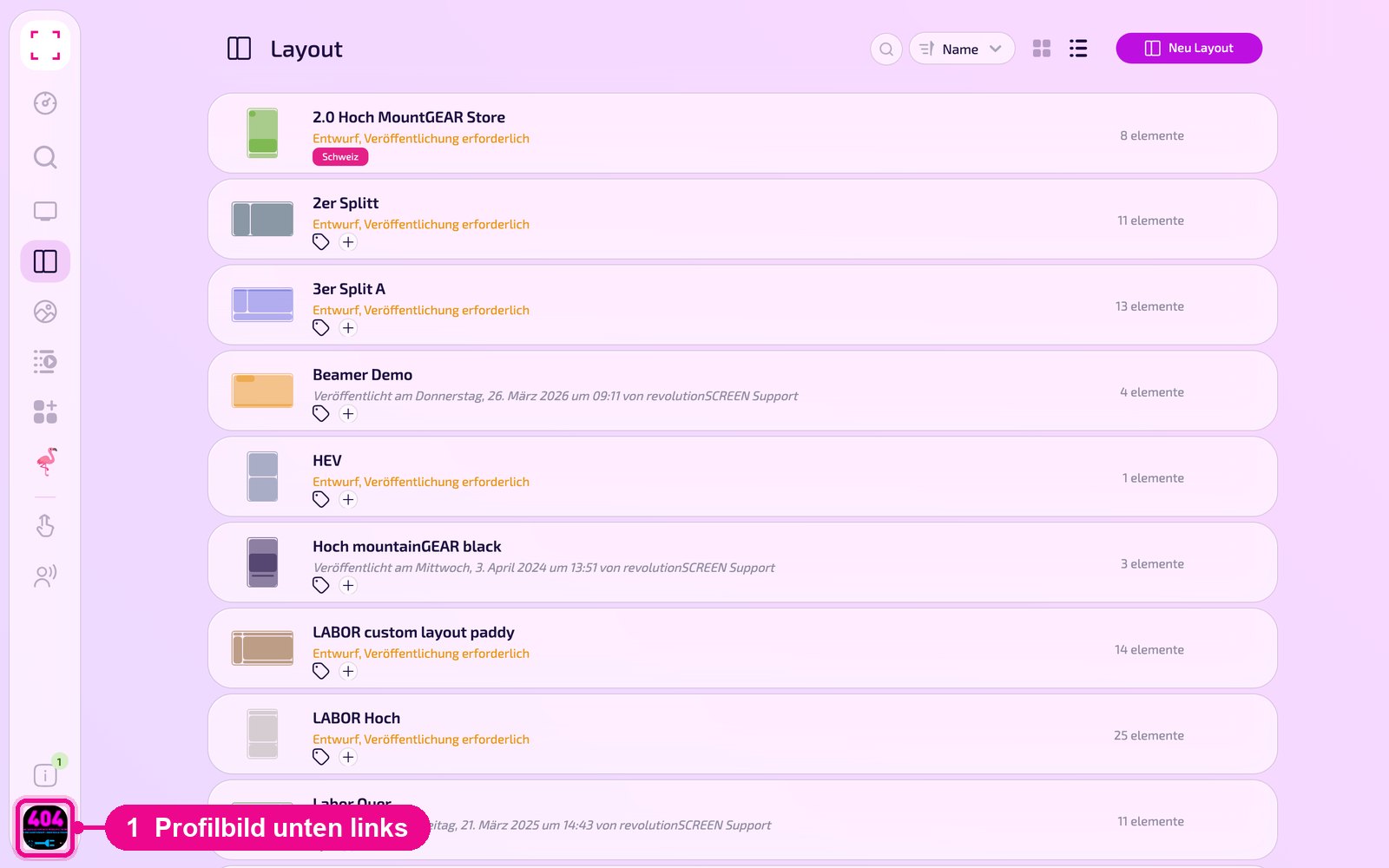
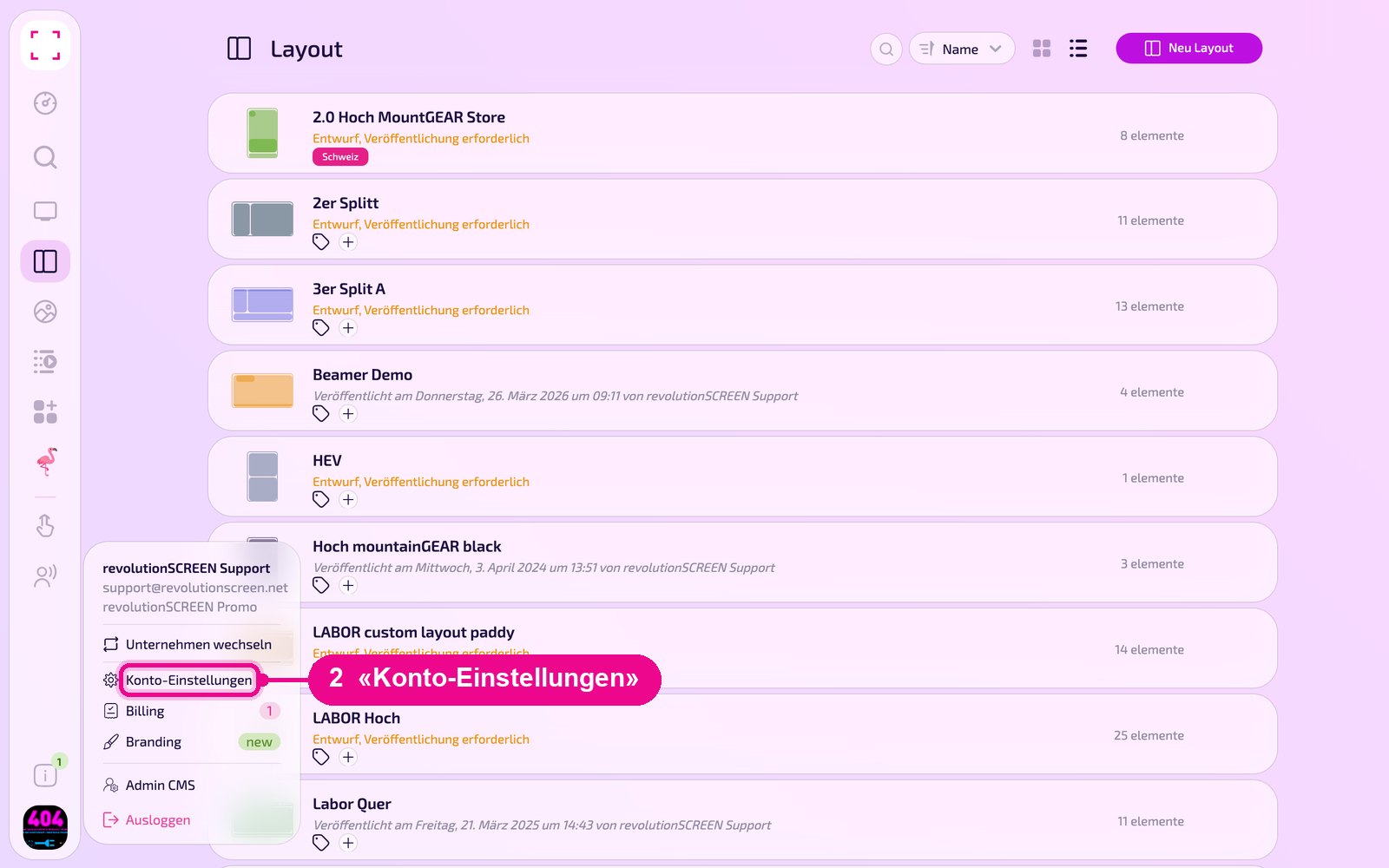
Profile picture at the bottom left → «Konto-Einstellungen» → «Schnittstellen» on the left
Overview and status
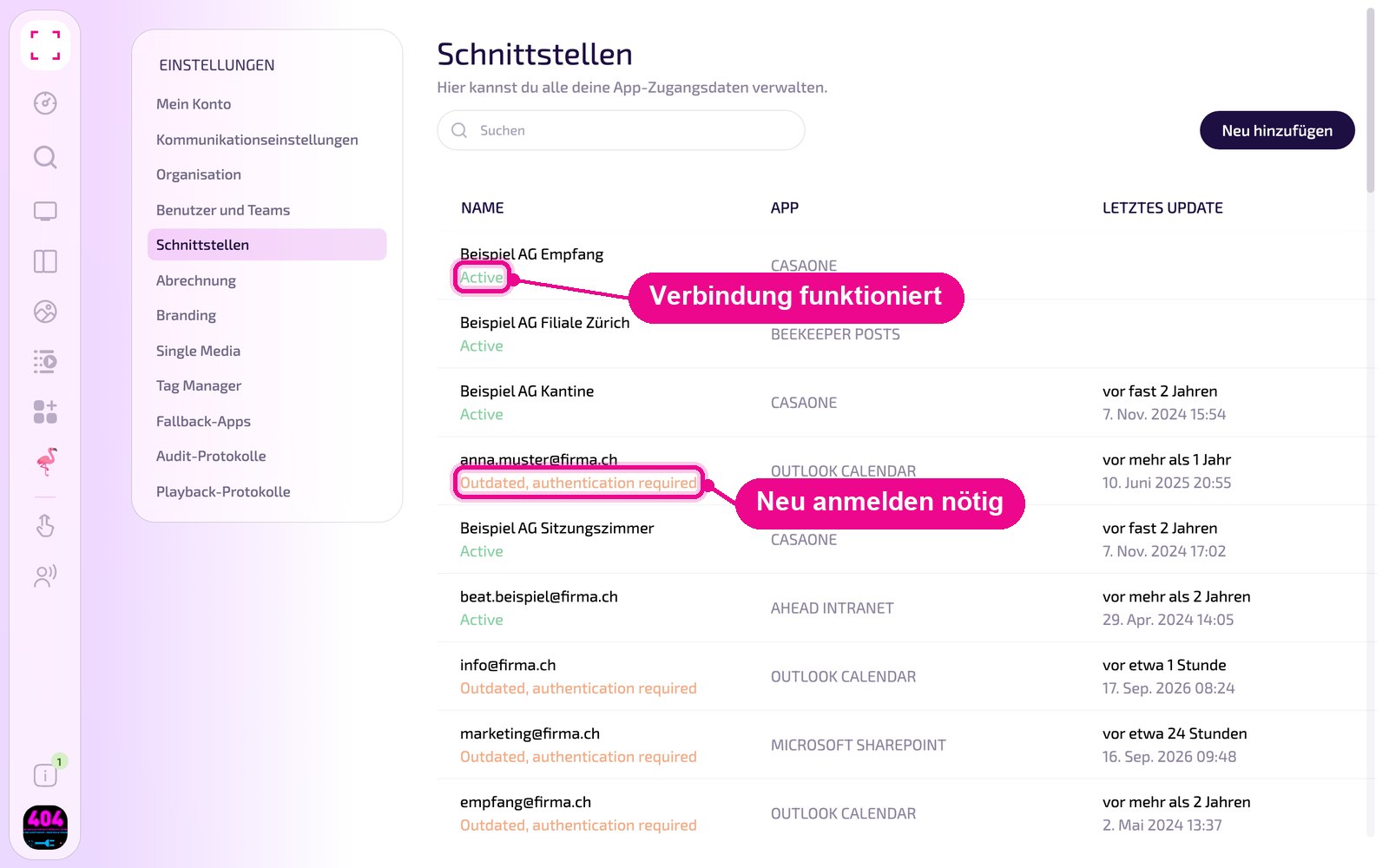
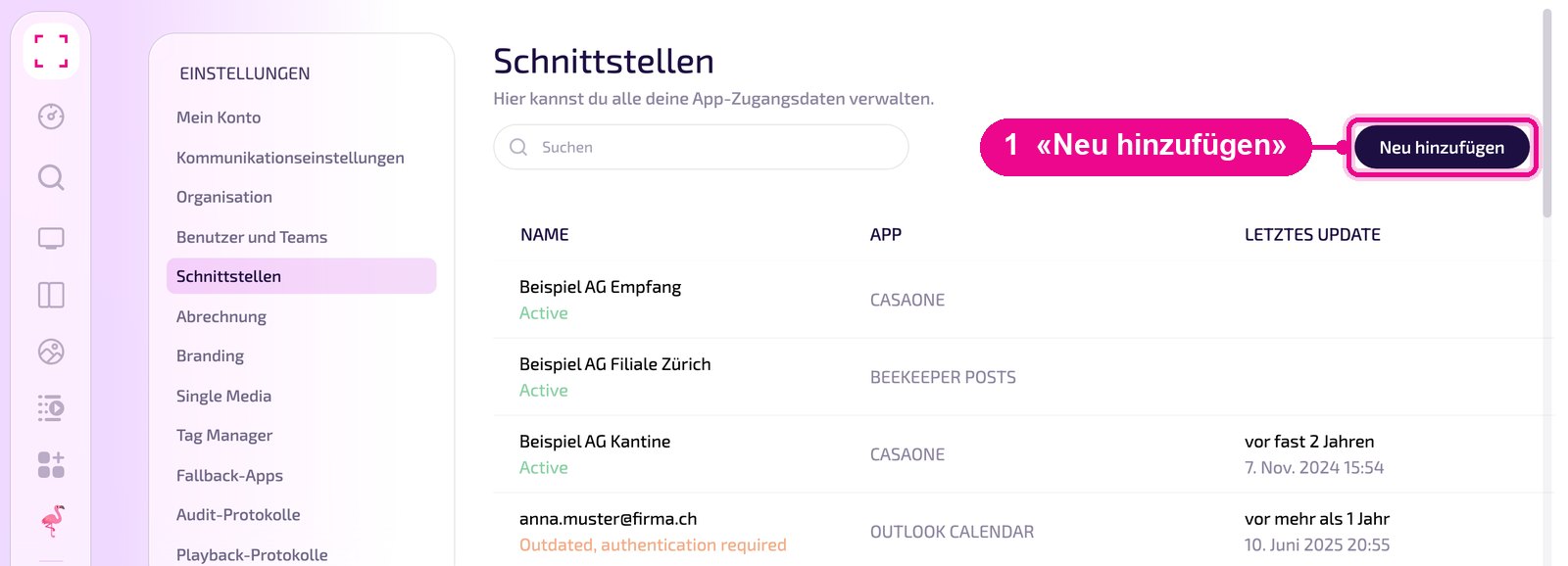
The list shows all interfaces of your company with name, app and last update. Use «Suchen» to find an entry faster. The connection status is shown below the name:
- Active: The connection works.
- Outdated, authentication required: The login to the service is no longer valid. The connection must be re-authenticated.
Add a new interface
Click «Neu hinzufügen» at the top right.
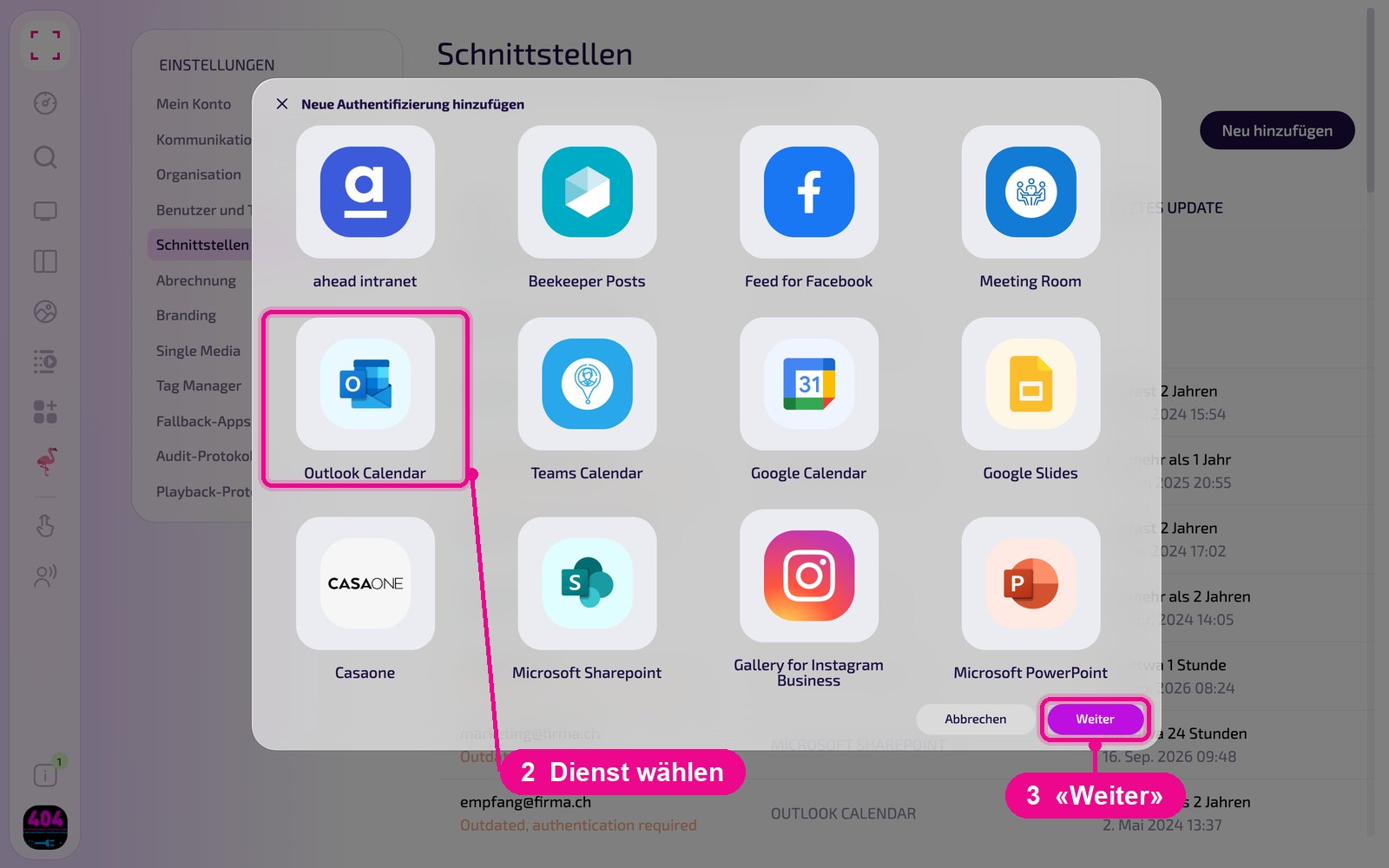
In the «Neue Authentifizierung hinzufügen» window, select the service and click «Weiter». Scroll down to see more services, e.g. schulNetz, Canva Integration or Vimeo Enterprise. Depending on the service, you then log in to the provider or fill in the required fields.
Contact your administrator or our support at support@revolutionscreen.net. We're happy to help.
Edit or remove an interface
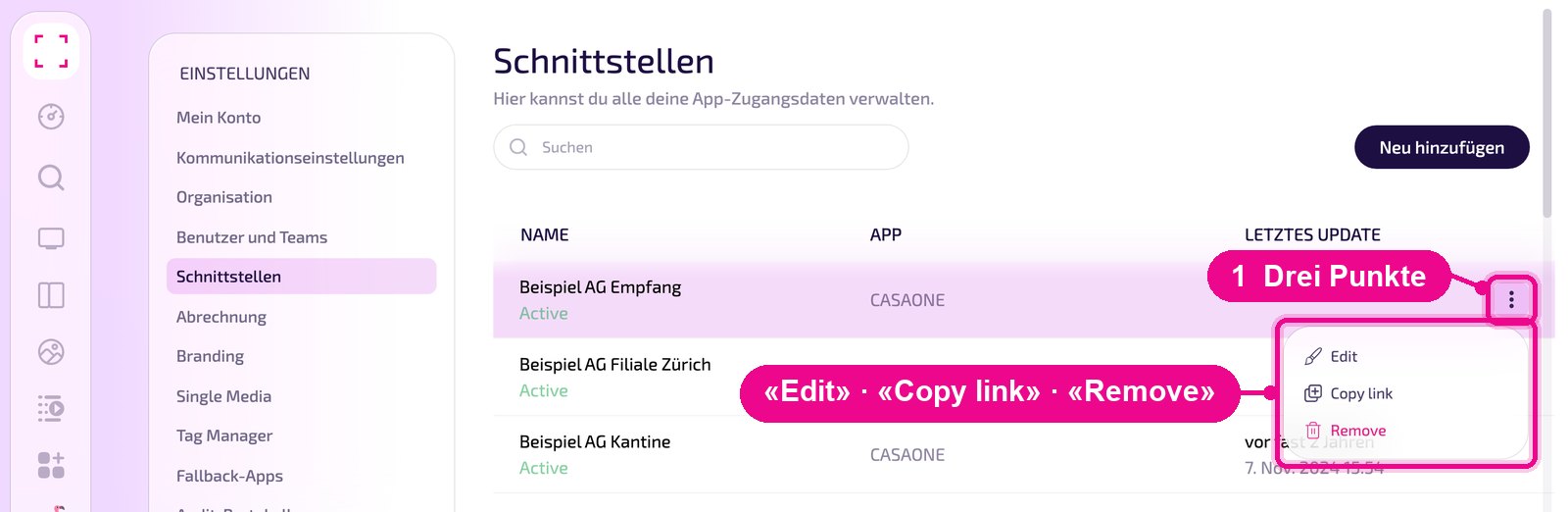
Hover the mouse over the interface's row. Only then do the three dots appear on the right. The menu contains «Edit», «Copy link» and «Remove».
After removal, apps that use an interface no longer receive data from the service. Check beforehand which instances use it.