My account
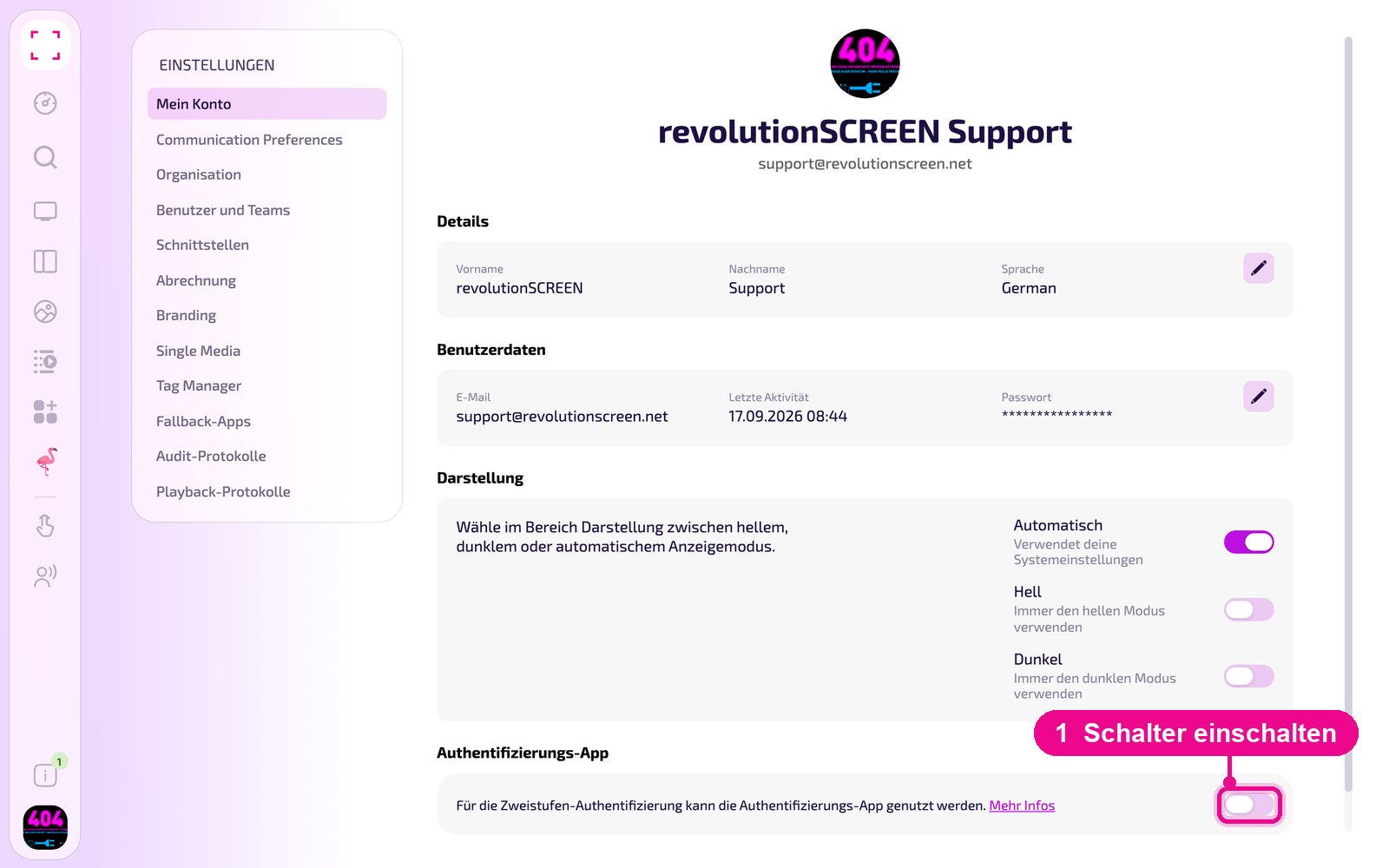
Under «Mein Konto» you manage your personal details: name, system language, profile picture and password. You also choose the appearance (light or dark) here and enable two-factor authentication. These settings apply only to your own user, not to the entire company.
Profile picture at the bottom left → «Konto-Einstellungen» → on the left «Mein Konto»
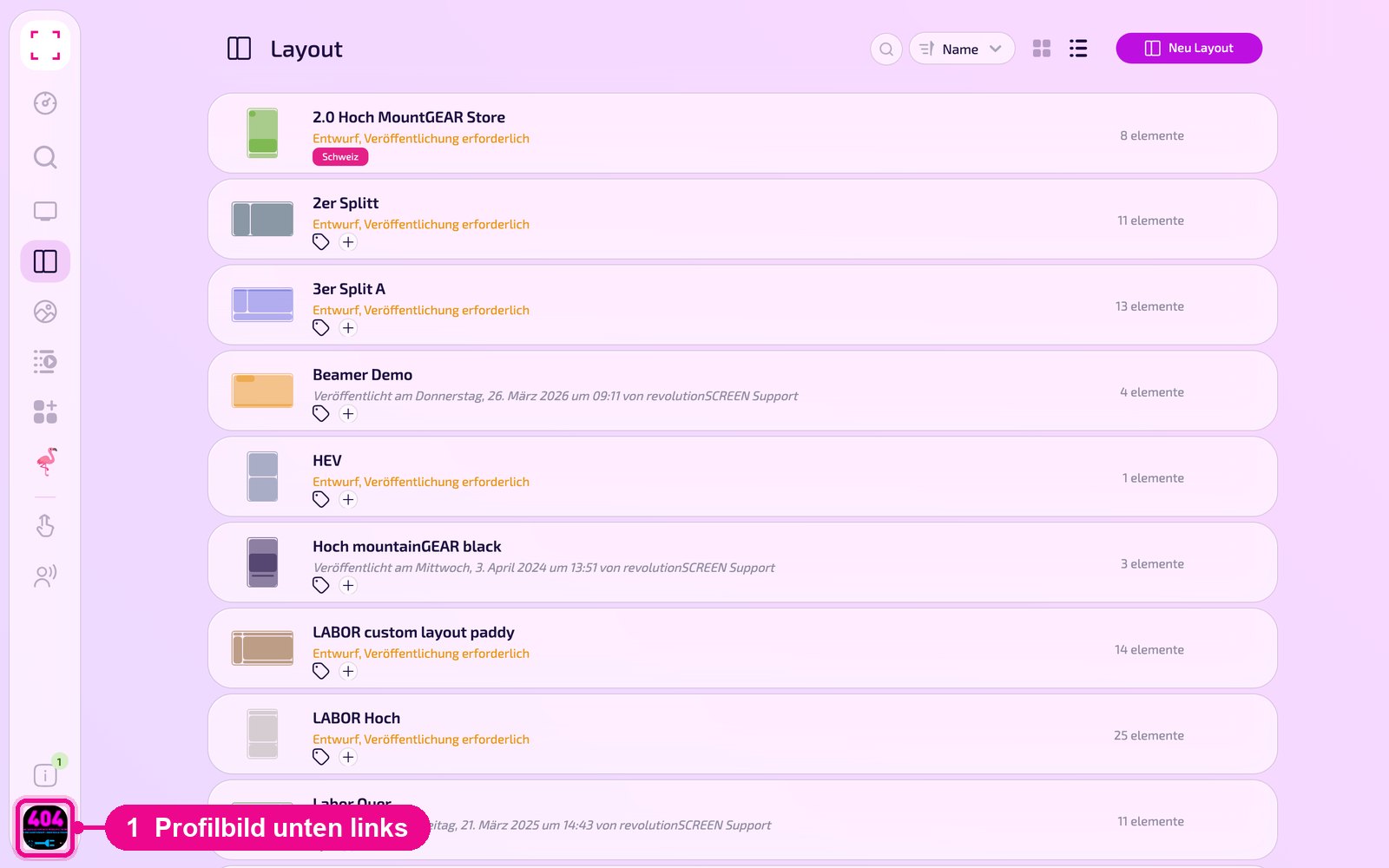
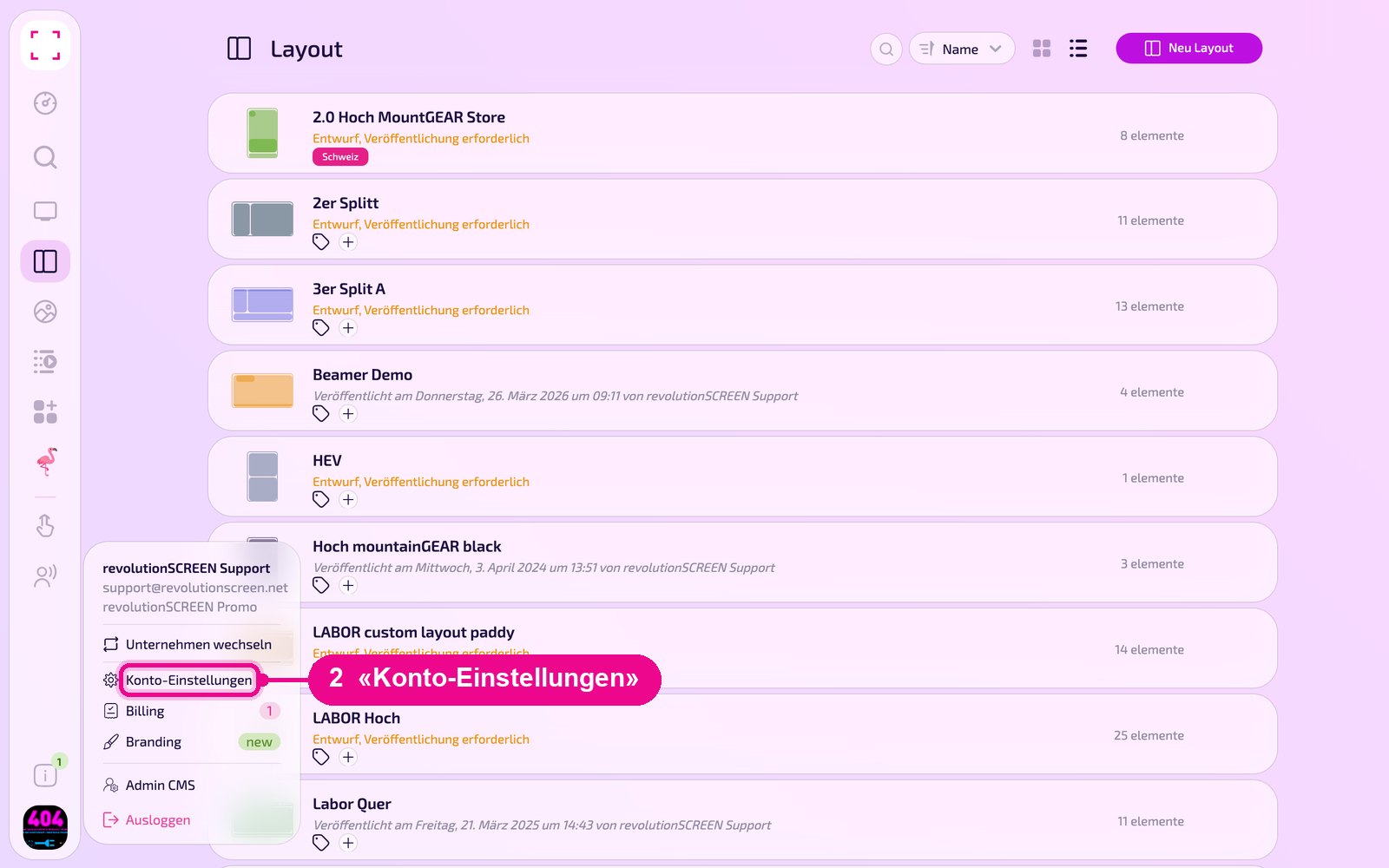
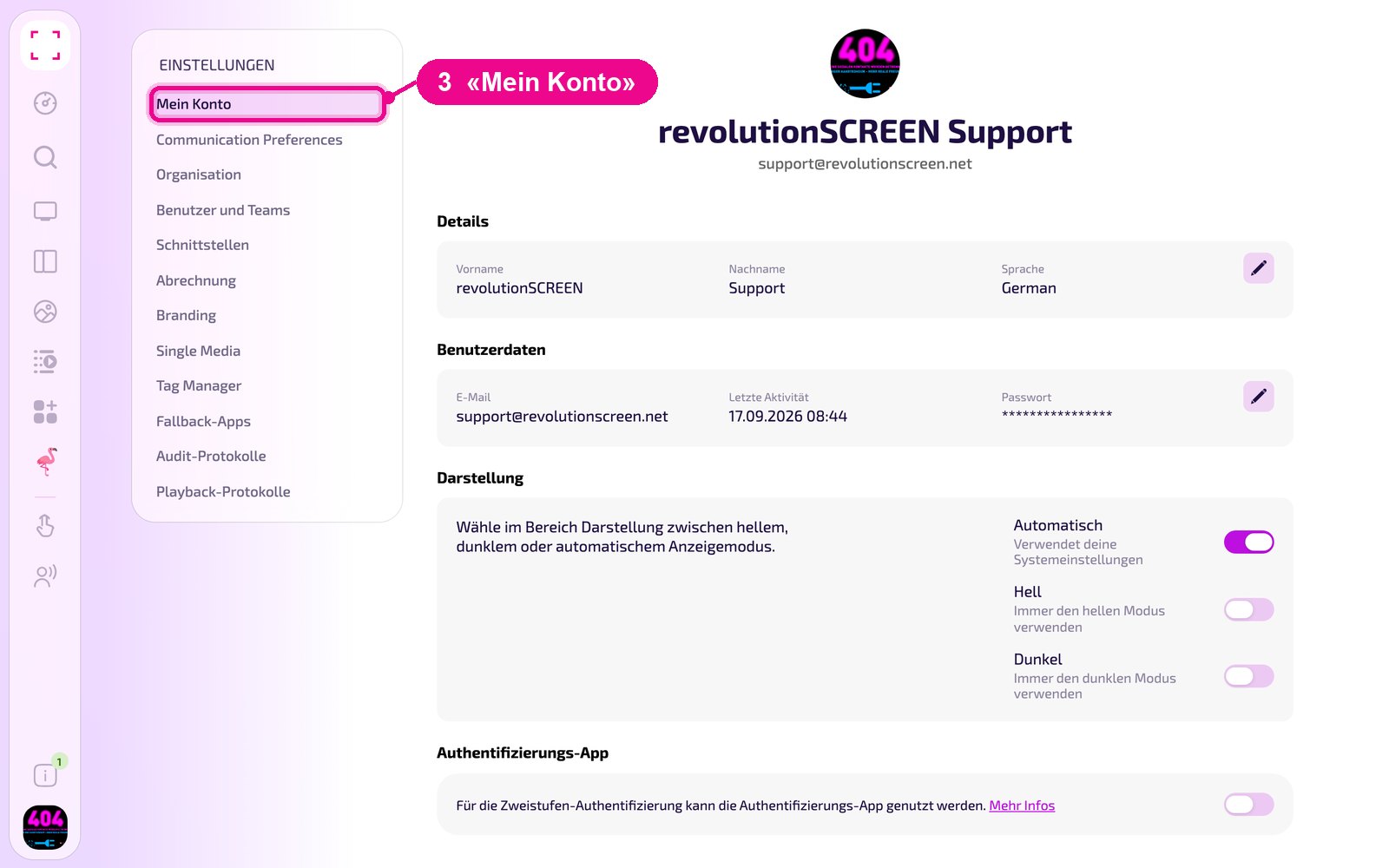
Changing name, language and profile picture
In the «Details» section, click the pencil on the right.
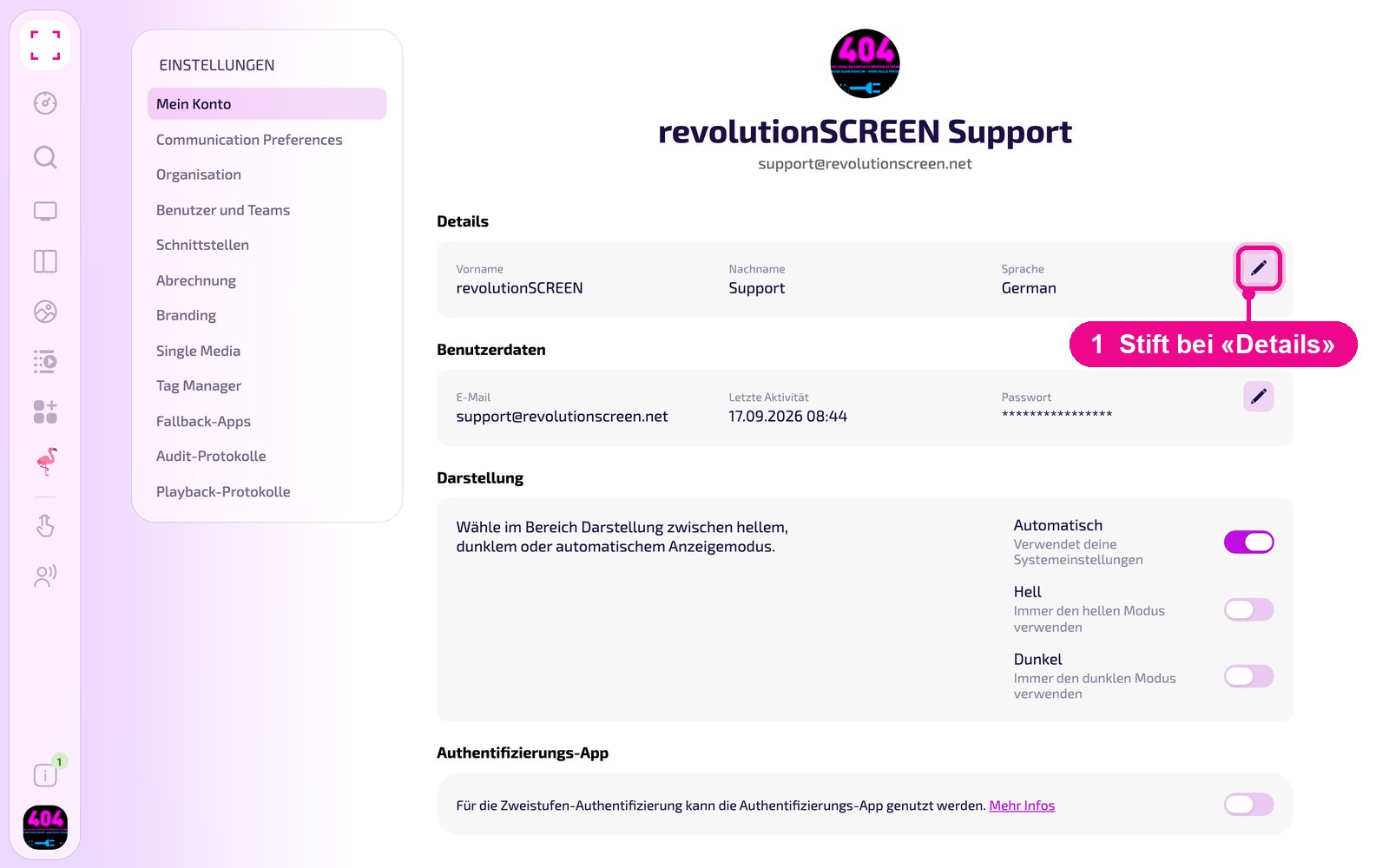
In the «Aktualisiere dein Profil» window you change first name and last name, choose the system language in the selection field and upload a new profile picture by clicking the round image. Save your changes with «Confirm».
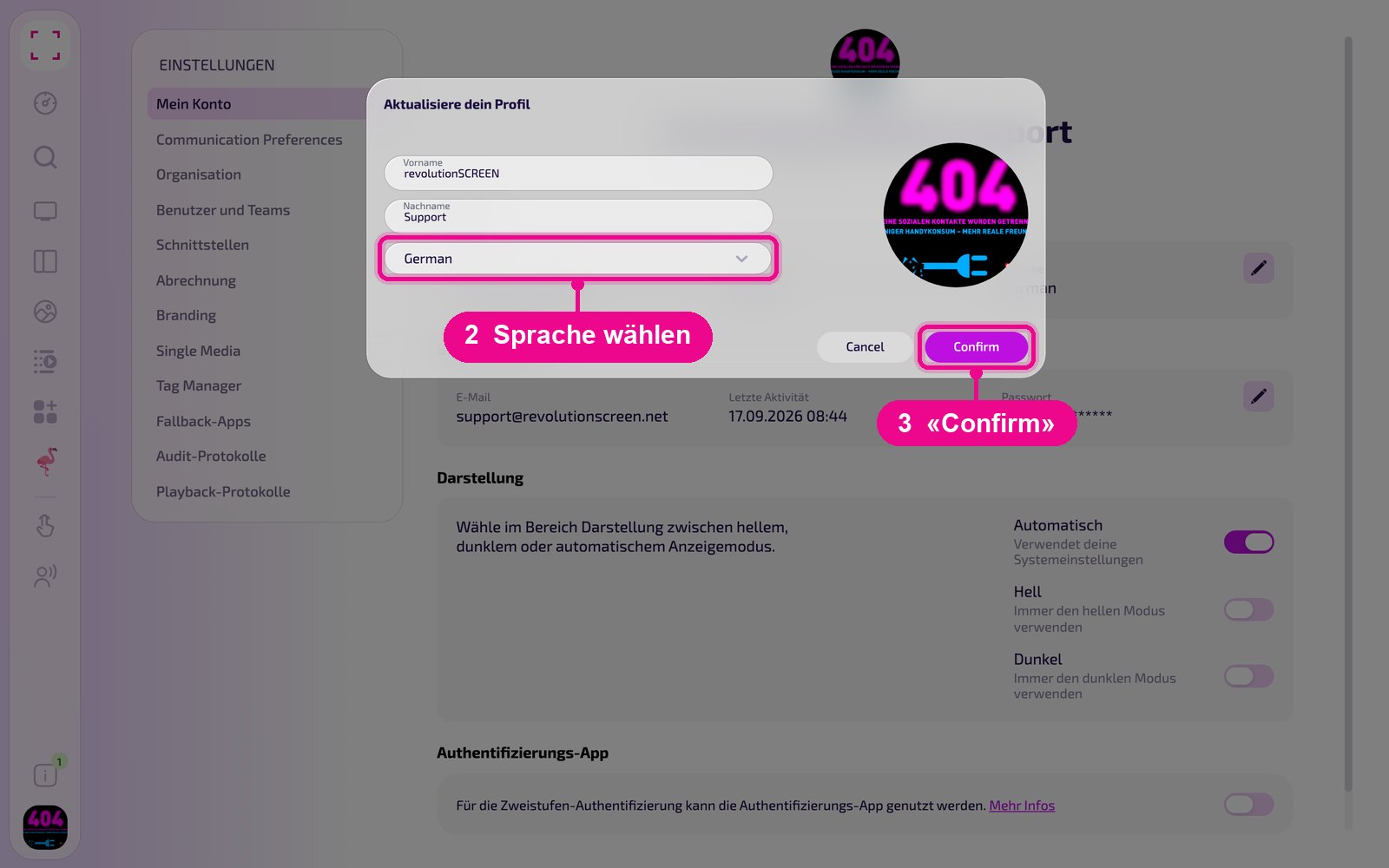
The system language determines the interface language of my.rstv.app. You set the language of the invoices separately under «Organisation».
Changing your password
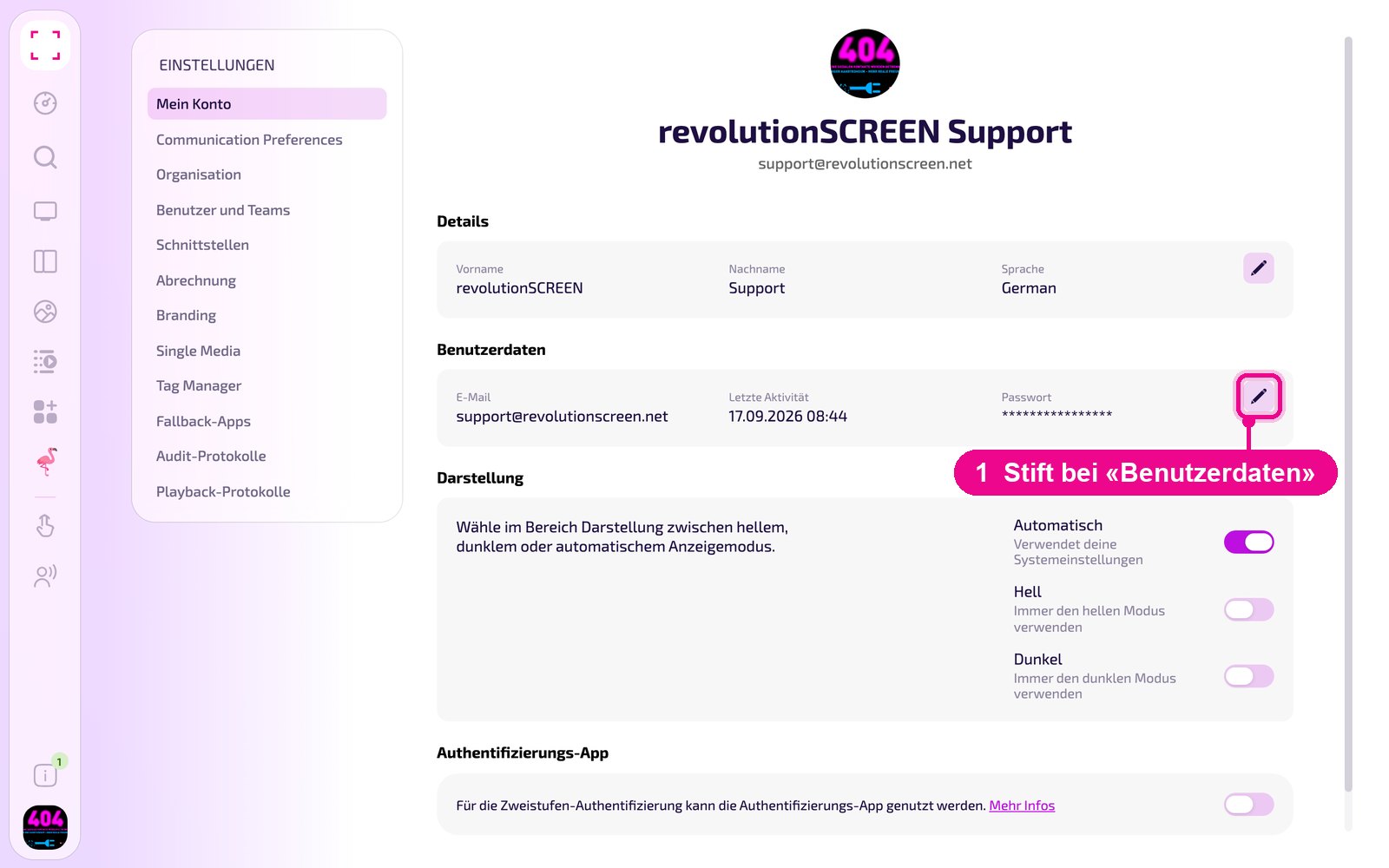
In the «Benutzerdaten» section, click the pencil on the right.
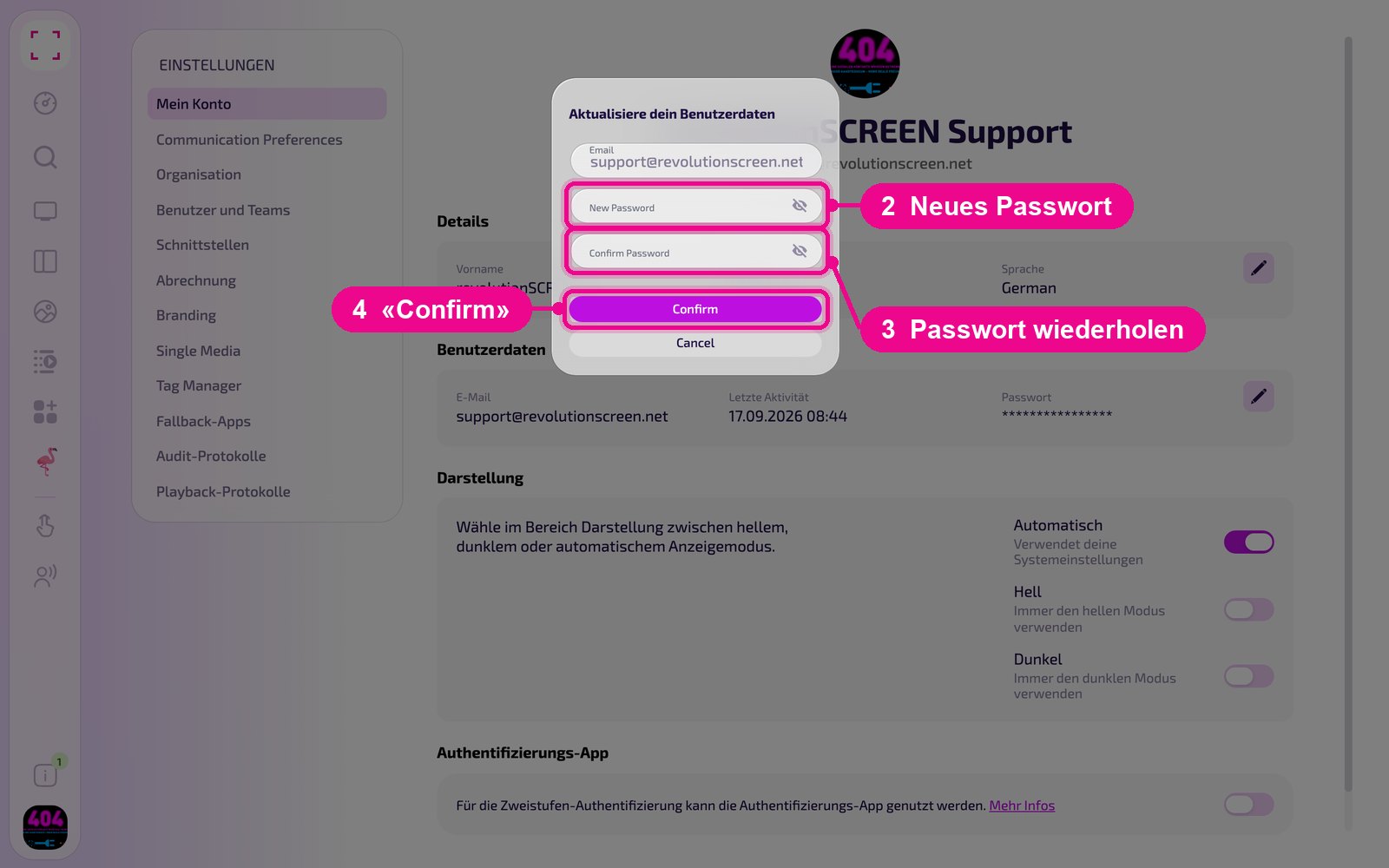
In the «Aktualisiere dein Benutzerdaten» window, enter the new password twice and confirm with «Confirm». Use the eye icon to show the input for checking. The email address is only displayed and cannot be changed here.
Appearance: light, dark or automatic
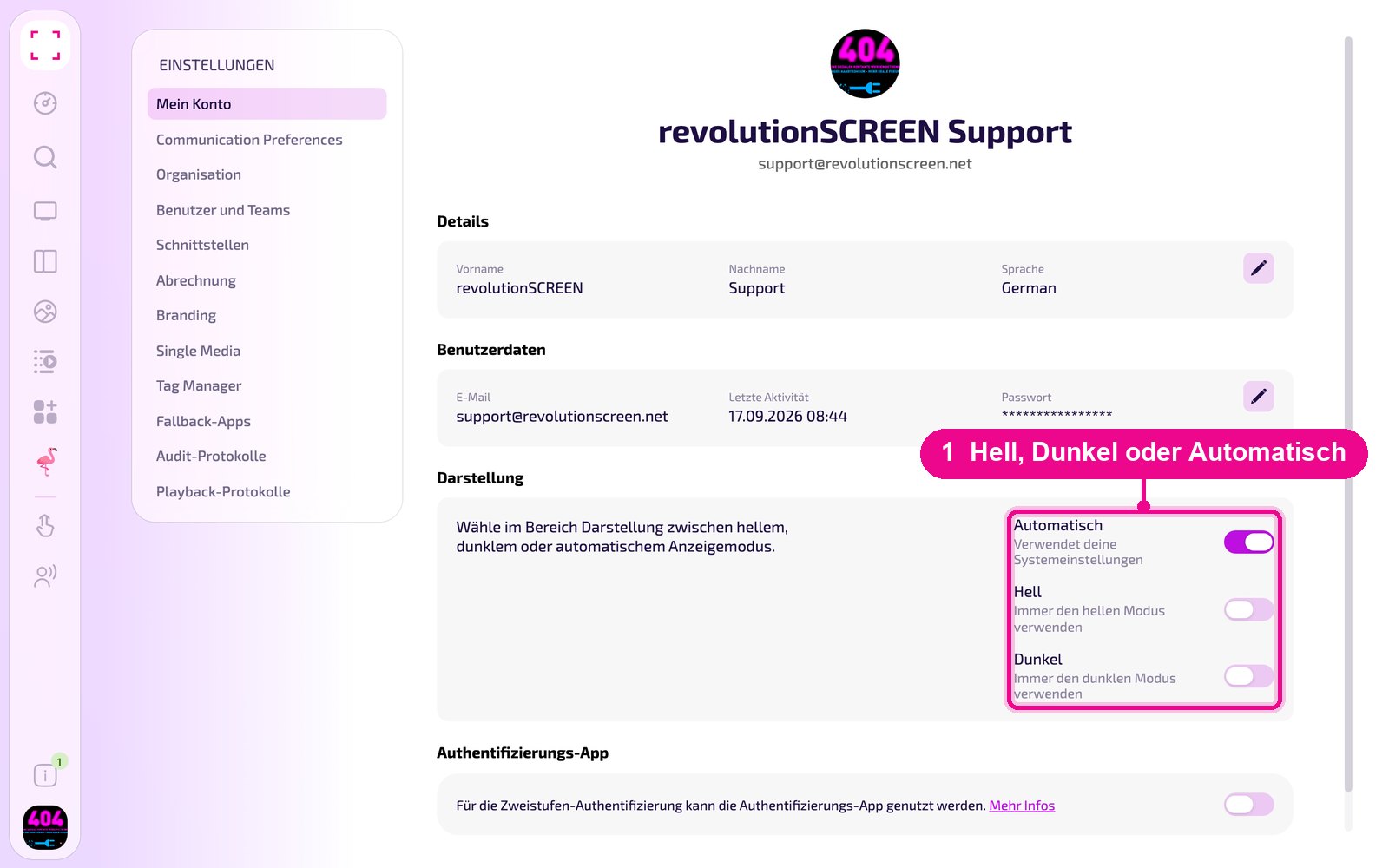
In the «Darstellung» section you set how my.rstv.app looks. «Automatisch» adopts your computer's setting, «Hell» and «Dunkel» always apply, regardless of the system.
Enabling two-factor authentication
With the switch in the «Authentifizierungs-App» section you secure your account, in addition to the password, with a code from an app on your smartphone.
The guide «Zwei-Faktor-Authentifizierung» shows you how to set up Google or Microsoft Authenticator.