Flight Board
With the «Flight Board» app you display current arrivals and departures of an airport in real time on the screen.
Purpose
Ideal for info boards in public areas, hotels, reception halls or staff rooms. You choose the airport, filter by destination, flight number or airline, and adjust the colors. The display works in both portrait and landscape orientation.
Requirements
- An active revolutionSCREEN account with access to my.rstv.app.
- At least one configured screen.
Install the app
In the sidebar on the left, click «Apps» and at the top «zum App-Store» (to the app store).
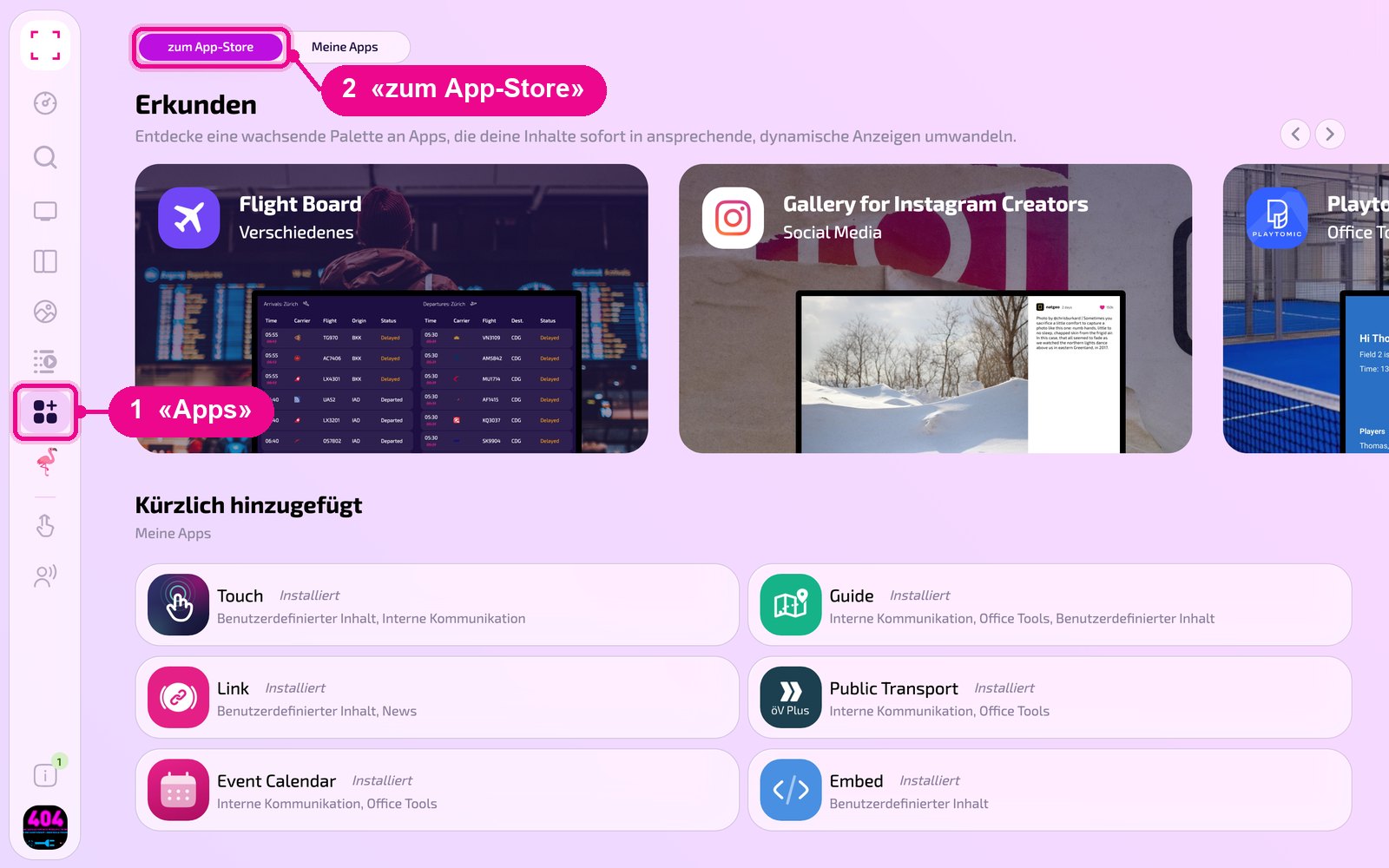
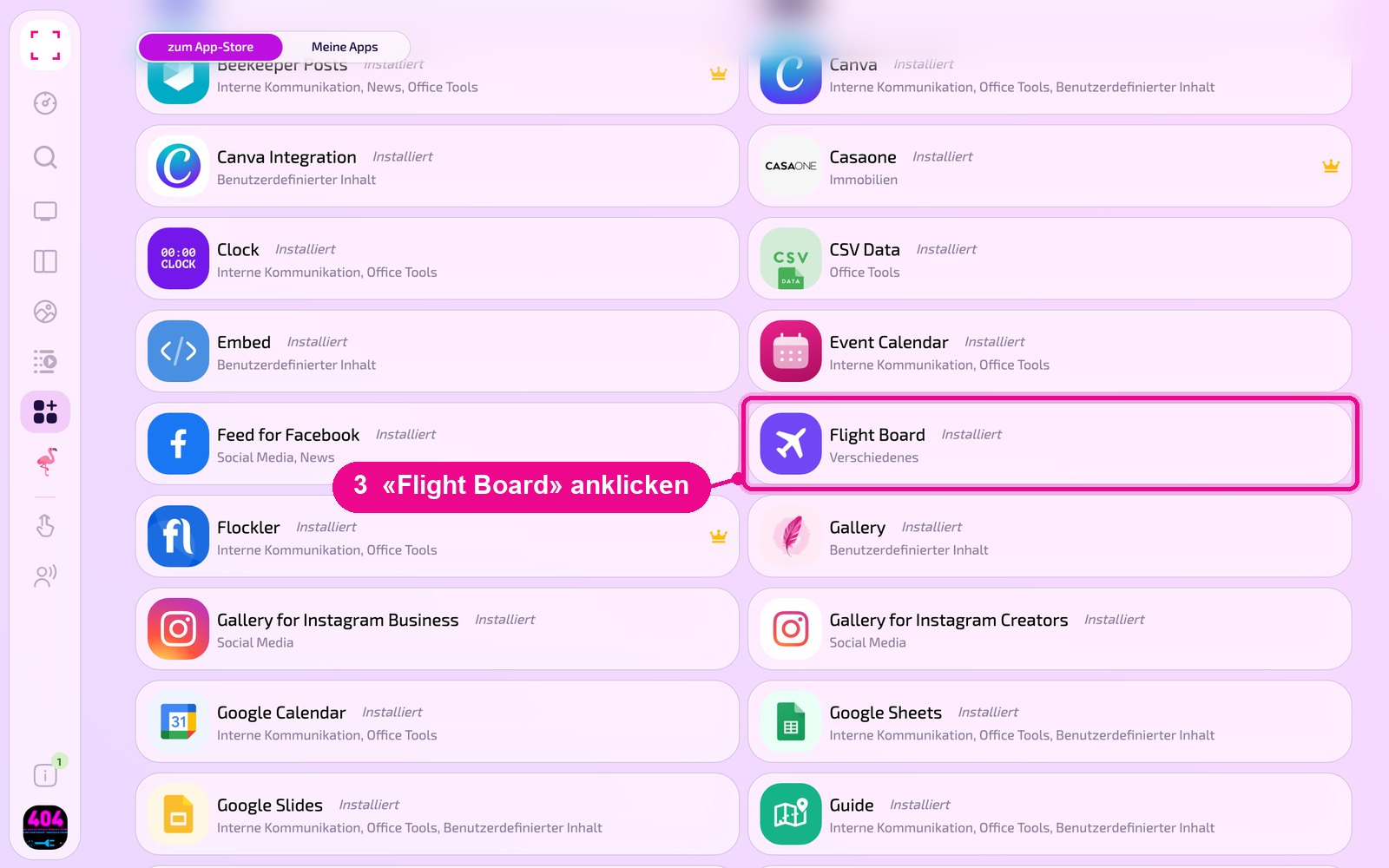
Scroll to the «Alle» (all) list and click the «Flight Board» tile. Use the category buttons to narrow down the list.
The detail view of the app opens. If it is not yet installed, first click «Installiere» (install). Then click «Neue Instanz» (new instance). «App Guide» opens a quick guide.
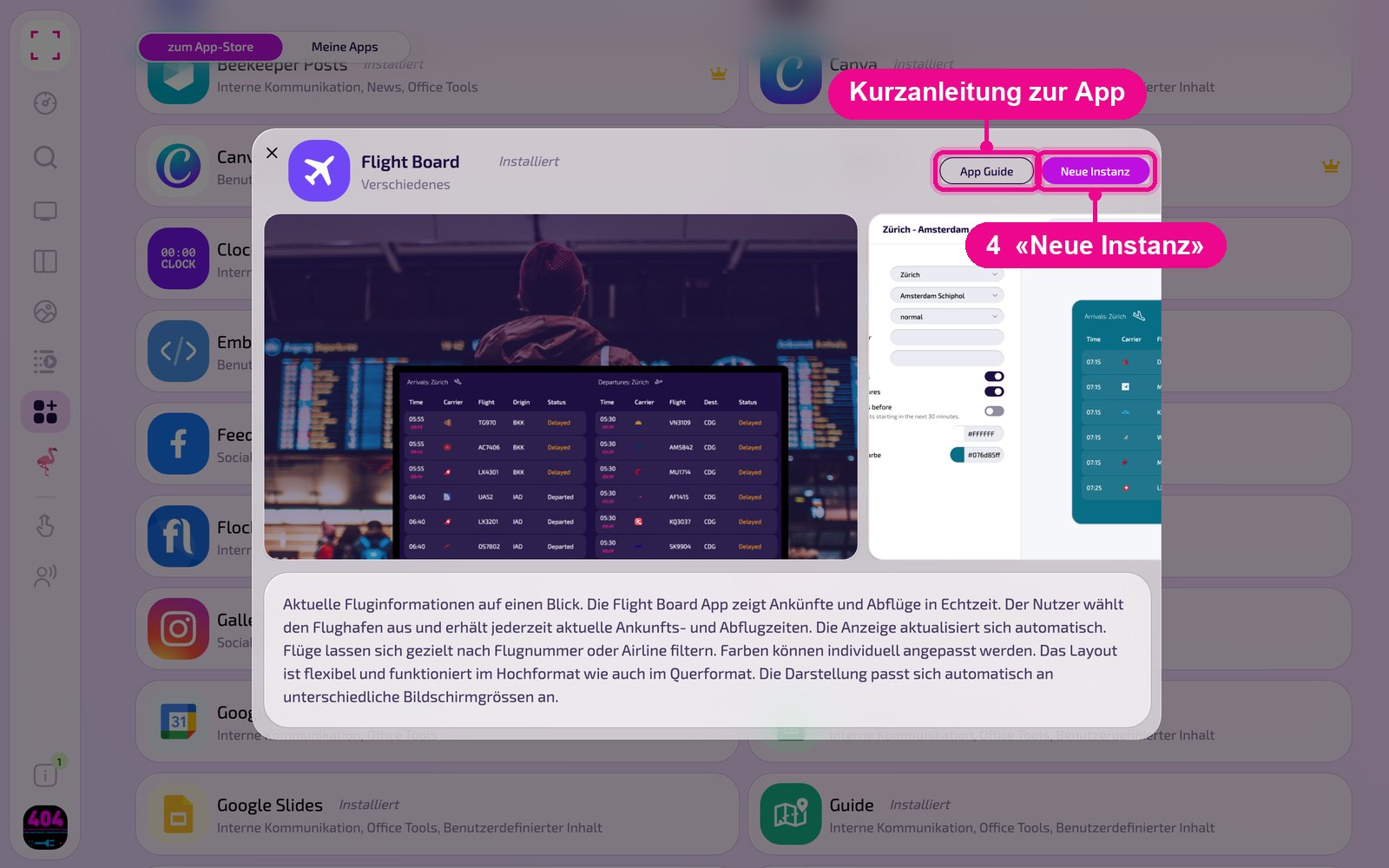
An instance is a separate configuration of the app, e.g. one gallery for reception and another for the canteen. You can create any number of instances and use each one individually on screens, in playlists or layouts.
Create a new instance
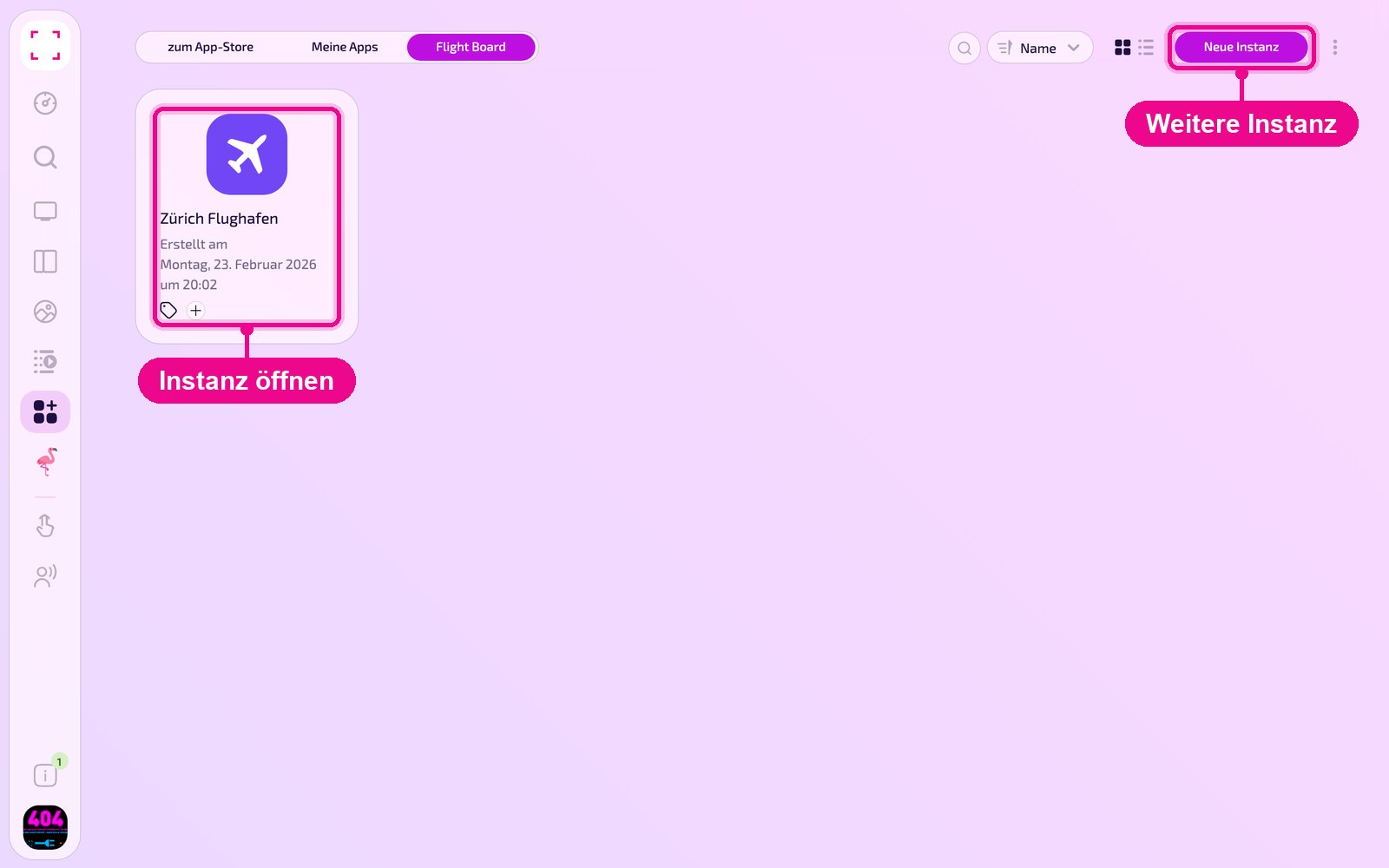
Under «Apps › Meine Apps» (my apps) you see all instances of the app as tiles. With «Neue Instanz» (new instance) at the top right you create another one, and by clicking a tile you open an existing one.
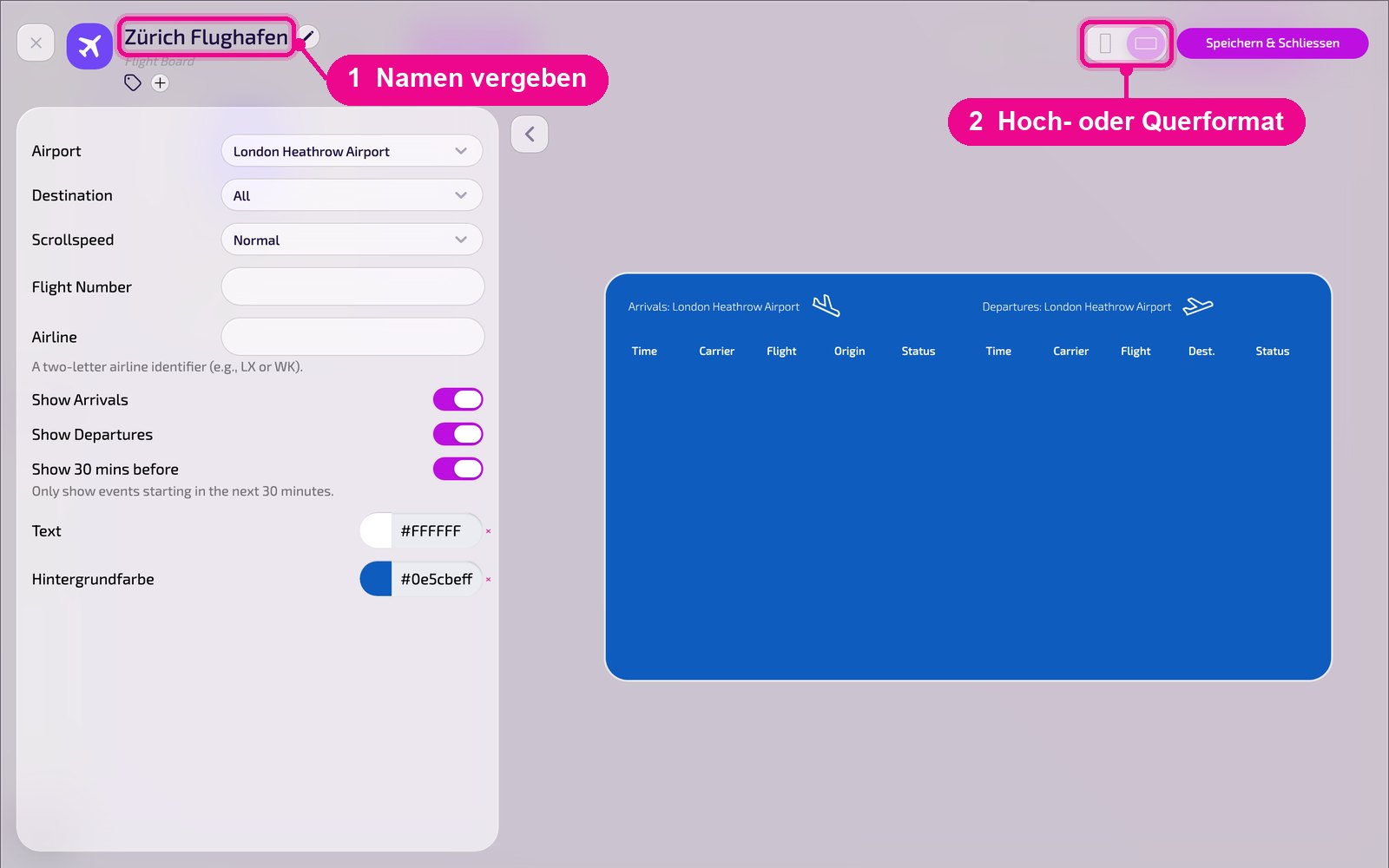
In the editor, hover over the title and click the pencil to give the instance a name. A new instance shows «Kein Name angegeben» (no name specified) in red until then. At the top right you choose whether the preview appears in portrait or landscape orientation.
Configuration in detail
On the left are all settings, on the right you immediately see in the live preview how the instance looks on the screen. Use the arrow next to the card to collapse the settings.
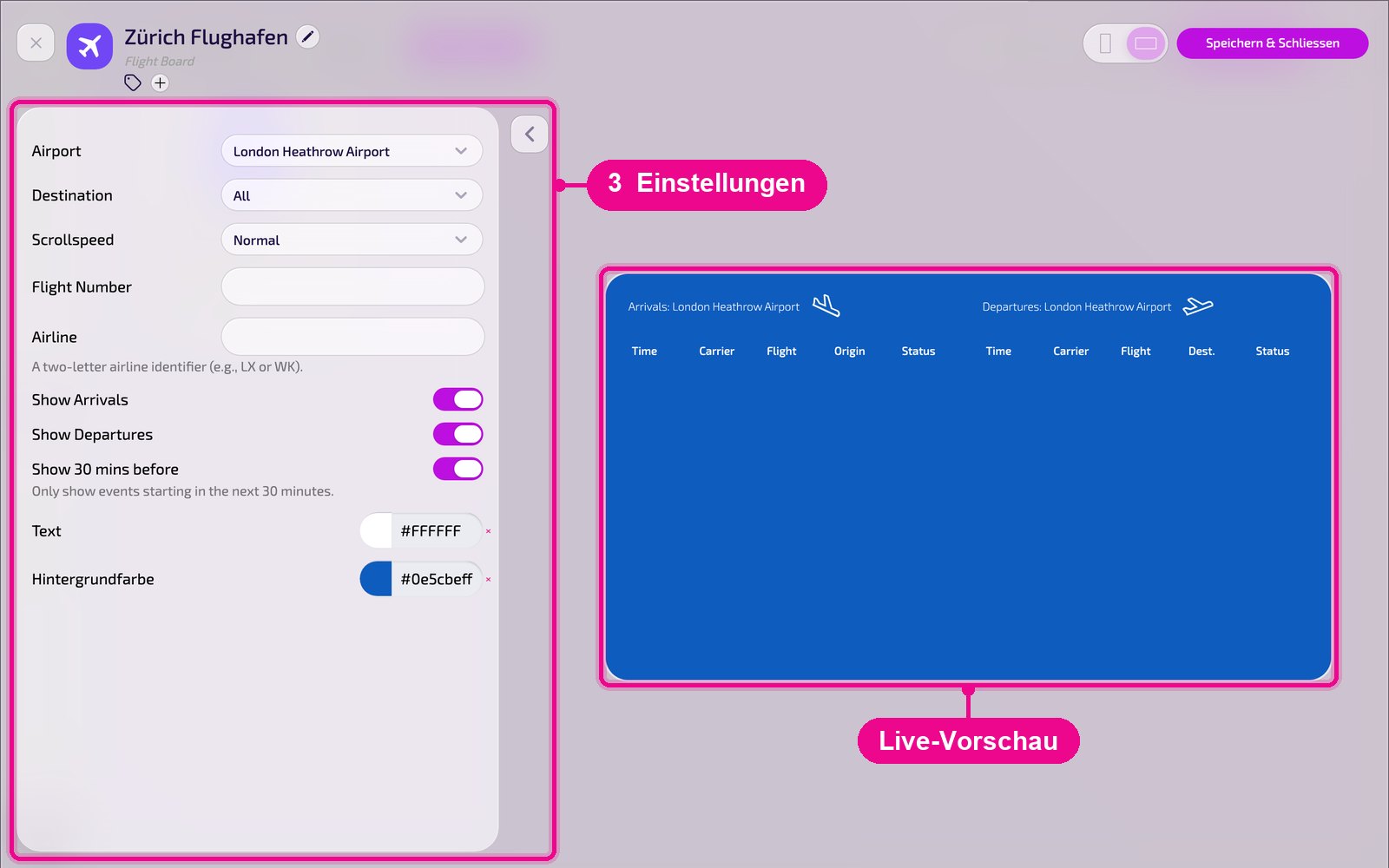
- Airport: select the airport from the list.
- Destination: show only flights to or from a specific destination, «All» shows all.
- Scrollspeed: the speed at which the list scrolls, e.g. «Normal».
- Flight Number: optionally show only a specific flight.
- Airline: optionally filter by airline, using the two-letter code, e.g. LX or WK.
- Show Arrivals / Show Departures: show or hide arrivals or departures. The layout adjusts automatically.
- Show 30 mins before: show only flights that depart or land in the next 30 minutes.
- Text / background color: colors for text and background.
The number of queries via the flight data interface is limited. If you need more, our support team will gladly get in touch with an offer.
Save & play out on the screen
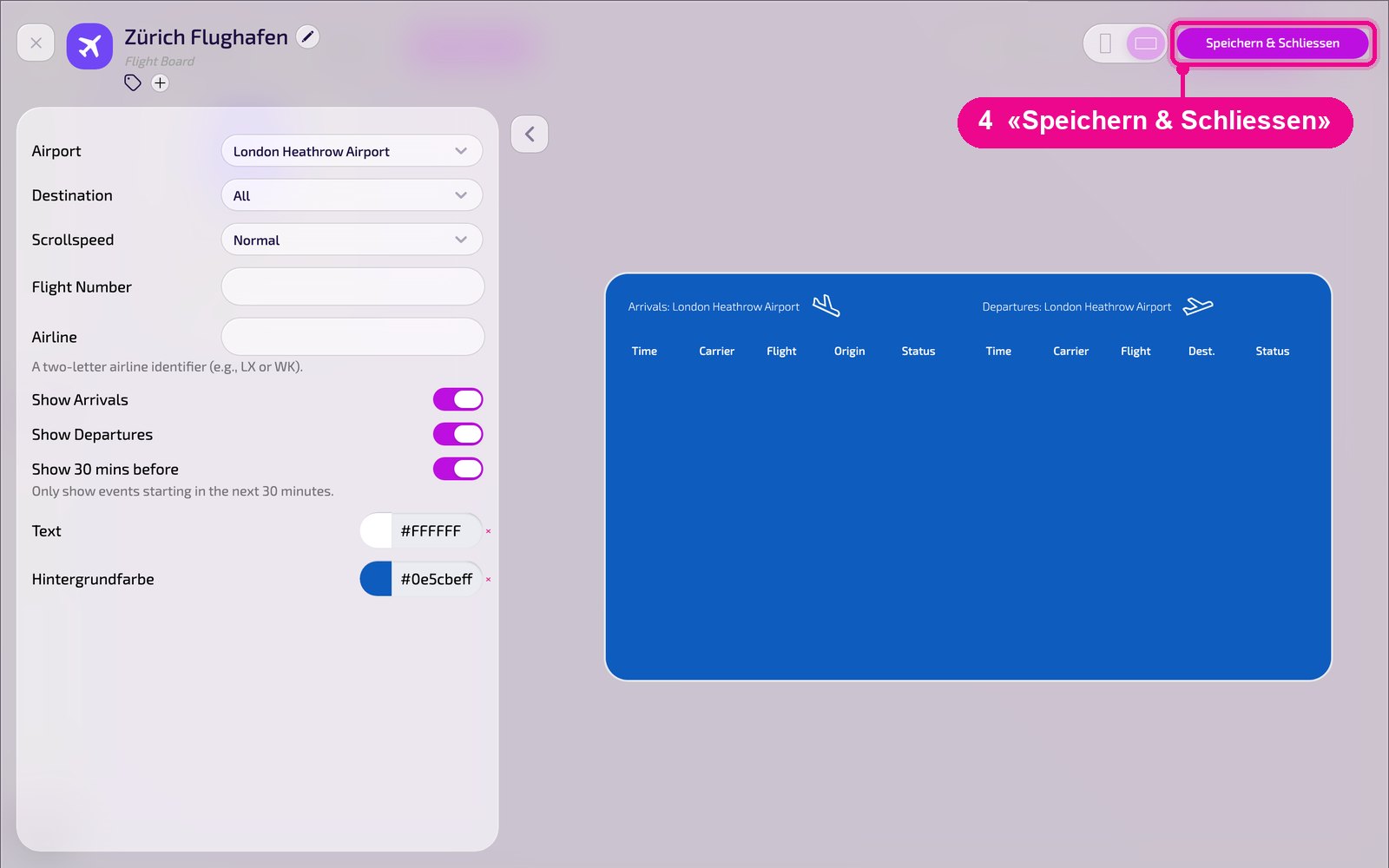
Save the instance at the top right with «Speichern & Schliessen» (save & close).
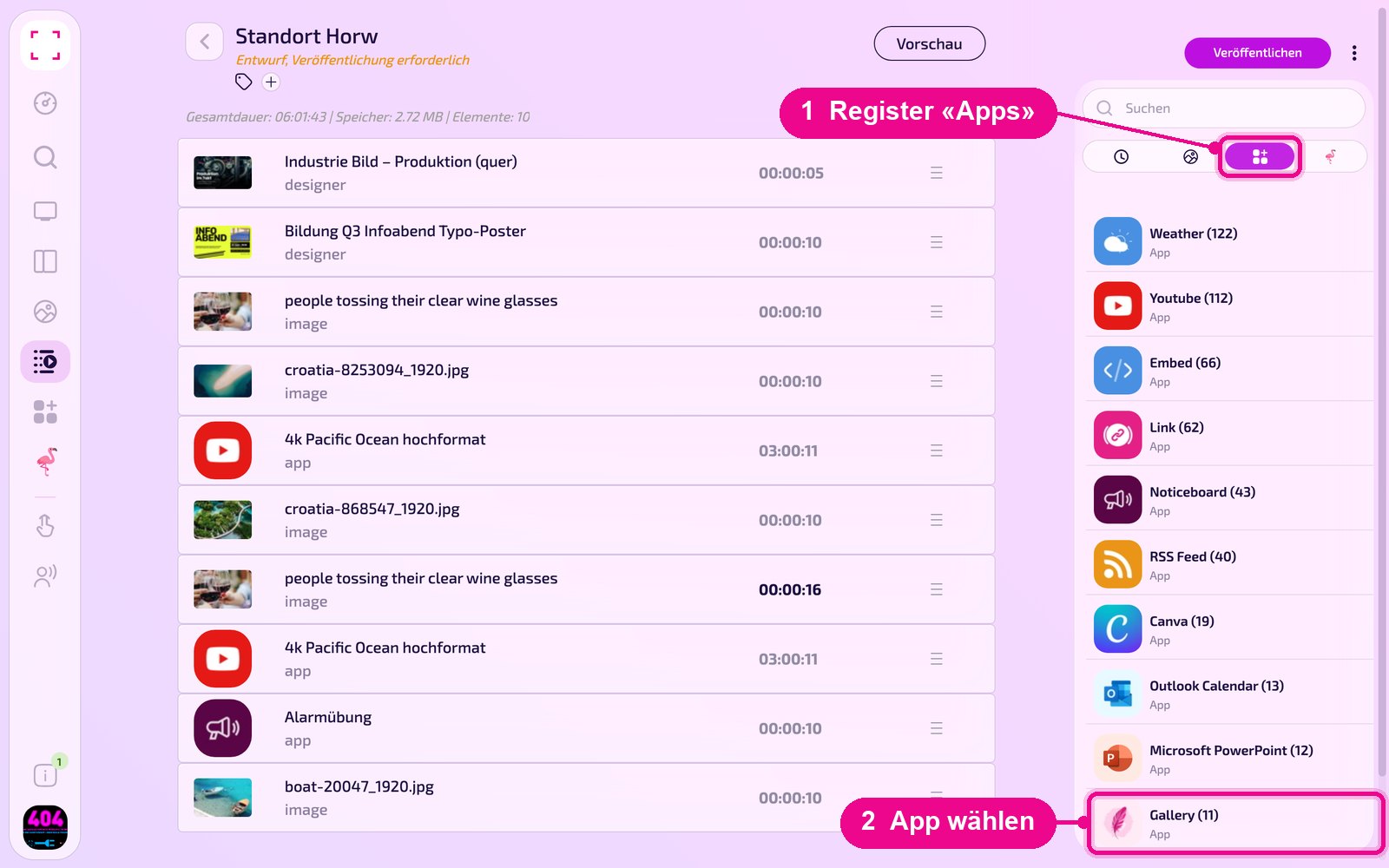
Add to a playlist: Open the playlist, select the «Apps» tab on the right, click the app and then the instance. The instance is added immediately.
Add to a layout: Open the layout and click the pencil at the desired section.
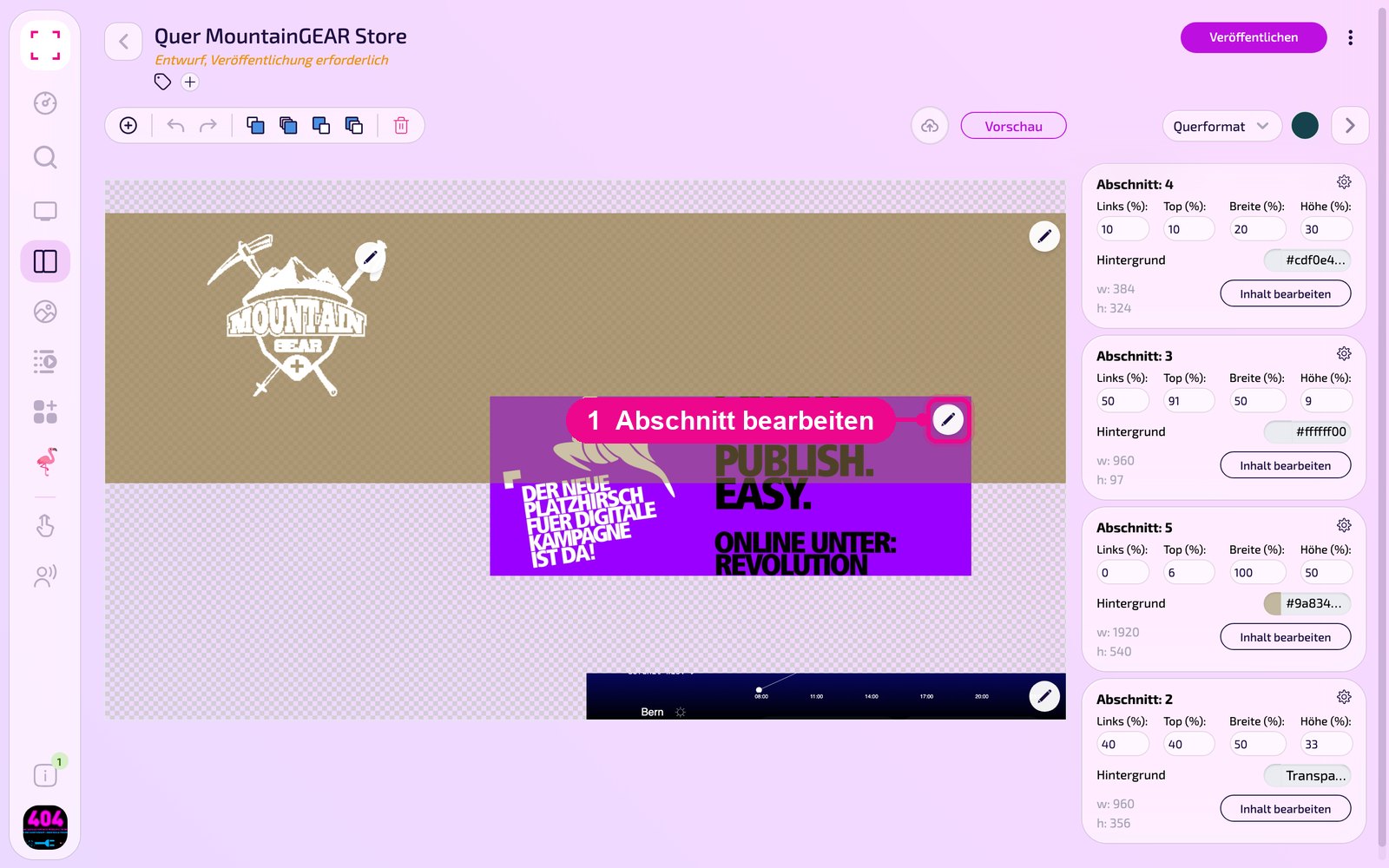
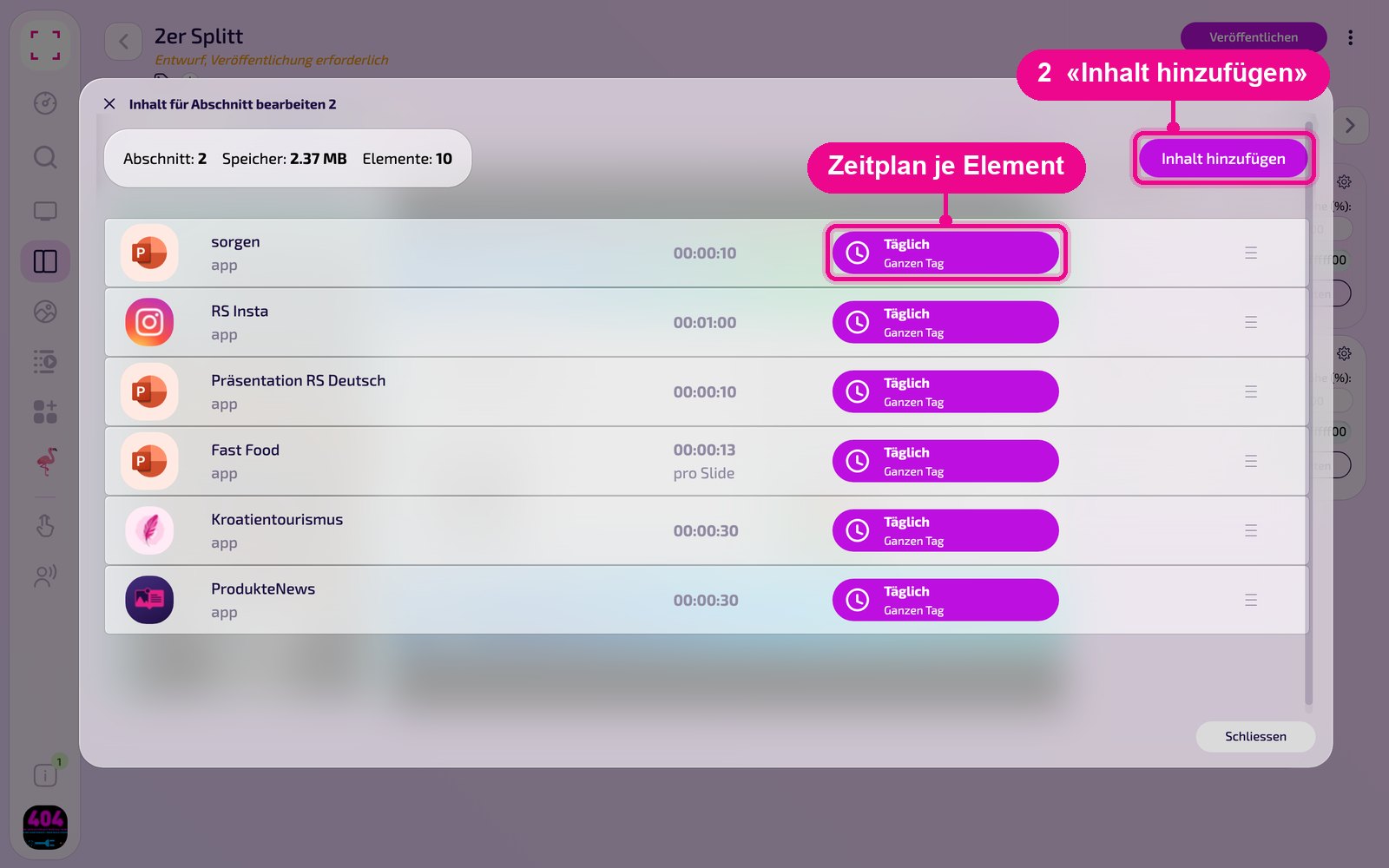
In the «Inhalt für Abschnitt bearbeiten» (edit content for section) window, add the instance with «Inhalt hinzufügen» (add content). On the right of each element you set the schedule via «Täglich» (daily).
Then click «Veröffentlichen» (publish) in the playlist or layout. As long as it says «Entwurf, Veröffentlichung erforderlich» (draft, publishing required) there, the screen still shows the old state.
Tips & troubleshooting
No flights showing
Check the filters: set «Destination» to «All», clear «Flight Number» and «Airline», and turn off «Show 30 mins before».
Finding the flight number or airline code
You can find both, for example, on flightaware.com.
List scrolls too fast
Select a slower level under «Scrollspeed».
Content does not appear
Check whether the playlist or layout is published and assigned to the correct screen, and whether the player is online.