Embed
With the «Embed» app, you can embed your own HTML code on the screen, e.g. a Widget, a map, a clock or a table of prices.
Purpose
Bring external web content onto the display via embed code. Anything that can be embedded as HTML or iFrame can be displayed.
Prerequisites
- An active revolutionSCREEN account with access to my.rstv.app.
- The embed code (HTML or iFrame) of the desired content.
- At least one configured Screen.
Install the app
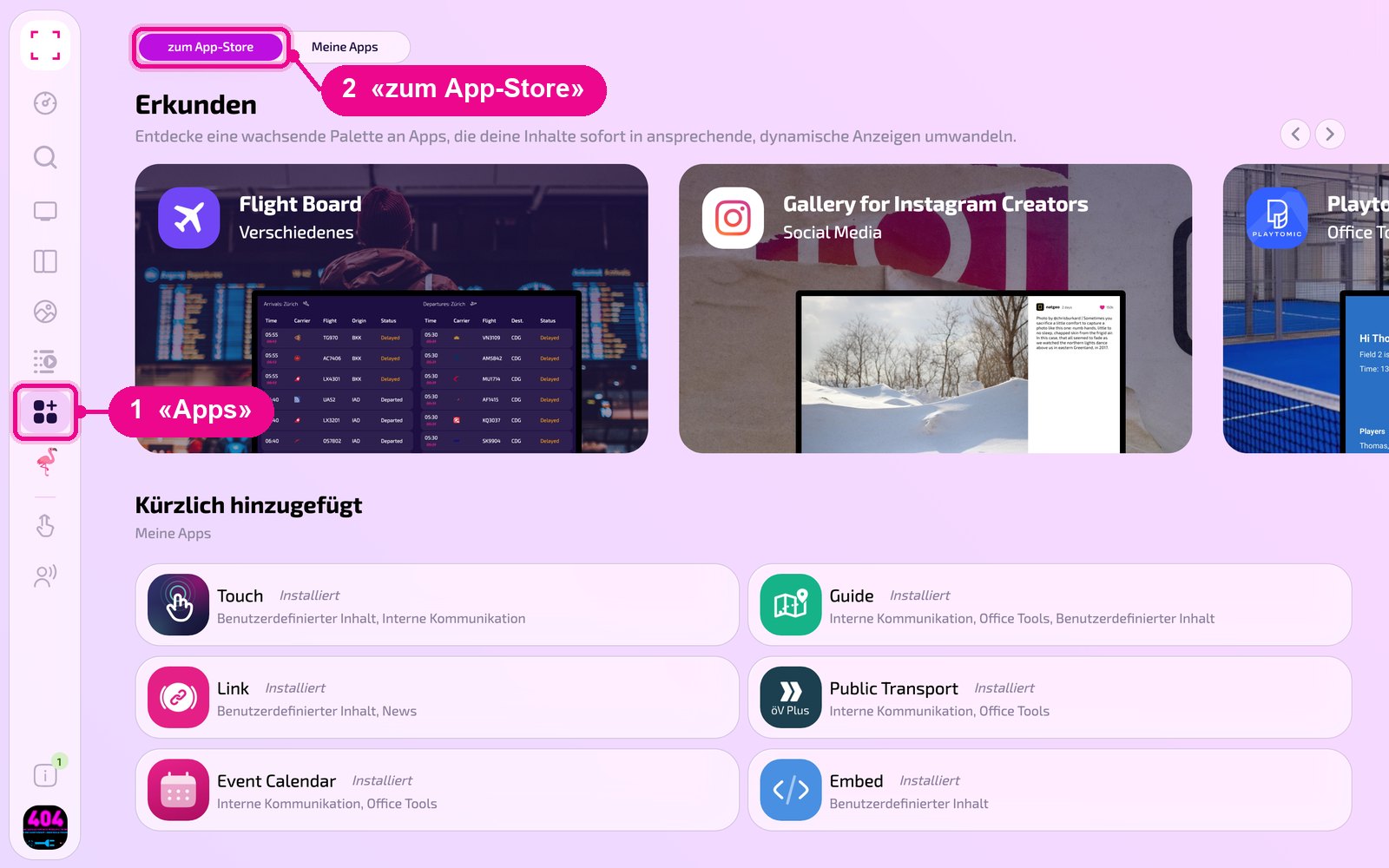
In the sidebar on the left, click «Apps» and then «zum App-Store» (to the Appstore) at the top.
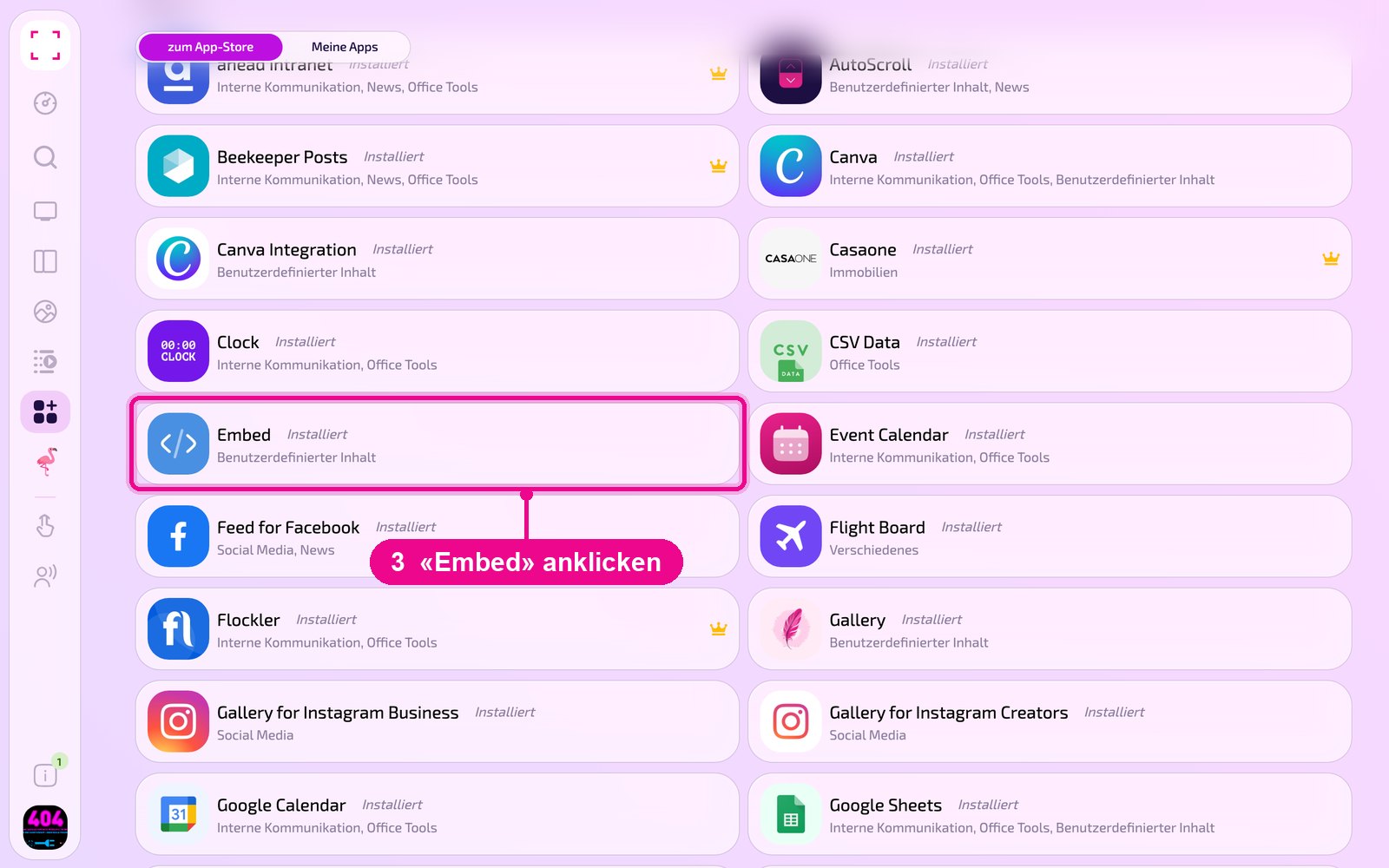
Scroll to the «Alle» (All) list and click the «Embed» tile. Use the category buttons to narrow down the list.
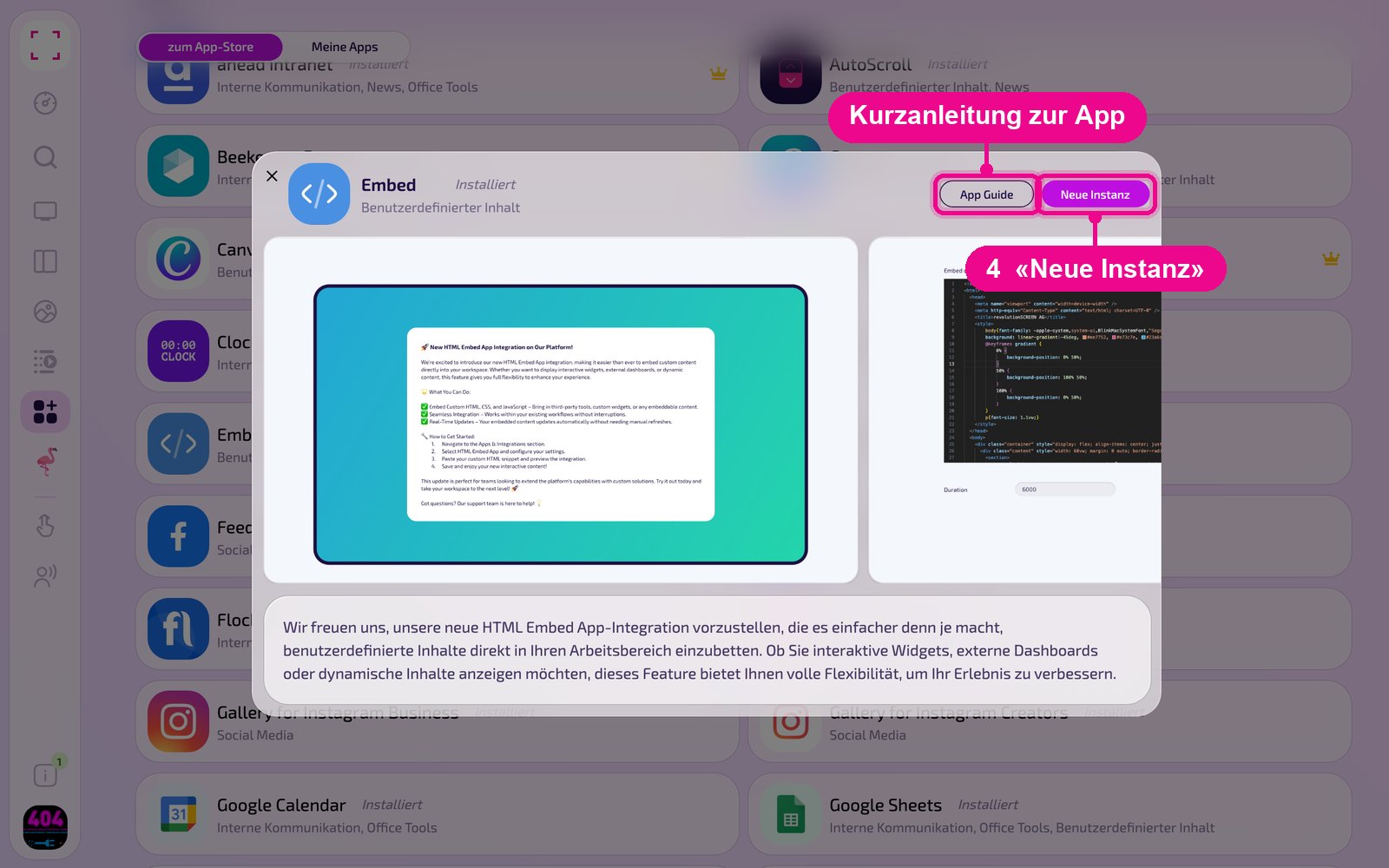
The app's detail view opens. If it isn't installed yet, first click «Installiere» (Install). Then click «Neue Instanz» (New instance). «App Guide» opens a quick guide.
An instance is a separate configuration of the app, e.g. one gallery for the reception and another for the cafeteria. You can create any number of instances and use each one individually on Screens, in Playlists or Layouts.
Create a new instance
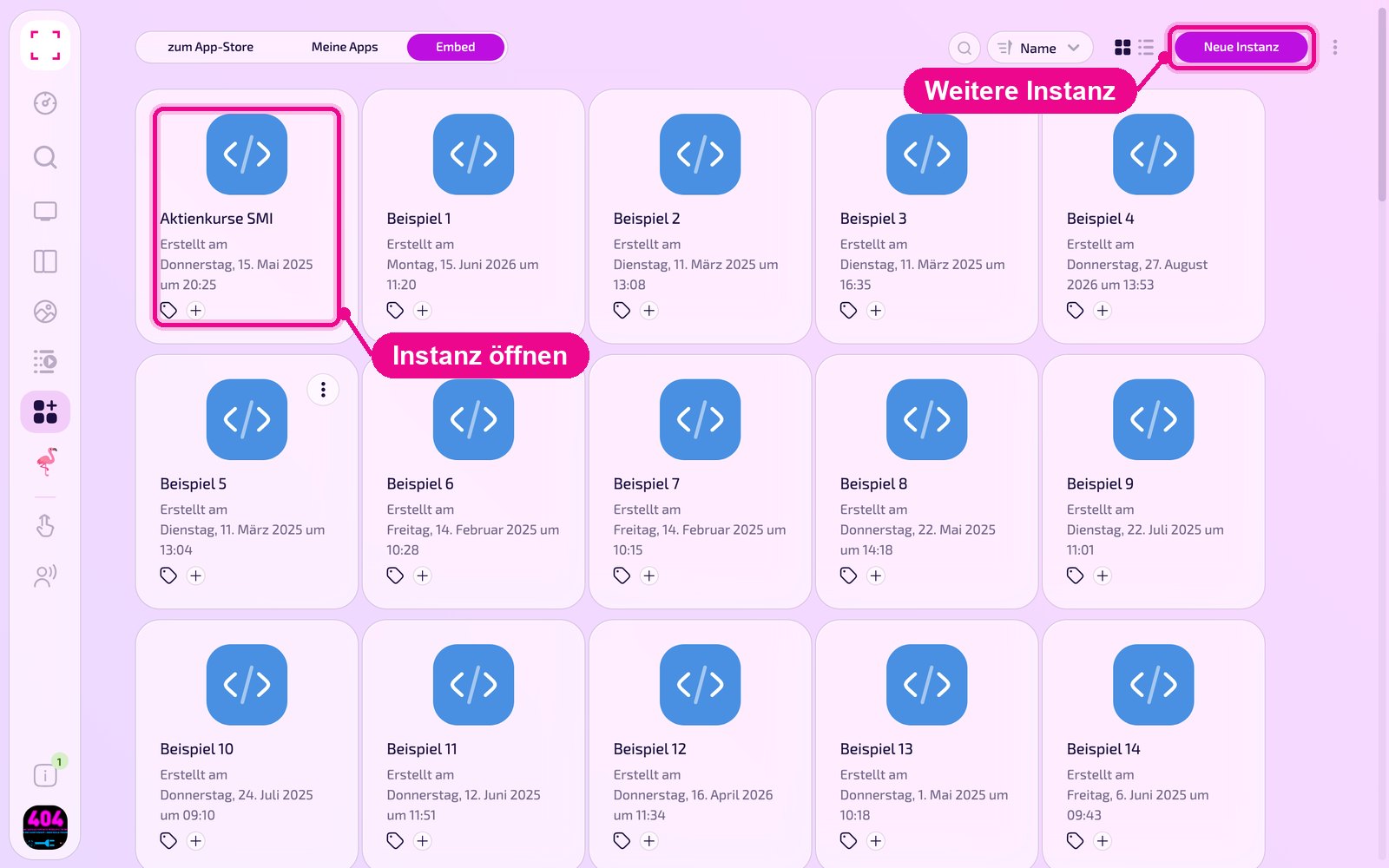
Under «Apps › Meine Apps» (My Apps), you see all instances of the app as tiles. Use «Neue Instanz» (New instance) in the top right to create another one, or click a tile to open an existing one.
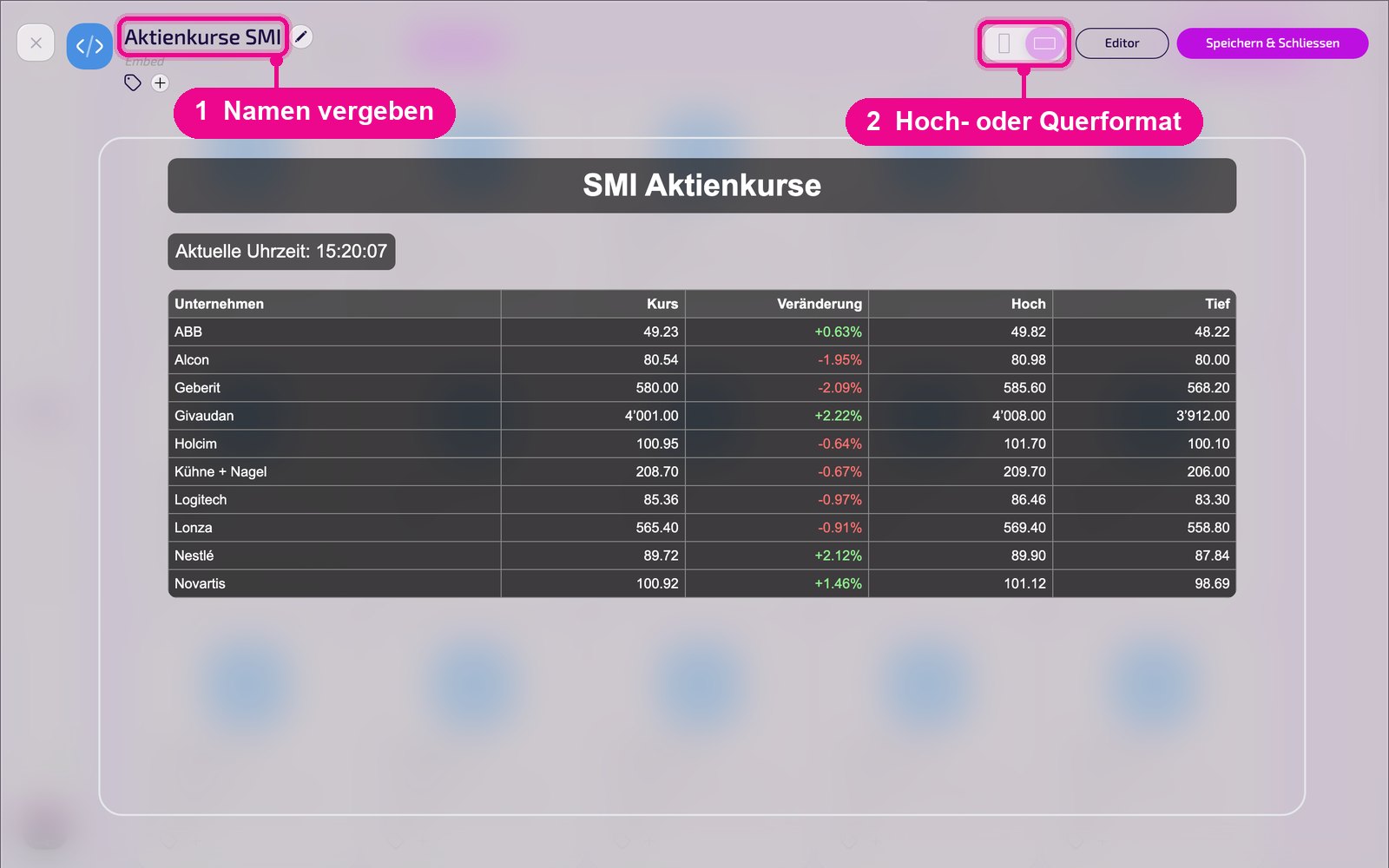
In the editor, hover over the title and click the pencil to give the instance a name. A new instance shows «Kein Name angegeben» (No name provided) in red until then. In the top right, you choose whether the preview appears in portrait or landscape.
Configuration in detail
When opened, Embed first shows the large preview. You reach the settings via «Editor» in the top right. On the left are all settings, on the right you immediately see in the live preview how the instance looks on the Screen. Use the arrow next to the card to collapse the settings.
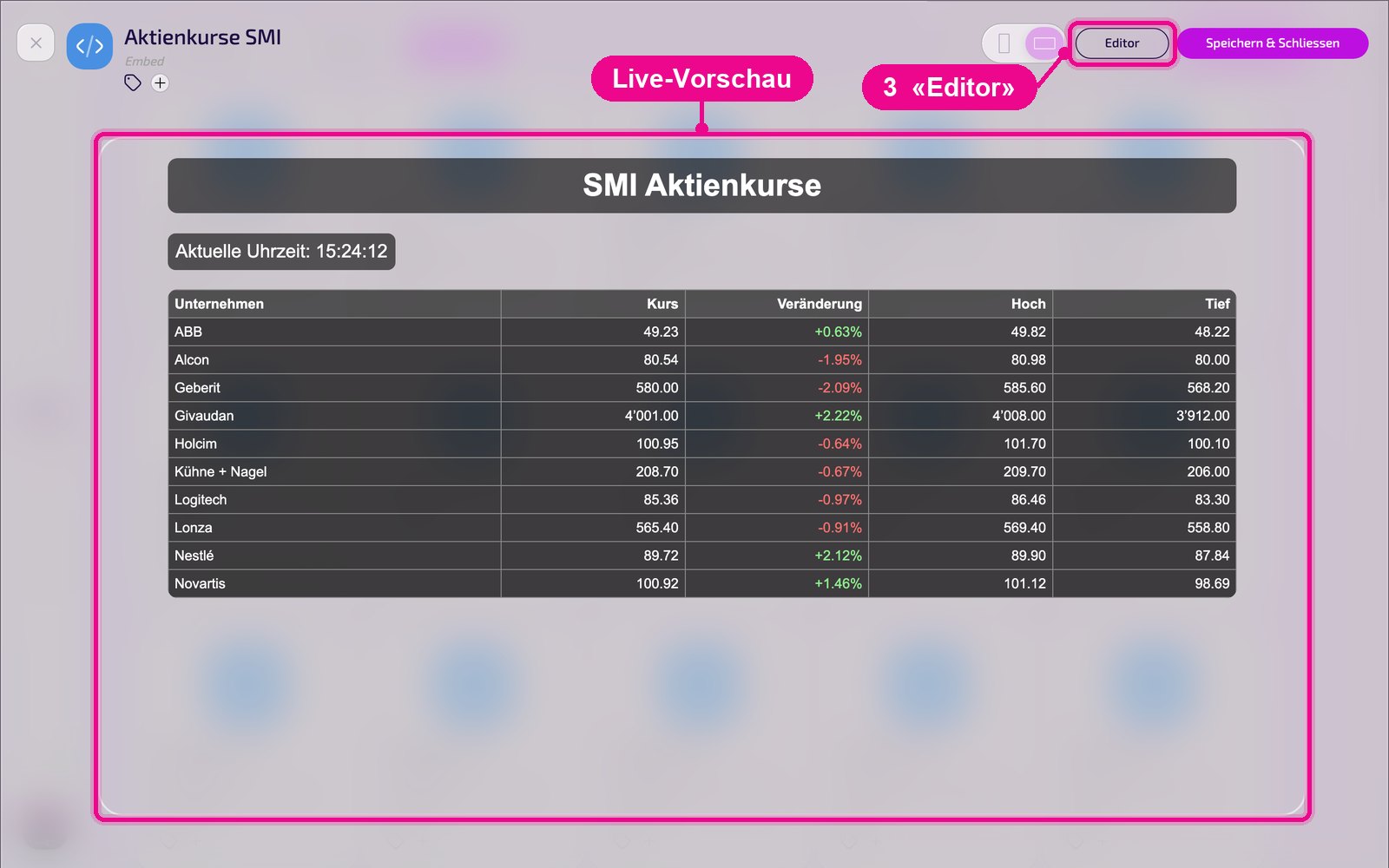
- Editor: switches from the preview to the code view. Use «Vorschau» (Preview) to go back.
- Embed Code: input field for the HTML or embed code to be displayed.
- Dauer: display time in seconds.
Save & play out on the Screen
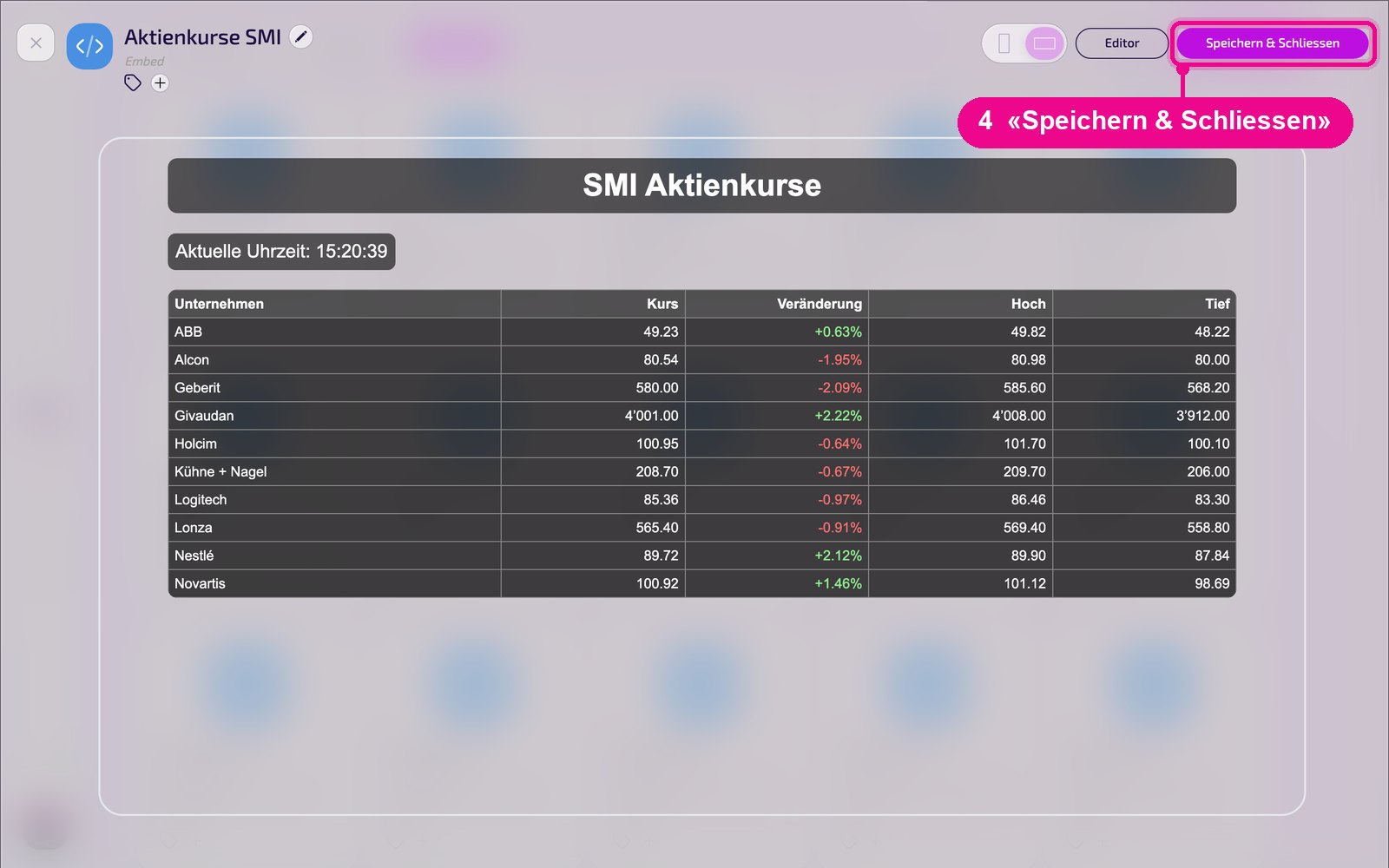
Save the instance in the top right with «Speichern & Schliessen» (Save & Close).
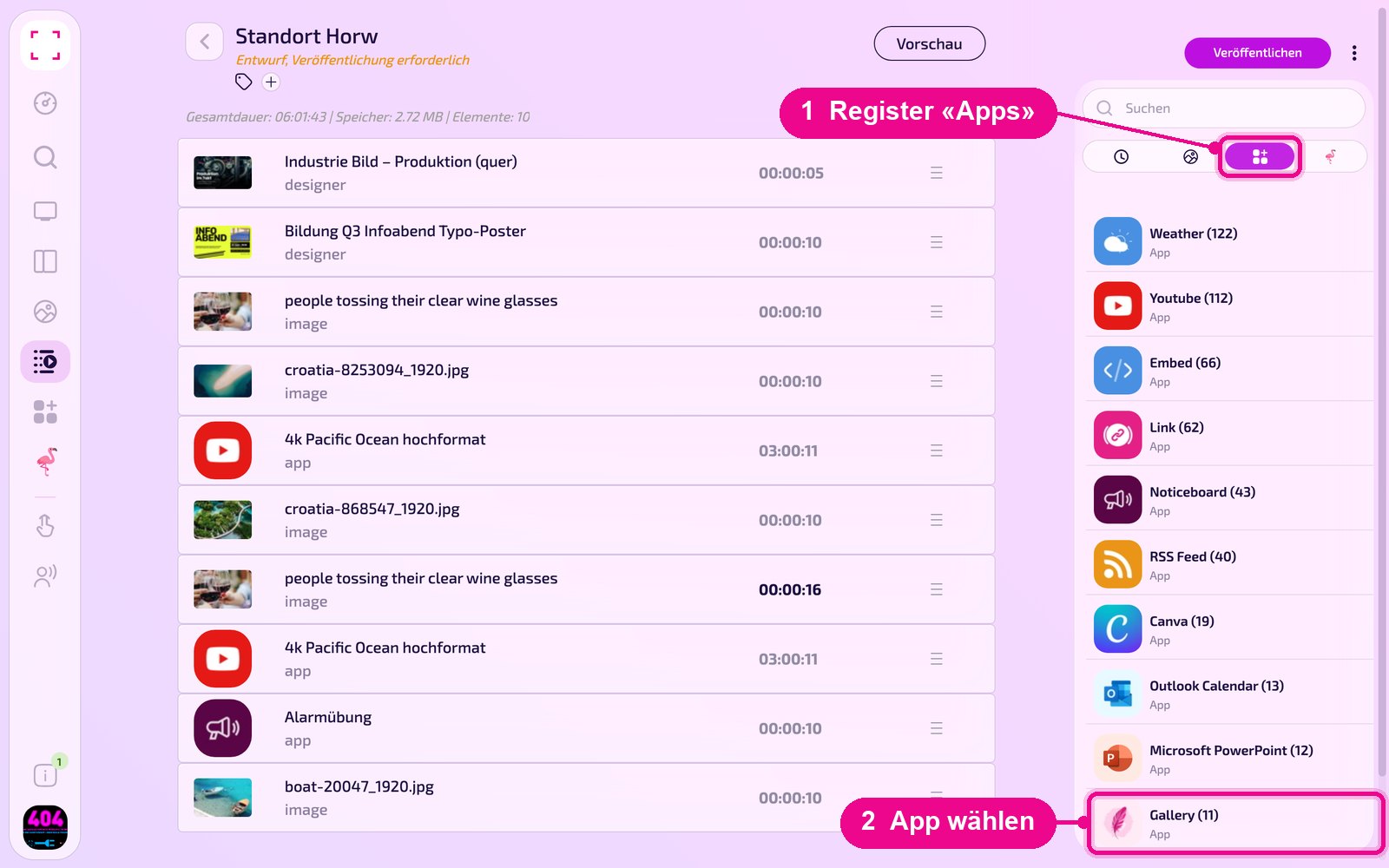
Add to a Playlist: Open the Playlist, select the «Apps» tab on the right, click the app and then the instance. The instance is added immediately.
Add to a Layout: Open the Layout and click the pencil on the desired section.
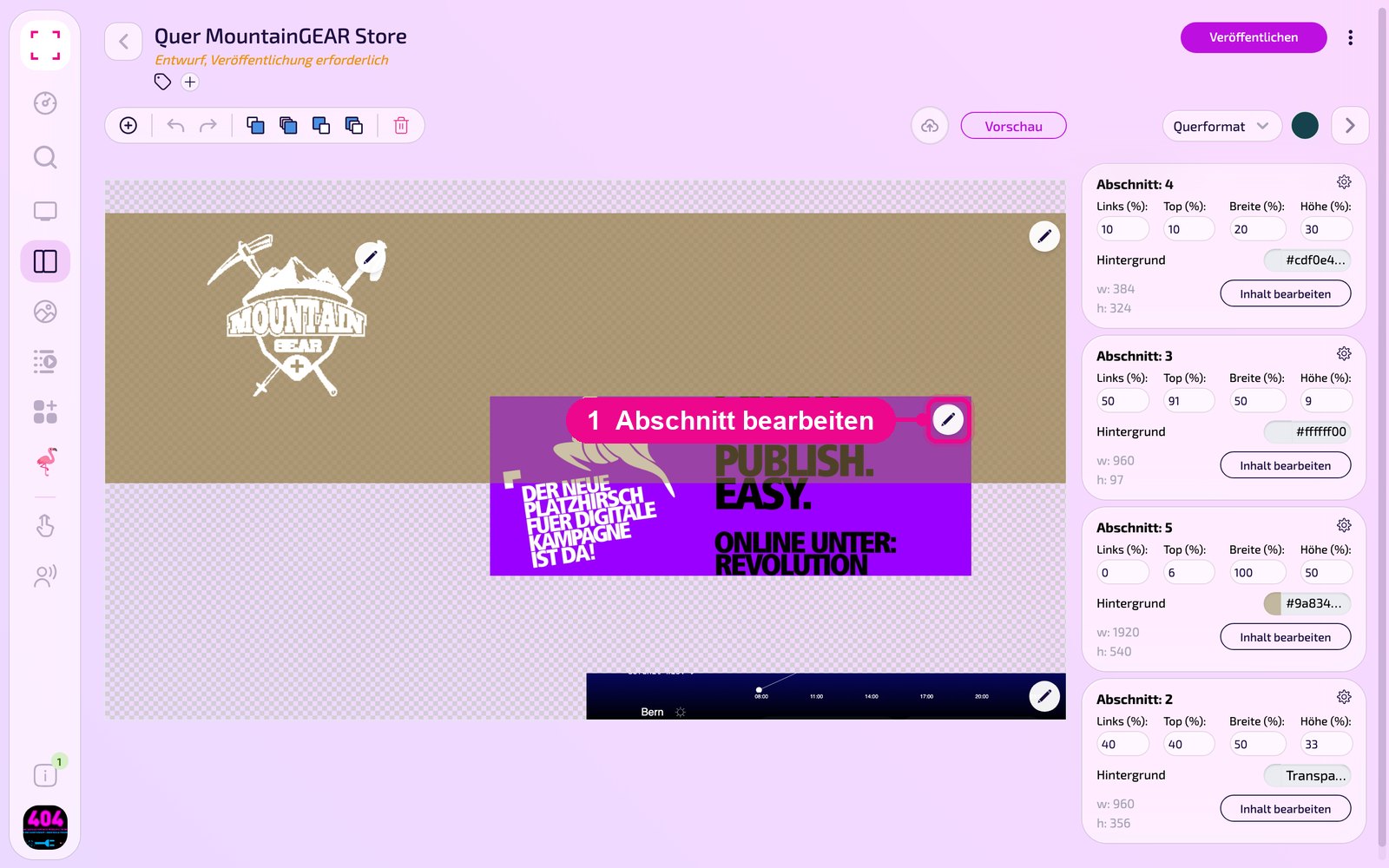
In the «Inhalt für Abschnitt bearbeiten» (Edit content for section) window, use «Inhalt hinzufügen» (Add content) to add the instance. On the right of each element, set the schedule via «Täglich» (Daily).
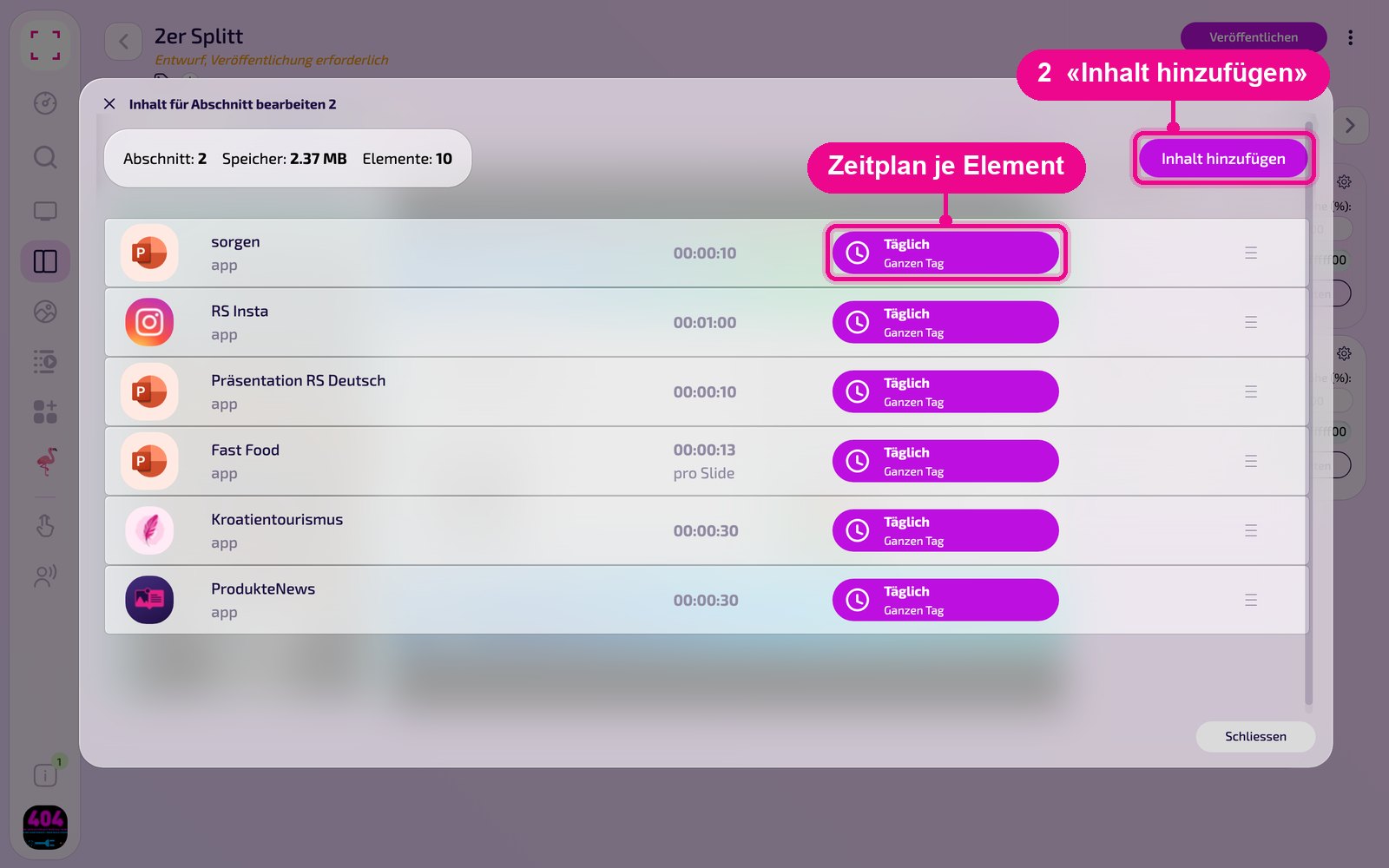
Then click «Veröffentlichen» (Publish) in the Playlist or Layout. As long as it shows «Entwurf, Veröffentlichung erforderlich» (Draft, publishing required), the Screen still shows the old state.
Tips & Troubleshooting
Nothing visible
Check whether the code is valid and the source allows embedding (X-Frame-Options).
Wrong size
Set width and height to 100 % in the code.
HTTPS required
Only secure sources (https) are embedded reliably.
Content does not appear
Check whether the Playlist or Layout is published and assigned to the correct Screen, and that the Player is online.