Organization
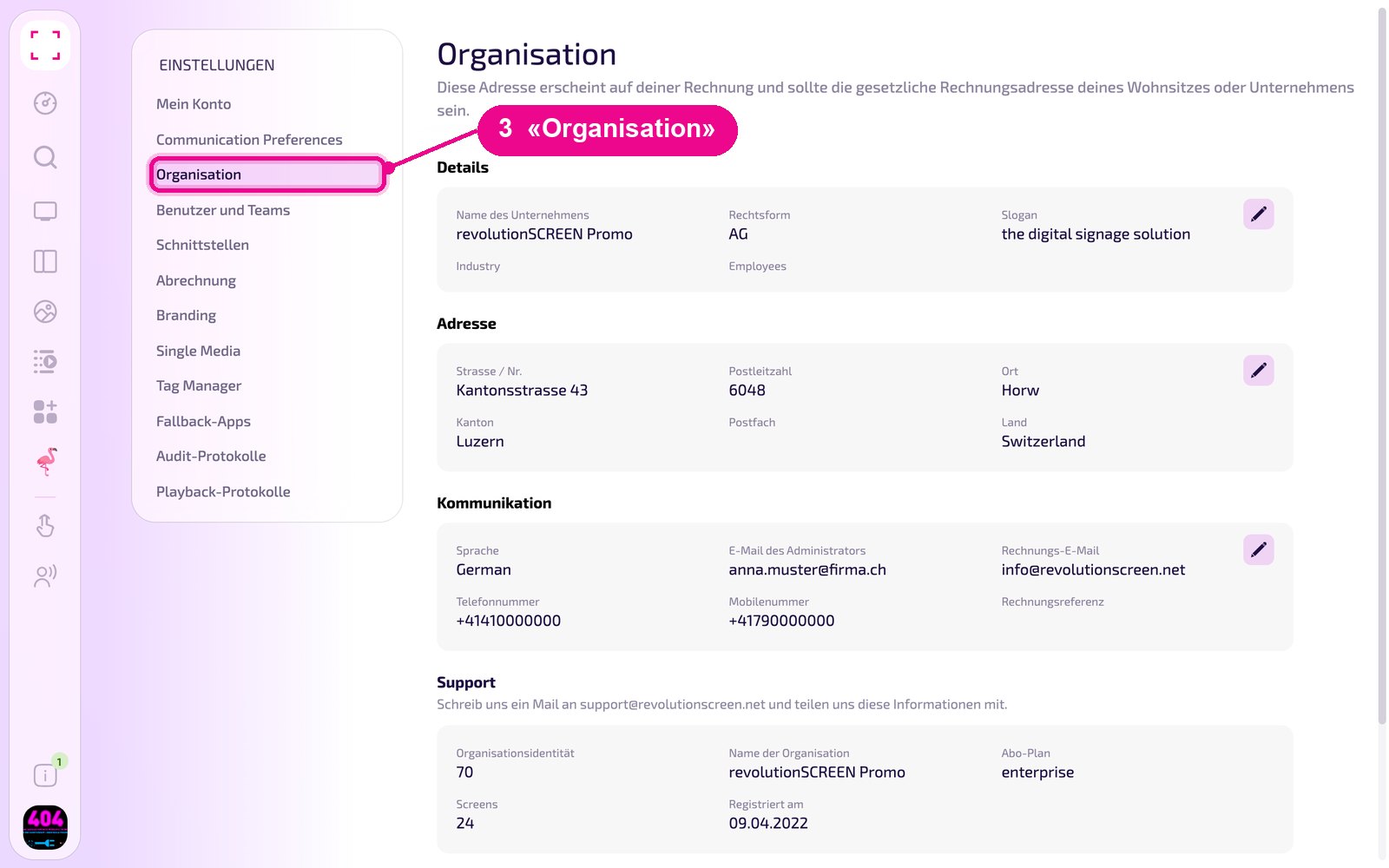
Under «Organisation» you maintain your company details: company data, billing address, invoice language and the email addresses for invoices and notifications. Here you also find the information that support needs from you. These settings apply to the entire company.
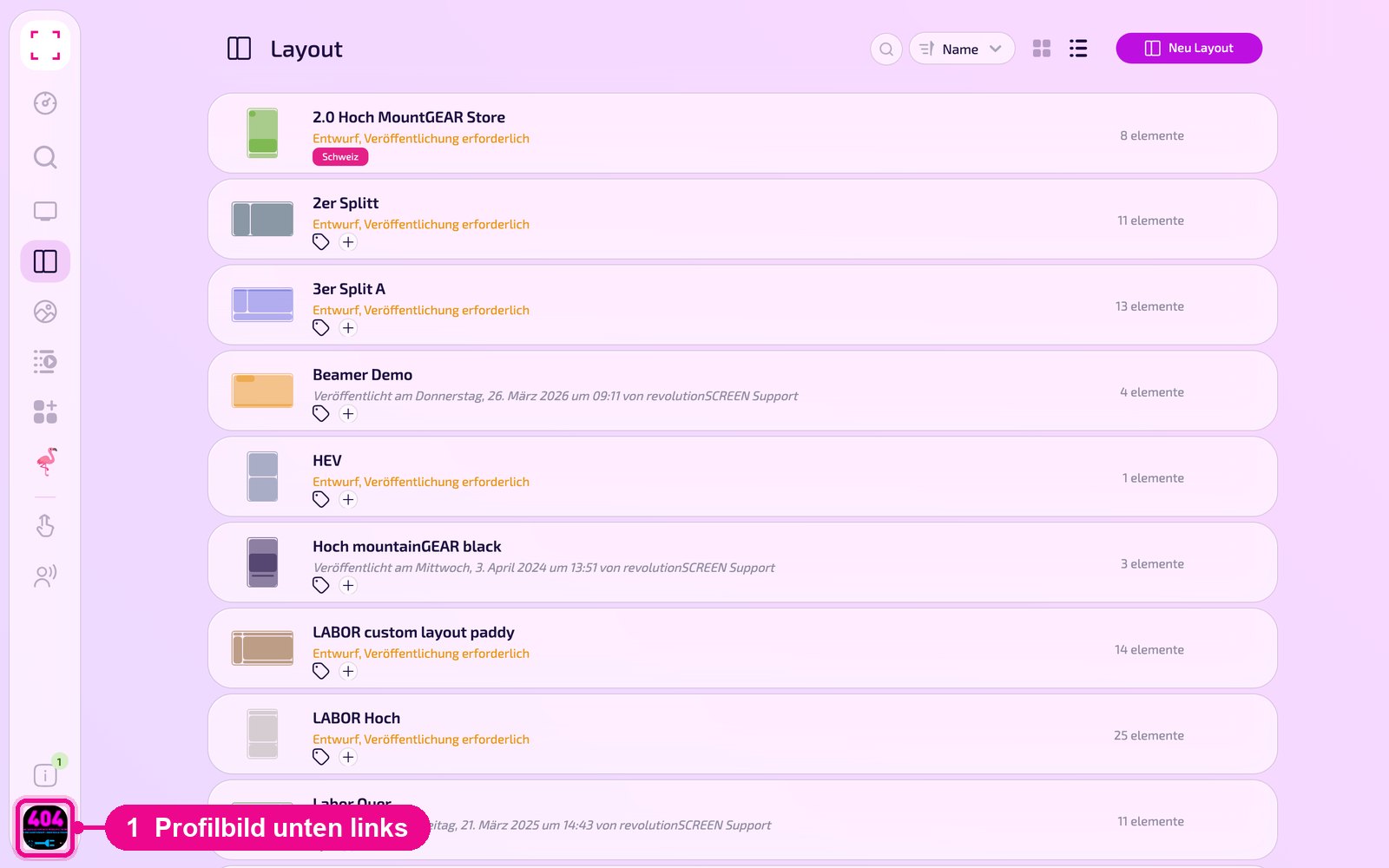
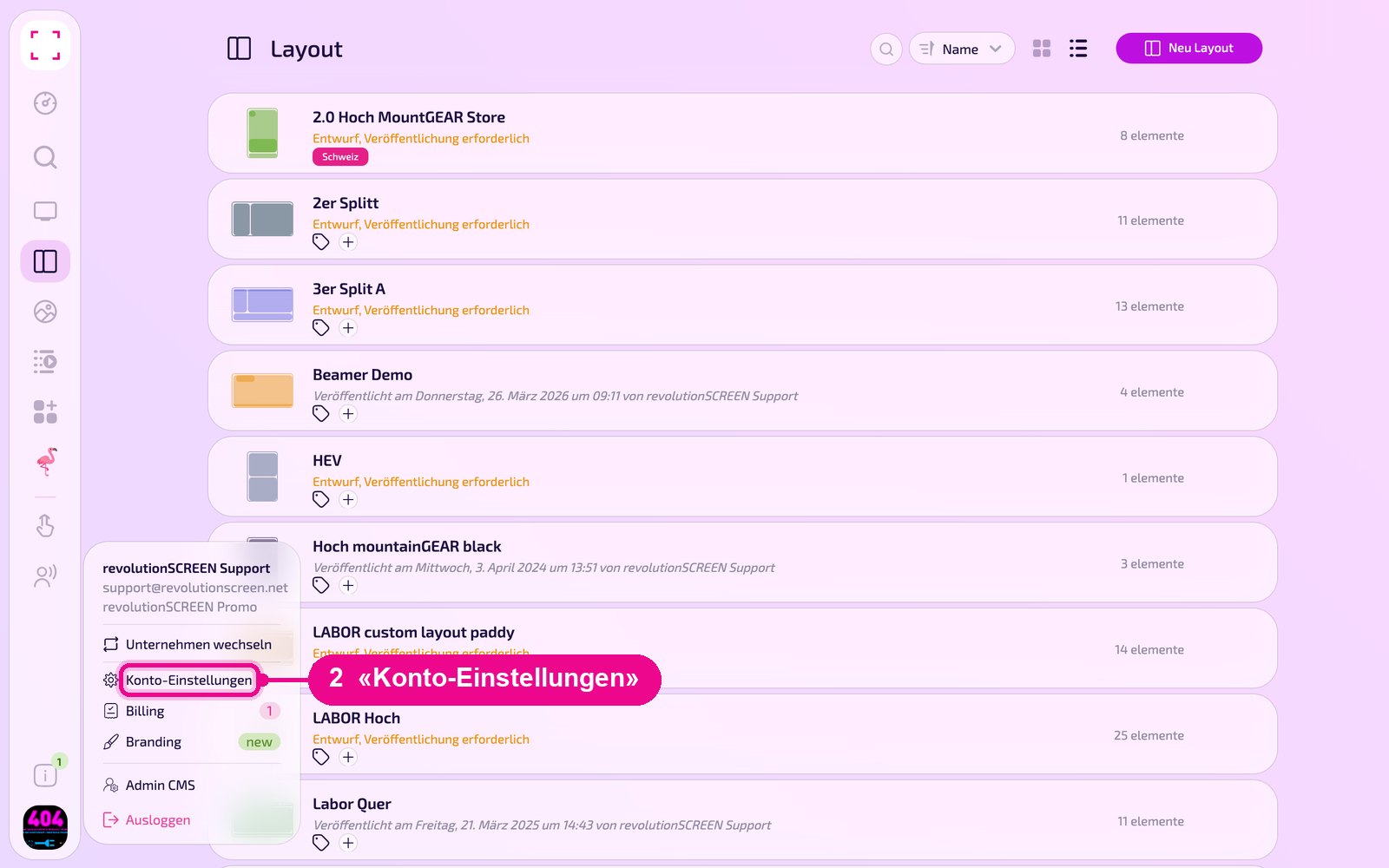
Profile picture at the bottom left → «Konto-Einstellungen» → «Organisation» on the left
Change company data
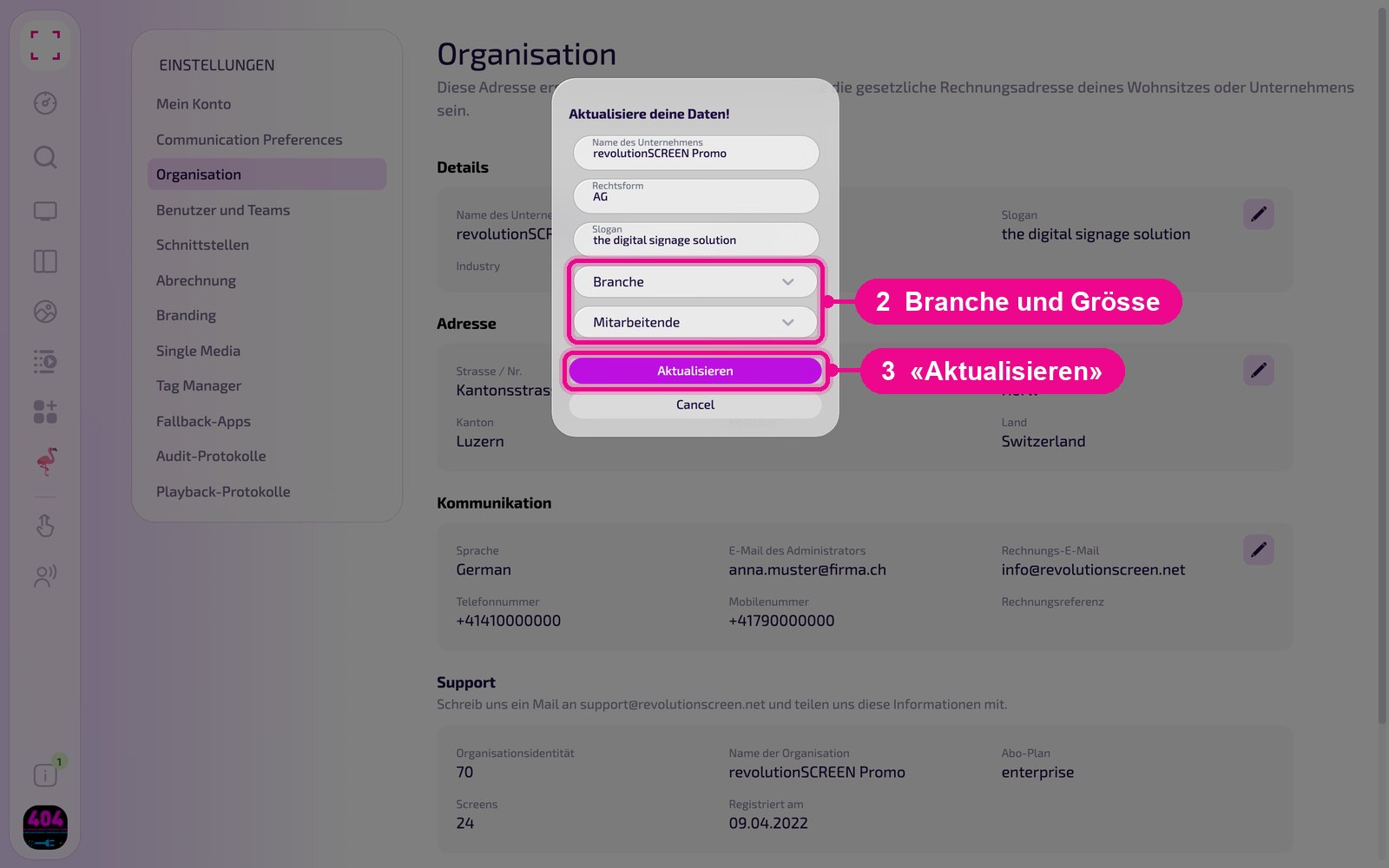
In the «Details» section, click the pencil on the right.
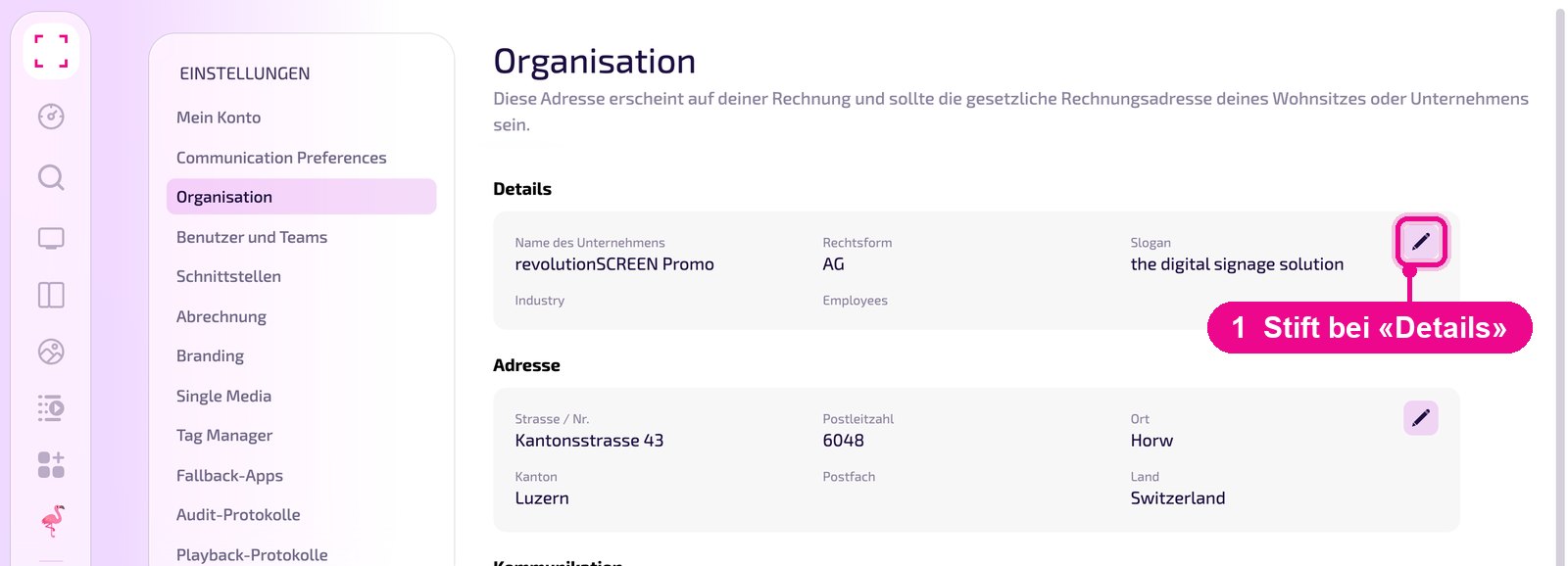
In the «Aktualisiere deine Daten!» window you change the company name, legal form and slogan. In the selection fields you choose the industry and the number of employees. Use «Aktualisieren» to save the changes, or «Cancel» to abort.
Change billing address
Always enter the correct billing address, that is the legal address of your company or place of residence. To do this, click the pencil on the right in the «Adresse» section.
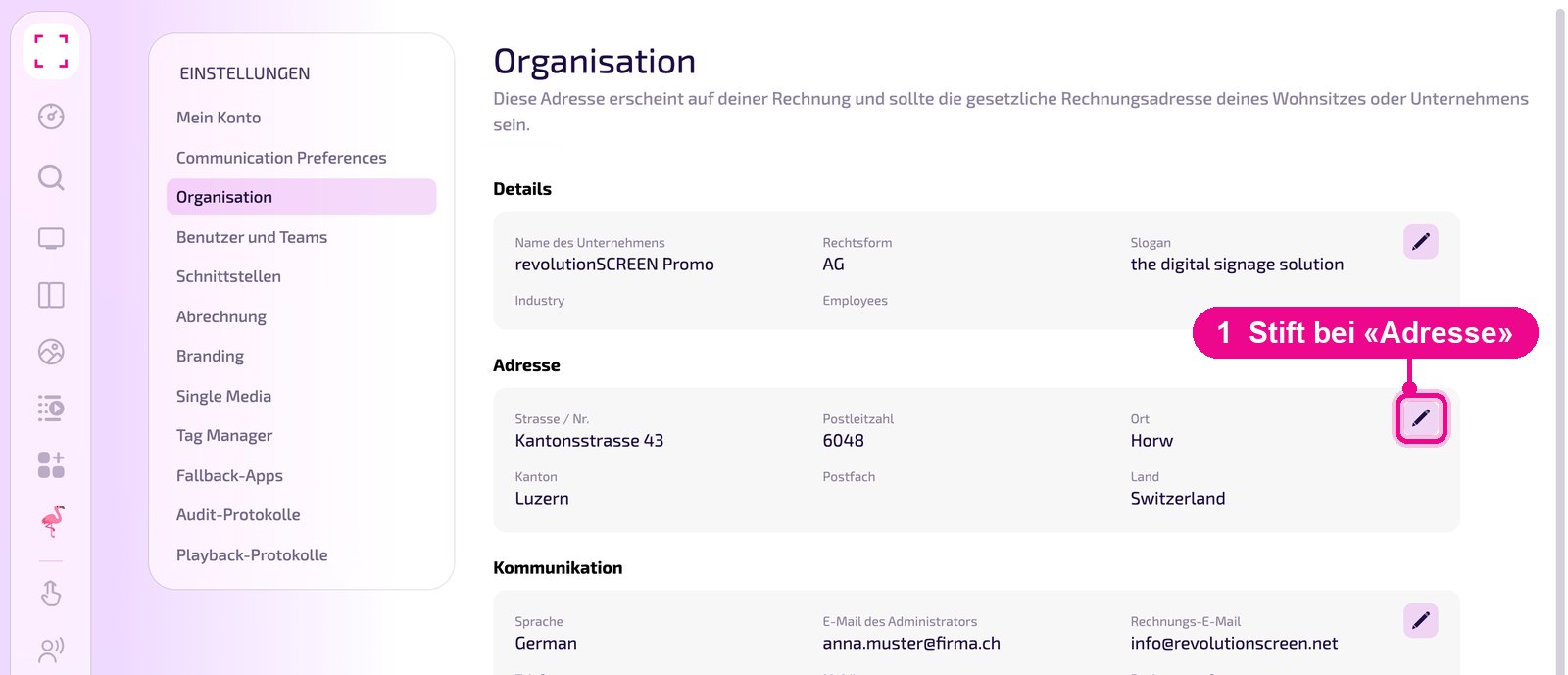
In the «Aktualisiere deine Adresse!» window you enter the address, postal code, town, canton and, if needed, a P.O. box. Select the country at the bottom and save with «Aktualisieren».
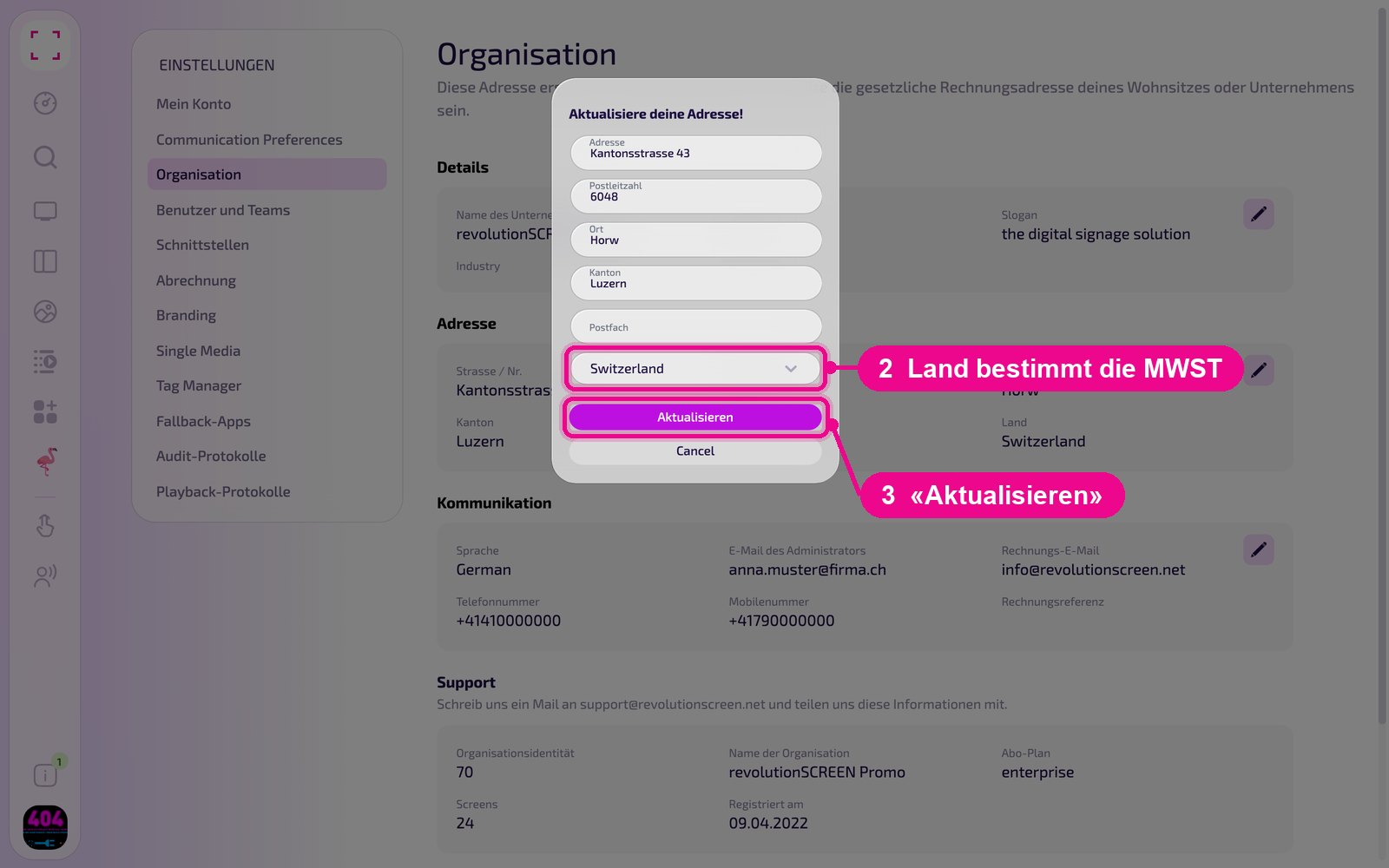
The country of the billing address determines the value-added tax. If your company is based in Switzerland, the current VAT rate is added. Invoices to customers abroad are issued with 0 % VAT. If the address is wrong, the VAT on the invoice is wrong too.
Invoice language and email addresses
In the «Kommunikation» section, click the pencil on the right.
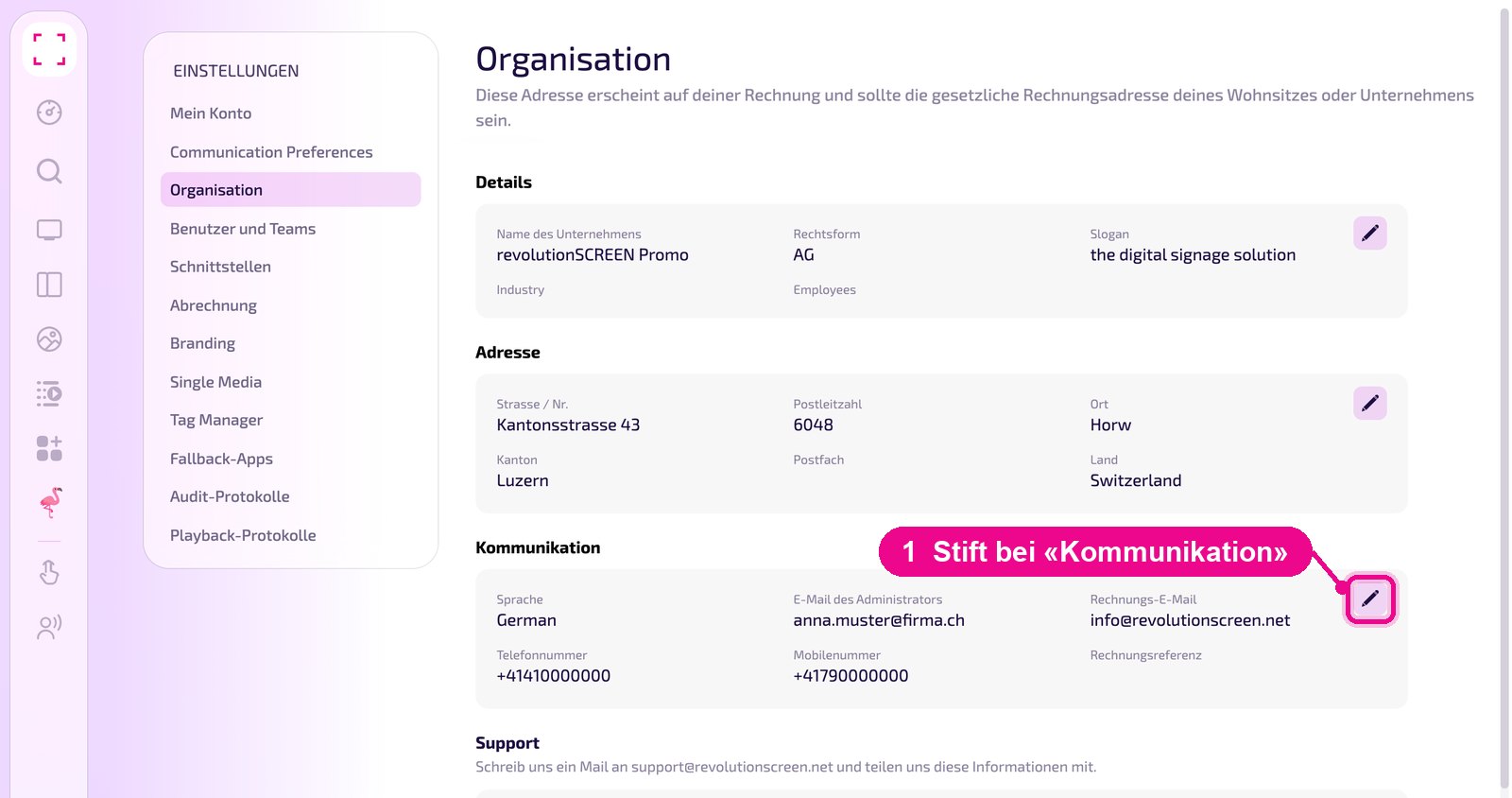
In the «Aktualisiere deine Daten!» window you define how we communicate with your company. Use «Aktualisieren» to save the changes.
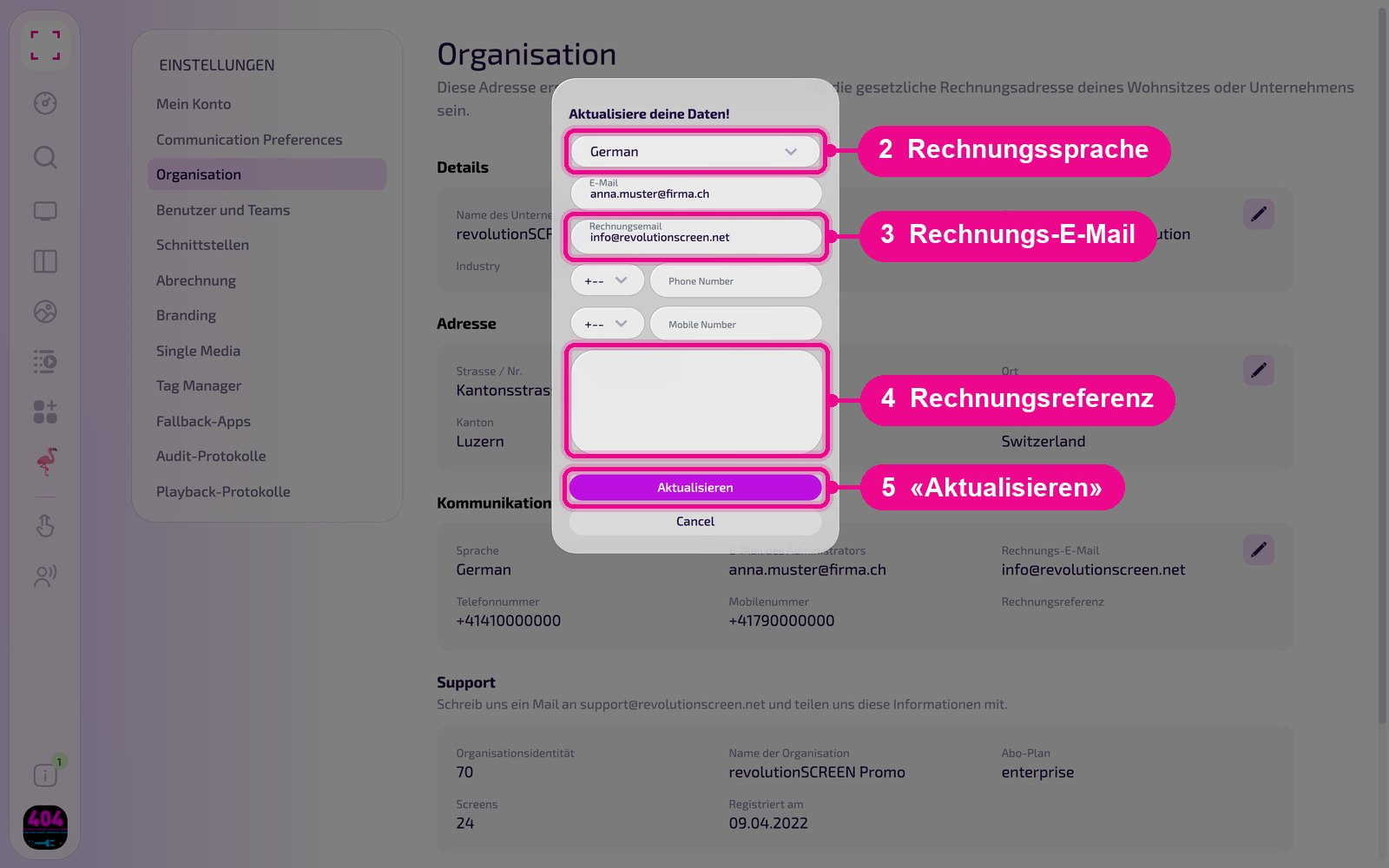
- Sprache: the language of your invoices. This does not change the language of the interface, which each user sets themselves under «Mein Konto».
- E-Mail: the administrator's email address. Notifications about updates, new features and important information go there. Enter the address of the owner or the person responsible for IT.
- Rechnungsemail: we send invoices exclusively by email to this address. Make sure the spelling is correct.
- Phone Number und Mobile Number: your company's phone and mobile number, each with country code.
- Rechnungsreferenz: the text in the large field appears on every invoice, e.g. an order number or cost centre.
Information for support
You cannot edit the «Support» card. It shows the information by which we identify your account: organisation identity (your company's number), organisation name, subscription plan, number of screens and the registration date.
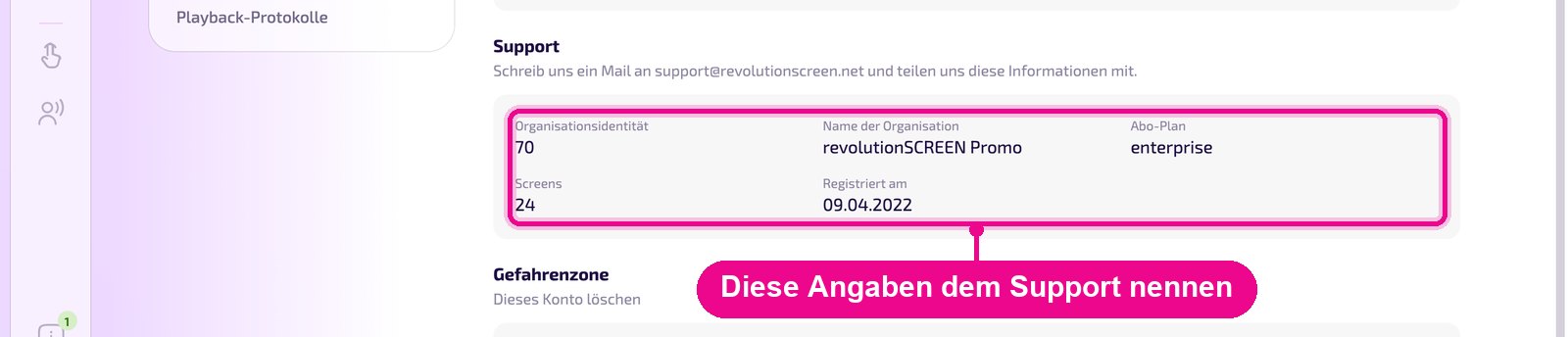
Provide this information when you contact support, ideally by email to support@revolutionscreen.net. That way we find your account immediately, even if you manage several companies.
Delete account
In the «Gefahrenzone» section you delete your company's account with the «Dieses Konto löschen» button.

A deletion cannot be undone. All data is deleted completely and irreversibly: screens, media, Playlists, Layouts, users and interfaces. Only a user with the «Owner» role can delete. You can see who has which role under «Benutzer und Teams».