Communication settings
Under «Kommunikationseinstellungen» (communication settings) you decide which emails you want to receive from revolutionSCREEN, e.g. product information, tips or invitations to webinars. The settings apply only to your own user.
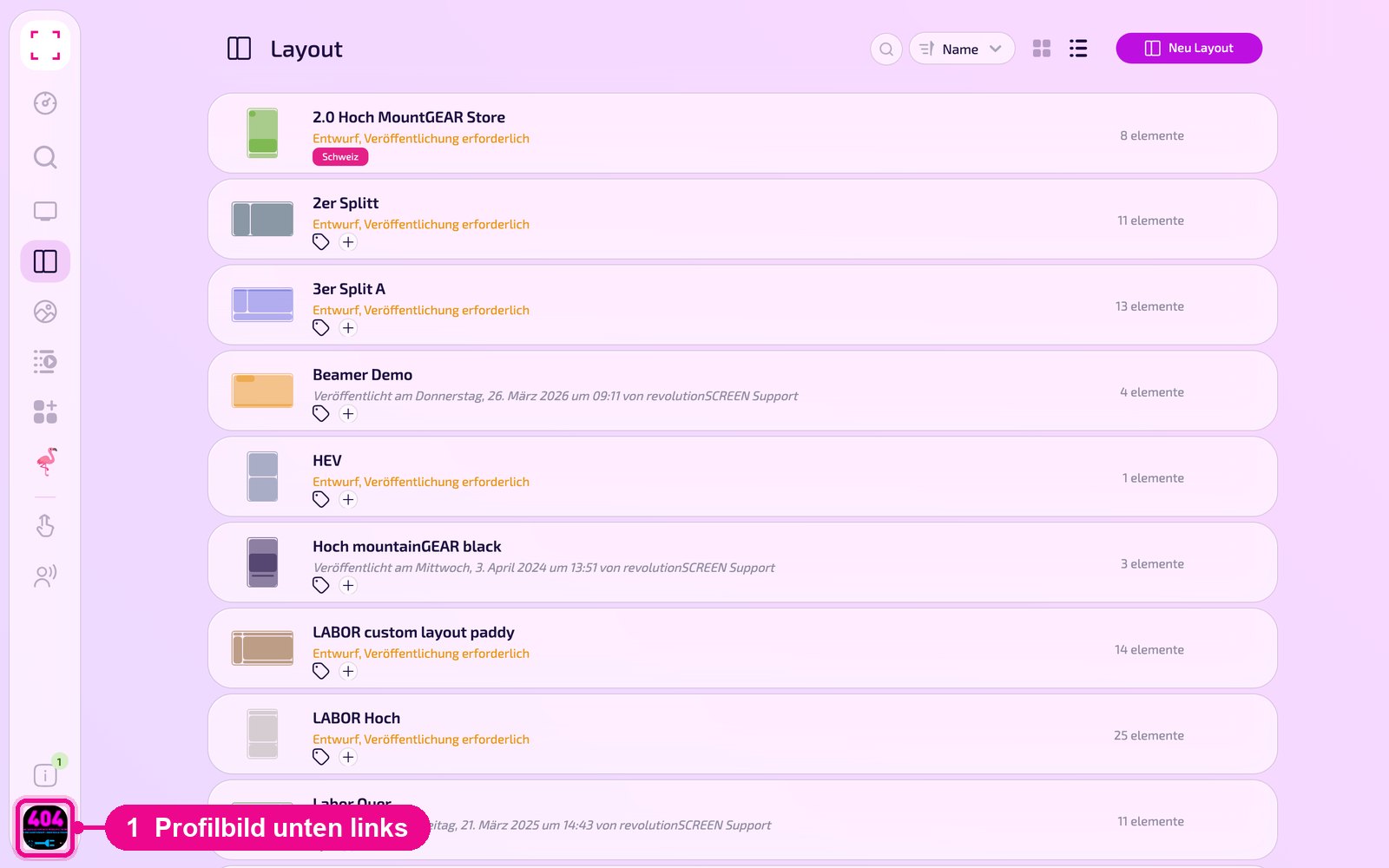
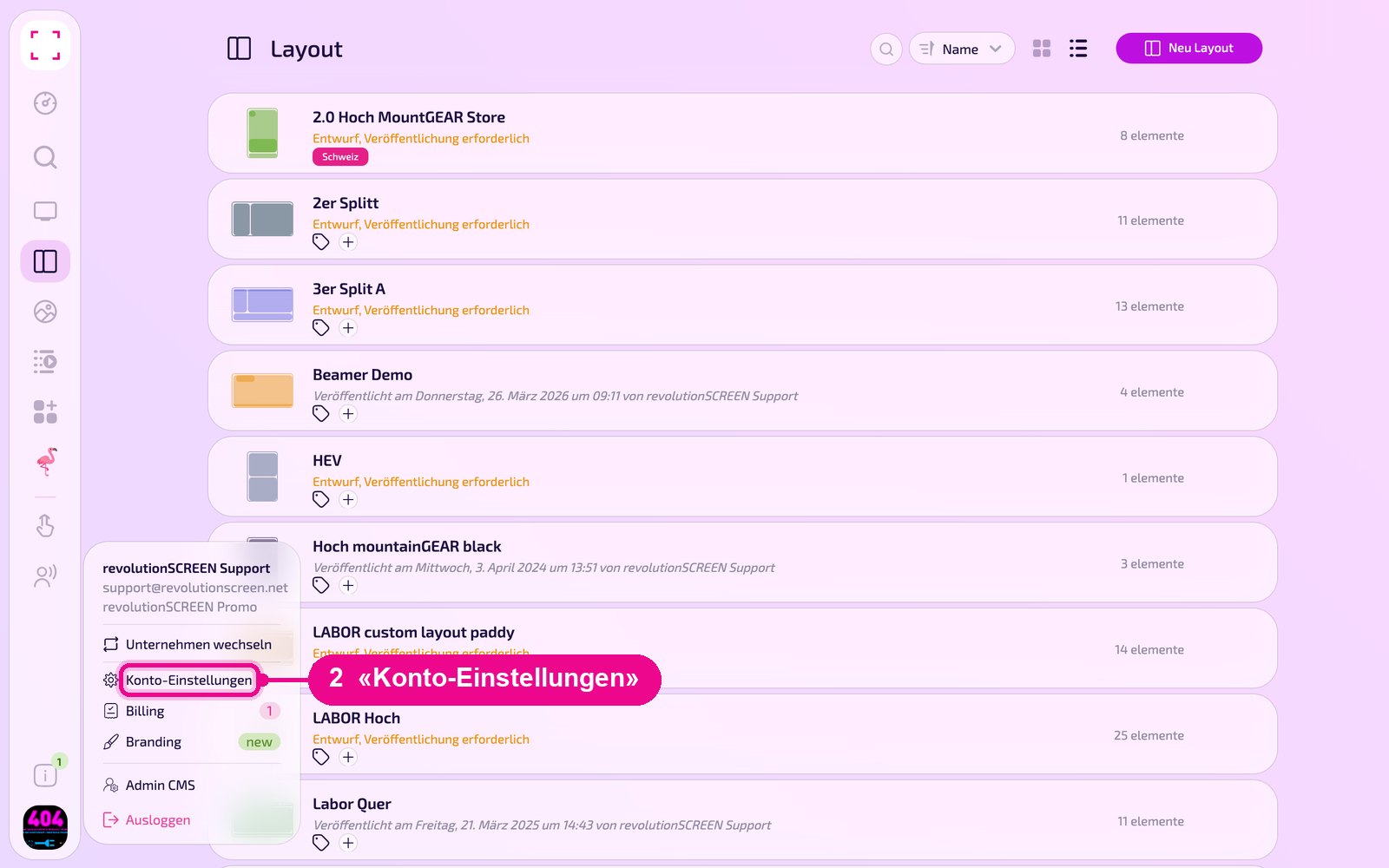
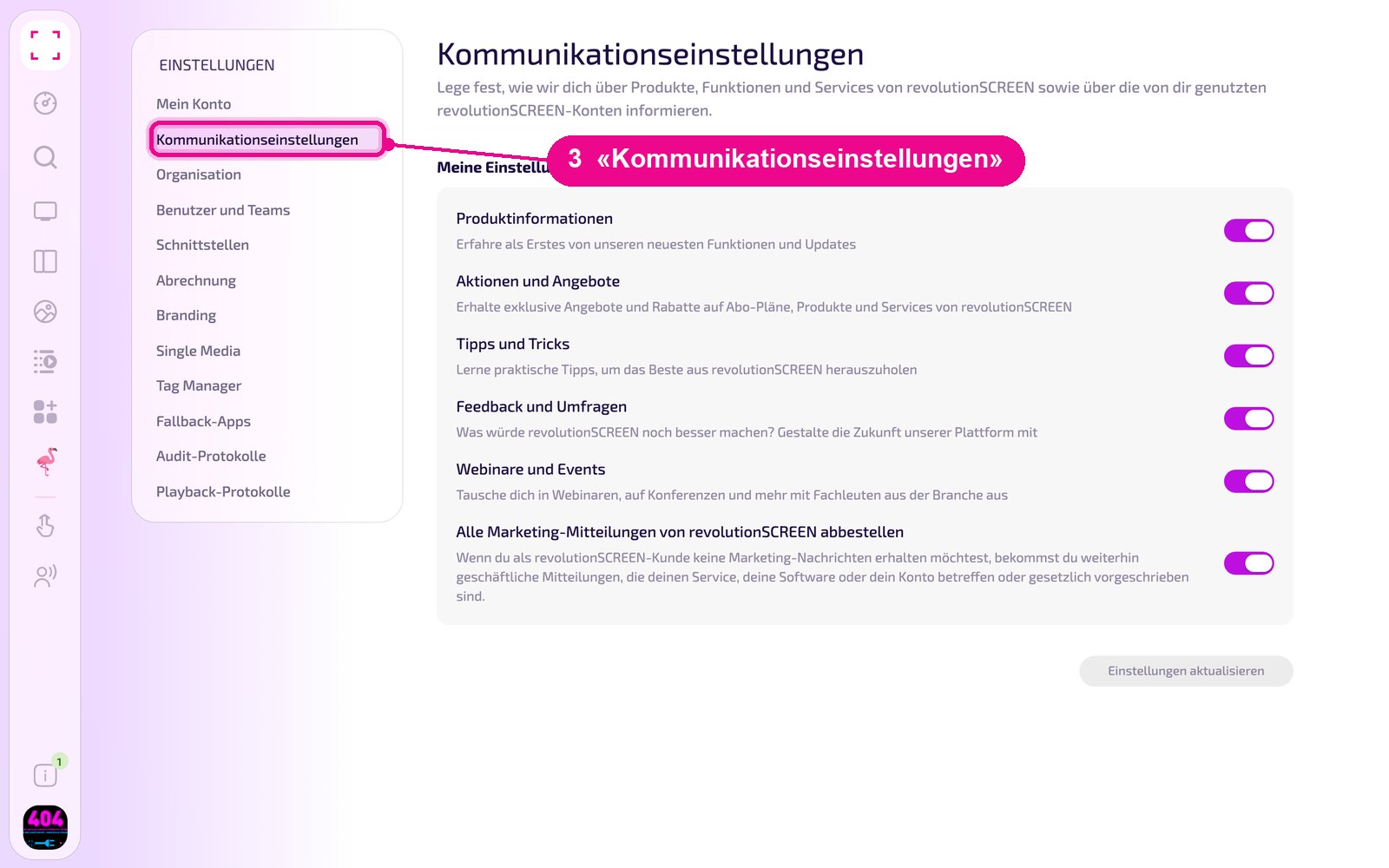
Profile picture at the bottom left → «Konto-Einstellungen» (account settings) → «Kommunikationseinstellungen» (communication settings) on the left
Turning emails on and off
In the «Meine Einstellungen» (my settings) section, turn each topic on or off with the switch on the right. Use the bottom switch to unsubscribe from all marketing messages at once. Then click «Einstellungen aktualisieren» (update settings) so the change is saved. The button only becomes active once you have changed something.
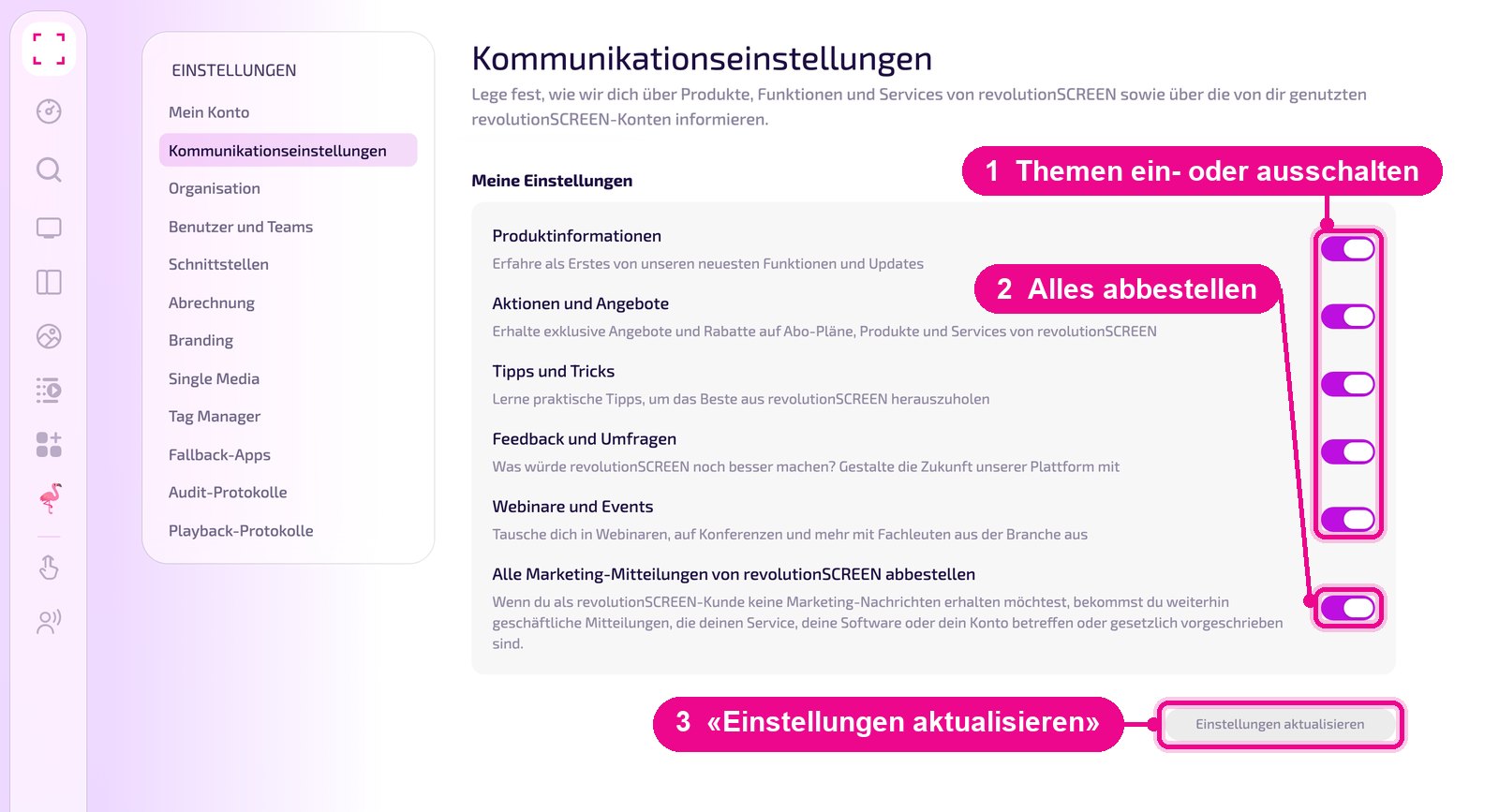
- Produktinformationen: new features and updates.
- Aktionen und Angebote: offers and discounts on subscription plans, products and services.
- Tipps und Tricks: practical tips for working with revolutionSCREEN.
- Feedback und Umfragen: surveys that let you help shape the platform.
- Webinare und Events: invitations to webinars, conferences and other events.
- Alle Marketing-Mitteilungen von revolutionSCREEN abbestellen: no more marketing messages.
Even if you unsubscribe from all marketing messages, you will still receive business messages concerning your service, your software or your account, or that are required by law.
Good to know
Invoices and messages to the company go to the addresses stored under «Organisation» in the «Kommunikation» (communication) section. You change these addresses there, not in the communication settings.